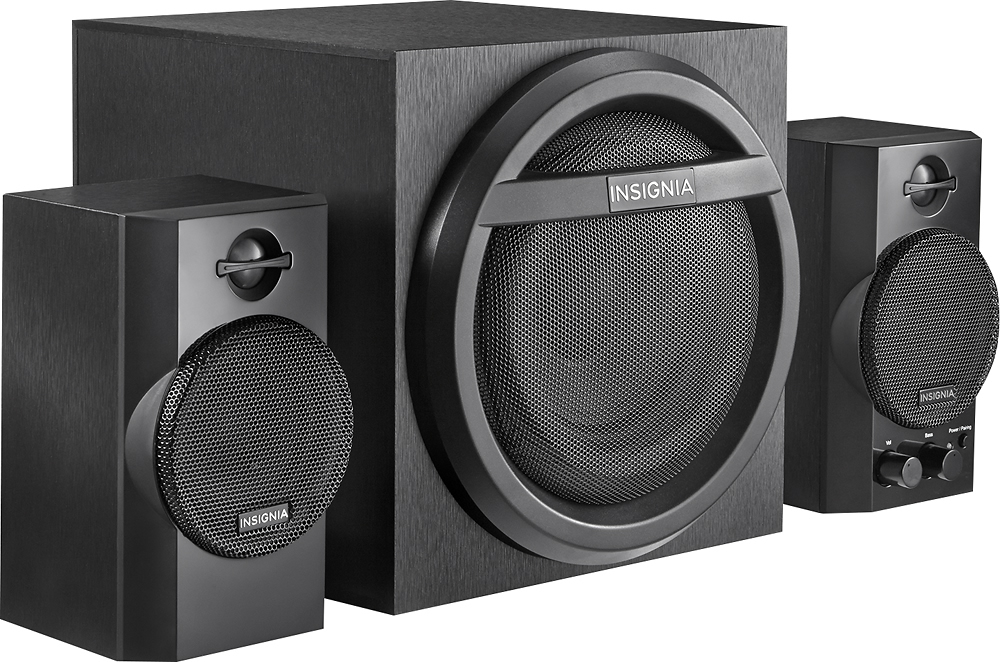
A:AnswerThat is an issue of the speakers.
They have like a sound detection system, when they don't feel any noise they go to an standby system. I really hate that.
When I'm seeing a movie and they have silence lapses the speakers go to standby.
A:AnswerI believe the AUX port on that sound bar is a AUX out. You would have to see if it had any in ports. I believe the only in port is the SUB in port. That port is a single cord that looks like a composite style cable not a 3.5mm. So not sure what you could do.
A:Answerif your tv has bluetooth connectivity and can successfully pair with the speakers it shouldn't be a problem. However, there may be lag in sound delivery and depending how far away you set up the speakers, it might disconnect from time to time. I noticed I can't go too far away with my phone when connected to the speakers via bluetooth or it will either disconnect or the sound will start to stutter. hope this helped.
A:AnswerThis speaker is wireless but it works with only things that are bluetooth like a phone or a tablet and if you tv is compatible with bluetooth you can do it
A:AnswerMaybe, but I doubt it.
The problem is that to do surround sound, the sound that comes out of your back speakers is actually different than your front. For example, if a movie wants it to sound like a gun shot from behind you they will make the sound come from the back speakers only and the front will be silent. Your system would need to know how to control the sound signals to coordinate that. I doubt your soundbar will do that for you. Likely what you will get is the same exact sound from the front repeated in the back (maybe even reversed based on how you place your left/right speakers). It will possibly be louder and easier to hear, but I don't think it would be actual surround sound. It is possible it may even make it worse by putting extra noise in your room and screwing up your soundbars' attempts to fake surround sound.
A:AnswerThe response speed from the streaming is slower b/c the internet speed may not be fast enough. Check you MBS by running a speed test on your computer or phone. If it is at least 25mbs you should be good. You could also try running a direct network cable into the TV to shake that lag. Monster also makes a surge protector that has a networking filter built onto it that can help with that too. That is about all i can think of, good luck.
A:AnswerAre you turning off your devices Bluetooth? This may be the problem, your device is still trying to connect to the speakers if Bluetooth is still on. I havent had this issue with the speakers but maybe thats the solution! Good luck!