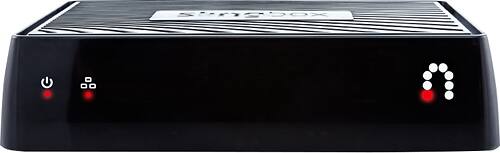
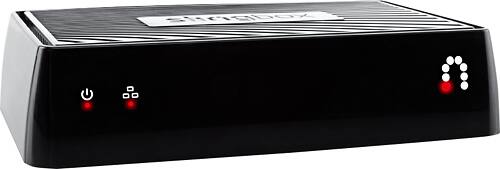
A:AnswerNo, you do not. BUT...if someone turns that TV on while you are using SlingBox and changes the channel it WILL change what you are watching. So you do not want it on a "shared" TV.
A:AnswerSomeone has hacked into your box and is using it for their own benefit. You need to password protect your box. If it already is, using a stronger password is recommended. Try using numbers and symbols as well as capital letters. Creating a random password is highly recommended. Just be sure to write it down and keep it in a safe place!
A:AnswerAll you need is an Internet connection be it WiFi or a LAN connection. You'll need to pay for that. Some content requires cable carrier to get, but most of them are available on the Internet and can be streamed thru the ROKU as long as the computer and the ROKU are on the same WiFi "channel "(FYI for those with multi channel routers )
A:AnswerYes. Slingbox M2 will work on any set-top box that has either component or composite cables. The Slingbox 500 is the only unit that is HDMI compatible.
A:AnswerIf the broadcast is in Philadelphia then the Slingbox should be there. You must have an app in your phone/tablet/laptop to access Slingbox broadcast thru wifi. You also have to watch for the time zone difference if any.
A:AnswerThe Slingbox broadcasts signals to the internet via cable box interface. The outdoor TV has to have an app to receive the broadcast. If the TV has a browser you can probably download the app from slingbox.com and watch through a web browser. Maybe a splitter would be more feasible than a Slingbox.to connect to the outdoor TV but then again the remote might be a problem unless you have a line of site to the control box. The other problem is that both TVs will have the same show since it's coming from the same box and this true with Slingbox also. Hope this sheds a light.
A:AnswerNo. The M2 is a go-between between your cable box and TV. The M2 broadcasts the signal true Wi-Fi which doesn't need an extra charge from Slingbox or your cable provider.
A:AnswerThe original independent program doesn't work with Windows 10. You do have an option to download an app from slingbox.com to play Slingbox on a laptop/desktop thru a browser.
A:AnswerOnce you connect the M2 to your home cable control box and set it up on your home network, you can watch any channel that it has via the SlingPlayer phone Application. You may incur data charges.