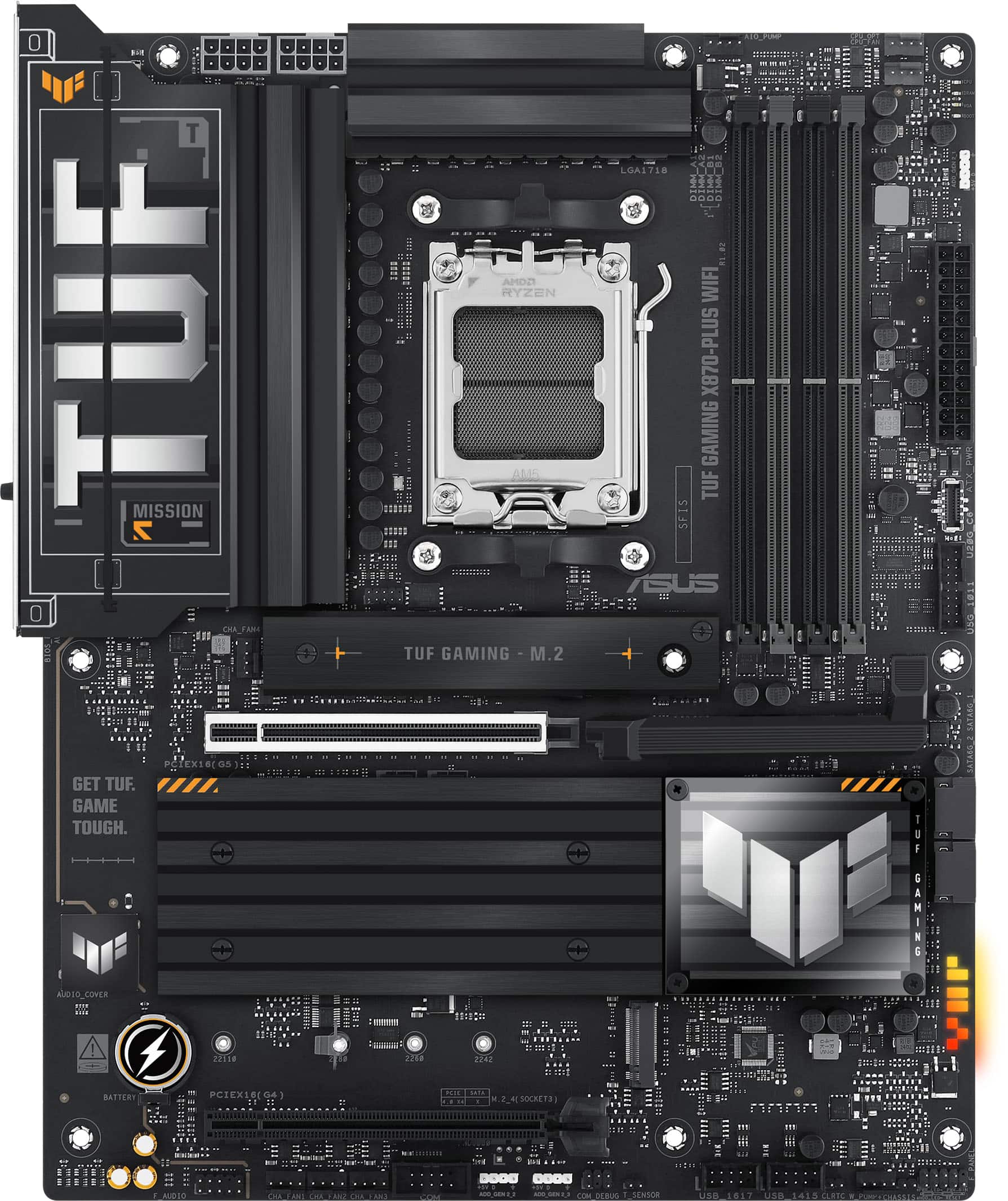
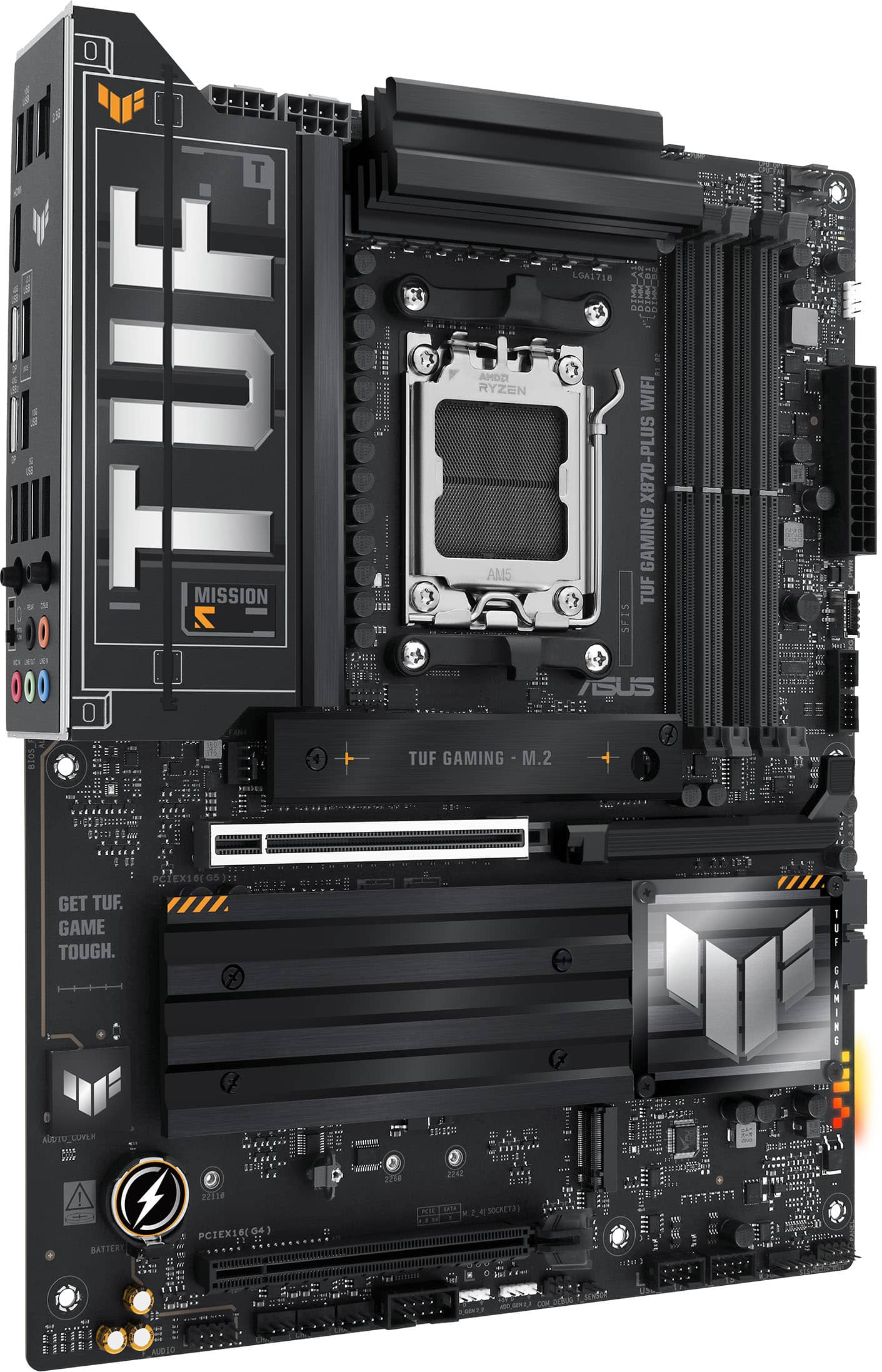
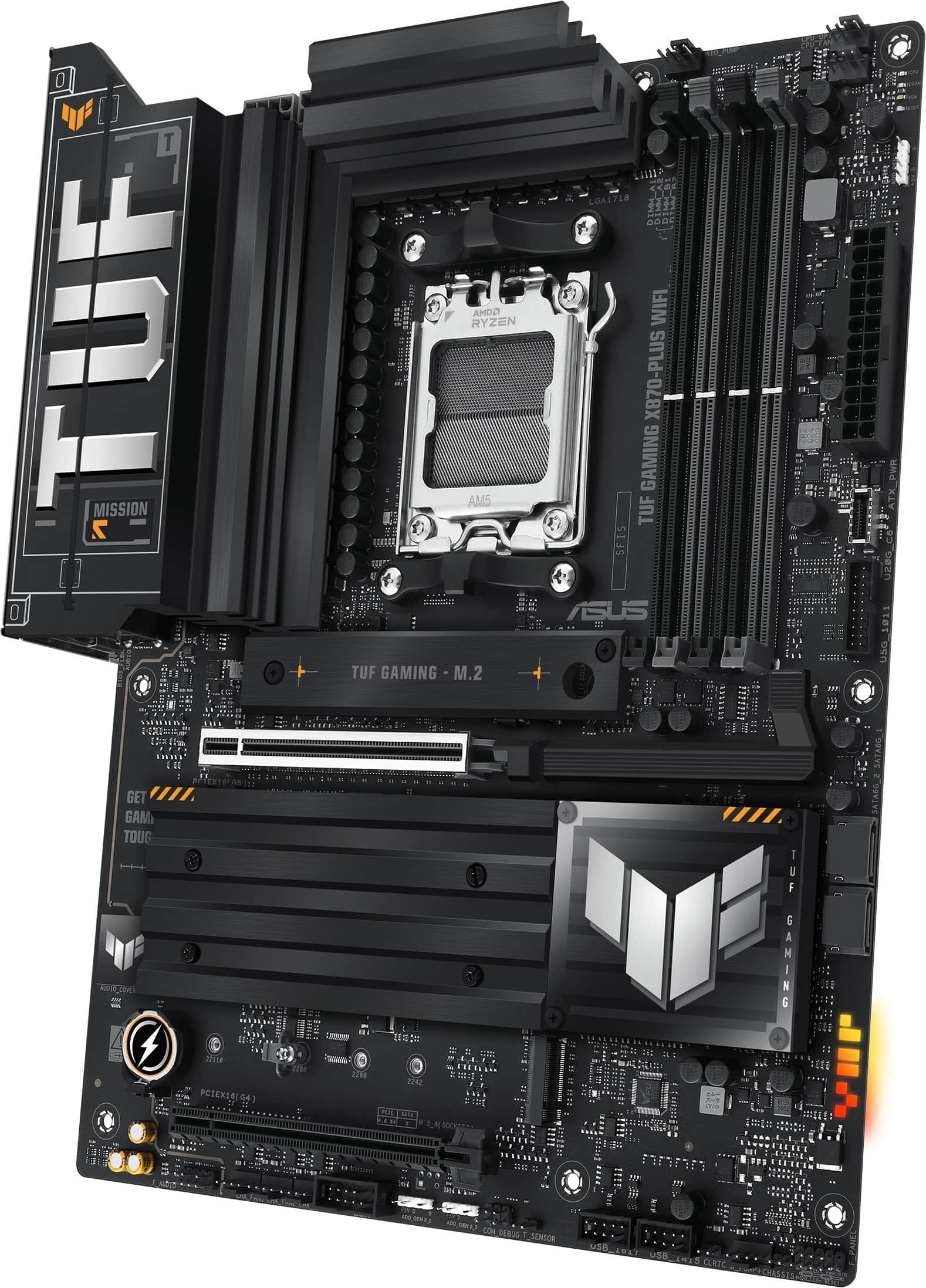
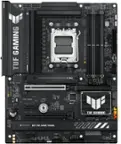
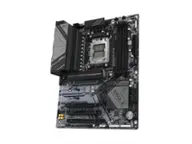
Customers consistently note the TUF GAMING X870-PLUS WIFI motherboard for its top-tier overall performance, incredibly fast Wi-Fi 7, and overclocking capabilities. The inclusion of USB4 is also appreciated, along with the straightforward assembly. However, some customers have expressed concerns about the SSD, price, and occasional issues with the ethernet port.
This summary was generated by AI based on customer reviews.
The vast majority of our reviews come from verified purchases. Reviews from customers may include My Best Buy members, employees, and Tech Insider Network members (as tagged). Select reviewers may receive discounted products, promotional considerations or entries into drawings for honest, helpful reviews.
Page 7 Showing 121-140 of 140 reviews
Rated 5 out of 5 stars
great motherboard
|
|
Posted . Owned for less than 1 week when reviewed.
This reviewer received promo considerations or sweepstakes entry for writing a review.
Great motherboard, easy quick set up. No issues at all
I would recommend this to a friend
Rated 1 out of 5 stars
One RAM Slot Didn’t Even Work
|
|
Posted . Owned for 3 weeks when reviewed.
This reviewer received promo considerations or sweepstakes entry for writing a review.
Got this ASUS TUF Gaming X870-PLUS WiFi and one of the ram slots didn’t even work. Tried everything but it only read one stick no matter what I did.
Wasn’t worth the hassle so I just returned it. Kinda sucks cause I liked the look of it, but can’t use a board that don’t work right out the box.
No, I would not recommend this to a friend
Brand response from ASUS Answers
Posted .
Dear Jason,
Thank you for your comment.
We certainly understand your disappointment and the inconvenience this may have caused if one of the RAM modules is not being detected. For a smooth and trouble-free DDRAM choice that will work flawlessly with your system build experience, we recommend referring to the Qualified Vendor List for compatible RAM at: https://www.asus.com/us/motherboards-components/motherboards/tuf-gaming/tuf-gaming-x870-plus-wifi/helpdesk_qvl_cpu?model2Name=TUF-GAMING-X870-PLUS-WIFI. Supported memory types, data rate, and number of DRAM modules vary depending on the CPU and memory configuration. If you need further assistance with the product, please email me at [email protected] and I will be more than happy to help. Or, you are most welcome to call Product Support Hotline at: 1(888) 678-3688. Also, you can chat with an ASUS live support agent from the link: https://www.asus.com/us/support/article/1135/.
Thank you for choosing an ASUS product.
Regards,
Rodel ASUS Customer Loyalty
Rated 3 out of 5 stars
It's ok
|
|
Posted . Owned for less than 1 week when reviewed.
This reviewer received promo considerations or sweepstakes entry for writing a review.
Not bad, slow boot. Definitely need to update bios. Over all good for the price
I would recommend this to a friend
Brand response from ASUS Answers
Posted .
Dear Greyman,
We are pleased to hear that you are satisfied with the motherboard. At ASUS, we take quality control, testing, and inspections seriously to ensure our products meet high standards. It is our hope that the device continues to operate normally and that you enjoy using it.
We stand behind our products and continuously strive to improve our products and processes to achieve customer service excellence. If you require any further assistance, please email us at [email protected] and include the case number "N2412028882-0001" as a reference. We will do our best to resolve your case quickly. Your feedback is very important to us and enables us to improve our support channels. Thank you for choosing ASUS.
Best Regards, Chantae ASUS Customer Loyalty US Support
Rated 3 out of 5 stars
Asus motherboard
|
|
Posted . Owned for 1 month when reviewed.
This reviewer received promo considerations or sweepstakes entry for writing a review.
This motherboard did not work out with my current PC
No, I would not recommend this to a friend
Brand response from ASUS Answers
Posted .
Dear Joebla,
We're sorry to hear that the motherboard did not work with your PC and we apologize for the inconvenience this may have caused you. If you are still within the return window, we recommend contacting the place of purchase for an exchange or return.
We stand behind our products and continuously strive to improve our products and processes to achieve customer service excellence. If you require any further assistance, please email us at [email protected] and include the case number "N2412028882-0003" as a reference. We will do our best to resolve your case quickly. Your feedback is very important to us and enables us to improve our support channels. Thank you for choosing ASUS.
Best Regards, Chantae ASUS Customer Loyalty US Support
Rated 1 out of 5 stars
Asus warranty repair is F tier
|
|
Posted . Owned for 2 weeks when reviewed.
This reviewer received promo considerations or sweepstakes entry for writing a review.
Asus customer is F tier. Their product support team purposely damages your products when you send it in for repair to avoid warranty repairs. They do anything to avoid preforming warranty repair!
No, I would not recommend this to a friend
Brand response from ASUS Answers
Posted .
Dear SteveJobs420,
Thank you for your feedback. We do understand your dissatisfaction with the quality of your recent customer service experience and the inconvenience this may have caused. All ASUS products undergo intensive quality control testing and inspections during the service or repair process. If the motherboard is still not working properly when you received it back from service is a random problem. We recommend to send the motherboard, again, for service to resolve this issue as soon as possible. An RMA number is required to send it in for service. For RMA details, please go to: https://www.asus.com/us/support/article/818/. We do value our customers and take negative customer service experience very seriously. This is not the quality of service expected from ASUS. We do support and stand behind our products, and we continuously strive to improve our approach and processes in order to achieve customer service excellence. If you need further assistance with the warranty service for the product, please email me at [email protected] and I would be more than happy to help. Or you are most welcome to call Product Support Hotline at: 1(888) 678-3688. Also, you can chat with an ASUS live support agent from the link: https://www.asus.com/us/support/article/1135/. Thank you for choosing an ASUS product.
Regards,
Rodel ASUS Customer Loyalty
Pros mentioned:
Usb4, Wi-fi
Rated 5 out of 5 stars
Another SOLID board from ASUS! Game and Work!
|
Posted .
This reviewer received promo considerations or sweepstakes entry for writing a review.
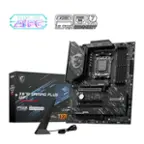
The TUF Gaming X870-PLUS WIFI (it's an AM5 board) is a great pick for a custom build PC rig with reliability and stability. Right from the start, you can tell this motherboard is built to last. It has a solid feel to it, which is exactly what you want when you're putting together a new system. The design is "gamer” with black and gold accents, giving it that cool industrial look without being too flashy... but remember, this IS a gaming brand, so you’re gonna get some gamer.
One of the best parts about this motherboard is how easy it is to install. The layout is fairly straightforward, so even if you’re not a seasoned PC builder, you won’t feel lost. All the ports and slots are clearly labeled, making it simple to connect everything. YES, the NVME are clearly labeled as to what speed they are; Why doesn’t every manufacturer do this? Plus, the PCIe “Q-Release” button is a nice touch that makes removing your card a breeze if you ever need to upgrade or troubleshoot. The NVME installation is equally as easy with a similar mechanism that isn’t too fussy. I am a BIG BIG fan of these ASUS install mechanisms. I know they advertise that it's "easier" but really, it's more reliable and prevents issues. I think a lot of damaged boards happen in the removal and subsequent upgrade of cards or drives. They really make building with ASUS really painless, enjoyable, and reliable.
The instructions that come with it are simple but effective, so if you’ve never done a build before, you can buy this board, but I still would recommend you watch some videos or read some one webpage tutorials. Once you build one, you’ll be able to figure out most other boards.
This motherboard supports AMD Ryzen 7000 and later AM5 processors. I put in a 7900x that I had from one of my previous builds. You're set for performance right out of the box for the forseeable future since the AM5 socket and architecture is still fairly new. The power system is robust, so you can push your CPU or APU without worrying about stability if you’re into customizing or overclocking. I personally am not into performance computing: I’m into extreme stability, so I also appreciate the ability to tweak. Since this is a production unit for me, I would probably try to keep it stable and possibly downclock; Those options are available for me and one day when this becomes a gaming system, it’ll overclock nicely. If you're new to overclocking, the automated overclocking feature takes the guesswork out of tuning your performance. I tried it out and it seemed fairly stable after a few calibrating restarts.
This motherboard supports up to 192GB of DDR5 RAM, which is way overkill for gaming and still pretty expansive for production use. You also get four M.2 slots for storage, so there’s plenty of room for all your games and files. Again, two of them are PCIe5 and two are PCIe4 and they are labeled. Ingeneous!
Connectivity options are finally in the future. With dual USB4 Type-C ports and Wi-Fi 7 built-in, you’ll be set for the future without needing extra adapters or cards in your build. It’s really about time that all computers come with USB4/TB4 support. It’s freaking 2024 so manufacturers should get on the train.
The ASUS TUF Gaming X870-PLUS WIFI is an great choice for a solid, reliable build. It is easy installation with modern features and durability, making it great for both beginners and experienced PC users. If you're ready to upgrade to AMD's latest platform, this motherboard should be on your short list.
I would recommend this to a friend
Rated 1 out of 5 stars
broken
|
|
Posted . Owned for 3 weeks when reviewed.
This reviewer received promo considerations or sweepstakes entry for writing a review.
came in broken they wouldn’t return it either lolzzz
No, I would not recommend this to a friend
Brand response from ASUS Answers
Posted .
Dear GioR,
Thank you for your comment.
We do understand your dissatisfaction with the quality of the product and your recent customer service experience, and the inconvenience this may have caused. All ASUS products undergo intensive quality control testing and inspections, this is a random problem. ASUS provides one year warranty coverage, if product was purchased brand-new, in order to fix or repair any hardware or part that stop working prematurely under normal usage. If you received this motherboard broken upon arrival. we recommend to contact your seller for a resolution.
If you need further assistance with the motherboard, please email me at [email protected] and I would be more than happy to help. Or, you are most welcome to call Product Support Hotline at: 1(888) 678-3688. Also, you can chat with an ASUS live support agent from the link: https://www.asus.com/us/support/article/1135/.
Thank you for choosing an ASUS product.
Regards,
Rodel ASUS Customer Loyalty
Pros mentioned:
Overclocking
Cons mentioned:
Ssd
Rated 4 out of 5 stars
Good AM5 board from Asus.
Posted .
This reviewer received promo considerations or sweepstakes entry for writing a review.
This is a very heavy, well made board. Lots of connectivity options, USB4 support, 4 M.2 slots with some caveats and some thoughtful features for the builder. First the biggest disappointment for this board is if you use the 2nd M.2 slot your GPU will run at PCIe 8x instead of 16x, this could impact performance while gaming. Also, if you use the 4th M.2 slot the bottom PCIe expansion slot will be disabled. This could matter to you if you would like to use a capture card as well as that M.2 slot, it ain’t happening on this board. Those are my only complaints really, otherwise this is a great board. The M.2 slots are tool less for easy insertion and the M.2 heatsinks feature screws that stay with the heatsinks so you will not lose them when removing them. The GPU socket has an easy release tab placed well away from the socket which makes it way easier to access. Theres 5 4 pin fan headers that all support PWM fans as well as an AIO pump and a higher output custom loop pump header. There are also plenty of front panel headers for nearly any case you might have. The BIOS is typical Asus with some surprisingly useful automatic overclocking features. Generally I never use overclocking gimmicks but Asus has created an AI feature that actually works quite well. With a few easy steps I was able to overclock my Ryzen 9700X to an all core 5.8 ghz boost with full stability. Theres also an AI cooling feature that will have your system running cool and quite in no time. I recommend updating your BIOS immediately as there have been some critical updates to AMDs microcode to enable 105w TDP support for Ryzen 9000 chips as well as better memory support. All in all this is a great board that I see myself using for years to come.
I would recommend this to a friend
Cons mentioned:
Ssd
Rated 4 out of 5 stars
Asus X870 Plus: Mid-Range Ryzen!
|
Posted .
This reviewer received promo considerations or sweepstakes entry for writing a review.
As with any critical component, choosing the right motherboard is, or can be, rather tedious given the wide range of competing chipsets and various price points. In addition, it is also likely that your purchase will be based on some aspect of your future computing requirements (i.e. ports/upgradability). For enthusiasts, this process, coupled with newly launched CPUs, is always exciting. With the recent launch of the Zen 5 desktop processors, the mid-range segment of the newly launched X870 chipset presents an opportunity to provide high performance at a reduced cost compared to the X870E counterparts. Thus, I was quite excited to test the Asus X870 motherboard, finalizing my first build in over twelve years!
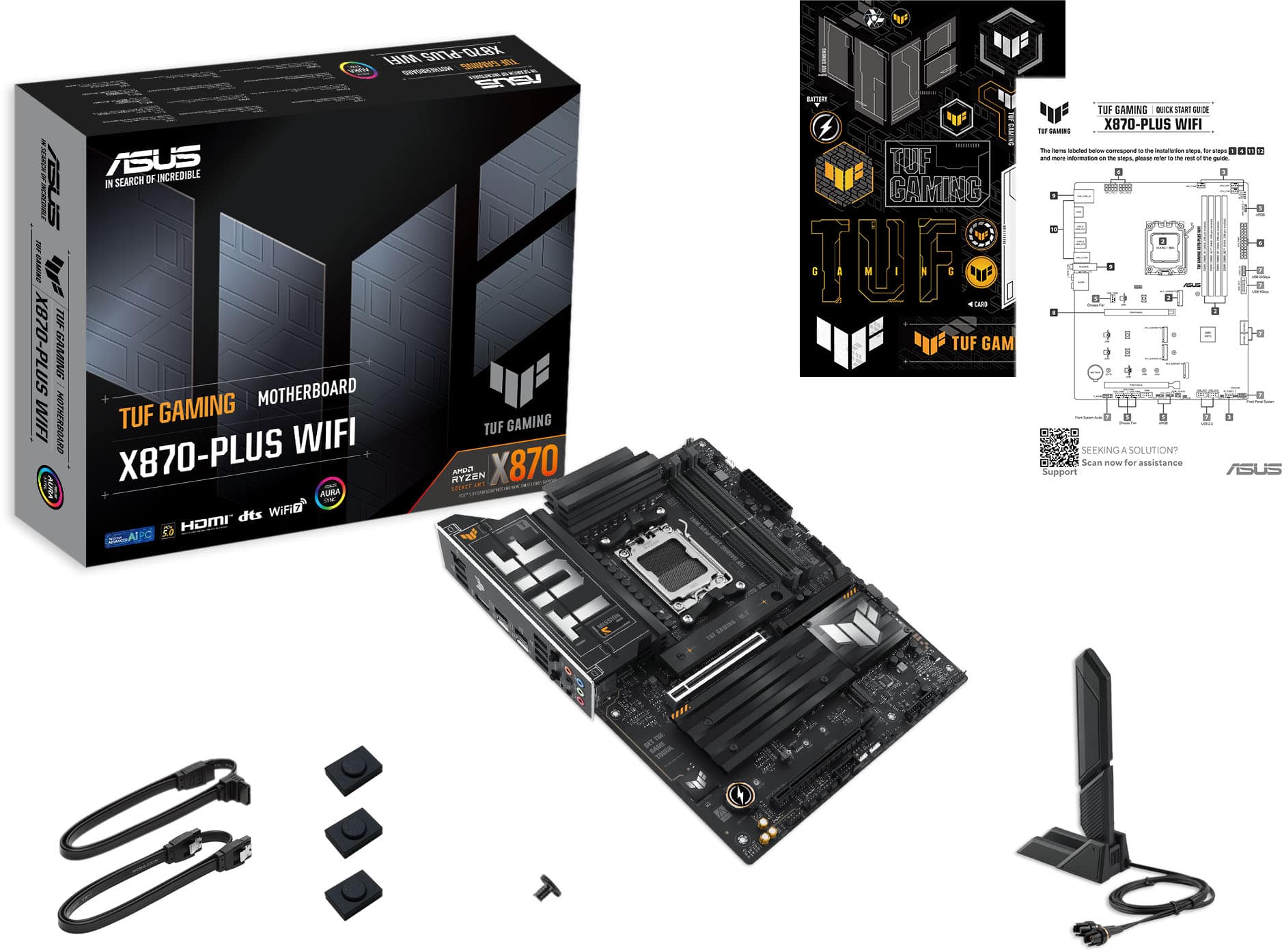
Inside the box, the X870 Plus is rather minimal on accessories as most modern boards are. You will note that in addition to the included Wi-Fi dongle, the X870 plus comes with two SATA cables (one being the right-angle variety), three M2 rubber covers, one M2 screw for the slot that is not covered with a heatsink, and a quick start guide. Furthermore, I recommend to download the full manual off the website as it will have much more technical information regarding the ports and speeds. In addition, a sheet of TUF oriented stickers is also included.
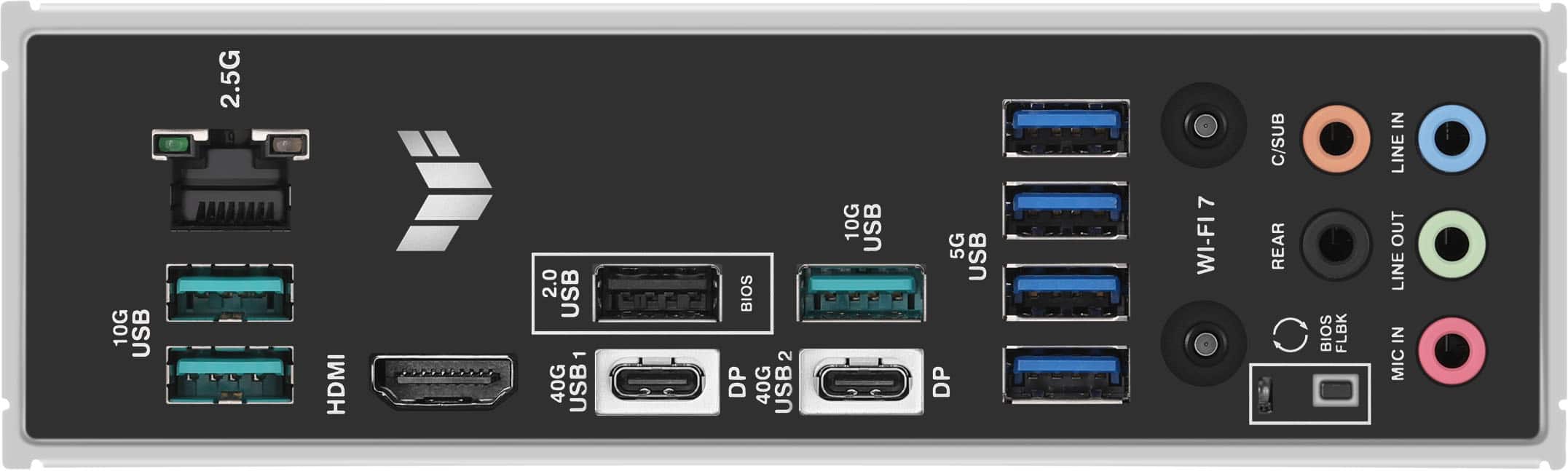
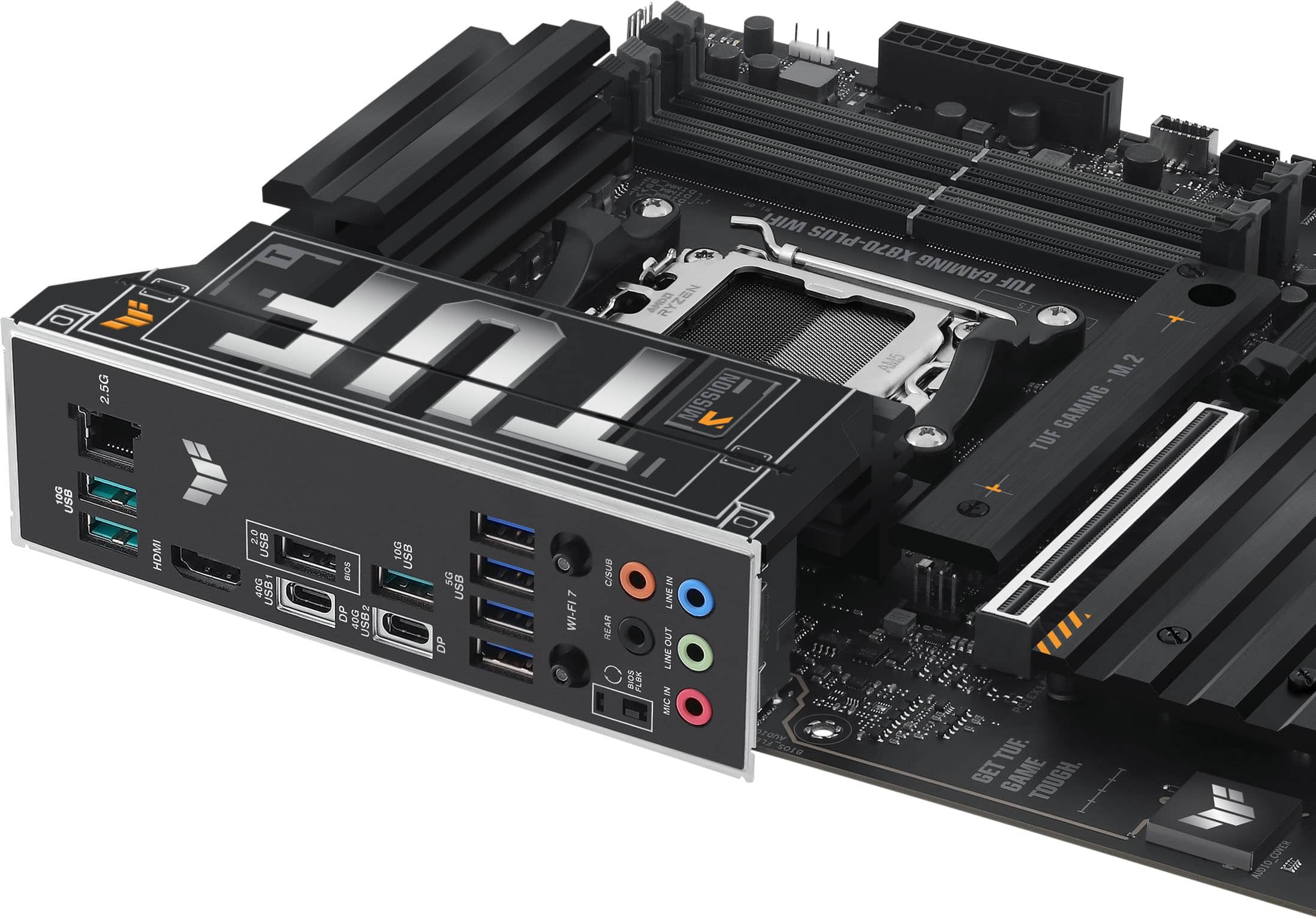
Switching to the X870 motherboard, the board is of fairly high quality. Interestingly, it feels heavier than my previous board. The back I/O plate is also pre-attached for your convenience. The board features four M2 slots with two of them supporting PCIe 5.0 speeds; as expected the second M2 shares its bandwidth with the PCIe 16x slot dropping it 8x. Moving on, the board features plenty of USB ports; total 10 in the back, 7 front across all headers. I was also glad to see that there is only one USB 2.0 (BIOS Flash) on the back of the board as it seems some models lately have opted in favor of including a lot of these ports for accessories, limiting the USB 3.x ports. For the rear, we have 4 USB 5 Gbps ports along with an additional 2 for the front. There is also 3 USB 10 Gbps (of what I assume is 3.1 Gen 2), and lastly one USB Type-C front header that supports 20 Gbps. As expected, there are two USB 4 Type-C ports located on the back. As you may already know, the x870/E chipsets dictate that these ports are mandatory so unfortunately, as a result, 4x PCIe lanes are lost in the process. While not an ideal implementation, it will certainly provide a benefit in the future once external devices can fully take advantage of the ports. In addition to the USB ports, the X870 supplies only two SATA III 6.0 Gbps ports. Personally, I would have at least like to see 4-6 ports as it is more common; 2 seems a bit lacking especially if you wanted run multiple drives. For CPU power, I was glad that this board includes two 8 pin connectors as this will certainly be a huge advantage when fiddling with the PBO curve and other OC settings.
As with any CPU/motherboard launch, the Zen 5 processors are still fairly new so it should come as no surprise that future BIOS revisions will undoubtedly improve performance (including OS updates). As such, for my review, I wanted to preserve an out of box experience so all of my tests will be using the BIOS version it shipped with. Personally, I find this helpful as this will give you a baseline idea of what you can expect performance wise (though most will probably opt to flash the BIOS to the current version). At the time of this writing, there have only been two additional updates; my board shipped with the initial release version 0237. Lastly, while I cannot mention every performance metric, I wanted to focus specifically on the CPU and memory with regards to the board. For my testing, I will be using a Ryzen 9900x CPU, cooled via a Corsair Elite H100i 240mm cooler. For memory, I will be using the GSKILL Royals Z5 32 GB DDR5-6400 (F5-6400J3239G16GX2-TR5S). As mentioned previously, this board and CPU are replacing my last build from 2012 that included an ASUS Maximus V Z77 motherboard and an Intel i7-3770K.
First, I would like to speak with regards to the BIOS layout. For those who are coming from previous ASUS boards, everything should be familiar; on first boot you will be taken to the basic setup where you can see your CPU/Motherboard temperatures and fan speeds. As expected, the bulk of the settings are buried though several menus (F7 for advance setup). If you would like to set your RAM timings/profiles, click on Ai Tweaker. Next change the AI overclock tuner setting from auto to your preference: DOCP I just loads the main timings; DOCP II loads the complete SPD profile. If you want to manually adjust the timings after your XMP/EXPO profile has been loaded, click on DRAM timing control. From there, click the respective parameter and change it accordingly (number lock will work with the keypad). For your CPU, if you would like to shift to Eco mode, or adjust the TDP/PPT values, click on advance at the top of the screen. From there, scroll down to AMD CBS. Next, click on SMU common options then click to enable Eco Mode or set your own TDP/PPT values (default on 9900x is 120w TDP / 160w PPT. Eco mode reduces the 9900x to 65w TDP / 88w PPT). Another option I thought was quite interesting was you can control the secondary PCIe 16x Gen 4 slot behavior if its populated at the same time as M2_4 slot. If you click on advance tab at the top, then onboard devices you can select your preference accordingly! By default, the auto setting disables the PCI slot to keep the M2 running. Lastly, I was surprised to see what looks like speed control for the USB 4 AsMedia 4242 controller; the XHCI setting by default has both ports running Gen2x2.
Before I begin my performance tests, I wanted to discuss my memory briefly. While I would have preferred to try the GSKILL Royal Z5 Neo (Model: F5-6000J2826G16Gx2-TR5NS) for the reduced timings, time unfortunately permitted me from doing so. Thus, to compensate, I tried to manually POST those timings in addition to CL 32-29-39-102 at 1.40v (6400 MHz) that mine are specifically rated for. Fortunately, the Asus TUF x870 was able to load my XMP default timings without issue. However, as expected, I could not POST the timings listed for the NEO model of CL 28-36-36-96 at 1.40v. After a couple of crashes, I am pleased to report that I was able to get my Royals stable, just shy of the Neo sticks, at DDR5-6000 CL30-37-37-96 at 1.40v. Naturally, this is a bit tighter than my default rated ones. Considering this was on the stock BIOS, this is pretty exciting. I did not have to tinker as much as I expected; memory support will undoubtedly improve through future BIOS updates.
Next, I would like to shift to a couple of quick synthetic CPU benchmarks to give you an idea of to expect with the 9900x. As expected, this upgrade is massive! In addition, the efficiency of this chip is quite extraordinary. It is unfortunate how much criticism Zen5 has received because for those on extremely old systems it couldn’t be more exciting! All tests were done at default and eco settings. Both Cinebench R23 and CPU-Z results are as follows:
Cinebench (Default Power) Single: 2,236 / Multi: 32,483 (12 Cores / 24 Threads)
Cinebench (ECO Power) Single: 2,235 / Multi: 23,235 (12 Cores / 24 Threads)
Cinebench (I7-3770K) - Single: 767 / Multi: 3,544 (4 Cores / 8 Threads)
CPU-Z (Default Power) Single: 881.4 / Multi: 13068.7 (12 Cores /24 Threads)
CPU-Z (ECO Power) Single: 875.6 / Multi: 9,845.8 (12 Cores / 24 Threads)
CPU-Z (I7-3770k) - Single: 401.8 / Multi: 1,976.5 (4 Cores / 24 Threads)
As expected, the results are pretty substantial, even more so when you consider that the 9900x in Eco mode is slotted between my old TDP of 77w! As far as thermals go, the 9900x ran cooler than expected. On default power, all the benchmarks had the CPU held consistently around 70c-75c. In Eco mode, the temperatures dropped to around 58c-64c. Overall, I am extremely pleased with the 9900x, though I admit it was tough not picking the 9950x!
Lastly, I do want to mention a couple of quick observations that I noted during my initial testing that you should be aware of. My first issue is the included MediaTek (Device ID 7925) Wi-Fi driver appears to be Windows 11 only, stemming most likely as a tie in to force you to adopt Windows 11 24H2 so you can use Wi-Fi 7 (despite it being backwards compatible). The bad news is that on Windows 10 there is no driver; the network adapter will just sit there listed as an unknown device in device manager. Until this is fixed, it will not work on Windows 10 so I just ended up disabling Wi-Fi in the BIOS. My second observation is navigating the BIOS with the mouse cursor is slow. It is extremely annoying, so I hope this can be fixed, if it hasn’t already. My third observation is, as typical of integrated sound, the Realtek ALC 1220P does not sound good at all. It is hollow and thin and sounds worse than a cheap laptop. If you are coming from a sound card, you will be horrified at the sound. I immediately plugged in my SoundBlaster XZR from my previous build. Lastly, it appears the USB 4 ports on the back support 20 Gbps devices. I tested my Crucial X10 Pro external SSD and I was able to post 2,112.22 MB/s read and 1,822.37 MB/s write respectively on the sequential benchmark using Crystalmark 8.0.6!
In conclusion, the Asus TUF X870 Plus motherboard seems to be a rock solid mid-range board that provides performance and upgradability at a fairly reasonable price. With PCIe 5.0 storage support, four M2 slots, and plenty of USB ports, the Asus TUF X870 is certainly worth a look. While the decision to only include two SATA ports irks me a bit, it doesn’t full negate it enough to not be considered. Thus, if you are building a new Ryzen system, the Asus TUF X870 comes recommended!
I would recommend this to a friend
Pros mentioned:
Ease of use, Overclocking
Rated 5 out of 5 stars
Perfect Starting Point for an Awesome Gaming PC!
|
Posted .
This reviewer received promo considerations or sweepstakes entry for writing a review.
The ASUS TUF Gaming X870 Plus Wifi is an absolute beast of a motherboard. It is the perfect start when building your next gaming PC. I picked up a Ryzen 7 9800X3D to pair with this board, along with a 360MM AIO cooler, 64GB RGB DDR5 Ram, and 3 NVME Drives. For the GPU I am using a Radeon 7800XT. The board was a very straightforward assembly, there will be no surprised if you have built a PC in the past. One thing that I was very impressed with is the fact that 3 of the NVME SSD ports on this board have heat sinks, this is not something I expected but is a nice surprise. Once all the parts were installed this system went through POST and booted into Windows installation with no issues at all. The BIOS options on this board are everything you need for a Gaming PC, and there are easy or advanced settings. You can tweak overclocking options, and set custom XMP profiles for the RAM. I have put this board through every test I can imagine, and have done dozens of hours of gaming and I am extremely happy with it. If you are looking for the base to an amazing Gaming PC then look no further!
I would recommend this to a friend
Rated 1 out of 5 stars
Board Was DOA
|
|
Posted . Owned for less than 1 week when reviewed.
This reviewer received promo considerations or sweepstakes entry for writing a review.
Purchased this board and it would not post. Complete junk.
No, I would not recommend this to a friend
Brand response from ASUS Answers
Posted .
Dear Andrew,
We're sorry to hear that the motherboard is not booting and we apologize for the inconvenience caused. To troubleshoot this issue, we recommend following the steps in the FAQ below. Should the issue persist, please contact the place of purchase for an exchange or return if you are still within the window. Please rest assured that if you cannot gain resolution when contacting the place of purchase, we will be glad to provide further assistance.
We stand behind our products and continuously strive to improve our products and processes to achieve customer service excellence. For more information, email us at [email protected] and include the case number "N2411011015-0001" as a reference. We will do our best to resolve your case quickly. Your feedback is very important to us and enables us to improve our support channels. Thank you for choosing ASUS.
Best Regards, Chantae ASUS Customer Loyalty US Support
https://www.asus.com/support/faq/1042632/
Pros mentioned:
Overclocking
Rated 5 out of 5 stars
A versatile and feature packed AM5 board
|
Posted .
This reviewer received promo considerations or sweepstakes entry for writing a review.
I had been itching to upgrade my 3 year old system and build out a new gaming PC. I was hoping to find something that would give me the latest technology, some future proofing, and some thoughtful features that would with an easy build process. My criteria were the following:
- AMD AM5 socket (This design was just introduced so it will be supported for quite awhile
- 2.5 gbps networking
- PCIe 5.0, though most cards today still only support 4.0 this allows for future GPU upgradeability
- NVMe Gen4 – I had an existing 2TB drive that I wanted to make sure I could make full use of.
I went for the X870-PLUS WIFI. The motherboard was packed well and looks great. It features some shiny metallic ASUS TUF branding with minimal RGB. For me, this is going in a rack mount server case, so flashy RGB was not an important deciding factor except for the front AIO. The X870 comes with a standard AM5 fan cooler mount already installed which I was able to easily swap out to accommodate the CPU cooler I had decided to go with. It has dedicated ports for the AIOs and water pumps as well as plenty of ports for fans, USB2 and USB3 headers, addressable RGB (for WS2812 LEDs), and even chassis intrusion. It features 4 total M.2 slots, 3 of which have heatsinks which you can easily install by removing the adhesive on the back side. I decided against this since my storage already had an attached heatsink, but a great option to include for those wanting to get the most out of your NVMe drives. The 4 M.2 slots allow you to run a RAID 5 setup with 3 drives and still have a primary boot drive. This is great for those that don’t have Network Attached Storage (NAS) but want to make sure they have redundancy for their important data. If you did have external storage that wasn’t networked, the 40 gbps USB-C is perfect for getting the fastest connectivity possible.
AMD has made changes to their CPUs moving to an LGA formfactor instead of the array of pins, meaning installation and mounting technology is very similar to that of competitors. This is great since it allows you to keep the plastic protective shield in place right as you are doing the installation. The HDMI port on the motherboard worked without issue with the onboard graphics on the CPU I picked (7900X) and allowed me to setup the PC before installing the drivers for my GPU. Speaking of GPUs, with today’s substantial sized GPUs, the one touch latching mechanism helps ensure that the GPU is securely installed and can be easily removed. This ease of installation also carries over to the toolless M.2 device installation as well.
The BIOS interface was well organized and easy to navigate. I was able to quickly find settings to turn on settings like XMP to get the extra performance out of my 6000 MT/s DDR5 RAM. I was also able to select boot drive priority to help setup Windows 11 via the USB stick I purchased separately. I definitely recommend upgrading the BIOS as well. This could be a stressful thing to do in the past, but on the X870 I was able to easily download the update files to a flashdrive and use the EZ Flash utility to install the latest version. This board also supports upgrading the BIOS without entering the BIOS via the FlashBack port and button, which I also successfully tested. This kind of feature can be useful if for some reason your motherboard isn't powering on.
Once getting the OS installed, I installed Asus Armory Crate and used that to update my drivers and software. That allowed me to get the Wi-Fi drivers to work, though even after updating the Wi-Fi drivers I was not able to get the computer to connect to the 6GHz band, it always seemed to connect to the 5GHz band, which is fine since I plan to use it hardwired anyways.
I have never been a huge overclocker, but this Asus board has what they call their AI overclocker. For the average user, this can help take the guess work out of picking which settings should be adjusted. For the advanced user, it can at least provide you with a good baseline that you can work off.
While I didn’t have any other Asus Aura Sync gear in my build, this motherboard comes with full support if having a single interface is something you’d be interested in. I also made use of their Fan Xpert 4 (AI cooling) to automatically evaluate the performance of my fan configuration to optimize cooling. Power users are also able to modify and tinker with exact fan speed curves.
Overall, I was quite happy with how easy it was to build a computer using the X870 as my base. Asus’s documentation and instructions we clear and easy to understand allowing me put together my PC in a little over an hour. Out of the box after updating all my drivers everything worked as expected. If you’re looking for a motherboard with the features that I mentioned and are looking for something that I would consider to be upper tier – I’d strongly consider the X870-PLUS WIFI
I would recommend this to a friend
Pros mentioned:
Wi-fi
Rated 5 out of 5 stars
A good choice when moving to the AM5 platform.
|
Posted .
This reviewer received promo considerations or sweepstakes entry for writing a review.
AM5 had some growing pains, but it's been a while, and things are looking good for the platform. ASUS has a fantastic board here. multiple NVME ports, plenty of connectivity, and onboard Wi-Fi 7 are standouts for me coming from an older intel based platform with somewhat lacking I/O and only a singular NVME port onboard.
The built in I/O shield and well placed port locations make building out a new machine with this board a smooth experience. {if you ever accidentally forgot to install your I/O shield, or worse put it in upside down.) Onboard WiFi 7 is great, while still not as good as a wired connection, this board takes a good approach rather than many other boards just having the antenna off the back, this one gives you a lead and lets you place the antenna itself on top of your tower, or on a shelf etc where it will have a better connection, This is far more important now with newer higher frequency bands of Wi-Fi as the signal doesn't penetrate walls and obstacles as easy as older lower frequency bands did in the past, so Positioning of antenna is really important to getting a good fast signal.
The topmost PCIE port is reinforced to better hold on to the heavy weight graphics cards of today, but I still think it would probably be best if you got a GPU bracket to counter support your GPU of choice. As gpu sag can lead to issues down the line with either the port, or even worse the connector on your GPU. And replacing a $300 motherboard may suck, but not as much as replacing a $1500 GPU. So do the smart thing.
Few things to keep note of, after putting your new PC together Memory Training can take a few minutes so do not panic if your first boot doesn't fire right up, that's normal. But if your reading reviews all the way through you probably have some experience already. Good luck, if you pick this one, I think it will be a solid core to your new rig.
I would recommend this to a friend
Pros mentioned:
Usb4
Rated 5 out of 5 stars
A great home for your 9800X3D
|
Posted .
This reviewer received promo considerations or sweepstakes entry for writing a review.
I’ve been waiting to post my review due to having to wait for my CPU to finally get here. Thankfully it’s here and I can tell you what I think of this motherboard.
I’ve always been a fan of ASUS, I’ve been a gamer for over 40 years and ASUS has always been a good gaming brand as far as I can remember. I currently own and have owned several of the ROG laptops and find them to be great quality, especially the last couple of years.
This is my 4th ASUS motherboard and I’m really happy with it. The TUF branding by ASUS is like their midrange product that’s usually a step below the ROG series but don’t let that put you off.
This is an upgraded AM5 motherboard with USB4. It’s basically a B650 refresh. It’s supports PCIe 5 and according to ASUS it will run DDR5 at 8000mhz which I have not tried. I’m currently running 32gb at 6000mhz and have zero issues. This motherboard allows for 4 ram slots.
It also comes with 4 M.2 ports and two of those are PCIe 5.
Plenty of fan headers, 3 ARGB connectors and two 40gbps USB4 ports mean this has a great array of options
I also like how this is kind of subtle. Yes it has the usual branding and TUF logo but compared to some of the ROG systems this is quite take which is great for me as I’m doing a mostly black interior.
Overall I have had no issues so far (it’s only been 3 days) but at this price point and the options you get I think it’s a great choice.
I would recommend this to a friend
Rated 5 out of 5 stars
Excellent Value / Performance 7950x/4090 rig
|
Posted .
This reviewer received promo considerations or sweepstakes entry for writing a review.
I have upgraded to this motherboard in my gaming rig using the Ryzen 9 7950X CPU and the ROG Strix GeForce RTX 4090 GPU. I’m using 2 Gen 5 SSDs, which this actually supports, and 1 Gen 4 I use for video editing storage.
Not only does this motherboard support all of these things perfectly, it does so with ease and thermally cool along with many quality of life features that I noticed while installing. One of which being the headers for the fans, RGB, and several other connectors are all along the bottom edge for ideal wire management. The M.2 slots where I put my SSDs have quick-release locks to lock them in place without the screw giving you extreme peace of mind and giving up the old days of fighting to use the screw while holding your drive down. Speaking of this, this is also a big lever for the top PCI slot for those big boy graphics cards like I have to make it painless to get back out if and when you need to, whether to clean or to upgrade to the upcoming 50 series GPUs that are soon to come out. This thing is 8 layers, very rigid, and gives the sense that it’s built extremely well.
Spec-wise, it has 4 M.2 slots, 2 of which are PCIe 5.0 compliant and 2 4.0. The heatsinks in this area are seriously beefy and come from the factory with thermal pads and capacitive screws on them for really easy installation. It supports DDR5 ram of course that can overclock up to 8000 MT/s, which is top of the line currently.
Now the 2 Wi-Fi antenna connectors here are not the old style where you spin on nuts but rather are the brand new style that just presses on and click into place which is insanely convenient. Im still on Wi-Fi 6E myself but im able to max out my connection with this setup at 1gig symmetrical speeds. You also have all the header connections you need for any AIO pump or PWM DC style fans as well, both of which can be had from the TUF product line from ASUS to go with here.
There are 10 USB ports here, 2 of which are full-speed USB 4 ports, 3 3.2 Gen 2, 4 3.2 Gen 1, 1 USB 2.0 ports as well as several headers for even more, including one that supports up to 30W PD fast-charging, giving you a VERY good selection. Along with these, there is a 2.5G Ethernet port, HDMI for integrated graphics, 5 audio jacks as standard, a flashback button which basically, you can insert a FAT32 formatted USB stick then press the button, to flash the BIOS even without a CPU or memory.
You get all the usual ASUS touches when you install Armoury Crate these include control for things like power saving, Aura Sync RGB control, updates etc. This is overall an excellent value in the motherboard space for those wanting to run a newest of the new setup with any AMD AM5 socket and I highly recommend it.
I would recommend this to a friend
Rated 5 out of 5 stars
TUF GAMING X870-PLUS WIFI Socket AM5
|
Posted .
This reviewer received promo considerations or sweepstakes entry for writing a review.
This motherboard so far has proved to be one of the better boards that Asus has made and I'm extremely happy with it so far as a build that I thought might not boot up at all seeing as there was very little diagrams to follow when building it with that being said you'll end up having to go to the Asus website to download the full set like I had to do so be ready on that part. Also while you're at they're you might wish to go ahead and download the newest BIO's for the board and put it on a flash drive so your ready to update it as soon as you boot up your new build. It's actually an easy build once you have the spec sheet showing you what goes where not just the small booklet it comes with. this is one thing that I can't stress enough before you even get this motherboard do your research as this motherboard will only accept certain ones of the Ryzen CPU's!!!!! I got extremely with mine and didn't have to buy a new one yet as on my last build I had bought a Ryzen 9 7950x which just happened to be on the list of the ones that will work for this board reason for me to say this if you have one that will work use it unless your really wanting the newest CPU. Also do the same for the RAM. Pro's for this motherboard the ease of building and the quick release for all of your items your putting i, that fact that it's a WiFi 7 motherboard and the connections for the antenna you don't have screw them on now and if you have fat finger like me it help. Con's not enough info included for building italso that the WiFi didn't work right off the bat even with the newest drivers for it.... If you already have a WiFi7 router like I did then this Motherboard is a 100% get for you.
I would recommend this to a friend
Rated 5 out of 5 stars
Great X870 Board
|
Posted .
This reviewer received promo considerations or sweepstakes entry for writing a review.
I have been building my own PCs since the 80286 era and have used a variety of boards for both Intel and AMD platforms over the years. Asus has always been on my short list for dependable boards regardless of platform. The new X870 TUF Gaming appears to be yet another great board in the Asus stables. I dropped a 9700X processor on the board with 32GB of Corsair DDR5 6000 CL30 memory along with a Samsung 990 Pro drive. This is the foundation of my new Plex server and has been up and running for a week now. Couple to a Quadro RTX 4000 this machines has been a champ. I have been running the TUF 24/7 since I put it together and it hasn't had a single hiccup. It just works.
The board has WiFi 7, 2.5Gb ethernet, PCI-E 5.0 and USB 4 on board. The X870 platform brings a solid foundation and is a nice upgrade from the previous X670 chipset it replaces. No more long waits for the memory check which to me is one of the single biggest quality of life changes in my book. I set Expo I timings in the BIOS and it immediately booted up. I wish my primary gaming system had this and is making me seriously contemplate making the X870 move there too.
Overall, the TUF Gaming X870 is a great board with great features that doesn't break the bank. In the day of $750 motherboards it is refreshing to get a nicely appointed motherboard for far less. Reliability has thus far been great and no crashes or other weird issues/showstoppers. Like I said, it just works!
This one is an easy recommend. Great job Asus!
I would recommend this to a friend
Rated 4 out of 5 stars
Excellent mobo with lots of connections
|
Posted .
This reviewer received promo considerations or sweepstakes entry for writing a review.
Was looking for a new mobo to pair with the AMD 9800x3d and this fit the bill perfectly. Paired it with a cl-30 64gb ram kit and it's amazing.
Out of the box you get the mobo, a few accessories, and some information. You'll have to go to the website to get the real manual, which sucks, but if you've built a PC in the past ... 20 years or so it shouldn't be too confusing.
You've got 1 PCIe 4.0 x16 slot for your gpu
a bunch of nvme slots (2 @ PCIe 5x)
a bunch of USB ports (only one is the slow USB2.0 which I appreciate)
wifi connector, pc power cable and that's about it
I like that the updating the firmware on this board is so easy, you should definitely update to the latest after install.
not much else to say about the board beyond the specs. It posted first try. memory training went by in just a minute or so. windows installation and updating went flawlessly. updating all of the drivers from the asus website was fine. yeah it just works. Expo settings posted without issue. My machine is a beast now. Love it.
One thing I would say is that you should avoid their armoury crate software at all costs. It's buggy, uses a ton of resources, and offers very little in the way of anything useful. Download it if you want to get everything updated, but remove it after that.
Overall I have no complaints. The board does what it's supposed to, looks pretty decent, and offers a good amount of connectivity. Good stuff.
Rated 5 out of 5 stars
Sold
Posted .
This reviewer received promo considerations or sweepstakes entry for writing a review.
Ease of use and install and lots of ports and came with more than enough to make the install easy.
I would recommend this to a friend
Rated 5 out of 5 stars
Yeet
Posted .
This reviewer received promo considerations or sweepstakes entry for writing a review.
Does what it does and looks nice while doing it. Nice.