Customer Ratings & Reviews
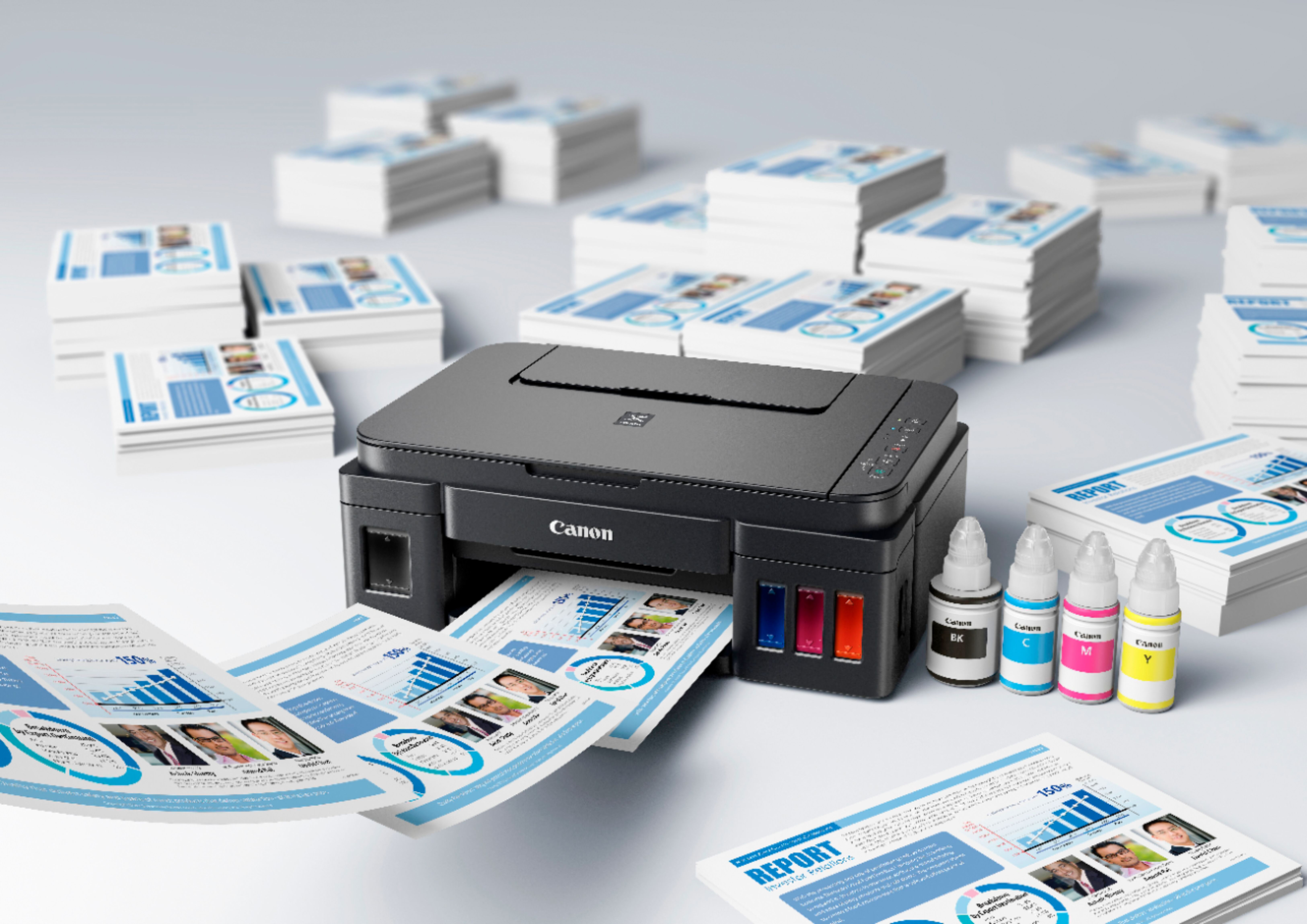

- Model:
- 0630C002
- |
- SKU:
- 10116987
Customer reviews
Rating 3.6 out of 5 stars with 95 reviews
(95 customer reviews)Rating by feature
- Value3.8
Rating 3.8 out of 5 stars
- Quality3.7
Rating 3.7 out of 5 stars
- Ease of Use3.3
Rating 3.3 out of 5 stars
Rated 5 out of 5 stars
Awesome for what I need it for.. you will save
||Posted . Owned for 3 weeks when reviewed.This reviewer received promo considerations or sweepstakes entry for writing a review.Awesome for what I need it for.. you will save in the long run.
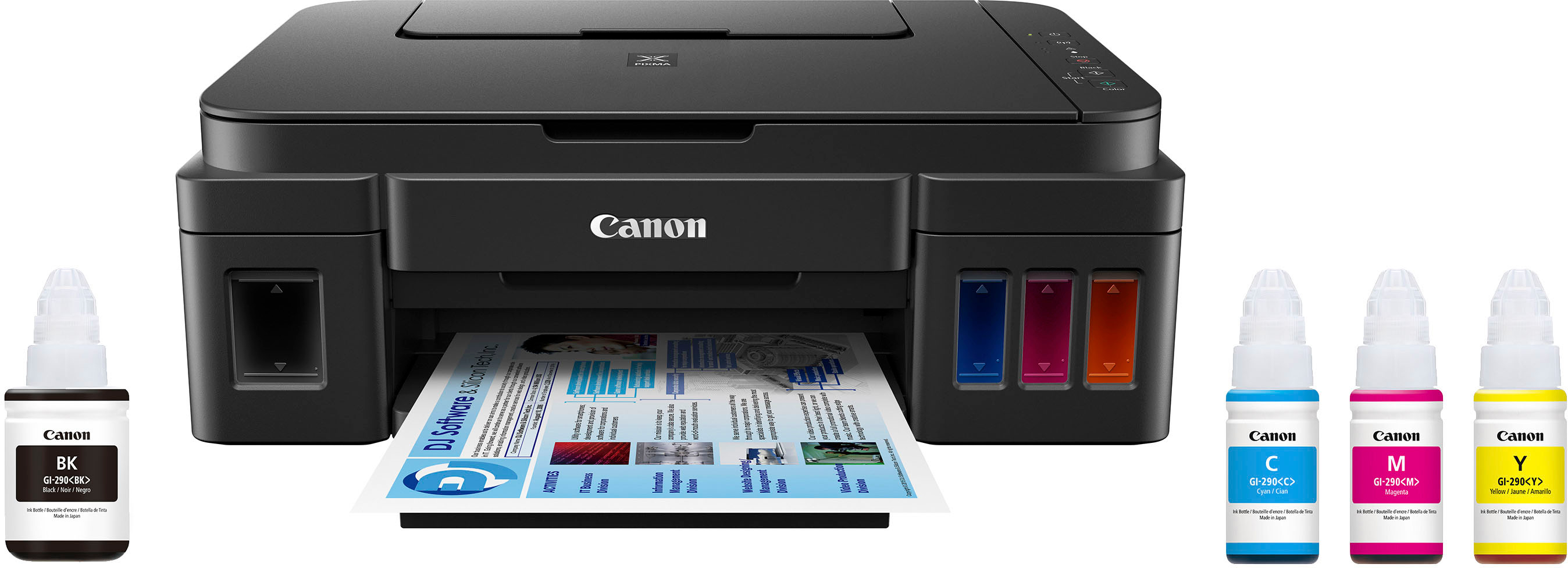
This review is from Canon - PIXMA MegaTank G3200 Wireless All-In-One Supertank Inkjet Printer - Black
I would recommend this to a friendRated 5 out of 5 stars
This is the winner in the mega-tank war!
Posted .This reviewer received promo considerations or sweepstakes entry for writing a review.I tried Epson's 3600 (see my review on the Best Buy site) and while Epson certainly won the marketing and hype battle so far, Canon has won the war with their own ink-tank lineup because of ease of use and overall performance.. Like with nearly all of their ink cartridge printers, Canon includes free software with their mega-tank printers that lets you size your digital photos to 4 x 6 or 5 x 7 or whatever standard size photo paper you have. You do this on the computer and print. Borderless too with the Canon, not so with the Epson. Also, unlike Canon, Epson does NOT include software for photo sizing and printing. With the Epson I tried, after you select your paper on the computer, you have to physically go TO the printer and scroll around on a complex (I think) LCD screen to match the paper you picked on the computer. This is a two-step operation that Canon has merged into one by having you select the paper on the computer through their software. I had this "sizing software feature" on my Canon MP640 and, fortunately, Canon has continued it on their G series tank printers. I took the Epson back within 14 days, a Best Buy advantage, and had them order a Canon G3200 through the website. Best Buy needs to get these Canon's set up in the stores and show a demo. The G3200 operates simply and prints beautifully and it's fun having all that ink. Big bottles, like the Epson, and now I see BB has lowered the price by $50on the G3200 Canon. If you're thinking buying a Mega Tank - cartridge-LESS printer - you won't be disappointed with the G3200 by Canon. Wi-fi installed easily..works super with my Windows computers (System 10 AND XP-PRO). I do NOT work for Canon, they have't paid me for this or anything else. I'm just a long time Canon user that's very pleased with their printers. BTW, all Canon tech support for printers is U S. based. No problem communicating with their techs.
This review is from Canon - PIXMA MegaTank G3200 Wireless All-In-One Supertank Inkjet Printer - Black
I would recommend this to a friendRated 4 out of 5 stars
Great for the price
Posted .This reviewer received promo considerations or sweepstakes entry for writing a review.The ink lasts a long time. Easy to set up and print using my laptop. However the print quality is dull on certain paper types. Overall, the printer is efficient and the quality is satisfactory.
This review is from Canon - PIXMA MegaTank G3200 Wireless All-In-One Supertank Inkjet Printer - Black
I would recommend this to a friendRated 5 out of 5 stars
Very cheap ink (generic will work).
Posted .This reviewer received promo considerations or sweepstakes entry for writing a review.I bought this printer a few months ago. I have printed hundreds and hundreds of pages with it. I have had many printers. I always have looked into how much it would cost to run such a printer before I buy one. Usually, a brand-new model would not have any generic inks that I can buy and I avoid those. I have always been interested in an inkjet printer that has a continuous tank feed for virtually unlimited amount of ink. Most of them are third-party and usually are not reliable. It often clog and leak inks everywhere. Brothers® came out with a model that works similarly to this one but for some reasons, it wasn't that popular. Epson and Canon came out just about the same time with these models. **** I settled with Canon because it has better software. **** It came in a nicely packed box. The instructions were on a folded poster. I need to tell you that you must not skip anything when you set it up. Furthermore, pay strict attention to which button to press when you prime the printhead. I wasn't paying strict attention and I pressed the wrong button and wasted about 15 minutes and who knows how much ink. There is no LCD screen for the status. There are many buttons – the power button, Wi-Fi button, stop button and start button one in black, and one in color. There are two others LED lights for the status and you actually would have to look up the manual (which will be installed when you install the software) to see what it means. One particular light may blink three times or six times, and each one has different meanings. Be very careful about filling the inks. Pouring in the wrong bottle (into the wrong color) will forever ruin the printer since there is no way to clean out the contamination of the wrong color ink. The printheads comes in a sealed container. And just like any printhead, the moment you unpack it, you must install it so it will not dry out on you. Since it appears to be interchangeable, I was hoping that it could be bought separately in case it clogs up (or simply broken) but I am unable to find it on Canon website or any third party website. The printer weighs about 14 pounds, I believe, the paper goes in the back standing up. I have not had any jammed paper (letter-size paper or four by six photo paper) at all. There is no duplex function but you can print manual duplex and the pop-up screen will tell you to turn the paper over and repeat them. It really is not a big deal to me. If you have to move the printer, there is a way to (go beyond) normal shut down. Otherwise, the ink will spill and leak. You have to press a button a few times (I think seven?). It's explained in the manual ("on line") that is installed along the software. The windows in the front will show you the amount of ink you have. If you need to use this as a copier, there is no easy way to choose, for example, to make 10 copies. You simply have to press either black and white or color button 10 times. To cancel, of course, you press stop. Through the software you can set up many things – you get set up to have the printer go to sleep automatically, and to wake up also automatically. While it sleeps, no LCD lights are on at all - but somehow, it draws little power, ready to come alive. ** DO NOT ** unplug the printer unless you shut down the printer with the power button. The printheads will dry out (and the computer will display a pop-up message to tell you about this.) If you plug your computer into a power strip, for example, and this printer also is connected to it, again, don't forget to press the power button to shut it down. It's best to connect it to its own plug/power source. The software included is quite extensive. While I use Adobe Photoshop and Corel Painter for my heavy-duty editing, I began to embrace Canon's program immediately because of the ease of use. You can choose how many prints you make, and so on. It even does some automatic enhancement, and you can print small pictures on a large sheet of paper or even stickers. Another program controls the scanner which can merge more than one scans together. The suite of software can easily be accessed with the little menu that is installed and get out of the way when you don't need it. Just like many other inkjet printers, you actually have the control of how fast you want the printer to print versus how slowly you wanted to print (and obviously it looks much better. I set mine to "best" quality and the speed is acceptable to me.) But if I were in a hurry to print something like 20 pages, I could easily set it to the default setting and it prints a little faster. The fastest setting is the draft mode and unless it is something you don't have to turn in order to give to someone else, it looks clear enough and comes out of the printer quite quickly. It prints quite loudly. You can put it in quiet mode and it will print a little slower. If you take this to your library (I have seen some people do this), it will be noticed. At first I set up the printer with the USB connection. My brother who lives with me from time to time needs to print something and his little laser printer died on him. I thought if I switch this model to network, I wonder how well it would work. I have read some comments about how difficult it was to set up this printer to work through the network and I don't disagree with that. The problem is there is no way to know if the printer is connected to the network because there is no LCD screen to show. However, the software guided me and I know enough about a computer to realize that it also gave me a choice to do the initial setting for the network through the USB connection. I followed that and my main computer linked to this printer. Once that is done, I was able to disconnect the USB cable and my main computer worked nicely with it as if it were connected with the cable. When I tried to install the driver (suite of software) on my brother's computer, it took only a minute for the computer to locate the printer wirelessly. Same thing with my extra laptop computers. I also tried to add this printer to my brother-in-law's computers which is in another room (we use the same Wi-Fi network) but without installing the Canon software. Windows 10 was able to download the basic driver and his computer was able to print regular document straight to my printer which is located the other side of the house without any problem. Each computer, once the "print" button is clicked, takes about half a minute for the data to transmit. I'm sure other printers can work as easily as this and I was very pleased that I am able to share this printer with two other people in this house because we have two cases of paper and I bought extra inks. I will have to admit that I got the generic inks (you would have to do a search on the Internet to find them – they are everywhere.) And it works fine with this printer. I didn't wait until the ink that came with the printer ran completely dry before I added more ink. I simply added the generic Inc. topping it off until the reservoirs were full. (The inks that I bought were three dollars a bottle and basically, it was USD12 for the set!) The first set of ink is used (about 1/3 of it?) to prime the lines. So it will not last you that long. But even if I could only use cannons Inc., the whole set is about USD45 and believe me, it is quite reasonable. Now let's talk about how I feel about the printer itself the workmanship, etc. It's acceptable for home use, and I think it is perfect for a college student. Because the inks cost so little, a student will not have any problem printing a lot and many of them do when they do study guide, etc. Just having one set of generic inks may end up lasting him or her the entire year. When I printed on four by six Canon photo paper, they came out fine. It was a joy to be able to print photos and not having to worry about going broke having to pay for the inks. This printer, I have heard, is virtually identical to a model that they sell for perhaps USD70 but that one uses expensive ink cartridges. It is an initial investment for a family, or for a college student but I think it is very reasonable. The scanner works fine for occasional copying and scanning. If you have more than a few pages to do, it's better to get the higher model which has the auto feed for that purpose. I also looked into installing an app on my android phone to see if I can print from the phone. It is possible! It wasn't easy and I have to say that the instructions online were a little confusing. I was able to use the home network, print the pictures from my telephone. It took me a couple days to figure it out how to print remotely using the cloud account. It can be done you just have to sign up with the Canon cloud account, which is free, and enter your printers serial number (on the back of the printer) and once it is linked to that, I was able to go visit my aunt, took a couple pictures of us and press print. Two prints were waiting for me at home (for testing purposes, I just left my letter plain paper in, and they looked fine.) I was quite impressed with the way this works and I wish the instructions were a little easier. For someone who has little experience with a computer, it will be rather difficult and you may have to call Canon for help. Fortunately, other reviewers have said that their support team is competent and helpful. To sum it up, I am very happy with this printer and it has replaced my color LaserJet (although I could get generic inks for that model) since this one costs less!
This review is from Canon - PIXMA MegaTank G3200 Wireless All-In-One Supertank Inkjet Printer - Black
I would recommend this to a friendRated 4 out of 5 stars
Nice Printer, a Bear to Set Up
Posted .This reviewer received promo considerations or sweepstakes entry for writing a review.I was eager to get this machine, been wanting it for months. I hooked up everything OK, but had to call tech support in which I was on the phone for 2 hrs because something in the setup wasn't working. Turns out if you have a good anti-virus (such as Webroot), it hindered something from happening, so when the tech support person finally realized that, she gave me the right help from there. But, she was THE BEST phone rep I've ever encountered in my life, I must say! It prints good, nothing special. I was expecting better, more vibrant quality printing. Perhaps the only hype with this is that you don't have to buy nearly as much as ink & that's it.
This review is from Canon - PIXMA MegaTank G3200 Wireless All-In-One Supertank Inkjet Printer - Black
I would recommend this to a friendRated 1 out of 5 stars
Built in timed obsolesence
Posted .This reviewer received promo considerations or sweepstakes entry for writing a review.TLDR: This printer became useless by the second ink refill. When this printer worked it was great. The prospect of being able to print on the cheap was very attractive. But, there is a built in highly specialized sponge set buried in the back of the printer that it ejects the waste ink into whenever it runs a cleaning cycle. This sponge has a counter on it and once it's considered full it faults out and won't print until you take it to a service center to have it replaced. Now, there are ways to reset it on your own, but nothing Canon makes easy to figure out. I literally did not make it through my second set of ink bottles before this basically became worthless and refused to print and the print head became so hopelessly clogged that even if I could clear the faults it wouldn't print a coherent page of anything. And a new print head costs about as much as a new printer. I live in a very dry environment and don't print often so that did not help the situation. I replaced it with a HP laser printer, which so far has fit my usage pattern great.
This review is from Canon - PIXMA MegaTank G3200 Wireless All-In-One Supertank Inkjet Printer - Black
No, I would not recommend this to a friendRated 1 out of 5 stars
Great at first, then JUNK
Posted .This reviewer received promo considerations or sweepstakes entry for writing a review.I was very happy with this maching at first but then, as usual for Canon printers, I discovered I should not have purchased it. I do not print much but after a little more than a year of use and probably less than 100 pages it started printing poorly. I performed multiple cleanings per Canon instructions. Immediately after I got a code telling me that I needed to bring the printer to a Canon repair shop. I found out the code meant that the ink absorber was full. THIS WAS CAUSED BY THE CLEANINGS THEY TOLD ME TO DO. Canon would not repair it since it was out of warranty. This is too expensive a machine for them to recommend unreliable ways to get better prints that only damage the machine beyond repair. I have owned many printers, Canon, Epson, HP, 2 of them have been Canon and both, especially this one, were fine at first then JUNK.
This review is from Canon - PIXMA MegaTank G3200 Wireless All-In-One Supertank Inkjet Printer - Black
No, I would not recommend this to a friendRated 5 out of 5 stars
I wish I could give it more stars
Posted .This reviewer received promo considerations or sweepstakes entry for writing a review.So, the only downside to this printer so far is that the black ink isn't quite as dark as I am used to. Also, set up was exactly as difficult as other other reviewers complained about, but fortunately the technical support person was most excellent at getting me all sorted out. Resign yourself to a long phone call to get everything set up correctly. This thing is quiet, quick, and the ink will hopefully last forever. (My son complains about the lack of a backlight on the screen, but once you get the thing sync'd with your computer, I don't think you need do mess with it much.)
This review is from Canon - PIXMA MegaTank G3200 Wireless All-In-One Supertank Inkjet Printer - Black
I would recommend this to a friendRated 1 out of 5 stars
Unbelievably Tough to Setup
Posted .This reviewer received promo considerations or sweepstakes entry for writing a review.After 7 hours on-line and a final 45 minutes with tech support - we have the printer working, sort of. First, the installation does not install the program needed to setup wireless printing. Even after downloading it with the Canon tech, it failed and had to be downloaded again. (thank goodness the tech was very patient). After failing to connect to our router, I'm told this printer will not work in a dual band environment (2.4/5) So it will not work with our router. The setup instruction manual you can download is over 800 pages long. On Page 420 it says "plug in the USB cable." This is beyond nightmare level for a new product in 2017. Worst - absolute worst hardware install I've ever done.
This review is from Canon - PIXMA MegaTank G3200 Wireless All-In-One Supertank Inkjet Printer - Black
No, I would not recommend this to a friendRated 2 out of 5 stars
Apple device users please READ before buying!
Posted .This reviewer received promo considerations or sweepstakes entry for writing a review.I bought this printer to replace my old Cannon MX 892 printer that had a bad power supply. Printer worked well, good wifi connection to my network. We printed from our laptops, ipads, & iphones. What I could not imagine this $300 printer vs. my old $100 does not have AIRPRINT! You cannot print off your iPhone or ipad! I cannot believe Cannon would sell a $300 printer with less connectivity an functionality than my 5 year old MX892.
This review is from Canon - PIXMA MegaTank G3200 Wireless All-In-One Supertank Inkjet Printer - Black
No, I would not recommend this to a friendRated 1 out of 5 stars
WILL NOT CONNECT TO WIFI
Posted .This reviewer received promo considerations or sweepstakes entry for writing a review.First off... The machine does not come with instructions for wifi setup so I had to look online. Found the instructions easily enough but I have to wonder what sort of passive aggressive jerk engineered this convoluted process to connect to wifi. I tried and failed for 2 hours. The printer is still not discoverable. So I went back online and started reading reviews from people who had same problem. I'm not going to waste any more time on this piece of junk. I'm putting it back in the box and taking it back to Best Buy this afternoon.
This review is from Canon - PIXMA MegaTank G3200 Wireless All-In-One Supertank Inkjet Printer - Black
No, I would not recommend this to a friendRated 5 out of 5 stars
Printer
Posted .This reviewer received promo considerations or sweepstakes entry for writing a review.I like it a lots..it holds lots of ink separately really is good quality
This review is from Canon - PIXMA MegaTank G3200 Wireless All-In-One Supertank Inkjet Printer - Black
I would recommend this to a friendRated 1 out of 5 stars
DISAPPOINTED
Posted .This reviewer received promo considerations or sweepstakes entry for writing a review.Was so excited to have the tanks which were promised to last a very long time. The ink tanks do last almost forever but the printer only lasted 2 years. Fades out every other line.....doesn't always feed the paper....plus other error messages. I am tired of constantly having to work on different processes to keep this printer running correctly. I make greeting cars and this has been a huge disappointment. Will never buy an Cannon printer again.
This review is from Canon - PIXMA MegaTank G3200 Wireless All-In-One Supertank Inkjet Printer - Black
No, I would not recommend this to a friendRated 1 out of 5 stars
Run away
Posted .This reviewer received promo considerations or sweepstakes entry for writing a review.Defective g3200. 3 hrs trying every way. WiFi could not find printer. Finally canon tech support told me printer defective. They would send me REFURBISHED (used) printer. I paid for a NEW PRINTER. thankfully best buy refunded. Bought Epson eco tank 2750. Easy setup works great. Thanks Bestbuy. Never again Canon
This review is from Canon - PIXMA MegaTank G3200 Wireless All-In-One Supertank Inkjet Printer - Black
No, I would not recommend this to a friendRated 5 out of 5 stars
Awesome printer/scanner!
Posted .This reviewer received promo considerations or sweepstakes entry for writing a review.Easy to set up. Ink lasts forever! No problems after 1.5 years.
This review is from Canon - PIXMA MegaTank G3200 Wireless All-In-One Supertank Inkjet Printer - Black
I would recommend this to a friend