Customer Ratings & Reviews
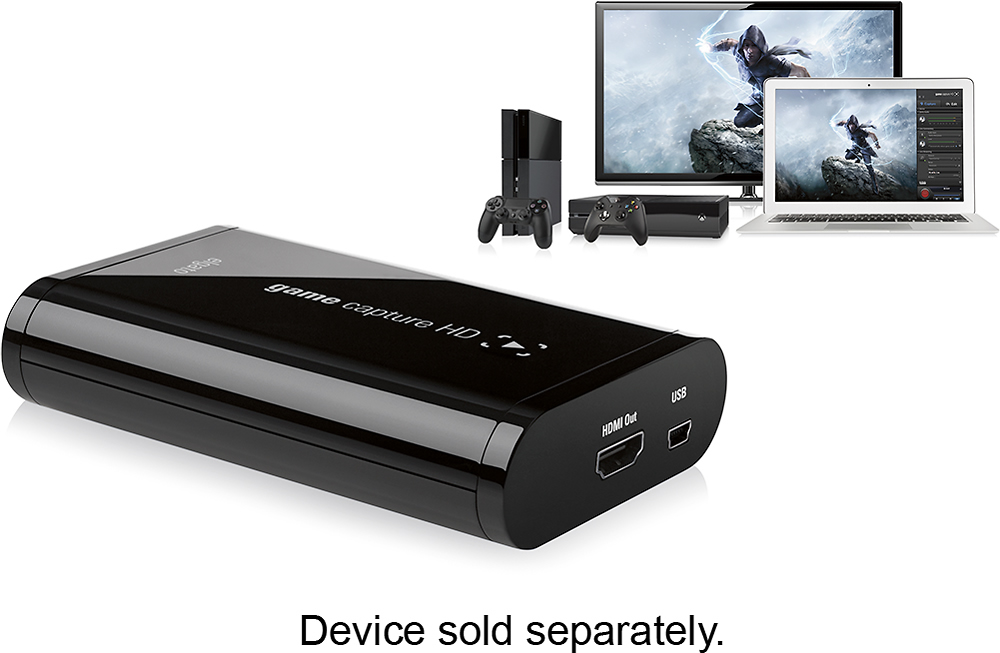
- Model:
- 10025010
- |
- SKU:
- 8838042
Customer reviews
Rating 4.5 out of 5 stars with 153 reviews
(153 customer reviews)Rating by feature
- Quality4.8
Rating 4.8 out of 5 stars
- Ease of Use4.4
Rating 4.4 out of 5 stars
Customers are saying
Customers praise the Game Capture HD's ease of use and excellent video quality. Positive feedback also highlights the compact size and the included software's user-friendliness. While some users mention the price point as a potential drawback, the overall experience is largely considered positive.
This summary was generated by AI based on customer reviews.
- Pros mentioned:Size, Software
Rated 5 out of 5 stars
So far, great!
||Posted .This reviewer received promo considerations or sweepstakes entry for writing a review.It's important to note that the Elgato Game Capture HD is an earlier iteration than the EGC HD60- and as such, needs to be ordered from best buy online. At the store level, in four stores I checked, it was no longer carried, which is, in fact, a shame- the HD60 seems to do less than this early version. Now, if you've traded in your systems and games already from your previous console generation, this isn't a big deal. The HD60 will capture PS4/ XBOne. In my case, I wanted it for both my PS4 and PS3, and the "non-60" does both of these and more. Turns out, it can also record PS2, Wii, Xbox 360, XBone... And here's the kicker... Once your software is installed, it actually HAS the 60fps option available. The HD comes with all the cords you'll need, which is especially important if you plan on using it for PS3, as you'll actually be using a workaround to record it, and those cords are necessary. (and while in my research for game capture cards, it was disappointing to see many reviews pointing out that it couldn't capture in 1080 on PS3, that has actually been remedied with the new software.) There were three other nice features that drew me to the Elgato GCHD- 1) it requires no external power cord, drawing it from the PC you use via USB- something a lot of other cards don't offer- adding yet another cord to your tangle of wires once you start hooking this up. However, I should point out that it does drain quite a bit on a laptop. Soooo, if you plan on using a laptop to record your footage with in conjunction with EGCHD, you really won't be saving much in the way of cords. 2) In comparison to others, the EGCHD is very small. Not much bigger than a man's wallet, it really offers a huge punch at its size. 3) After some research on the other big name capture card, which carried a slightly cheaper price point, I discovered that they included the software portion free for PC, but if you were using a Mac (have a Mac laptop, PC tower- but I'd be recording using the Mac) you would have to purchase that software, which then made it more pricey that Elgato. Elgato provides your software for free, regardless of whether its PC or Mac. The software you download to use in conjunction with the GCHD is simple to use and straight-forward, while offering a huge amount of options. If you plan on editing what you record, it will record your voice in a separate audio track- a huge bonus. It allows for one touch streaming to services like Twitch. It also has a "dummy switch"- always recording your last ten minutes of gameplay. Forget to hit "record" when you first started up? Well, Elgato has that covered with this ten minute buffer. The negatives are small. While a quick guide is included, it covers nothing on the software side. No manual at all. The only other negative I found was worrisome at first. When I first began to install and try to use it, the software wasn't recording any sound at all. We checked the laptop settings, checked to make sure nothing was off in the software... And couldn't figure it out. As it was late, I shut it down for the evening. The next day, I was prepared to uninstall and reinstall the software, hoping that would fix it, but gave it a quick trial first, and magically, it had resolved itself. Overall, as someone who's just starting with recording and streaming, I'm grateful I took the time to do my research and ended up with the best possible game capture device, even though it seems as if it actually is their previous generation model- being able to record on last gen and this gen, all while hitting the same resolution and fps, I'd honestly have to say that the lower price (than the HD60) is much better spent on the non-60, especially if you're like me and still have a huge library of previous gen games and still love the previous gen console. The Elgato GCHD is simply the best option.
I would recommend this to a friend - Pros mentioned:Ease of use, Software
Rated 5 out of 5 stars
Very Good Capture Card!
||Posted .This reviewer received promo considerations or sweepstakes entry for writing a review.I bought this for my son to record games on COD. It was fairly easy for him to set up but it was not easy to get the sound right with his Astro headset. He got a lot of feedback at first but I think he has it worked out. I guess the software was pretty easy to use since he didn't ask me for help :) All in all, pretty cool gadget.
I would recommend this to a friend - Pros mentioned:Video qualityCons mentioned:Lag
Rated 4 out of 5 stars
Overall great product
||Posted .This reviewer received promo considerations or sweepstakes entry for writing a review.I have a lot of problems with the software that seem to exist whatever capture card I use, I only get a black screen on the preview , but it does record me playing video games in 1080p with no problem and it's absolutely perfect, no lag, nothing. I just usually have to test out a video before I do any recording or streaming (to make sure the color is correct and the video looks good) . I'm still impressed despite this problem . It's not for beginners, but it's far from any sort of bad.
I would recommend this to a friend - Pros mentioned:Ease of use, Video quality
Rated 5 out of 5 stars
Works better than anything else!
||Posted .This reviewer received promo considerations or sweepstakes entry for writing a review.What a great product for my little you tuber! It makes the best quality videos. Simple to use!
I would recommend this to a friend Rated 5 out of 5 stars
Great product that works well
||Posted .This reviewer received promo considerations or sweepstakes entry for writing a review.I have tried other products in this category, and this one stands out as being above the rest. It is primarily meant for PS3 capture, as it comes with the appropriate cable to do so. If you want 60 fps capture from a more modern console, you should get the HD60 game capture card. Overall, a good product and one i would recommend.
I would recommend this to a friend- Pros mentioned:Software, Video quality
Rated 5 out of 5 stars
Excellent Video Capture Device
||Posted .This reviewer received promo considerations or sweepstakes entry for writing a review.I use this device for recording from my Xbox One and DISH Hopper device to gather capture footage for a video editing project I was working on. I did not have the time or money to buy a professional video capture device and had to use my Macbook Pro so a hardware capture card was out of the question. Right out of the box, this little device was amazing and I am glad this is the only thing I found in my area as far as video capture options go. The Elgato - Game Capture HD came with all the cables/ adapters you would need to capture video right out of the box. I am usually weary of downloading additional software to use a product but this product changed my mind. The software was easy to install, is relatively small in file size, and has a great User Interface that is easy to navigate and start recording with. Because the product's main focus is gameplay recording, all of the export options for Twitch, Facebook, etc. are available right from the edit screen but what impressed me most are the options for professional export such as Apple Pro Res and uncompressed video which is great for professional developers and marketing uses. My one dislike is the way it manages the files you record. Once you export a captured video, you must remember to delete the original file from the program otherwise you will end up with multiple large files on your computer and run out of recording time very quickly. An easy work around once you know what the program is doing but a little confusing at first. Overall, I think this is a great product, both for the casual gamer but also for the media professional who needs a quick solution. This is by no means a top of the line capture card but, in my opinion, is the best option I have found for quick, portable game and video capturing for the price.
I would recommend this to a friend Rated 5 out of 5 stars
Awesome device!
||Posted .This reviewer received promo considerations or sweepstakes entry for writing a review.I was going to Best Buy to get a PS3 one day... they did not have one, I saw the Elgato was on sale so I had my brother flip a coin and I ended up getting it. I figured I would have a few days to see if I wanted it, it;s been a long while cause I love the darn thing! Tested it with my Xbox 360, Xbox One and my PS2 and works amazingly! I still have yet to try it with my PS4 but will try in the future when I can and am sure it will work just as well. Comes with smple instructions to get you going, just have to know your upload speeds to make sure your streams work right. It comes with pretty much all you need, USB cable, HDMI cord, PS3 component cable, and a genral component cable to hook up older systems like PS2 and Xbox, does not need a power cord! That is all I can think of to say, if you want to do game recordings or even record another computer this thing is so awesome, you can't go wrong!
I would recommend this to a friend- Pros mentioned:Video quality
Rated 5 out of 5 stars
Great product, easy to use, good quality video
||Posted .This reviewer received promo considerations or sweepstakes entry for writing a review.I use this device for recording HD video for PIV experiments (i.e., having a computer automatically track where certain miniature objects in a video move - so it requires very good video). Setup was easy and the biggest win with this device is the capture software that the manufacturer provides as a courtesy download - really make a complete package. When I bought this, I gave it to one of my students who is an A/V neophyte and he had excellent video captured in a very short period of time. Honestly, most of the technology I tend to see these days is useless and I could care less about video games, but this device has been exceptionally useful to me - I wish I would have purchased it a long time ago.
I would recommend this to a friend - Pros mentioned:Compatibility, Ease of use
Rated 5 out of 5 stars
Great Capture Card for Recording Games!
||Posted .This reviewer received promo considerations or sweepstakes entry for writing a review.This is probably the best capture device I have used for capturing all my games for my Youtube channel as far as console games go. This device will not only capture things from this generation (PS4, Xbone, Wii U) but will also record consoles dating back to the NES days! (which requires at least the component cable accessory, but it comes with it AND can be used for AVI plugs too!) The device was rather easy to install, and works with programs like XSplit and OBS too (as the programs are actually built in, to use the device now) although for those that use XSplit, make sure you have a high end computer because whenever I use this for XSplit, the later generations with the HD graphics tend to make it lag and lose frames if you were to do commentary with it, OBS hasn't shown this problem though. Besides consoles though, it can even record iPhone/iPod Touch/iPad games if you have the accessory to connect with and HDMI cable and plug it into the TV, so handy if you want to record those kinds of games too! (and I'm talking about the complicated games that take a lot to record like TWEWY for example as using that one wireless program in conjunction with a game like TWEWY only showed horrible lag even on my decent gaming computer) Plus, one capture card I was planning to get required Windows 7 (which sadly when I picked my new laptop up it is Windows 8 and will not work unless you meet requirements and do some work arounds you probably shouldn't do) however, this program works with both Windows 7 AND 8 as well as their site saying anything onwards will work too, so I expect Windows 8.1 to work with this as well (although I'm not going to be upgraded to it, so I can't say that 100% since I've heard to not upgrade if you use your computer for games as it is even less game friendly than Windows 8) Either way, for how much this is worth I would HIGHLY recommend the purchase with how many different systems you can use this for.
I would recommend this to a friend - Pros mentioned:Ease of use, Video quality
Rated 5 out of 5 stars
awesome capture card
||Posted .This reviewer received promo considerations or sweepstakes entry for writing a review.this capture card is awesome. easy setup and great for youtube videos
I would recommend this to a friend Rated 4 out of 5 stars
Works, about 75% of the time with OBS
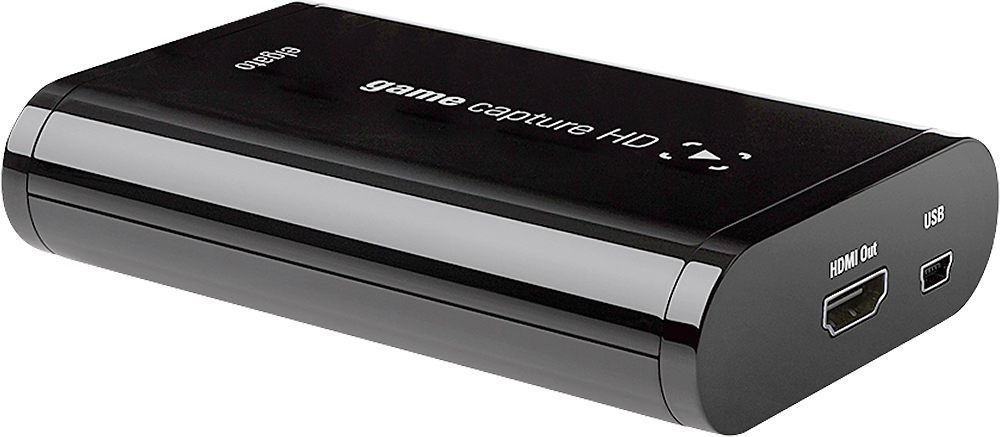
||Posted .This reviewer received promo considerations or sweepstakes entry for writing a review.The device is classy and gorgeous with a sleek black finish. The very simple: Device in, output out, and usb to computer setup is ALMOST too simple to mess up. You'd have to be pretty bad with tech to not realize you plugged your HDMIs backwards. BUT. My problem is that I have a constant hookup between my Xbox 360 Elite -> Elgato -> Television, with the Elgato staying on and plugged into my laptop. Occasionally I will have no sound to my television, yet video is working, but sound IS being streamed to my computer, although not both, and no manner of unplugging and replugging cords fixes this until I completely reroute my HDMIs AROUND the Elgato, THEN, no problems are had. This COULD be in fault of the other HDMI cord, but that's doubtable. Also, occasionally, (I have YET to find out why these problems are seemingly random to pop up), the Elgato sometimes just refuses to load a signal into my Open Broadcaster Software. It will say please wait indefinitely. So, disregarding THOSE problems, it works fantastically. I'm not sure if it's worth how much I paid, but it does work pretty well when it wants to.
I would recommend this to a friend- Pros mentioned:Compatibility, Ease of use
Rated 5 out of 5 stars
Worth the extra $
||Posted .This reviewer received promo considerations or sweepstakes entry for writing a review.If you have the hardware for it, this is an excellent product. It's super easy to set up, the instruction manual is litterally just a card with pictures of which plugs go in which holes and then a website to download the software for free. I've captured some great stuff from my Xbox and I'm looking forward to testing out my n64. I watched a few YouTube videos that leads me to believe you can record most older consoles as well as the new ones.
I would recommend this to a friend - Pros mentioned:Ease of use
Rated 4 out of 5 stars
Works like it claims
||Posted .This reviewer received promo considerations or sweepstakes entry for writing a review.If recording your game play and posting it on the web is what you like to do, look no further. I bought it for a friend's son and I've messed with it some and it's really fun. Some of the videos he's made have been really cool.
I would recommend this to a friend Rated 4 out of 5 stars
Great product
||Posted .This reviewer received promo considerations or sweepstakes entry for writing a review.The elgato is the best video capture device in the market. I utilize it for my ps3 and ps4 and have it all hard wired at the same time. It's compact and provides 1080p video output. Video rendering is highly dependent on your systems performance. It is suggestable to verify that your pc/laptop meets the necessary requirements or else you might have choppy or videos with dropped frames. The device is powered via usb so whatever it's connected to has to be on or else you won't receive a signal. An optional a/c port would have been welcomed. Please note that the video is captured and stored on your pc/laptops hard drive. A flash drive slot would have been a nice feature if you were on the go and didn't want to lug your laptop around. These little suggested improvement would have given it 5 stars but all in all the device as is works exactly as advertised **Please note if you plan to use this on a ps3 and ps4. use an elite plus headset and want to record game play with voice chat, it simply won't work and you will need to play game sound directly to your tv and a secondary mic connected to your pc to record your own voice since the elite plus does not allow you to stream all the sounds you get from your headset into the elgato enviorment.
I would recommend this to a friend- Pros mentioned:Ease of use
Rated 5 out of 5 stars
Perfect for YouTubing
||Posted .This reviewer received promo considerations or sweepstakes entry for writing a review.This product is great to capture all of your gaming and posting it to YouTube. Really easy to hook up and use. I would suggest it for anyone wanting to record long sequences of game play.
I would recommend this to a friend - Pros mentioned:Software, Video quality
Rated 4 out of 5 stars
A capture card that does its job
||Posted .This reviewer received promo considerations or sweepstakes entry for writing a review.I purchased this item for the full reason of being able to stream Wii U games and with the Elgato, it does work well. However, it is likely the best you can get, but for my needs, this was perfect. For one, the Elgato does have software you have to install in order to get it running very smoothly and quickly; however I personally use OBS, another program used to stream. With that, I have used it to work in order to use the overlay I always use, which is good. The quality options for this Elgato is 1080p in 30FPS or 720p in 60FPS which is not a problem to me as most games of the Wii U do not run 1080p at 60FPS. For sound, there is a bit of a problem if you use another software that isn't what they give you. Also when listening to the audio (again, from me using OBS), there can be a delay compared to what you are playing at, which is obviously not preferable, but is bearable. Thus, I gave this 4 stars.
I would recommend this to a friend - Pros mentioned:Ease of use
Rated 5 out of 5 stars
Great for game capture
||Posted .This reviewer received promo considerations or sweepstakes entry for writing a review.My son uses this for game capture on his XBox 360 and XBox One. Loves it! Very simple to use and does the job.
I would recommend this to a friend Rated 5 out of 5 stars
You'll be happy with this game capture device.
||Posted .This reviewer received promo considerations or sweepstakes entry for writing a review.The Elgato capture device is a great capture device for beginners. It provides all the cables you need to capture footage from the PS3, Xbox 360, and Wii. I have even used it to capture footage from my PC. If you are curious about what other devices it can capture from their is a list at Elgato's website. They provide you with all the information you need if you want to do specific things with the Elgato. I would say the only flaw with this product is the lack of instructions in the box, but all information, like I stated, can be found on the manufacturers website which is provided in the box.. You can't go wrong with the Elgato.
I would recommend this to a friend- Pros mentioned:Ease of use
Rated 5 out of 5 stars
Must Have for Serious Gamers
||Posted .This reviewer received promo considerations or sweepstakes entry for writing a review.While XBOX One and PS4 have some ability to capture and stream game play, the el gato is a million times better and very user friendly.
I would recommend this to a friend - Pros mentioned:Ease of use
Rated 5 out of 5 stars
Good beginner capture device.
||Posted .This reviewer received promo considerations or sweepstakes entry for writing a review.After extensive research and reviews, both online and from friends, I ended up getting the Elgato for my XBOX 360 game capture needs. It was easy enough to set up and get started, and as long as you have the computing power, it works great for capturing high def gameplay in short bursts and for hours at a time. Built in voice recording capability is a plus over other capture devices, and is also easy to use. Only downside I have encountered so far is that it needs to be powered at all times to maintain the display pass-through. To alleviate this, I got a USB splitter and plugged the Elgato into my laptop and a USB power supply.
I would recommend this to a friend
People also viewed
- Tech Fest Deal$154.99