Customer Ratings & Reviews
- Model:
- GWAVRC
- SKU:
- 6359840
Rating by feature
- Value
Rating 4.1 out of 5 stars
- Quality
Rating 4.0 out of 5 stars
- Ease of Use
Rating 4.1 out of 5 stars
Customers are saying
Customers recognize the Wireless Mobile and PC to HDTV Screen Sharing Receiver as being easy to use and offering good video quality, with many praising its 1080p resolution and wireless capabilities for screen sharing. However, some users experienced issues with compatibility, particularly with Apple devices, and reported connection problems and occasional lag. The setup process was generally considered straightforward. Despite some connectivity challenges, the positive feedback on ease of use and picture quality is noteworthy.
This summary was generated by AI based on customer reviews.
Great for wireless extended display on laptop
||Posted . Owned for less than 1 week when reviewed.This reviewer received promo considerations or sweepstakes entry for writing a review.The device probably will not work well for gaming but if you just want a second monitor wirelessly connected to a Miracast compatible laptop or android device and just want to mirror or use an extended display on a windows 10 laptop for doing non demanding things like viewing email or making word documents it works well, not flawlessly. Be sure to have the latest drivers installed for the display adapters. I had a new laptop and was having trouble getting Miracast to connect to the IOGEAR device. I found that the display drivers were Microsoft 2006 drivers. Went to the laptop manufacturer site and downloaded drivers dated August 2019 and all was well after that was installed. By the way the store clerk told me a device to wirelessly connect a computer to a monitor or TV did not exist. That store had 2 brands that would do that job.
I would recommend this to a friend- Cons mentioned:Connection
Returning it
||Posted . Owned for 3 weeks when reviewed.This reviewer received promo considerations or sweepstakes entry for writing a review.The picture is pixelated. I wasn't expecting 4k but sometimes it was bad. Most importantly it would disconnect on its own and that's the most frustrating.
No, I would not recommend this to a friend - Pros mentioned:Ease of use, Video quality

Easy way to screen share
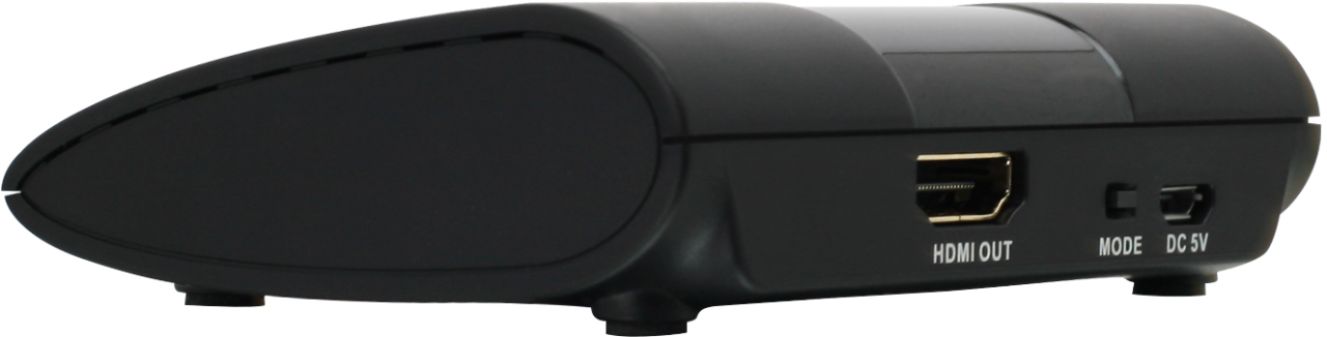
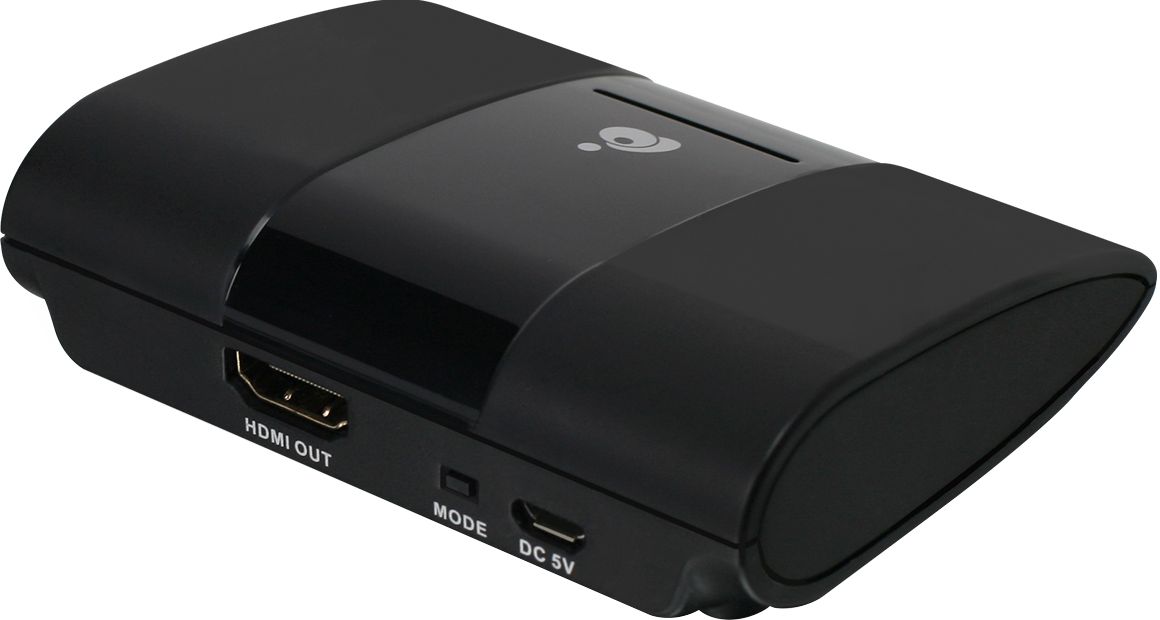
|Posted .This reviewer received promo considerations or sweepstakes entry for writing a review.The IOGEAR screen sharing receiver is the easiest way to share video and audio from a window 10 PC or Android phone. I have a few basic flat screen TVs that I can now stream to by using the IOGEAR. Set up is simple, plug the Micro USB power plug in to power and connect the HDMI cable that is provided in to the unit and into the TV. Once you do that the IOGEAR shows a video on how to use the unit. For the PC it is very easy. Select the Windows button and the letter P to bring up the windows screen sharing window and select the type of sharing you want to do, Duplicate, Extend and Second screen only. Once you've made your selection then pick the IOGEAR and off you go. For the Android devices download the IOGEAR app and follow from there. Easy peasy!
I would recommend this to a friend - Pros mentioned:Ease of use, ResolutionCons mentioned:Connection
Impressed with this device!
|Posted .This reviewer received promo considerations or sweepstakes entry for writing a review.The device is small like a fire stick. It's simple to use and set up, I followed the instructions which were easy to understand. Some TVs already have this feature but requires wifi. This device just uses your android phone or windows 10 device directly. I haven't had any issues with streaming to my tv. I've had more issues using the TVs program to connect with the phone or laptop. If you like to connect your laptop to the tv or android phone wirelessly and want 1080p this is the device for you !
I would recommend this to a friend Easy screen sharing (if you need it).
|Posted .This reviewer received promo considerations or sweepstakes entry for writing a review.The packaging maximized the space to make a small package. Cardboard and plastic was used, I was glad to see no styrofoam at all. One thing to mention right off the bat is that this device does NOT work with Apple devices. At all. Now that you understand the only windows or android devices work with this, we can proceed. You will need an electrical plug nearby since the power cord is short and an available HDMI port in your TV. Plug the charging cord into the device, plug the HDMI cable into the TV and you’re good to go. The manual explains how to connect. This device streams audio and video from your PC or Android device to your TV wirelessly. It does that, but it has its limitations... There is a noticeable lag from the pc or tablet to the TV. Better not to have the pc/tablet device facing the same way as the display you’re watching or you'll notice the lag and difference in quality. But the playback on TV is noticeably choppy if you are watching a video that shows movement/action. And to top it all, seems like my Samsung Smart TV doesn’t need this device at all, it is built into some newer smart TVs, so check your manual to see if your TV supports this. I think this item might work best in an office environment to display static graphics, text, Power Point slides, ETC.
No, I would not recommend this to a friend- Pros mentioned:Ease of use
Wireless cast
||Posted . Owned for 1.5 years when reviewed.This reviewer received promo considerations or sweepstakes entry for writing a review.I useitformy Samsung note and it works perfect I really recommend it!
I would recommend this to a friend - Pros mentioned:Ease of use
Surprisingly Simple and Great
||Posted . Owned for 1 week when reviewed.This reviewer received promo considerations or sweepstakes entry for writing a review.This is an excellent device. It works very easily and provides a functioning wireless HDMI. This is great for presentations and streaming media from the phone or computer. I am surprised at how easy and amazing this product was. I'm not sure how durable the device is but I would recommend this to anyone with an additional HDMI in.
I would recommend this to a friend - Pros mentioned:Wireless
I'm a fan
||Posted . Owned for 1 month when reviewed.This reviewer received promo considerations or sweepstakes entry for writing a review.It really does work well. Reduces the clutter and overall messiness of cords., it's nice if you can use it for something that's plugged in high so that way you don't have the cords hanging down from the ceiling which is what I'm using it for. Now it's just a few clicks to get the projector up and running two thumbs up
I would recommend this to a friend - Pros mentioned:Ease of use
Best product
||Posted . Owned for 1 month when reviewed.This reviewer received promo considerations or sweepstakes entry for writing a review.Love this product easy to set up would recommend to others
I would recommend this to a friend - Cons mentioned:Connection
Works well depending on the application
||Posted .This reviewer received promo considerations or sweepstakes entry for writing a review.I originally bought this to connect my laptop to a TV wirelessly to do a presentation. I could not get it to keep the connection, it would connect and then drop after just a few minutes. Then I used it to connect my android phone to a TV(that did not have wifi to connect to internet) so that I could display video from my phone and it works great.
I would recommend this to a friend - Pros mentioned:Ease of use, Screen sharingCons mentioned:Compatibility, Connection, Lag
Convenient, but laggy
|Posted .This reviewer received promo considerations or sweepstakes entry for writing a review.This item is very convenient if you're looking for a way to mirror screens without pricey equipment. As a college student, it's easier for me to play lectures on my TV while getting additional work done. This item is nice because it has minimal setup and is easy even if you're not technologically advanced. This product includes the device, an HDMI cord, and power source. You will need an HD TV that has an HDMI port for it to work. The device itself is smaller than your average mobile phone, so it's very convenient for offices or on the go settings. Setup is quick and painless. Simply connect to a power source and your TV, then from a windows computer, you can press the windows button + P and connect to your device. I will say that it's fairly laggy, so I would recommend getting to the page you want to be at, then connect to the device. The downfall of this item is that it does not work for Apple products such as iPhones and Macbooks. Pros: -Easy screen mirroring -Wireless network -Includes necessary cables -Low price point Cons: -Laggy -Experienced some issues with connection -Not compatible with Apple computers or phones Overall, this item is a good buy if you need an easy screen mirroring option. Keep in mind that it's only compatible with Windows and Android.
I would recommend this to a friend - Cons mentioned:Lag
Great way to mirror your technology
||Posted . Owned for 1 month when reviewed.This reviewer received promo considerations or sweepstakes entry for writing a review.If you are using it for PowerPoint presentations or something like that it is excellent. If you are streaming video there is sometimes a little lagging. Since I do professional presentations with very little video it works great for me.
I would recommend this to a friend - Pros mentioned:Video quality
Works well
||Posted . Owned for 1 month when reviewed.This reviewer received promo considerations or sweepstakes entry for writing a review.It completely has a nice mirroring to your phone. Also the volume is much higher than usual, other than that it has a crispy video perfect for the price that was paid.
I would recommend this to a friend HD
||Posted . Owned for 7 months when reviewed.This reviewer received promo considerations or sweepstakes entry for writing a review.Havnt really set up this device yet but overall It’s worth it… check out the videos online for more info!
I would recommend this to a friend- Cons mentioned:Compatibility
NO GO with Motorola phones.
||Posted . Owned for 1 month when reviewed.This reviewer received promo considerations or sweepstakes entry for writing a review.Unusable with my cellphone. I have a Motorola MotoG Stylus and it just happens to be one of the phones this thing isn't compatible with. But no indication of that on the package or manual. I spent 2+ hours trying to get it to work, contacted their tech support and after all that, returned it for a refund.
No, I would not recommend this to a friend Mirroring device for non smart tv.
||Posted . Owned for 3 weeks when reviewed.This reviewer received promo considerations or sweepstakes entry for writing a review.Best deal for a device that does not require being connected to the internet.
I would recommend this to a friend- Pros mentioned:ResolutionCons mentioned:Compatibility
Great wireless 1080p extender
|Posted .This reviewer received promo considerations or sweepstakes entry for writing a review.This product works well for my setup. I have been looking for a solution for viewing content on the TV for my guest room from my laptop for viewing international channels without having to run cables and stream wirelessly. Setup was so simple, almost a "plug and play" similar to airplay on Apple TV but this one uses Wi-Fi miracast to stream content from Android phones or windows laptop, desktop or tablet. Just connect the receiver to the TV using provided HDMI cable and power cable. This is great for sharing content or mirroring your laptop display . I was able to share my pictures on large screen from my laptop wirelessly without losing resolution. Resolution is 1080p and works great for business presentations. I also tried connecting with my Epson power lite home cinema 5030UB for watching content from my laptop. Occasional connection drop and latency do exist if the distance is more than 20 feet. On the box it was mentioned up to receive content up to 50ft away but in testing it doesn’t have that range and the picture gets choppy if moved away more than 25 feet. I would rate this as four stars only because it’s not backward compatible and only works with newer operating system( android 4.2 & Windows 10 or higher). This will not work with iOS or Apple phones and is compatible only with android phone or tablet running 4.2 or higher. What is included : Wireless A/V Receiver , Power adapter, micro usb power cable, HDMI cable, User manual & warranty card.
I would recommend this to a friend Easy setup
||Posted . Owned for 1 month when reviewed.This reviewer received promo considerations or sweepstakes entry for writing a review.This product Works perfectly and the set up was easy.
I would recommend this to a friend- Pros mentioned:Ease of use
Good device, easy connection
||Posted . Owned for 1 month when reviewed.This reviewer received promo considerations or sweepstakes entry for writing a review.Good device, easy connection works well with all phones
I would recommend this to a friend - Pros mentioned:Ease of use
Easy Set up
||Posted . Owned for 3 weeks when reviewed.This reviewer received promo considerations or sweepstakes entry for writing a review.This wireless screen sharing device was easy to pair with our new Samsung QLED. An easy way for different people to share their lap top screens with the meeting group.
I would recommend this to a friend