Customer Ratings & Reviews







- Model:
- 910-007500
- SKU:
- 6633199
Rating by feature
- Value
Rating 4.6 out of 5 stars
- Quality
Rating 4.9 out of 5 stars
- Ease of Use
Rating 4.8 out of 5 stars
Customers are saying
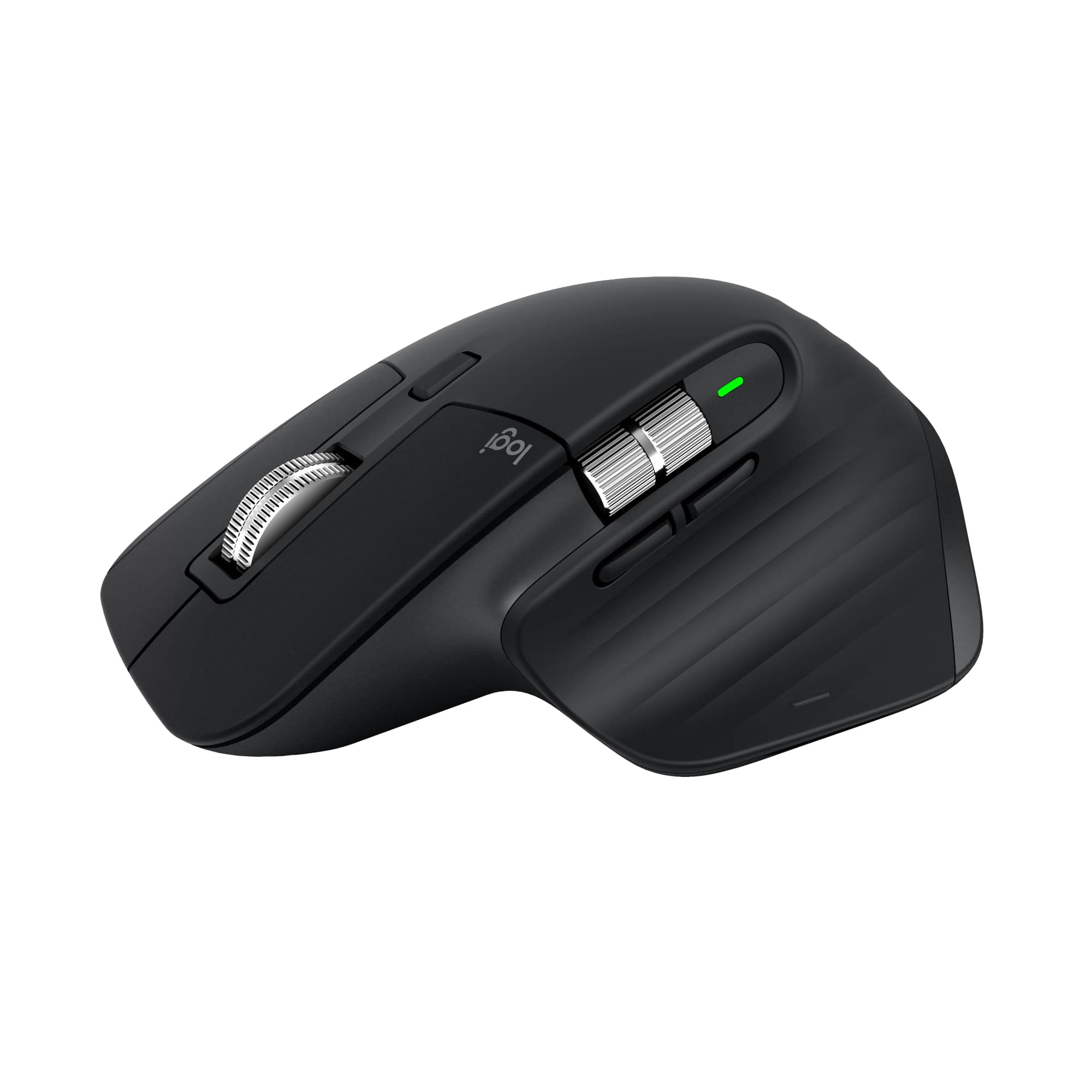
Customers are positive about the MX Master 3S mouse, highlighting its excellent ergonomics, button functionality, and overall performance as a reliable workhorse. Users appreciate the stable wireless connectivity, impressive battery life, and quiet operation. However, some customers find the mouse to be a bit heavy.
This summary was generated by AI based on customer reviews.
- Pros mentioned:Battery life, Connectivity, Ergonomics
Logitech MX Master 3S Bluetooth Performance mouse
||Posted . Owned for 3 weeks when reviewed.This reviewer received promo considerations or sweepstakes entry for writing a review.Great feel and response is buttery smooth. - Fits my paws nicely - Rechargeable battery - Fast and easy connectivity - Bluetooth - Two scroll wheels - Fully programmable - High quality - Can easily be bound/programmed to work on 3 separate computers with easy, numbered button to navigate between them. Great for multi-device multitasking!
I would recommend this to a friendBrand response from Logitech
Posted .We're thrilled to hear you're enjoying the MX Master 3S! It sounds like you're really making the most of its features.Your review helps us understand what we’re doing right and where we can grow. Thank you for being part of the Logitech community and for taking the time to share your thoughts.

- Pros mentioned:Button functionality, Connectivity, Ergonomics
Very good
||Posted .This reviewer received promo considerations or sweepstakes entry for writing a review.I've been using the Logitech MX Master 3 for over a weeks, and it has completely changed my workflow. The ergonomic design is excellent, especially for long hours at the desk. It fits comfortably in my hand and reduces wrist strain. The scroll wheel is smooth and adaptive, and the customizable buttons are a huge plus for productivity tasks. The wireless connectivity is stable
I would recommend this to a friendBrand response from Logitech
Posted .Hey! Thanks for the thoughtful review of the MX Master 3S Bluetooth Edition! It’s great to hear how it’s transformed your workflow, ergonomic precision, ultra-fast scrolling, and seamless wireless performance all wrapped into one powerhouse of a mouse. Designed for comfort, built for productivity.
Solid mouse if you don't want to upgrade to MX4
||Posted . Owned for 1 month when reviewed.This reviewer received promo considerations or sweepstakes entry for writing a review.This is the second time I've purchased this mouse as a replacement for the first one which lasted a few years; the left-button click wore down and was becoming unresponsive, apparently a common problem (going to fix the microswitch inside but needed a replacement right away). I'd expect a little more durability for how expensive it is, but I liked it enough to go back. The feature set was adequate enough to not have to upgrade to the MX Master 4, It does tend to pick up any oils from fingers, even if you have clean hands/don't eat while using (I think this was fixed/improved on the MX4). Other than that, the mouse feels great and is easy to use. The scroll wheels are smooth and I appreciate the functionality upgrade from the basic M510 (which is also pretty good). I use it every day but don't need to charge it that often (every few weeks? months? so infrequent I don't remember), and even then it doesn't take that long. There is also "Logi" software that allows you to customize buttons actions, update software, monitor power, etc. Note there may be some connection issues/lag if you're also using a receiver from older Logitech products (am using an old K350 keyboard); I was able to get it working by reconnecting the devices.
I would recommend this to a friend- Pros mentioned:Button functionality
Great for work!
||Posted . Owned for 1 month when reviewed.This reviewer received promo considerations or sweepstakes entry for writing a review.I’ve been using this mouse with my Macbook for the last month and it’s been amazing! All of the different buttons and features are great for productivity. Was a bit confusing to get connected at first but other than that I love it.
I would recommend this to a friendBrand response from Logitech
Posted .Thanks for the kind words! We’re proud to know our product is making a difference. Your feedback keeps us moving forward.
More than I'll need
||Posted . Owned for 1 month when reviewed.This reviewer received promo considerations or sweepstakes entry for writing a review.Everything I could ask for in a mouse. Super comfortable for me. My hands are small - average. I am learning to adjust my grip to cover all the buttons and wheels! I personally don't need the haptic of the mx 4 so this was a great deal for me. Mix it with some best buy rewards bucks and i'm sold!
I would recommend this to a friendBrand response from Logitech
Posted .Hey! Your review helps us stay focused on delivering quality. We’re happy our product is meeting your expectations. Thank you for sharing your thoughts.
- Pros mentioned:Button functionality
excellent design mouse
||Posted . Owned for 3 weeks when reviewed.This reviewer received promo considerations or sweepstakes entry for writing a review.The Logitech MX 3s is a great mouse for design. Button customization for different apps really comes in handy! My favorite part is the smart-shift scroll wheel.
I would recommend this to a friendBrand response from Logitech
Posted .We’re really grateful for your thoughtful review. It’s wonderful to know that our Logitech MX Master 3S Bluetooth Wireless Mouse is delivering the performance and ease of use you were hoping for. Hearing from satisfied users like you keeps us motivated. Thanks for choosing Logitech!
Mx master
||Posted . Owned for 5 months when reviewed.This reviewer received promo considerations or sweepstakes entry for writing a review.A actual compliment getter at your workplace. No noise from clicks, flawless accuracy on the cursor, most satisfying scrolls. Sometimes I just click open a file to feel the clicks.
I would recommend this to a friendBrand response from Logitech
Posted .We’re so glad you’re enjoying your Logitech product. Your feedback helps us stay on track and continue delivering great experiences.
- Pros mentioned:Ergonomics
Mouse
||Posted .This reviewer received promo considerations or sweepstakes entry for writing a review.Very smooth, design is perfect fit for hand. High quality buttons and scroll wheels. Well worth the money.
I would recommend this to a friendBrand response from Logitech
Posted .Thanks for sharing your experience—it’s always a pleasure to hear from happy customers. We’re delighted that our product is serving you well and making a difference in your day-to-day routine. We appreciate your trust in Logitech.
- Pros mentioned:Connectivity
no dongle FAST Scrolling wheel!
||Posted .This reviewer received promo considerations or sweepstakes entry for writing a review.fantastic mouse, love that it doesn't need a dongle, I use it for my work laptop when I am in other offices, LOVE the fast scrolling wheel!
I would recommend this to a friendBrand response from Logitech
Posted .Thanks for the glowing feedback! We're so glad the Bluetooth convenience and ultra-fast scroll wheel are making life on the move smoother and more productive. Enjoy that seamless setup and zippy performance wherever work takes you!
Great Mouse
||Posted . Owned for 2 months when reviewed.This reviewer received promo considerations or sweepstakes entry for writing a review.It’s an all around great mouse, I even purchased 2. One for work and one at home. Would highly recommend.
I would recommend this to a friendBrand response from Logitech
Posted .Thank you for your kind words and for letting us know how our product is working for you. We’re thrilled that it’s meeting your needs and making a positive impact. Your feedback is incredibly valuable to us, and we’re grateful you chose Logitech.
Mouse for life!
||Posted . Owned for 5 months when reviewed.This reviewer received promo considerations or sweepstakes entry for writing a review.Really nice and it connects well with my MacBook Pro. Feels good in the hand and with all the programable buttons you can get a lot of use out of it!
I would recommend this to a friendBrand response from Logitech
Posted .We’re grateful for your feedback and happy to hear the product is working smoothly. Your experience helps us build better tools for everyone.
- Pros mentioned:Overall performance
Good, I like it
||Posted .This reviewer received promo considerations or sweepstakes entry for writing a review.Good product, I have been using the MX master 2s, but now it is time to update
I would recommend this to a friendBrand response from Logitech
Posted .Thanks for sharing your thoughts! We're glad to hear the upgrade to the MX Master 3S is going well. It’s always exciting to step up to something new—hope it keeps delivering the precision and comfort you’ve come to expect!
- Pros mentioned:Overall performance
Mouse for iPad
||Posted . Owned for 1 month when reviewed.This reviewer received promo considerations or sweepstakes entry for writing a review.Worked as intended with my IPad. Happy overall for the price
I would recommend this to a friendBrand response from Logitech
Posted .Your positive experience means a lot to us. Every product we design goes through countless hours of testing and refining to ensure it delivers both quality and comfort, so it’s wonderful to hear that effort is paying off for you. Thank you for choosing Logitech and for letting us know we’re meeting your expectations.
Comfortable mouse for gaming, work, or other tasks
||Posted . Owned for 3 weeks when reviewed.This reviewer received promo considerations or sweepstakes entry for writing a review.A great mouse for gaming and fits my hand really well.
I would recommend this to a friendBrand response from Logitech
Posted .Thank you for your feedback! We’re glad the MX Master 3S delivers both comfort and performance for your gaming experience.
- Pros mentioned:Battery life, Button functionality, Ergonomics

Comfortable, customizable, long battery life. Win!
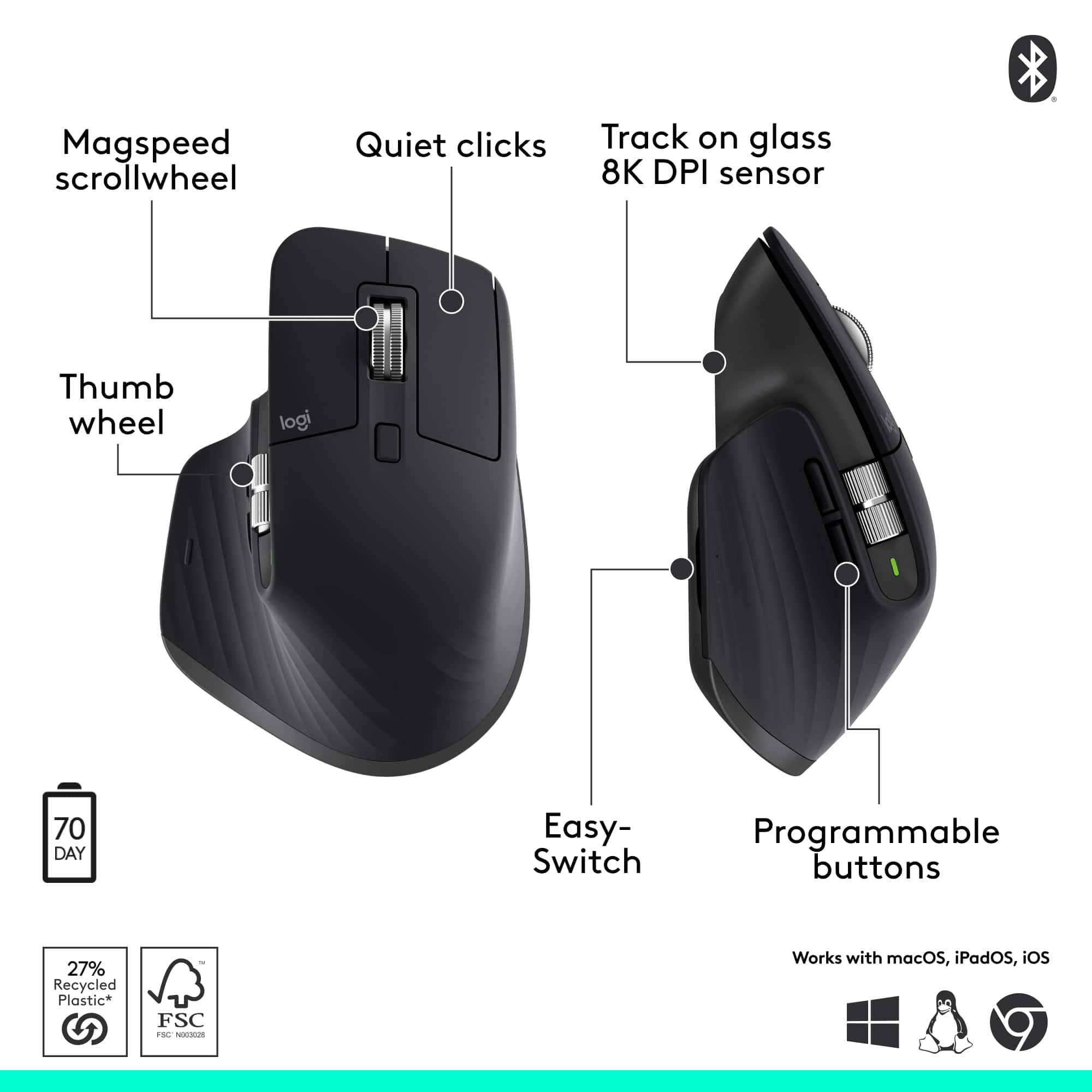
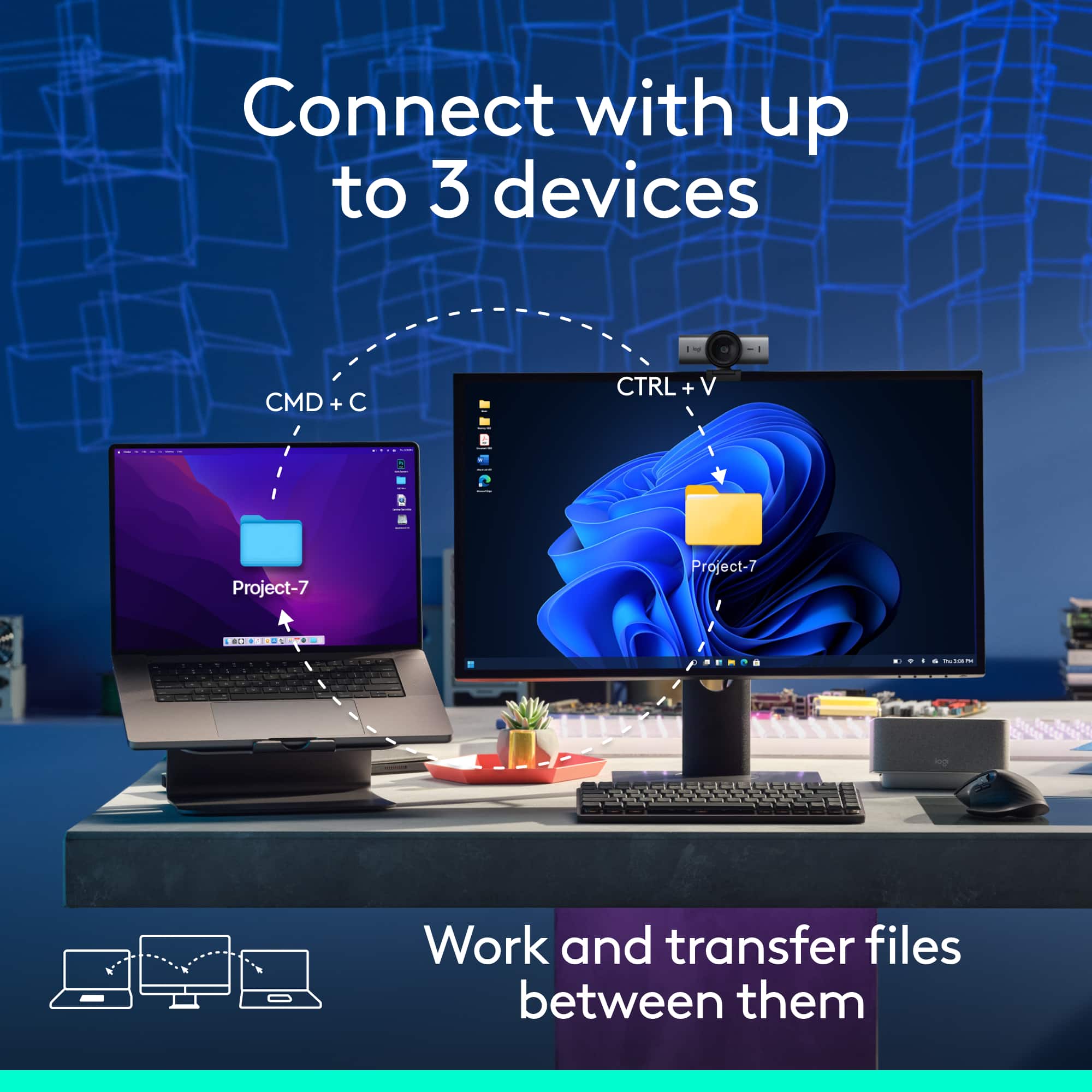
|Posted .This reviewer received promo considerations or sweepstakes entry for writing a review.____ *Pros: -Super quiet operation. -Awesome feedback from buttons and scroll wheels. -The Gesture button is a cool and welcome addition. -Highly customizable via the Logi Options+ app. -Long battery life. -Ergonomic win. Super comfortable. -Can remember and connect up to 3 devices. ____ *Cons: -None I’ve been a long-time fan of Logitech mice and keyboards, and the company has engineered and refined another excellent mouse in the MX Master 3S Bluetooth Performance. Not only does it look cool, but the mouse also feels so snug and comfortable the moment you drop your hand on top of it. The area where the thumb rests on is especially soft, and the main body of the mouse below the left and right-click buttons are also coated with a soft and grippy coating for a secure in-hand feel. All the buttons are within natural and easy reach, and the buttons operate quietly and precisely with just the right amount of feedback and feel. Both the vertical and horizontal scroll wheels turn smoothly and precisely, and neither of them feel sloppy nor abrupt – both give off a very satisfactory and precise wheel. With seven buttons that can be pressed on plus the horizontal scroll wheel, there are many customization possibilities via the Logi Options+ app. Within the app, you can view the battery level, check for and update the firmware, back up device settings to the Cloud, fine-tune point and scroll speeds, and create custom button actions for numerous applications. The Gesture button is a new button for me, and I already love using it. Four custom Gesture actions are possible, and I’ve set one Gesture to launch the This PC folder in Windows 11, another to refresh a webpage, one to launch the Actions Ring, and the last one to perform a series of keyboard events like a macro. Button customizations can be applied per app as well, and for the Chrome browser app, for instance, I left the default button actions alone except for the wheel button. I changed it so that when I press down on the wheel button, a keyboard shortcut action for CTRL+W takes place, which is the action for closing the active tab. And under the Global Settings tab, I set the press of the wheel button to perform a series of keyboard strokes that select the entire line of text then perform a copy text action. The number of customization options is staggering yet the Options+ makes it easy to search for and experiment around with different combinations without making the user feel lost or overwhelmed. All of these amazing features and comfort would feel wasted if the mouse tracked poorly or the battery life was horrible, but fortunately, the MX Master 3S performs well in both categories – the tracking is accurate and consistent, and the battery life is long and robust. The mouse can be quickly recharged via a USB-C port located at the front of the mouse, so even if you have to plug a charging cable into it, you can still continue to use the mouse uninterrupted. Another much appreciated quality of life improvement feature is the ability of the MX Master 3S to remember its connection up to 3 different devices. I’m currently taking advantage of this feature by using Slot 1 for my primary laptop at home and using Slot 2 for my work laptop. By not having to go through the pairing process over and over again every time I jump from one PC to another, much time is saved. After about a week’s use, the MX Master 3S is the default mouse I reach for. My previous favorite mouse was the Logitech MX Anywhere 3, but the Master 3S has it completely beat thanks to its extra buttons (Gesture, horizontal scroll), softer and more ergonomic feel, and more customization options. The Master 3S is definitely worth the coin and an excellent buy. 5 Stars.
I would recommend this to a friendBrand response from Logitech
Posted .Thank you for this incredibly detailed and thoughtful review of the MX Master 3S. We're thrilled to hear you're a long-time fan and that this mouse has exceeded your expectations with its comfort, customization, and performance. Your feedback is truly valuable, and we appreciate you taking the time to share your experience with us.
Great Mouse.
||Posted . Owned for 1 month when reviewed.This reviewer received promo considerations or sweepstakes entry for writing a review.Excellent mouse. Great sensitivity, crisp and fast for scrolling large documents.
I would recommend this to a friendBrand response from Logitech
Posted .We’re really grateful for your thoughtful review. It’s wonderful to know that our product is delivering the performance and ease of use you were hoping for. Hearing from satisfied users like you keeps us motivated. Thanks for choosing Logitech!
- Pros mentioned:Battery life, Button functionality, Connectivity
Started with a great mouse and improved it!
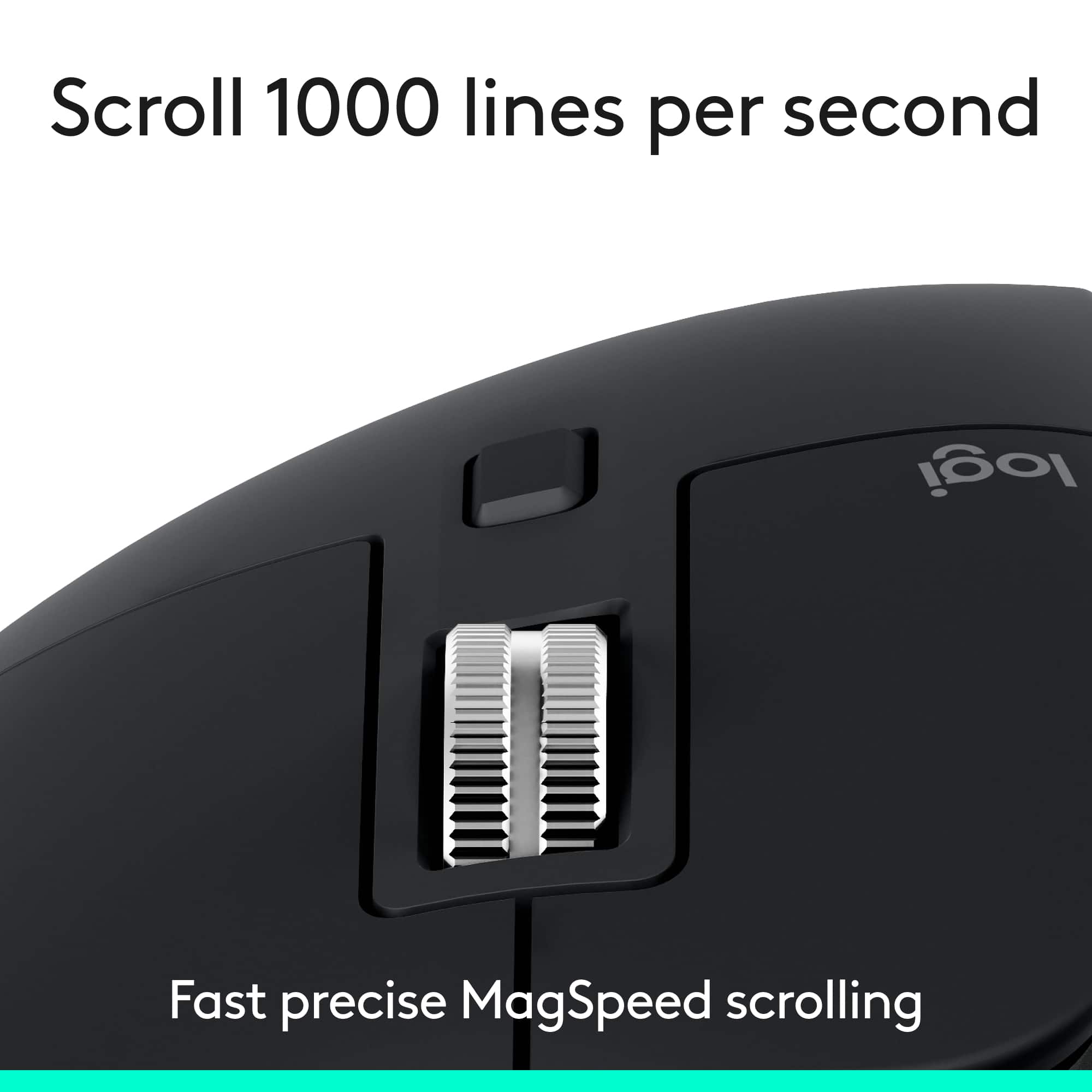
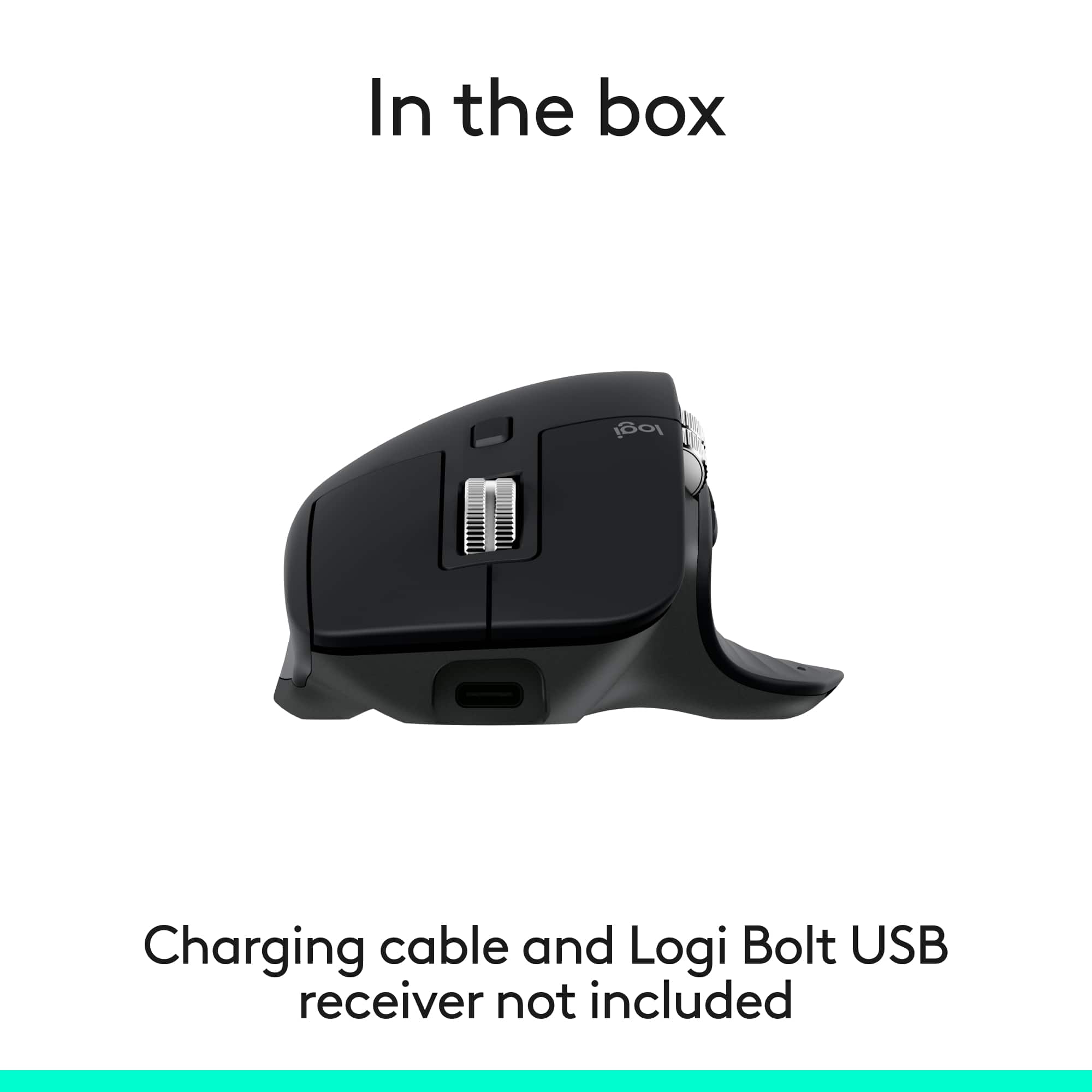
|Posted .This reviewer received promo considerations or sweepstakes entry for writing a review.The Logitech MX3S mouse is easy to write about, I have been using the MX Master 3 for over 2 years now, it is my favorite mouse to use! Here are the features that I love about the MX Master 3S. • Ergonomic grip, fits my medium sized hands very comfortably. I use this mouse all day without any issues. • You can connect this to 3 devices, I have it connected to 2 laptops and a desktop. It’s super easy to connect. • The battery is rechargeable via the USB-C port on the front of the mouse. • Connects to your device via Bluetooth, no USB dongle needed! It’s a pleasure to use. I use it for everything I do, internet browsing, productivity. I love the scroll wheel, it feels nice, has a slight “click” and feels very smooth. You can scroll slow or very fast with this scroll wheel. The side scroll wheel is great also, you can use it to move side to side on spreadsheets or web pages, I haven’t gotten into a habit of using it too much. There are 2 buttons on the side above your thumb that are convenient, it serves as a back and forward button on a browser. For my usage, the improvements of the MX Master 3S are minor. The improvements are: • Soft clicking of buttons, I didn’t think the MX3 • 8K DPI any-surface tracking, works even on glass • Scroll 1.000 lines per second • Longer battery life (lasts 70 days) – Note, USB-C cable is NOT included With these improvements, Logitech took an already great mouse and made it even better. This is a solid and well built mouse. Of all the other mice I have in my draw, including other Logitechs, this is the one I use all day because it’s just so comfortable to use and works great!
I would recommend this to a friendBrand response from Logitech
Posted .Your detailed feedback is a delight to read—thank you for sharing your long-term experience. It’s great to know the upgrades like quiet clicks, high DPI tracking, and extended battery life make a noticeable difference without compromising the comfort and performance you’re used to. Sounds like this mouse truly meets your productivity needs across multiple devices. Here’s to many more seamless scrolls and clicks ahead!
- Pros mentioned:Battery life, Button functionality, Connectivity
Another Superior Mouse by Logitech
|Posted .This reviewer received promo considerations or sweepstakes entry for writing a review.Logitech's MX Master Mouse is just what I need for a simple but multi-function system in my workspace. The package includes the mouse and paperwork. The mouse comes with a manufacturer's 1-year warranty. PROS: ----------- * Connects via Bluetooth (BT) quickly and easily. * The user should download the Logi Options+ program to get the full ability to personalize how you want your to operate. This is the first mouse I have used that had the side wheel which is great for scrolling things left/right when they don't fit on the screen horizontally. I didn't like the direction I had spin the wheel to move the screen, so Logi Options+ allows this to be inverted. You can make each button on the mouse perform nearly any function you'd like. They also have pre-determined functions depending on the program you are using (Excel vs AutoCAD, for example, perform differently). * Has the ability to BT to 3 different devices. The mouse has a button on the bottom that can be used to switch between devices. * Has the ability to be turned off in order to save battery power. * I only use on Windows 11, but this keyboard can work on multiple OS's: Windows, macOS, most Linux4 devices, iOS, and Android. * Has a great rubbery feel that keeps the mouse in place in your palm. * The mouse fits very comfortably in my right hand even though I have used mice that can be used in either hand. * Movement is pretty precise with Logi Options+ helping me get the most out of my movements. * There is barely any noise when pressing the mouse buttons. You can feel it, but barely hear it. The same applies with the main wheel. * Logitech claims this mouse is outfitted with the most accurate sensor ever. Movement between my 3 side-by-side-by-side monitors is made pretty easy with this mouse. * This mouse tracks well on practically any surface, so you may not need that mouse pad anymore. * The "freewheel" mouse function is pretty cool. You can spin the vertical wheel in either direction (up or down), and it will allow you to scroll at insane speeds until you stop the wheel (or until it stops on its own). Logitech calls it the "magspeed scrollwheel." I use this quite frequently for extremely long and vertical Excel files. CONS: ----------- * No USB-C charging cable provided. OTHER OBSERVATIONS: ----------- * When charging, there is a green LED on the mouse that has a breathing light sequence to indicate it is charging. When complete, the breathing sequence will stop. * Logitech claims up to 70 days on a full charge & 3 hours from a 1-minute charge; however, that may depend on the charge amount you're getting (ie. 1A vs 2A) * In addition to the buttons you can see, there is also a thumb button which I discovered in the Logi Options+ program which can show all applications and what screen they are located on. This was pretty cool to watch and is quite different from the basic ALT-TAB key sequence you can use to see all open windows. With this mouse function, it shows the same thing but on all 3 windows but only shows the programs active on those windows. That's a pretty neat feature. * Compatible with Logi Bolt USB unifying receiver, but the dongle is not included in this package. CONCLUSION: ===================== Overall, this mouse is quite unique and really expands what you can do with buttons all placed in perfect locations. The Logi Options+ app is easy to use and offers a number of combinations you can do to make the mouse do exactly what you want. If you want versatility, this mouse provides that. If not used to an odd-shaped mouse, it may take some getting used to, but so far, the experience has been positive. Great job, Logitech!
I would recommend this to a friendBrand response from Logitech
Posted .Thank you so much for your detailed and thoughtful feedback! We're thrilled to hear the MX Master 3S has enhanced your workspace experience. Your insights on its features and performance are incredibly valuable. We truly appreciate your support and enthusiasm!
- Pros mentioned:Battery life, Button functionality, Connectivity
Comfortable, Configurable, Chage Lasts Forever
|Posted .This reviewer received promo considerations or sweepstakes entry for writing a review.Highlights: * Same great mouse but connects via BTLE by default. * Long battery life - up to 70 days on a full charge. * Comfortable to hold and reach all buttons. * Tons of buttons and app-specific customizations. * Quiet clicks. * Recharges via USB-C (cable and charger not included). * 1 minute charge for 3 hours of use if battery dies. * Convenient Mac/Windows app for setup. * Compatible with Mac, iOS/iPadOS, Windows, Android, ChromeOS and Linux. * Can pair and quickly switch between 3 connections. Room for Improvement: * Quieter buttons are not as “clicky”. * Setup instructions are a black sticker on the underside. Setup: Setup couldn’t be easier… once you flip the mouse over and find the quick setup sticker. I’m way too accustomed to having printed Quick Start Guides or User’s Manuals in the box. This mouse simplified things so much that all you need to know is on a sticker that covers the bottom of the mouse. Once you flip the mouse over and see the sticker, the rest is a breeze. As with most rechargeable things, you should probably charge the mouse fully before setting it up. No USB-C cable or adapter are provided, but nearly any will work. Plug it in and the LED by the side scroll wheel starts throbbing. When the light is out, the mouse is done charging. Slide the physical switch on the bottom to On and the mouse is automatically in pairing mode for device 1 of 3. Pair the mouse to your operating system of choice using the normal Bluetooth pairing methods. This mouse natively expects a Bluetooth Low Energy (BTLE) connection and supports but doesn’t include the Logitech Bolt receiver. As long as your device has BTLE, it should work. This includes most Mac, Windows, iOS, iPadOS, ChromeOS, Android and Linux devices among others. If one of your devices runs Windows or Mac, you can install the Logi Options+ app to set up a ton of customizations for every button on the mouse, enable the ability to virtually share your mouse between multiple computers running the Options+ app by dragging the cursor between them, and even set up app-specific button settings. The majority of mouse functions work without any app-based customizations, but the app is really helpful. This mouse can be paired to up to 3 different devices. With the exception of Logi Flow (a feature you set up in the Options+ app on Mac or Windows), the mouse connects to one of the 3 devices at a time. There’s a button on the bottom of the mouse to choose the device connection by number you want to use or set up. Pairing to or connecting to a different device is as simple as tapping that button to select that numbered device first and then doing your normal mouse things with that other device. Usage: This mouse is an update to the MX Master 3 in that it has quieter “clicks” so the mouse isn’t as noisy for yourself or others nearby. The “Bluetooth Edition” part of this mouse means that instead of coming with the Logi Bolt USB receiver but also working with Bluetooth, it expects Bluetooth and the Bolt USB receiver is optional (not included). Otherwise, this mouse is just as comfortable and configurable as the prior generation (the MX Master 3). I have relatively small hands but have no trouble comfortably reaching all of the buttons. Keep in mind that this is not an ambidextrous mouse - righties only. I haven’t been using it long, but the battery level meter shown in MacOS as well as in the Logi Options+ app indicates it still has a full charge. If it ever does drain without warning and you still need to work, a quick 1 minute charge gets you 3 hours of mousing. You can also plug it in to USB-C to use it like a corded mouse if necessary while it charges. Charge it during a quick coffee break or over lunch and you probably will be good for months of use. The Options+ app is nicely designed and has the ability to represent and configure multiple Logitech peripherals. Each button can be set up for general use and app-specific settings let you remap buttons or even scroll speeds for your favorite apps. The two scroll wheels are nicely weighted, metal and knurled for easy turning. The main scroll wheel even has a magnetic clutch to switch between ratcheted and free-spinning at your command or automatically depending on how far you’re scrolling. While I appreciate the new quieter clicks, that also makes the buttons a little less affirmatively clicked. This is something I’ll get used to. They still work as expected- just will less noise and click. I expected a quick setup guide but the sticker on the bottom did the job once I found it. Absolutely no other complaints. This is a fantastically comfortable, configurable and capable mouse for up to 3 devices. It lasts forever on a charge and an a quick 1 minute sip of power will get you going in a pinch. If a mouse is your pointing device of choice, you can’t go wrong with this one!
I would recommend this to a friendBrand response from Logitech
Posted .Thanks so much for the detailed review! We're thrilled to hear you're enjoying the MX Master 3S and its seamless setup, long battery life, and multi-device versatility. Your feedback on the quieter clicks and setup sticker is noted—we’re always looking to improve. Happy scrolling, and we hope it keeps powering your productivity for a long time!
- Pros mentioned:Battery life, Button functionality, Connectivity
Very comfortable with great features
|Posted .This reviewer received promo considerations or sweepstakes entry for writing a review.I have had a few Logitech mouses and they all have performed flawlessly. This one is no different and easy to setup. I first connected it to my iPad Air, it worked totally fine but not all the buttons worked. You need to have the Logitech program to fully setup the mouse. I then connected it to my windows 11 laptop and downloaded the Logitech program. This program allowed me to fully setup the buttons and preferences for this mouse. You can also customize the mouse to have different functions when using different windows programs like, word, excel, etc. So when you’re flipping through these programs the mouse buttons will automatically change to your preferences. I really like this feature as I like having different setups for working in excel versus using a web browser. Another cool feature is you can have this mouse connected to two computers at the same time. When you move the mouse to one edge of a computer monitor it will jump to the other computer, no need to push the button on the bottom of the mouse to change. You can also copy a file from one computer and past it to your other computer which is really nice and helpful. The feel of this mouse is soft and very comfortable to use. I like the ergonomic setup of it and the buttons are easy to use. The scroll wheel has two modes, if you slowly scroll it gives you a click feeling, if you start to scroll really fast the click turns off and it rolls really quickly. You can also disable the click all together, but I like the click feel. The side scroll I thought would get in the way and cause random side scrolling issues due to its placement, however it has not been an issue at all. Overall, I really like this mouse and it’s a pleasure to use on a day to day basis. The built in battery should last a year which is great, but is also easy to charge with the built in usb port.
I would recommend this to a friendBrand response from Logitech
Posted .Hey! Wow—thank you for such a thoughtful and comprehensive review! We’re thrilled to hear the MX Master 3S is living up to your expectations and enhancing your workflow across devices.