Customer Ratings & Reviews








- Model:
- 910-006558
- SKU:
- 6502578
Rating by feature
- Value
Rating 4.6 out of 5 stars
- Quality
Rating 4.8 out of 5 stars
- Ease of Use
Rating 4.8 out of 5 stars
Customers are saying
Customers love the MX Master 3S Wireless Mouse for its comfortable design and excellent overall performance. Users appreciate the near-silent click, long-lasting battery, and seamless connectivity. While the mouse boasts many features and is easy to use with top-notch tracking, some customers have noted that the color can stain easily.
This summary was generated by AI based on customer reviews.
- Pros mentioned:Overall performance
Excellent Mouse!
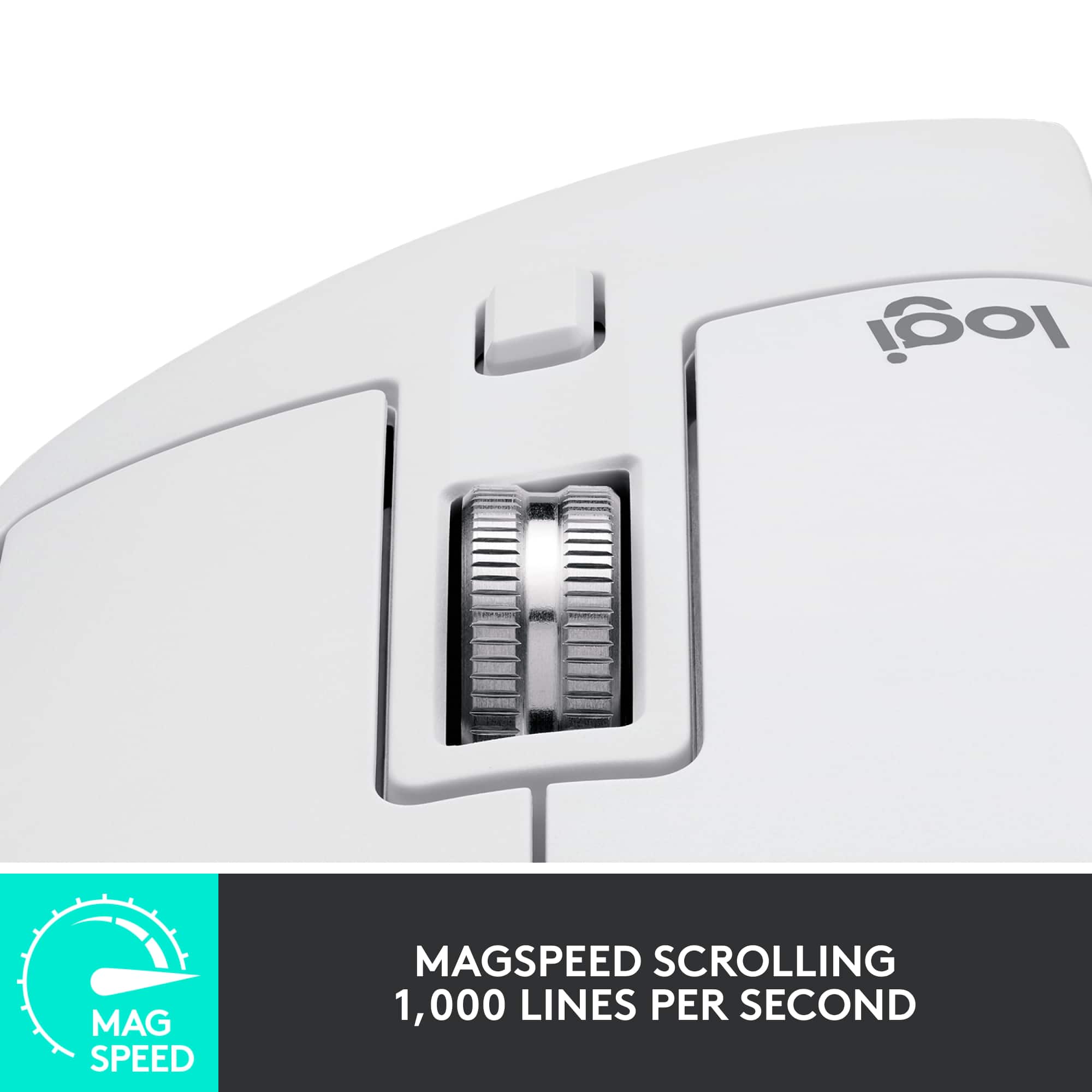
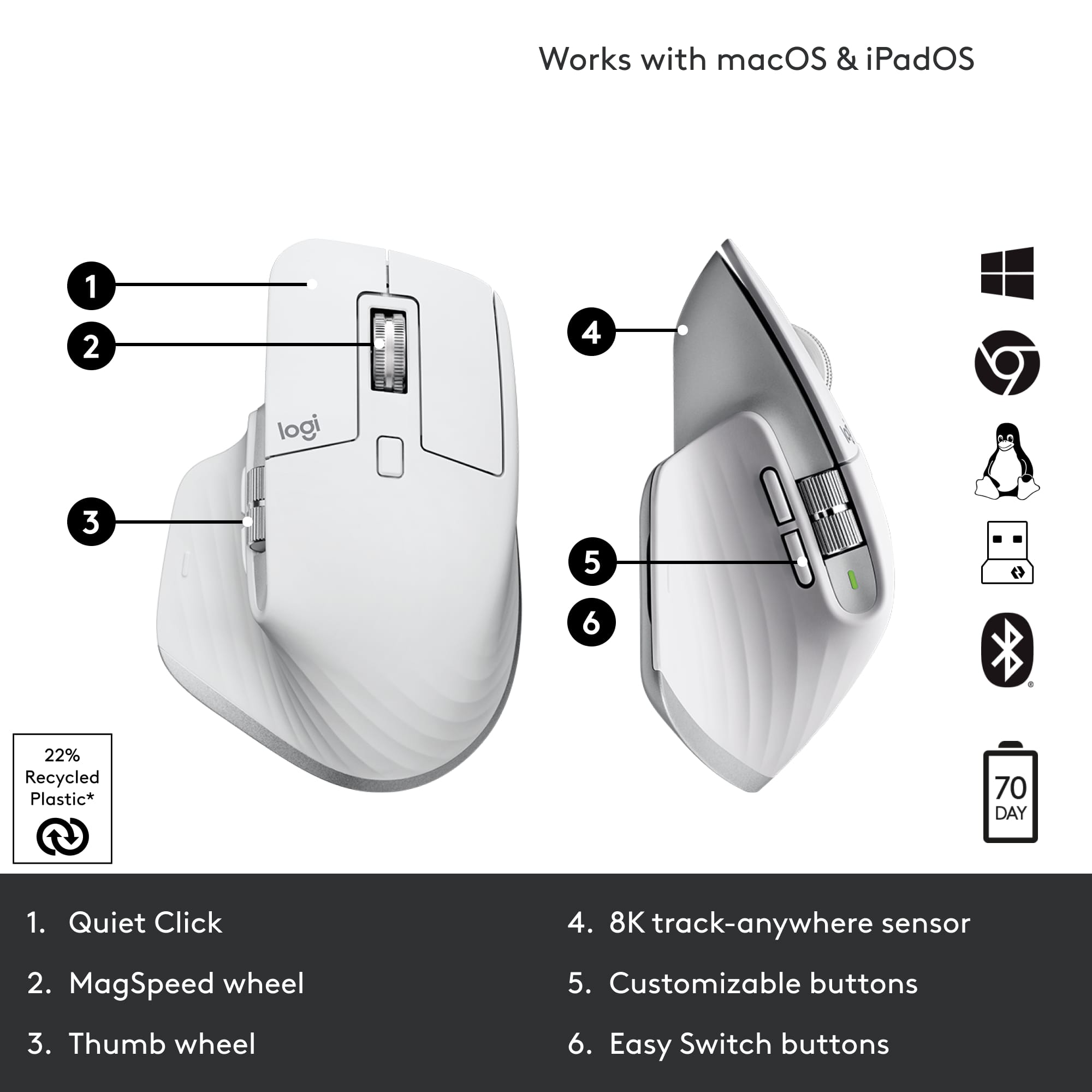
||Posted .This reviewer received promo considerations or sweepstakes entry for writing a review.I've been using the MX Master 3S for years now as a programmer, and it's honestly the best mouse I've ever owned. The Bluetooth multi-device connectivity is a game-changer—being able to seamlessly switch between my work laptop, personal computer, and other devices without any dongles or re-pairing is incredibly convenient. The tracking is precise and responsive, which is essential when you're working with code all day. What really sets this mouse apart is the comfort—it even keeps my hand from getting fatigued during long coding sessions. The ergonomic design is clearly well thought out. The MagSpeed scroll wheel with infinite scroll is fantastic for navigating through long files and documentation. I can flip between precise click-to-click scrolling and free-spinning mode depending on what I need. The horizontal scroll wheel on the side is another feature I didn't know I needed until I had it - super useful for scrolling through wide code windows. While the mouse has several programmable buttons, I mainly stick to the basics—the back/forward buttons on the side are perfect for web browsing. Even without using all the extra features, this mouse delivers exceptional performance. If you spend a lot of time at your computer, especially for work, this is absolutely worth the investment.
I would recommend this to a friendBrand response from Logitech
Posted .Hey! Thank you for sharing such positive words with us! Our mission has always been to create technology that feels simple, dependable, and empowering, and your review tells us we’re moving in the right direction. We deeply value your trust and support of Logitech.

- Pros mentioned:Battery life
Game changer in Productivity!!
||Posted . Owned for 8 months when reviewed.This reviewer received promo considerations or sweepstakes entry for writing a review.I absolutely love this thing. I was one of those people who didn’t think a mouse was that important. I just thought I needed something that moves A to B. None the less I tried this mouse after getting word of a trade in program and OMG!!! Productivity has with been with minimal effort from a hands. If you’re a person who deals with a lot of data and a lot of scrolling through tons of information this will be a game changer! At work I’m constantly in excel looking at a lot of rows with hundreds of rows of data. Yes, I create pivot tables and filters to organize it but it’s still tons to scroll even after minimizing the information. This mouse has the longest self scroll feature I never knew I needed. I just use a finger to push the roller and it just keeps on scrolling BY ITS SELF..When I see what I need I just stop it. On other computer mice I would need to continuously roll the button to scroll. The click is extremely quiet. Another feature I never knew I’d need and love. Also, the charge is long as well. I won’t have to charge it for atleast 2 weeks of using it for 8 full hours a day. Now when I let the battery die and I have to use my old plug in mouse it just feels really cheap and the mouse moves on the screen too slow. I guess I’ve become spoiled with this things performance. Although I didn’t pay full price for it because I traded in a broken Bluetooth Logitech mouse and paid a discounted price, I SOOOOOOOO WOULD buy it again at full price without thinking twice. Its worth the higher price. Another cool feature is you can quick connect 3 computers. You just press the button on the bottom
I would recommend this to a friendBrand response from Logitech
Posted .Hey! Thank you for your kind words. Your review helps us understand what our users value most. We’re glad to have you with us.
- Pros mentioned:Click sound, Overall performanceCons mentioned:Weight
Best Mouse I’ve used
||Posted . Owned for 1 month when reviewed.This reviewer received promo considerations or sweepstakes entry for writing a review.Comfortable, good weight, silent clicks, good intuitive software and customizable buttons, vertical and horizontal scroll are very smooth, link up to 3 saved devices. All around the best mouse I’ve ever used. The only thing is that this mouse isn’t very good for fps games (like first person shooting) since it’s a bit on the heavy side. No worries though, I have my Razer Viper mouse for that type of gaming. I highly recommend this mouse especially for daily and work use!
I would recommend this to a friendBrand response from Logitech
Posted .Hello, Alex! I'm happy to hear that you're enjoying your MX Master 3S! Feel free to reach out to our support team here https://support.logi.com/hc/en-us/requests/new?ticket_form_id=360000621393 if you ever need any assistance or if something happens in the 1-year limited hardware warranty. Thank you for the review and for shopping Logitech! - Maggie from Logitech
- Pros mentioned:Ergonomics, Noise level, Overall performance
Incredible mouse
||Posted .This reviewer received promo considerations or sweepstakes entry for writing a review.This mouse is noticeably better than any other mouse i've ever used. I've purchased two other name brand mice for around $60 and the Mx Master 3s just completely blows them out of the water for the $40 price difference. I'm a huge fan of the silent clicks the mouse has, the scroll wheel can be adjusted and feels extremely high quality, and it features 4 programmable buttons on the side that allows for a loooot of shortcut options (even the horizontal scroll wheel can be changed)! And the ergonomic shape it has is verg comfortable for long use. If you're on the fence about it but have the budget, definitely seal the deal on this mouse... I was scepticle at first with the price point but after only a day of use it's been worth the purchase.
I would recommend this to a friend - Pros mentioned:ErgonomicsCons mentioned:Color
a great mouse for daily work
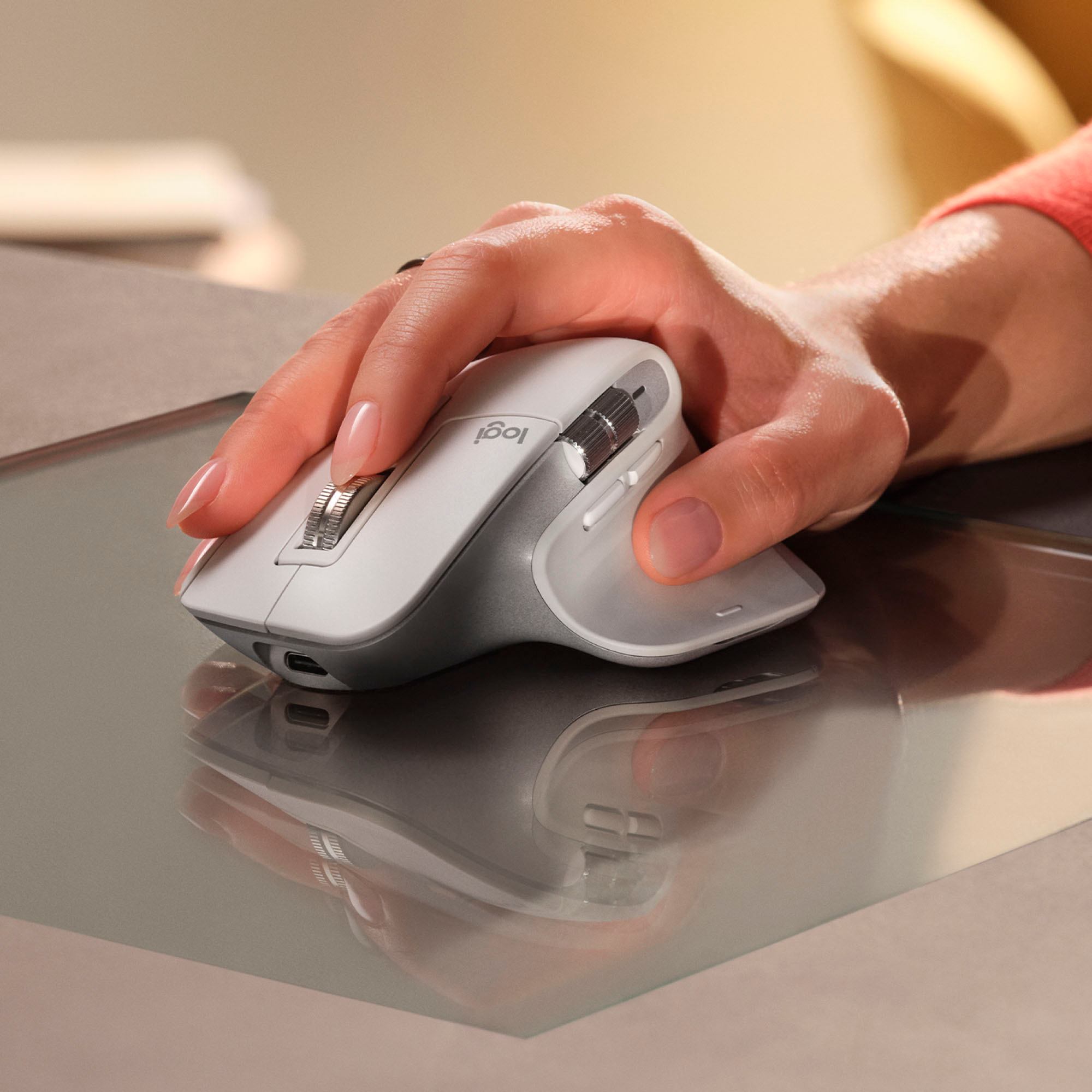
||Posted . Owned for more than 2 years when reviewed.This reviewer received promo considerations or sweepstakes entry for writing a review.i been using this mouse for a few weeks now, and overall its a very good choice. here are my thoughts: pros: the ergonomic design is really nice, it fits well in hand and no strain even after long use. the scrolling is super smooth and fast, makes working with documents and websites much easier. works on almost any surface, i tried it on glass table, no problem at all. connecting it to multiple devices is simple, switching between them is also quick. cons: The left key button stopped working for me, although with a factory reset it went back on the pale gray color can get dirty quickly, need to clean often. in general, it's a solid mouse that works very well for daily tasks, but there some small things to consider. if you ok with the price, i think you will be happy with it.
I would recommend this to a friendBrand response from Logitech
Posted .We appreciate your detailed review of the Logitech MX Master 3S. We're glad to hear that you've found it to be a comfortable and efficient mouse for your daily tasks. We'll take your feedback about the left key button issue and the pale gray color into consideration for future improvements. Thank you for sharing your experience.
Great quiet mouse
||Posted .This reviewer received promo considerations or sweepstakes entry for writing a review.MX master 3S was such a massive improvement over the original that I cannot list them all here. However, if a quiet clicking sound sounds good to you then this baby is the one. It’s responsive, quick and quiet. My only complaint is like MX M 3. Is suffers from Bluetooth connectivity at times. Not sure if it’s a firmware. However, mine copy is up to date as of the time of this review. Great mouse otherwise. Especially if you are in the creative field.
I would recommend this to a friendBrand response from Logitech
Posted .Your feedback means a lot to us, and we’re so glad to hear you’re enjoying your Logitech device. We work hard to create products that make life easier and more enjoyable, and it’s great to know we hit the mark. Thanks again for your support!
- Pros mentioned:Battery life
Logitech MX Master 3S Wireless Laser Mouse
||Posted . Owned for 1 week when reviewed.This reviewer received promo considerations or sweepstakes entry for writing a review.I’ve been using the Logitech MX Master 3S for a few weeks now, and I have to say, it has exceeded my expectations. The ergonomic design fits perfectly in my hand, making long work sessions much more comfortable. The standout feature for me is the ultrafast scrolling – it’s incredibly smooth and responsive, making navigation through long documents or webpages a breeze. The wireless connection is rock solid, and I love that I can seamlessly switch between multiple devices without any hiccups. The battery life is also impressive, lasting for weeks on a single charge. Plus, the precision of the laser sensor ensures that I get accurate tracking on any surface. Overall, the MX Master 3S is worth every penny for anyone who needs a reliable, high-performance mouse. Highly recommended!
I would recommend this to a friendBrand response from Logitech
Posted .Thank you for your amazing review of the Logitech MX Master 3S wireless mouse! We're thrilled to hear that it's exceeded your expectations in terms of comfort, performance, and wireless connectivity. Your positive feedback means a lot to us as we continue to provide exceptional products that elevate your computing experience.
Great buy when on sale. ONLY BUY BLACK
||Posted . Owned for 5 months when reviewed.This reviewer received promo considerations or sweepstakes entry for writing a review.Great mouse with very quiet clicks vs previous generations. There is definetely a bit of latency so I would not recommend this for gaming, but it's great for work and very comfortable. Do not get any colors other than black as the previous generation white mice discolored very quickly. Price is a bit steep so definetely try to get it on sale.
I would recommend this to a friend- Pros mentioned:Ergonomics
A workflow lifesaver
||Posted . Owned for 3 weeks when reviewed.This reviewer received promo considerations or sweepstakes entry for writing a review.This is my third mx mouse, which is now even better since the Logitech software added the action ring as a programmable button. I am definitely a power user, my hand stays on this mouse for 10 hours a day on average. I have all my buttons mapped with profiles that change depending on which computer and which program I am using. The customization options have definitely sped up my workflow. My previous mx mouse lasted about 4 years before it died, hoping this one might be able to go a bit longer than that. I should note that my hands are very small (I wear children’s gloves) but I still find this mouse to be comfortable to use and navigate.
I would recommend this to a friendBrand response from Logitech
Posted .Hey! We’re thankful for your thoughtful words. It’s encouraging to hear our product is making a difference. Thanks for being part of our community.
One of the best mice on the market
||Posted . Owned for 8 months when reviewed.This reviewer received promo considerations or sweepstakes entry for writing a review.The best productivity mouse ive ever used, this isnt your basic plastic dell mouse from the early 2000's. Sporting a sleak modern design, nice ergonomics for those who have wrist issues and overall comfort with 2 side buttons, 1 thumb button on the thumbrest 2 scroll wheels for your horizontal and vertical scrolling needs and not to mention the scroll wheel is freespinning and the weight is there so it feels like a premium product, this mouse is one of the best ive ever used.
I would recommend this to a friendBrand response from Logitech
Posted .Thank you so much for taking the time to share your experience. We're thrilled to hear that the product is working well for you and meeting your expectations. Your feedback helps us continue to improve and innovate. We truly appreciate your support of Logitech.
- Cons mentioned:Weight
Great for Productivity!
||Posted . Owned for 2 weeks when reviewed.This reviewer received promo considerations or sweepstakes entry for writing a review.This would be the ultimate mouse if it had all the functionality with a shape closer to the DeatherAdder V3 Pro. The extreme shape makes it comfortable to hold but difficult to move around especially after an hour of video editing. Upgraded skates would also help with handling this for longer periods. The weight is heavy but not a deal breaker when you understand all the tech in this shell. Going back to a lighter mouse feels like you took the weighted clothes off after training with Goku in the hyperbolic time chamber for a year. This is still worth a look at even with those faults. My ability to have all my major functions over on one hand instead of having to do a keyboard combos all day greatly speeds up my productivity. The side scroll wheel makes it great with zoom in/out and moving forward/backwards in the time line. The ability to assign any shortcut to a button and on specific apps is game changing. I do go back to another mouse for everyday use like browsing and of course gaming but this is a must have for productivity work.
I would recommend this to a friendBrand response from Logitech
Posted .Thank you for your detailed review of the Logitech MX Master 3S mouse! We appreciate your insights into the product's features and your comparison with other options. We'll continue to work on improving our product offerings to address potential limitations and cater to diverse user preferences.
Very Nice!
||Posted . Owned for 3 weeks when reviewed.This reviewer received promo considerations or sweepstakes entry for writing a review.Contours to my hand. Track wheel is nice it adjusts to the speed you turn it for fast or precise scrolling. Zoom in and out works well across browsers. No lag in movement and Logitech just centralized their firmware so you dont need to go to several apps for your devices.
I would recommend this to a friend- Pros mentioned:Battery life
Logi, is a logical choice
||Posted . Owned for 1 month when reviewed.This reviewer received promo considerations or sweepstakes entry for writing a review.I have had a ton of wireless and wired mouse in the past. Logitech has always come through for me. This MX Master 3S however, is by far one of if not the best laser wireless mouse I have ever had. The design is truly well throughout and sits in my hand so comfortably and natural. The stealth style of the pointer click and the intuitive manner in which the center scroll wheel goes from 3 click scroll to a smooth full scroll is very impressive. Button controls and locations are absolutely perfect. I have own this now for well over 2 weeks and I have yet to charge it again, with a daily 4 hours a day use is also impressive. Performance wise, I do not feel that there is much if at all any delays in response. The Logi program is "logical" and without wasting a usb spot, this is the next level.
I would recommend this to a friend - Pros mentioned:Battery life, Ergonomics
THE BEST
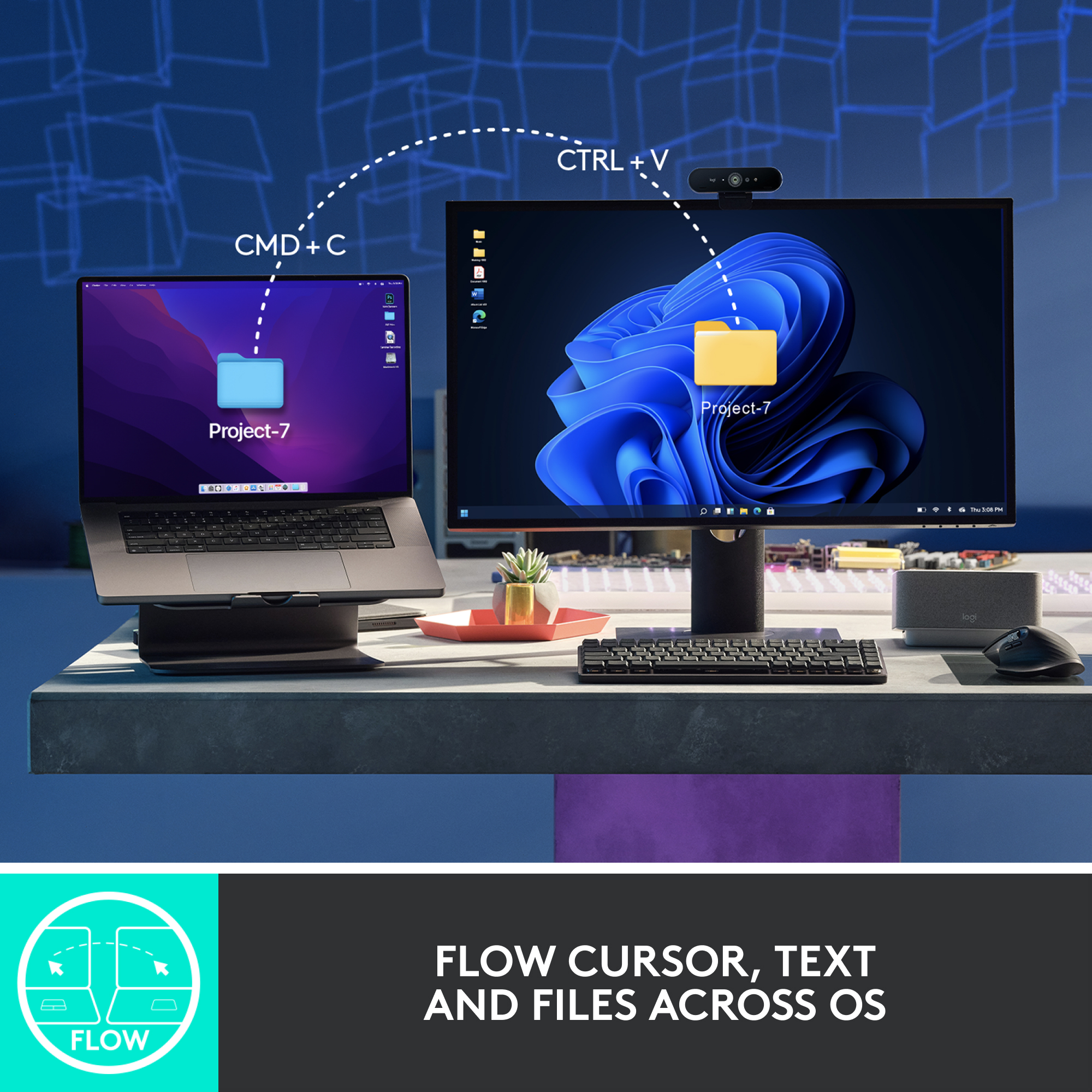
||Posted . Owned for 8 months when reviewed.This reviewer received promo considerations or sweepstakes entry for writing a review.Without a doubt, this is the ultimate mouse for both Macs and Windows laptops. Its ergonomic design ensures all-day comfort, while the impressive battery life keeps you working without interruptions. Plus, the ability to seamlessly switch between three devices makes it an absolute game-changer.
I would recommend this to a friendBrand response from Logitech
Posted .That's fantastic feedback! We're so thrilled to hear you consider the Logitech MX Master 3S the ultimate mouse for both Mac and Windows laptops. It's great to know the ergonomic design provides all-day comfort, the battery life keeps you productive, and the seamless device switching is a game-changer for you. Thanks so much for sharing your positive experience!
- Pros mentioned:Battery life
Excellent Productivity Boost with Comfort
||Posted . Owned for 1 week when reviewed.This reviewer received promo considerations or sweepstakes entry for writing a review.Absolutely love the Logitech MX Master 3S! The ergonomic design is super comfortable for long hours, and the MagSpeed scroll wheel is incredibly smooth and precise. Switching between devices is seamless, and the battery life is amazing – I barely ever have to charge it. Perfect for boosting productivity, especially with the customizable buttons and multi-device control. Highly recommend!
I would recommend this to a friendBrand response from Logitech
Posted .We're thrilled to hear that you're loving the MX Master 3S! It's designed to enhance your productivity and comfort. Thank you for your kind words and recommendation.
- Pros mentioned:Battery life
Best mouse EVER!
||Posted .This reviewer received promo considerations or sweepstakes entry for writing a review.After having used this mouse when working at my previous job, I just knew that it would be my next mouse for personal use. I find it ergonomic (for my hands at least) and a highly capable, little device. Battery life is excellent. I can go 2+ months without a charge, although I do often turn it off after use. I've found the device switcher to be invaluable. I can seamlessly switch between 3 connected devices. Love that! Also, if your computer already has Bluetooth, there's no need to use the included receiver.
I would recommend this to a friendBrand response from Logitech
Posted .What a glowing review—thank you! It’s wonderful to hear how well it fits your workflow and personal use, especially with features like seamless device switching and impressive battery life. Sounds like it’s become an essential part of your setup!
- Pros mentioned:Overall performance
Smooth and Easy on PC and MAC on the same time
||Posted . Owned for 3 weeks when reviewed.This reviewer received promo considerations or sweepstakes entry for writing a review.This Logitech mouse lets me switch between my Mac and PC with just a press of a button. It’s smooth, reliable, and works flawlessly on both systems. Super convenient for multitasking across devices. Highly recommended!
I would recommend this to a friendBrand response from Logitech
Posted .This is fantastic to hear! The easy device switching and smooth performance of the MX Master 3S are key features we're proud of. Thanks for highlighting how it boosts your productivity.
This mouse needs a red cape.
||Posted . Owned for 4 months when reviewed.This reviewer received promo considerations or sweepstakes entry for writing a review.Best mouse I've used to date. Very very comfortable in the hand. Quiet click are awesome. Wheels and dials are in perfect reach. Love the freedom of the cable.
I would recommend this to a friend- Pros mentioned:Battery life
Super smooth and comfortable mouse
||Posted .This reviewer received promo considerations or sweepstakes entry for writing a review.Feels great to use all day. Scrolling is super fast and smooth. Battery lasts long. Worth it for work or daily use!
I would recommend this to a friendBrand response from Logitech
Posted .Thank you for the glowing review! The MX Master 3S sounds like a powerhouse—ergonomic comfort, lightning-fast scrolling, and long battery life make it a top-tier choice for both work and play. Definitely a mouse that earns its keep day after day!
Impressive and unique!
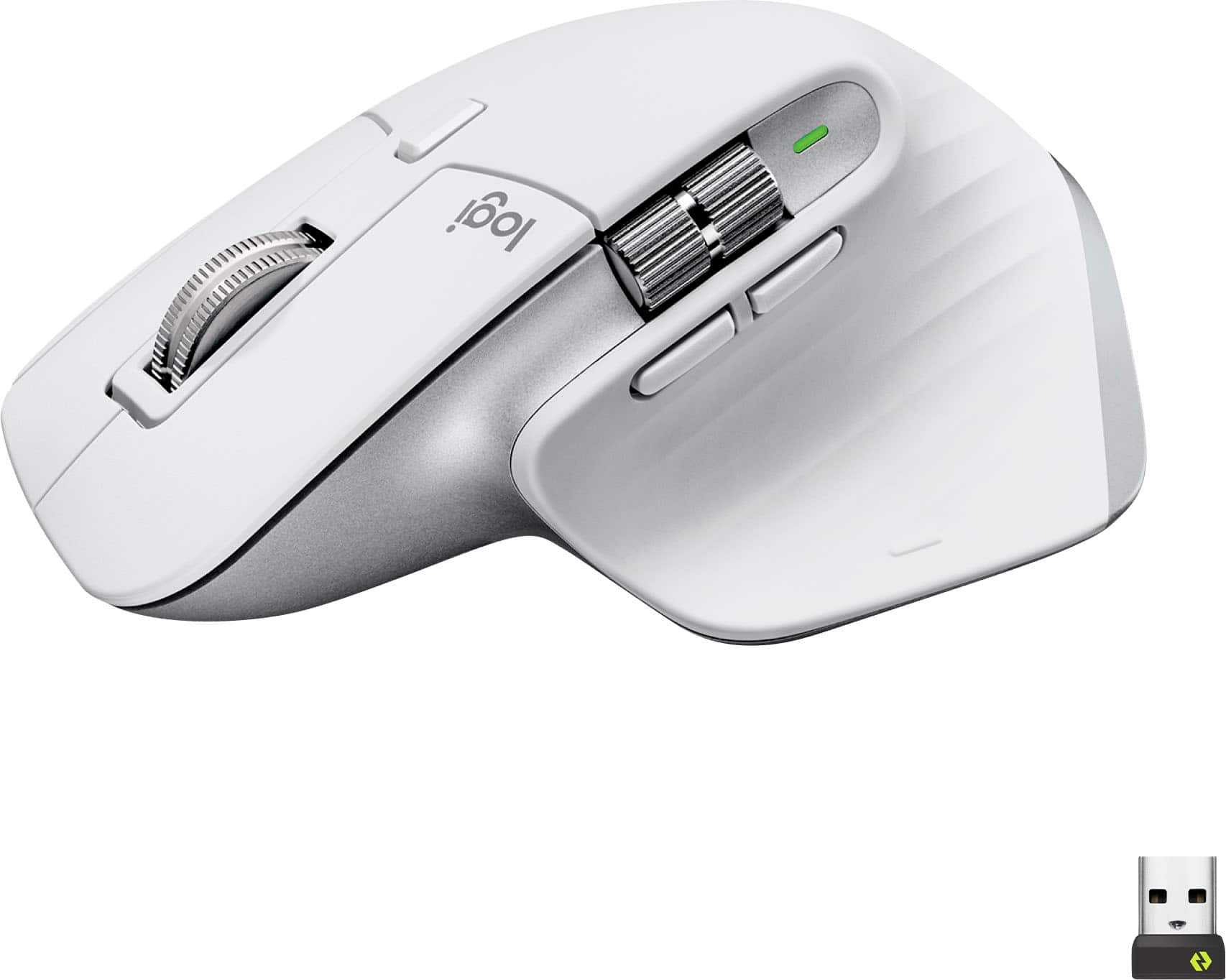
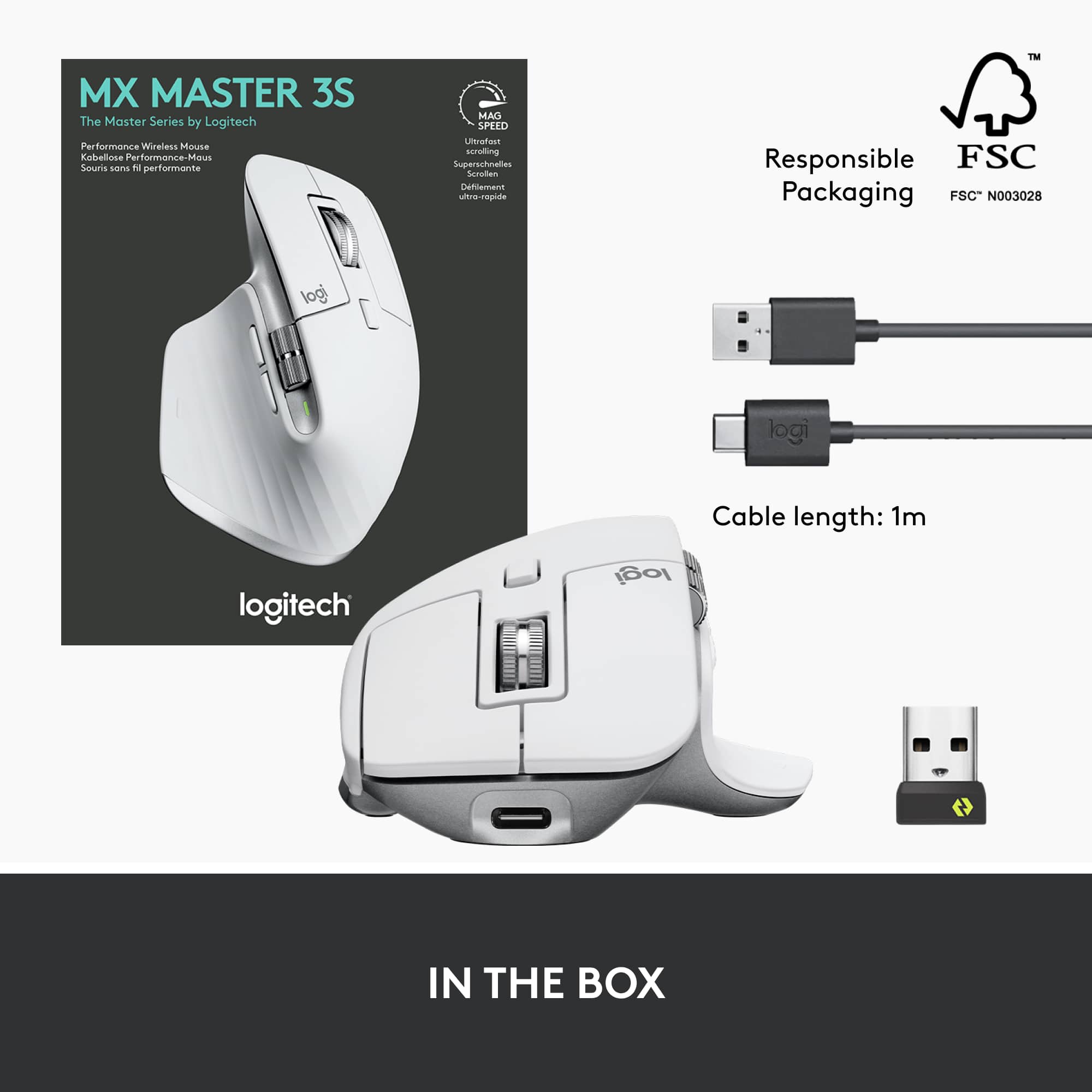
||Posted . Owned for 3 weeks when reviewed.This reviewer received promo considerations or sweepstakes entry for writing a review.It took a little getting used to because of the ergonomic shape and layout but once I got over that and started using all of the buttons on the mouse and seeing the value of having all of the additional functionality and the SUPER smooth scrolling of the scroll wheel, I think it would be really hard to go back to using a basic mouse. This is really a valuable creative tool as well. It has a second dedicated horizontal scrolling wheel which is perfect for timeline editing. It connects via bluetooth or dongle and remembers 3 devices. The drawback about this is that the dongle doesn't store inside the mouse so if I ever do need that dongle for another machine there's a small chance I might misplace it. That's my only gripe. I really love it otherwise but as I said in the beginning it did take a little getting used to. I had a little wrist ache after the first day of using it but not after that once I learned to change the positioning of my hand over the mouse and I now find it comfortable to use. I would recommend this mouse but if you can't get past the ergonomic shape, Logi also makes a more traditional shaped mouse in the same family with a similar buttery smooth main scroll wheel, just search for "Logitech - MX Anywhere 3S Wireless Bluetooth Fast Scrolling Mouse with Programmable Buttons - Black".
I would recommend this to a friendBrand response from Logitech
Posted .The MX Master 3S offers customizable buttons, smooth scrolling, and multi-device connectivity. While its ergonomic shape may take some adjustment, it's a great choice for creative professionals and power users. The MX Anywhere 3S is a similar option with a more traditional shape.