Customer Ratings & Reviews

- Model:
- RE650
- SKU:
- 5844809
Rating by feature
- Value
Rating 4.2 out of 5 stars
- Quality
Rating 4.4 out of 5 stars
- Ease of Use
Rating 4.2 out of 5 stars
Customers are saying
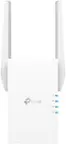
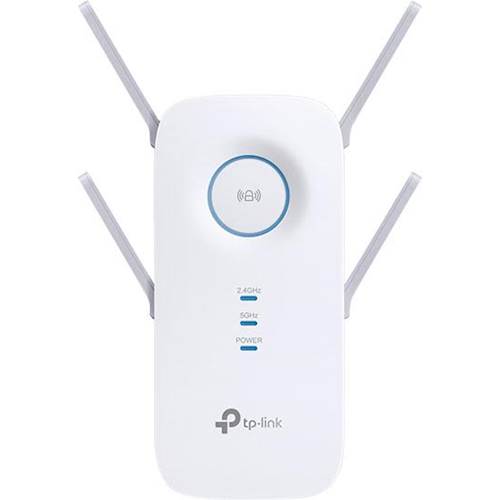
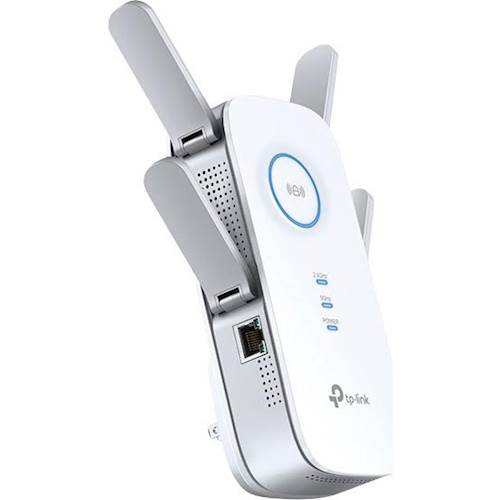
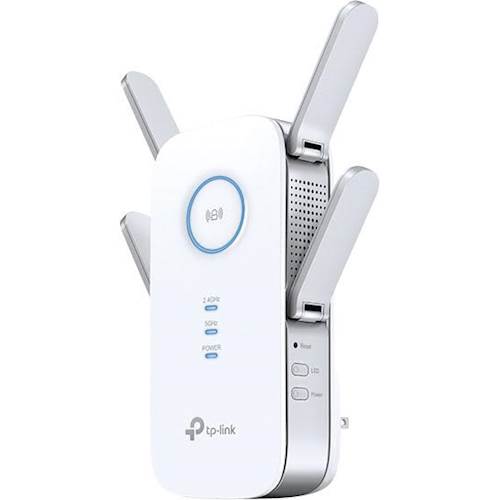
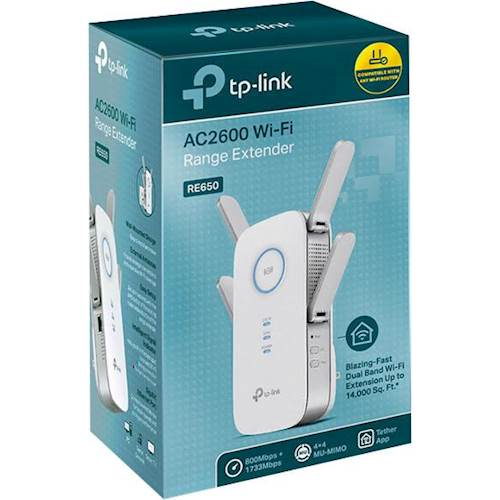
Customers regard the AC2600 Wi-Fi Range Extender very favorably, frequently praising its ability to extend Wi-Fi range and ease of setup. Many also highlighted the improved signal strength and broader coverage provided by the device. However, some users experienced performance issues, including occasional disconnections requiring a reboot.
This summary was generated by AI based on customer reviews.
Good Extender
||Posted . Owned for 1 month when reviewed.This reviewer received promo considerations or sweepstakes entry for writing a review.It isn't the easiest in setting up and doing the tethering.
I would recommend this to a friendGreat product
||Posted .This reviewer received promo considerations or sweepstakes entry for writing a review.Works as expected, reasonably priced, bought also as a gift.
I would recommend this to a friendNot Reliable and Buggy Software
||Posted . Owned for 1 month when reviewed.This reviewer received promo considerations or sweepstakes entry for writing a review.Had high hopes for this based on reviews, but it turned out to be very unreliable. At times, had to use only 5 ghz (with 2.4 disabled) to get decent, reliable connectivity. The web interface for configuration is also very flaky. The web admin does not properly log-out the user, so if you try to configure from a other machine/device, it won’t let you, and you ultimately have to reboot the extender.
No, I would not recommend this to a friendBrand response from TPLinkSupport
Posted .Hello Jersilver,
A lot of this concern could be due to placement. You want to have it placed between the router and where you want service. An area with a strong signal and is open and unobstructed. If you cloned the SSID try giving the extender its own SSID and if that all fails then please contact support for assistance. https://www.tp-link.com/us/support/contact-technical-support/
- Pros mentioned:Ease of useCons mentioned:Performance
Seeing is believing...
||Posted .This reviewer received promo considerations or sweepstakes entry for writing a review.Well, first of all setting this item up was very easy. Once set up, the item did not work like it states on its advertisement and other websites. I see no difference whatsoever.
No, I would not recommend this to a friendBrand response from TPLinkSupport
Posted .Hi there, thanks for the review and feedback!
We'll be more than happy to address the concerns you have about your Range Extender.
If you haven't noticed a significant improvement in Wi-Fi coverage after installing the device, we recommend relocating the unit to a position in your home where the router's Wi-Fi signal is sufficiently strong; yet far enough from the router to effectively extend its range. Please verify the “RE” status LED is indicating a solid connection.
If you'd like assistance with any of these steps, please send an e-mail with your contact information and a copy of this review to [email protected] and we'll gladly have a Support Agent follow up with you directly.
Thank you again for your feedback. We hope you'll keep TP-Link in mind for your future networking needs.
Best Regards,
TP-Link Customer Support
(866) 225-8139
[email protected]
Great Coverage
||Posted . Owned for 1 year when reviewed.This reviewer received promo considerations or sweepstakes entry for writing a review.Definitely helped in expanding my wifi coverage. Highly recommended for wifi expansion coverage.
I would recommend this to a friendOutstanding Product
||Posted .This reviewer received promo considerations or sweepstakes entry for writing a review.This is a great product that has lived up to the hype.
I would recommend this to a friendTP Link Extender
||Posted .This reviewer received promo considerations or sweepstakes entry for writing a review.This WiFi Range Extender works great. I run my IP phone off of it with a patch cable and it works perfectly!
I would recommend this to a friendDoes the job
||Posted . Owned for 1 month when reviewed.This reviewer received promo considerations or sweepstakes entry for writing a review.Works well. Arrived quickly. Easy installation. Attractive design.
I would recommend this to a friendextends WiFi signal as advertised
||Posted . Owned for 3 weeks when reviewed.This reviewer received promo considerations or sweepstakes entry for writing a review.Bought this WiFi extender to provide video streaming on a TV 100 feet from my router. HD reception is very good.
I would recommend this to a friendGreat Range Externder
||Posted . Owned for 2 months when reviewed.This reviewer received promo considerations or sweepstakes entry for writing a review.We replace a Netgear extender and so far it seems to be functioning much better.
I would recommend this to a friendGreat device...just not for Comcast
||Posted . Owned for 1 month when reviewed.This reviewer received promo considerations or sweepstakes entry for writing a review.Signal boost was magnificent! wifi in basement went from low 2 digits to mid 3 digits. Problem was it did not recognize ANY of the XFI pause or blocking for any device connected to it.
I would recommend this to a friendIssues with my router since we installed
||Posted . Owned for 1 month when reviewed.This reviewer received promo considerations or sweepstakes entry for writing a review.Issues with my router since we installed this equipment, returning tomorrow.
No, I would not recommend this to a friendBrand response from TPLinkSupport
Posted .Hi,
If you haven't noticed a significant improvement in WiFi coverage after installing the extender, we recommend relocating the unit to a position in your home where the router's WiFi signal is sufficiently strong; yet far enough from the router to effectively extend its range. Please verify the RE status LED is indicating a solid connection.
If you'd like assistance with any of these steps, please send an e-mail with your contact information and a link to this review to [email protected] and we'll gladly have a Support Agent follow up with you directly.
Best Regards,
TP-Link Support
[email protected]
Great product
||Posted . Owned for 1 month when reviewed.This reviewer received promo considerations or sweepstakes entry for writing a review.Love it. Don’t have to worry about wires everywhere
I would recommend this to a friend- Cons mentioned:Performance
Dated Technology
||Posted . Owned for 1 week when reviewed.This reviewer received promo considerations or sweepstakes entry for writing a review.Frequent disconnects and performance that was no better than my six year-old D-Link, which was half the size! Ignore those click-bait "Top 10 Best Wi-Fi Extenders" lists. They're nothing more than paid advertisements for overstocked products. Couldn't return this fast enough.
No, I would not recommend this to a friend Great Range
||Posted . Owned for 10 months when reviewed.This reviewer received promo considerations or sweepstakes entry for writing a review.This extender did the trick to get WiFi in a tough spot.
I would recommend this to a friendGreat extender for home network
||Posted . Owned for 1 year when reviewed.This reviewer received promo considerations or sweepstakes entry for writing a review.Got this to extend the wifi from upstairs to downstairs.
I would recommend this to a friendDidn't work as advertised
||Posted . Owned for 3 months when reviewed.This reviewer received promo considerations or sweepstakes entry for writing a review.Despite using all the easy setups and having a pretty thorough knowledge of how to set up/work with Wi-Fi systems, this product actually did not interact with the router as expected/wanted. Once I returned this, we found a setting on the actual router that extended our range without the use of this item.
I would recommend this to a friendBrand response from TPLinkSupport
Posted .Hi Saberpilot,
Thank you for your review. If you're experiencing difficulty connecting the extender to your router, we recommend setting up the device in the same room as your router, then relocating it after setup is complete. We also suggest re-verifying your router's WiFi password during setup, or if using the WPS setup method, ensuring the WPS process is performed in the correct order.
We also recommend ensuring the extender's firmware is fully up to date, as shown in our FAQ here: https://www.tp-link.com/us/support/faq/1406/
WE're sorry to hear you decided to return the device; we would've appreciated the opportunity to help address your concerns. In the future, please feel free to email [email protected] and we'll gladly follow up.
Best Regards,
TP-Link Support
[email protected]
Disappointed
||Posted . Owned for 1 month when reviewed.This reviewer received promo considerations or sweepstakes entry for writing a review.I thought this was the answer to the dead spot in my daughter's bedroom. It's not, the boost is minimal
No, I would not recommend this to a friendBrand response from TPLinkSupport
Posted .Hi,
If you haven't noticed a significant improvement in WiFi coverage after installing the extender, we recommend relocating the unit to a position within your home where the router's WiFi signal is sufficiently strong; yet far enough from the router to effectively extend its range. Please verify the RE status LED is indicating a solid connection.
We also recommend ensuring the extender's firmware is fully up to date using the steps outlined in our FAQ here: https://www.tp-link.com/us/support/faq/1406/
If you'd like assistance with any of these steps, please send an e-mail with your contact information and a link to this review to [email protected] and we'll gladly have a Support Agent follow up with you directly.
Best Regards,
TP-Link Support
Easy install.
||Posted .This reviewer received promo considerations or sweepstakes entry for writing a review.Not sure if it helps WiFi or not. Not sure how to check.
I would recommend this to a friendDifficulty setting up the TP Link - AC 2600.
||Posted . Owned for 2 months when reviewed.This reviewer received promo considerations or sweepstakes entry for writing a review.Was never able to set the TP-Link AC2600 up. Returned it and ended up buying a new NETGEAR modem and eero router from Best Buy. All is well now.
No, I would not recommend this to a friendBrand response from TPLinkSupport
Posted .Hi,
Thank you for your review. If you are experiencing difficulty connecting the extender to your router, we recommend setting up the device in the same room as your router, then relocating it after setup is complete. We also suggest re-verifying your router's Wi-Fi password during setup, or if using the WPS setup method, ensuring the WPS process is performed in the correct order. The extender's indicator LEDs will help you determine which position in your home is ideal.
We also highly recommend ensuring the extender's firmware is fully up to date using the steps outlined in FAQ 1406 on our official website: https://www.tp-link.com/us/support/faq/1406/
We regret to hear you decided to return the product. Our support team is always happy to answer any questions you might have about our products. Please reach out to our support team using any of the resources included with the product, or from our official website, and we'll gladly have a Support Agent follow up with you directly.
Thank you,
TP-Link Support