Customer Ratings & Reviews
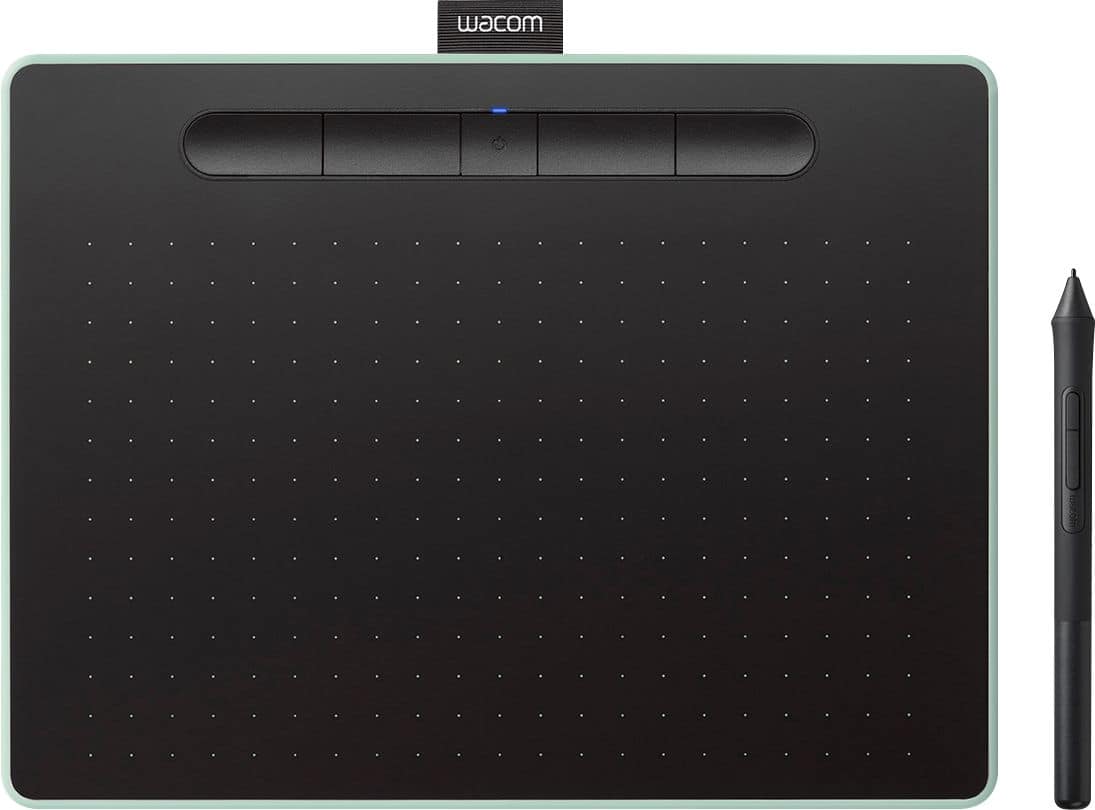
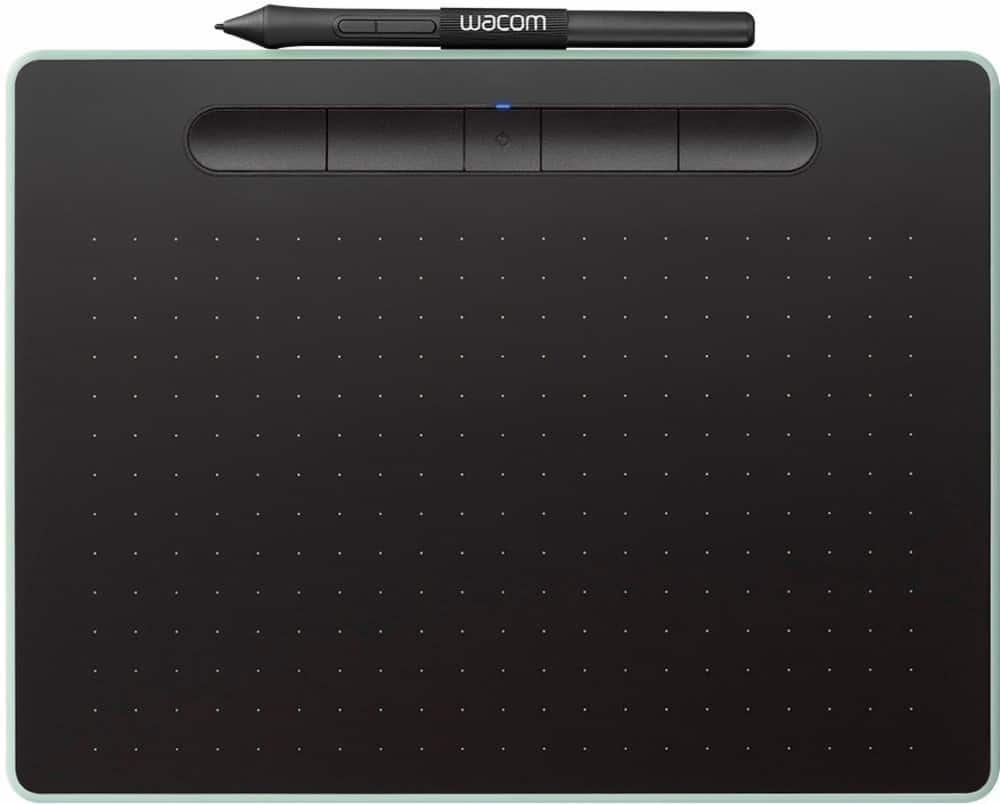




- Model:
- CTL6100WLE0
- |
- SKU:
- 6196631
Customer reviews
Rating 4.6 out of 5 stars with 650 reviews
(650 customer reviews)Rating by feature
- Value4.4
Rating 4.4 out of 5 stars
- Quality4.6
Rating 4.6 out of 5 stars
- Ease of Use4.4
Rating 4.4 out of 5 stars
Customers are saying
Customers are impressed with the Intuos Graphic Drawing Tablet, particularly its ease of use, quality, and ideal size. Many appreciate the convenience of its wireless feature and find it suitable for drawing. Some customers have noted concerns about the software, compatibility, lag, learning curve, and setup.
This summary was generated by AI based on customer reviews.
- Pros mentioned:Ease of use
Rated 5 out of 5 stars
Nice Tablet
||Posted . Owned for 1 month when reviewed.This reviewer received promo considerations or sweepstakes entry for writing a review.Works as advertised. Once correctly set up it makes a very handy tool.
This review is from Wacom - Intuos Graphic Drawing Tablet for Mac, PC, Chromebook & Android (Medium) with Software Included (Wireless) - Black
I would recommend this to a friend - Pros mentioned:Ease of use
Rated 5 out of 5 stars
Great
||Posted .This reviewer received promo considerations or sweepstakes entry for writing a review.My son uses it a lot and he loves it. It was easy for him to set up.
This review is from Wacom - Intuos Graphic Drawing Tablet for Mac, PC, Chromebook & Android (Medium) with Software Included (Wireless) - Black
I would recommend this to a friend - Pros mentioned:Quality
Rated 4 out of 5 stars
Bought as gift
||Posted . Owned for 1 year when reviewed.This reviewer received promo considerations or sweepstakes entry for writing a review.Bought as a gift for my daughter. Looks to be quality.
This review is from Wacom - Intuos Graphic Drawing Tablet for Mac, PC, Chromebook & Android (Medium) with Software Included (Wireless) - Black
I would recommend this to a friend - Pros mentioned:Ease of use
Rated 5 out of 5 stars
Great product
||Posted .This reviewer received promo considerations or sweepstakes entry for writing a review.Works well easy setup great for online teaching and graphic art
This review is from Wacom - Intuos Graphic Drawing Tablet for Mac, PC, Chromebook & Android (Medium) with Software Included (Wireless) - Black
I would recommend this to a friend - Cons mentioned:Compatibility
Rated 5 out of 5 stars
Great update from Bamboo
||Posted .This reviewer received promo considerations or sweepstakes entry for writing a review.My daughter had an old Wacom Bamboo that no longer worked with newer computer.
This review is from Wacom - Intuos Graphic Drawing Tablet for Mac, PC, Chromebook & Android (Medium) with Software Included (Wireless) - Black
I would recommend this to a friend - Pros mentioned:Ease of use
Rated 5 out of 5 stars
So far so good
||Posted .This reviewer received promo considerations or sweepstakes entry for writing a review.So far so good. My atistic daughter was able to hook it up with out any help.
This review is from Wacom - Intuos Graphic Drawing Tablet for Mac, PC, Chromebook & Android (Medium) with Software Included (Wireless) - Black
I would recommend this to a friend - Pros mentioned:Ease of use
Rated 4 out of 5 stars
My daughter loves it
||Posted . Owned for 1 month when reviewed.This reviewer received promo considerations or sweepstakes entry for writing a review.My daughter bought this uses it regularly and loves it!!! Thanks!!!
This review is from Wacom - Intuos Graphic Drawing Tablet for Mac, PC, Chromebook & Android (Medium) with Software Included (Wireless) - Black
I would recommend this to a friend - Pros mentioned:Quality
Rated 5 out of 5 stars
Solid
||Posted . Owned for 1 year when reviewed.This reviewer received promo considerations or sweepstakes entry for writing a review.Great Product! Very happy with it! Quality item. Would buy again.
This review is from Wacom - Intuos Graphic Drawing Tablet for Mac, PC, Chromebook & Android (Medium) with Software Included (Wireless) - Black
I would recommend this to a friend - Pros mentioned:Ease of use, Size
Rated 5 out of 5 stars
Perfect for casual drawing
||Posted .This reviewer received promo considerations or sweepstakes entry for writing a review.This is my first drawing tablet but it is super easy to use and functions really well. The included software is ok, the Clip Studio Paint is much better than Painter Essentials. The medium is a much better option for drawing on a larger monitor.
I would recommend this to a friend Rated 5 out of 5 stars
Great as a mouse substitute
||Posted .This reviewer received promo considerations or sweepstakes entry for writing a review.Got this newer model to replace an old Wacom pen tablet model I'd been using for years, which eventually wasn't going to be supported in macOS at some point in the future. Use it mostly as a substitute for a computer mouse to relieve hand/wrist/arm strain, and for more precision than with a trackpad. I tried various ergonomic mouses in the past, but this was absolutely the best solution!
This review is from Wacom - Intuos Graphic Drawing Tablet for Mac, PC, Chromebook & Android (Medium) with Software Included (Wireless) - Black
I would recommend this to a friend- Pros mentioned:Ease of use
Rated 5 out of 5 stars
Easy to set up
||Posted . Owned for 7 months when reviewed.This reviewer received promo considerations or sweepstakes entry for writing a review.Was easy to set up and works well for digital graohics.
This review is from Wacom - Intuos Graphic Drawing Tablet for Mac, PC, Chromebook & Android (Medium) with Software Included (Wireless) - Black
I would recommend this to a friend - Cons mentioned:Software
Rated 3 out of 5 stars
Tablet works well but software is Trial
||Posted . Owned for 3 weeks when reviewed.This reviewer received promo considerations or sweepstakes entry for writing a review.Got this Tablet instead of the more expensive one because it said it came with software. Unfortunately it's trial software and only for 30 days. Had to fork out another $30 and probably more to keep the software usable. Wish I would have gotten the more expensive one.
This review is from Wacom - Intuos Graphic Drawing Tablet for Mac, PC, Chromebook & Android (Medium) with Software Included (Wireless) - Black
No, I would not recommend this to a friend Rated 5 out of 5 stars
To draw or not to draw?
||Posted . Owned for 1 week when reviewed.This reviewer received promo considerations or sweepstakes entry for writing a review.Loved this product, simple setup with a lot of customization. Pen comes with extra tips which is useful and many cool free programs!
This review is from Wacom - Intuos Graphic Drawing Tablet for Mac, PC, Chromebook & Android (Medium) with Software Included (Wireless) - Black
I would recommend this to a friend- Pros mentioned:Ease of use
Rated 5 out of 5 stars
Very useful drawing pad
||Posted .This reviewer received promo considerations or sweepstakes entry for writing a review.This product is great for any kind of drawings, easy to connect to computer.
This review is from Wacom - Intuos Graphic Drawing Tablet for Mac, PC, Chromebook & Android (Medium) with Software Included (Wireless) - Black
I would recommend this to a friend - Cons mentioned:Software
Rated 1 out of 5 stars
Don't do it!
||Posted . Owned for 1 year when reviewed.This reviewer received promo considerations or sweepstakes entry for writing a review.I hate this tablet. 80%of the time I have to troubleshoot how to get it reconnected, or how to fix the driver, or how to get Wacom software to even recognize that the product is even connected when connected via USB. I'm back on Best Buy again to research which exact product I have to see if I can downgrade the driver and see if I can get it to work on my Mac Book once again!
This review is from Wacom - Intuos Graphic Drawing Tablet for Mac, PC, Chromebook & Android (Medium) with Software Included (Wireless) - Black
No, I would not recommend this to a friend - Pros mentioned:Ease of use
Rated 5 out of 5 stars
Great tablet for a beginner
||Posted . Owned for 1 month when reviewed.This reviewer received promo considerations or sweepstakes entry for writing a review.Great way to start out in the digital media. Fun tablet to use.
This review is from Wacom - Intuos Graphic Drawing Tablet for Mac, PC, Chromebook & Android (Medium) with Software Included (Wireless) - Black
I would recommend this to a friend - Pros mentioned:Ease of use
Rated 5 out of 5 stars
Great product
||Posted . Owned for less than 1 week when reviewed.This reviewer received promo considerations or sweepstakes entry for writing a review.This tablet works great, my daughter absolutely loves it
This review is from Wacom - Intuos Graphic Drawing Tablet for Mac, PC, Chromebook & Android (Medium) with Software Included (Wireless) - Black
I would recommend this to a friend Rated 4 out of 5 stars
Tablet for Photo Editing
||Posted . Owned for 1 month when reviewed.This reviewer received promo considerations or sweepstakes entry for writing a review.With increasing age, and a slight hand palsy (typing this review is difficult), I wanted to try a tablet to replace my mouse in photo editing. Some professional editors use tablets exclusively and their rationale seemed sound. The learning curve is not subtle. But, I'm getting the hang of it. I think it will work as a valuable resource for me.
This review is from Wacom - Intuos Graphic Drawing Tablet for Mac, PC, Chromebook & Android (Medium) with Software Included (Wireless) - Black
I would recommend this to a friend- Pros mentioned:Ease of use
Rated 5 out of 5 stars
Wireless Graphing tablet w/pen and extra software
||Posted . Owned for 3 weeks when reviewed.This reviewer received promo considerations or sweepstakes entry for writing a review.Great product. Easy to use and endless possiblities.
This review is from Wacom - Intuos Graphic Drawing Tablet for Mac, PC, Chromebook & Android (Medium) with Software Included (Wireless) - Black
I would recommend this to a friend - Pros mentioned:Wireless
Rated 5 out of 5 stars
Love
||Posted . Owned for more than 2 years when reviewed.This reviewer received promo considerations or sweepstakes entry for writing a review.Love this convenient little wireless tablet great price
This review is from Wacom - Intuos Graphic Drawing Tablet for Mac, PC, Chromebook & Android (Medium) with Software Included (Wireless) - Black
I would recommend this to a friend