Customer Ratings & Reviews




- Model:
- PTH660
- |
- SKU:
- 5708931
Customer reviews
Rating 4.7 out of 5 stars with 678 reviews
(678 customer reviews)Rating by feature
- Value4.5
Rating 4.5 out of 5 stars
- Quality4.8
Rating 4.8 out of 5 stars
- Ease of Use4.5
Rating 4.5 out of 5 stars
Customers are saying
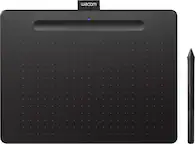
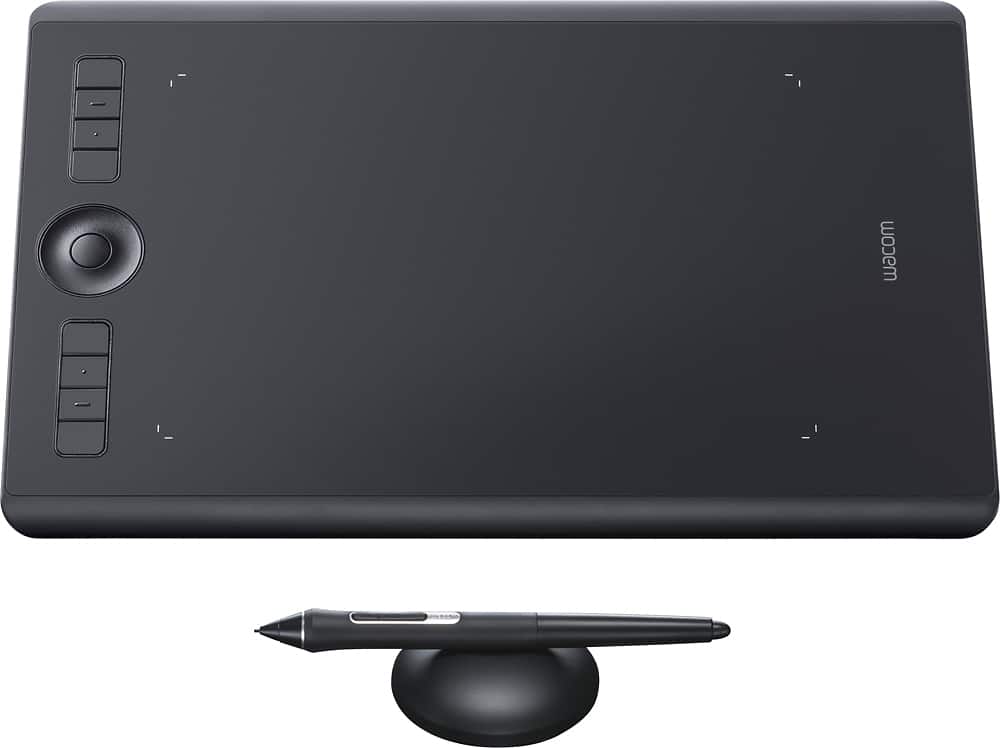
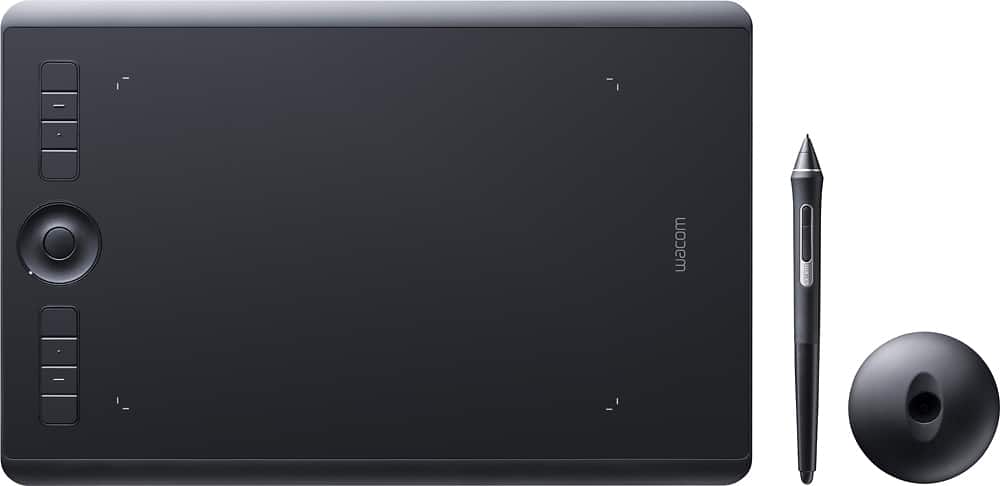
Customers love the Intuos Pro Pen Drawing Tablet (Medium) for its ease of use, precise sensitivity, and the quality of the pen and Bluetooth connectivity. Many appreciate the medium size, perfect for personal use, and its compatibility with various software. However, some users find the tablet surface to be rough and have noted issues with the included software. A few also mentioned experiencing occasional lag.
This summary was generated by AI based on customer reviews.
- Pros mentioned:Sensitivity
Rated 5 out of 5 stars
Perfect for artists!
||Posted . Owned for 3 weeks when reviewed.This reviewer received promo considerations or sweepstakes entry for writing a review.This tablet have been a game changer for photoshops and digital arts. I am very impressed with the pad and pen sensitivity. The pen is very accurate and pressure sensitive is top notch. I definitely recommend this product to all photographers and artists.
I would recommend this to a friend - Pros mentioned:Size
Rated 4 out of 5 stars
pretty cool digital pad
||Posted .This reviewer received promo considerations or sweepstakes entry for writing a review.After using it regularly for nearly a month, my artist daughter loves it. She's able to create some great art with a simple program she already had. The Wacom Intuos Pro medium is a great size, and it works well most of the time. As others have noted, it does crash briefly from time to time. So far my daughter says it's not that big of a deal.
I would recommend this to a friend Rated 5 out of 5 stars
Excellent as always
||Posted . Owned for 2 weeks when reviewed.This reviewer received promo considerations or sweepstakes entry for writing a review.I used to have a intuos pro small (pth451) and I am more than happy to upgrade to medium. The actual drawing area is much bigger thus you have more space and don't have to zoom in and out frequently. The bezel is significantly thinner than previous version, so the size is actually just a little bigger than pth451. Wacom app is versatile and powerful, you can customize your pen and shortcut keys for every single program. So as to wireless connection, basically I can not feel any lag. The pen itself is as good as always, supporting 8k pressure level and tilt. the multi touch function is also a plus. You can literally use it as a touch pad. The only con I would say is the dedicated touch on/off switch. In previous version, I can assign it to a shortcut key, but now I can only use this switch, kind of clumsy but it is only for me. I know a lot of pro will never enable touch function
I would recommend this to a friend- Pros mentioned:Sensitivity
Rated 5 out of 5 stars
An industry standard
||Posted .This reviewer received promo considerations or sweepstakes entry for writing a review.If you are a serious amateur or an entry level pro, you cannot go wrong with this product. Solid construction, fantastic accuracy for the price range and great battery life. Personally I would consider this to be the minimum size for an input tablet if you are using more than occasionally.
I would recommend this to a friend Rated 4 out of 5 stars
Great Tablet, But Needs Driver Updates
||Posted .This reviewer received promo considerations or sweepstakes entry for writing a review.I bought this after my old Wacom tablet stopped working. The Intros has a removable USB-C wire, which is great considering my old tablet died due to the non-removable wire becoming frayed from use. The pen has great pressure and tilt sensitivity with several tip replacements and re-assignable macros on the tablet itself, making it adaptive for most applications. The tablet is also Bluetooth compatible, allowing one to use the tablet wirelessly, however, I've had several issues with getting the tablet connect to my computer after turning the tablet off and on; disconnecting and re-pairing the two don't help much. Until Wacom solves the driver issues with Bluetooth connectivity, it's much easier to just connect it via USB.
I would recommend this to a friend- Pros mentioned:Sensitivity
Rated 4 out of 5 stars
Great tablet for wired use
||Posted .This reviewer received promo considerations or sweepstakes entry for writing a review.This tablet is great overall. My only issue with it is the latency when using it via Bluetooth is pretty terrible. When I use it wired, it is spot on and very precise. The pressure sensitivity levels are amazing when doing photo editing. Coming from using a 3 year old Wacom Bamboo to this, I'm very happy with it.
I would recommend this to a friend - Pros mentioned:Quality
Rated 5 out of 5 stars
Expensive, but worth it
||Posted . Owned for 9 months when reviewed.This reviewer received promo considerations or sweepstakes entry for writing a review.The best tablet that I’ve owned so far! It feels very high quality, and works great. I have not had any issues with it so far. I did have one problem, but it turned out to be drawing software related and not the tablet’s fault.
I would recommend this to a friend - Pros mentioned:Ease of use
Rated 5 out of 5 stars
artist
||Posted .This reviewer received promo considerations or sweepstakes entry for writing a review.My daughter uses it for an art class. She states this has been the best product to use for her computer drawings. She states best product hands down. It was a little cumbersome to set up but once that is done it can been a breeze to use
I would recommend this to a friend - Cons mentioned:Learning curve
Rated 4 out of 5 stars
Great accessory for digital processing
||Posted . Owned for 7 months when reviewed.This reviewer received promo considerations or sweepstakes entry for writing a review.I’m a photographer and have processed my own images for years. The Wacom tablet is a great way to work in a much more intuitive way than using a mouse. There is quite a learning curve associated with changing your workflow however, so be prepared to live with some frustration as you get to fully set up and use the device. Fully recommend.
I would recommend this to a friend - Pros mentioned:Size
Rated 4 out of 5 stars
Quality
||Posted . Owned for 3 weeks when reviewed.This reviewer received promo considerations or sweepstakes entry for writing a review.This is my 2nd tablet. Sized down to the mid size and happy that I did. Takes up less desk space yet very easy to work with. 1 star less than perfect because it doesn't integrate as well as I'd like with google, gmail, etc. It's better after I made the setting changes recommended by Wacom, but still missing some really helpful features.
I would recommend this to a friend - Pros mentioned:Ease of use
Rated 5 out of 5 stars
Great tablet. Bigger than expected.
||Posted . Owned for 6 months when reviewed.This reviewer received promo considerations or sweepstakes entry for writing a review.Fun to use, highly customizable, and intuitive. I was afraid of a learning curve with with getting used to this tablet, but I was able to jump in and make art away without any issues.
I would recommend this to a friend - Pros mentioned:Sensitivity
Rated 5 out of 5 stars
Slick, responsive and sensitive
||Posted . Owned for 1 year when reviewed.This reviewer received promo considerations or sweepstakes entry for writing a review.The best in business. Sensitive to touch, the buttons are of huge help. I used it for video editing but also experimented a bit with design software and was really blown by the results
I would recommend this to a friend Rated 5 out of 5 stars
This is a great product!
||Posted .This reviewer received promo considerations or sweepstakes entry for writing a review.The controls take some learning to get used to, not as intuitive as I would like. The insertible tips wear out quickly, so not sure if I'm using them wrong or ? Other than that it's super fun to use. The pen is easy to hold and control and has great features like the eraser.
I would recommend this to a friend- Pros mentioned:Sensitivity
Rated 5 out of 5 stars
Great product
||Posted .This reviewer received promo considerations or sweepstakes entry for writing a review.The Wacom Intuous tablet is invaluable for all my photo-editing needs using On 1 Photo RAW. This photo-editing software is seamless in integration with the tablet. The precise control of the brushes palette is worth the price of admission...oh and the results of the images.
I would recommend this to a friend - Pros mentioned:Ease of use
Rated 5 out of 5 stars
Wacom
||Posted . Owned for 1 month when reviewed.This reviewer received promo considerations or sweepstakes entry for writing a review.It’s so much easier to draw on the screen where the changes are visible on the drawing pad than the drawing pads that require that the image being drawn be viewed exclusively on the monitor it’s attached to.
I would recommend this to a friend - Pros mentioned:Quality
Rated 5 out of 5 stars
This tablet is one awesome device.
||Posted . Owned for 3 weeks when reviewed.This reviewer received promo considerations or sweepstakes entry for writing a review.My whole computer using lifetime, I have only used Wacoms. The quality of this tablet is really something special. Not to mention, the interactive shortcuts pretty fun to use. Would and have recommended the Intuos Pro as the table to get!
I would recommend this to a friend - Pros mentioned:Ease of use
Rated 5 out of 5 stars
This has met all of my expectations. I can draw a!
||Posted .This reviewer received promo considerations or sweepstakes entry for writing a review.I bought this item for my talented 14 year old daughter, who loves to draw. Since coming with me to choose and pick it up, it’s her constant companion. It’s everything that she wanted. Easy to use. No complaints at all!!
I would recommend this to a friend - Pros mentioned:Ease of use
Rated 5 out of 5 stars
Great for the price paid
||Posted .This reviewer received promo considerations or sweepstakes entry for writing a review.I bought this as a gift for my daughter-in-law who does a lot of amateur photography. She loves it. Easy to use and really simplifies the photo editing process. Would recommend this product, although I don't have much experience with similar items to make a good comparison.
I would recommend this to a friend - Pros mentioned:Ease of use
Rated 5 out of 5 stars
I'm never going back to a mouse
||Posted . Owned for 3 weeks when reviewed.This reviewer received promo considerations or sweepstakes entry for writing a review.very expensive tool great tool for editing. I use it for my Cubase program to edit music. But honestly it's so efficient I use it even to just browse the web instead of the mouse. I think I'm going to throw the mouse away
I would recommend this to a friend - Pros mentioned:Quality
Rated 5 out of 5 stars
Wacom Intuos Pro
||Posted . Owned for 1 year when reviewed.This reviewer received promo considerations or sweepstakes entry for writing a review.Wacom intuos pro pen drawing tablet has very high quality. I highly recommend this product.
I would recommend this to a friend