Customer Ratings & Reviews
- Model:
- MFC-T780DW
- SKU:
- 6643753
to a friend
- Pros mentioned:Print quality, Reliability, Setup process

Fast and Reliable All-In-One Printer
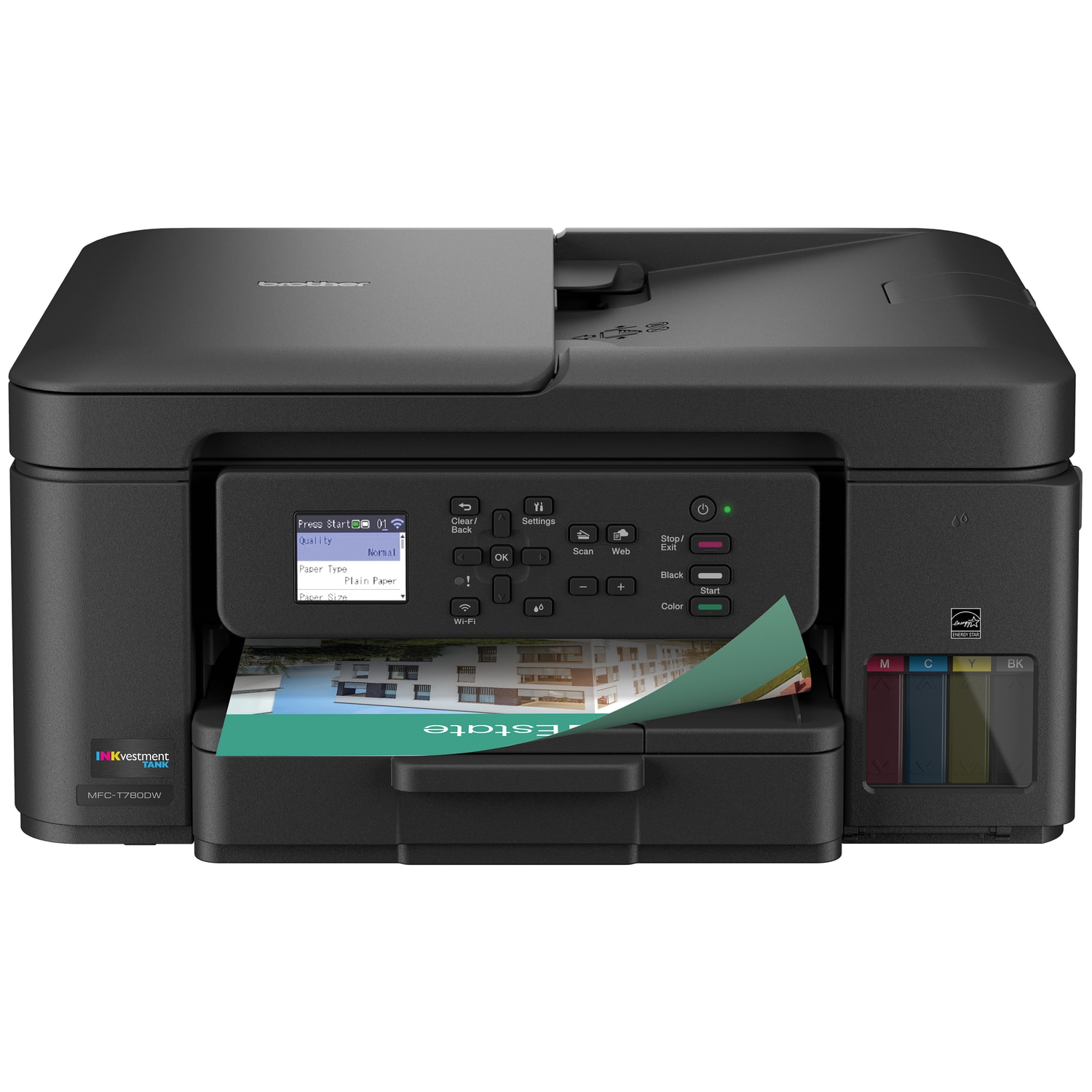
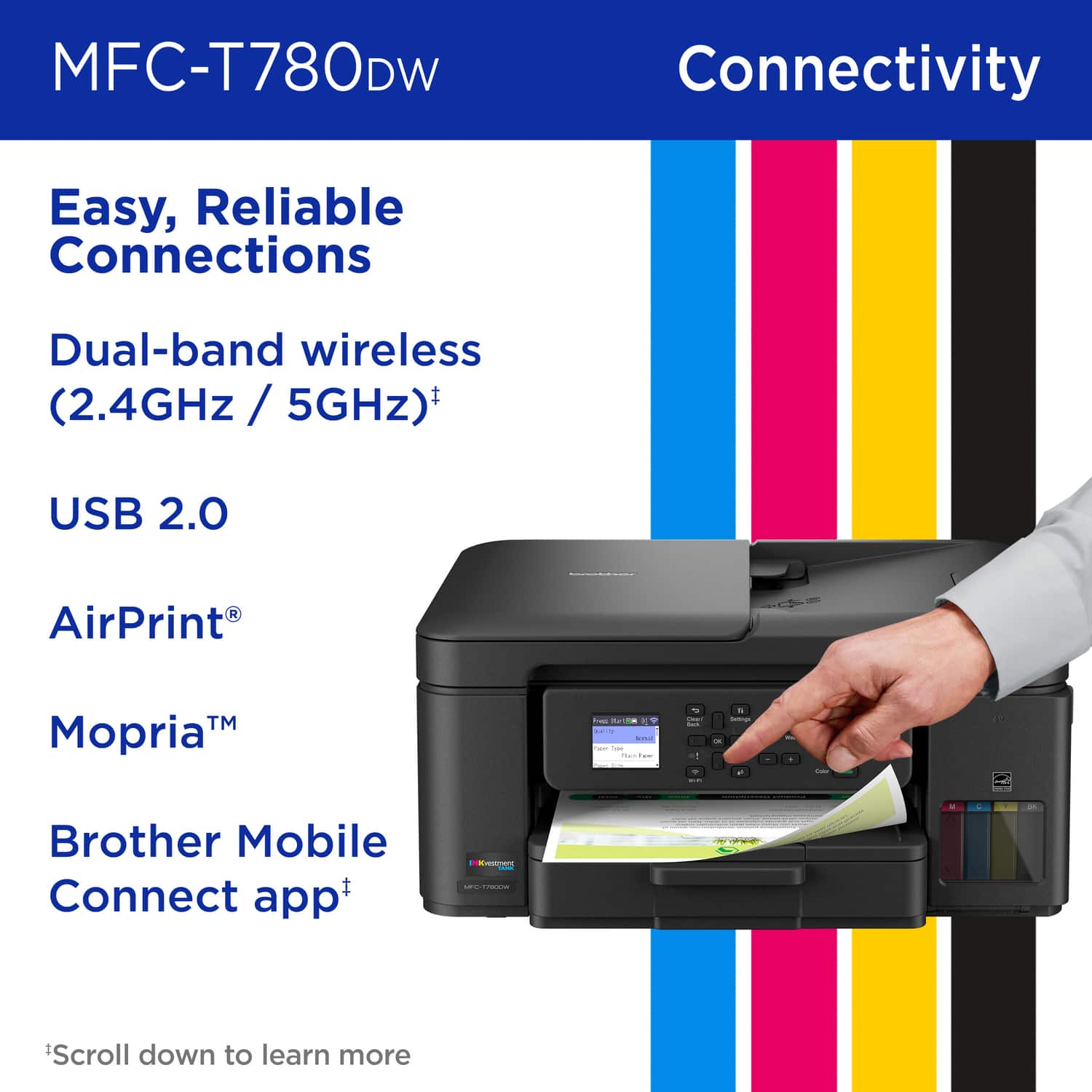
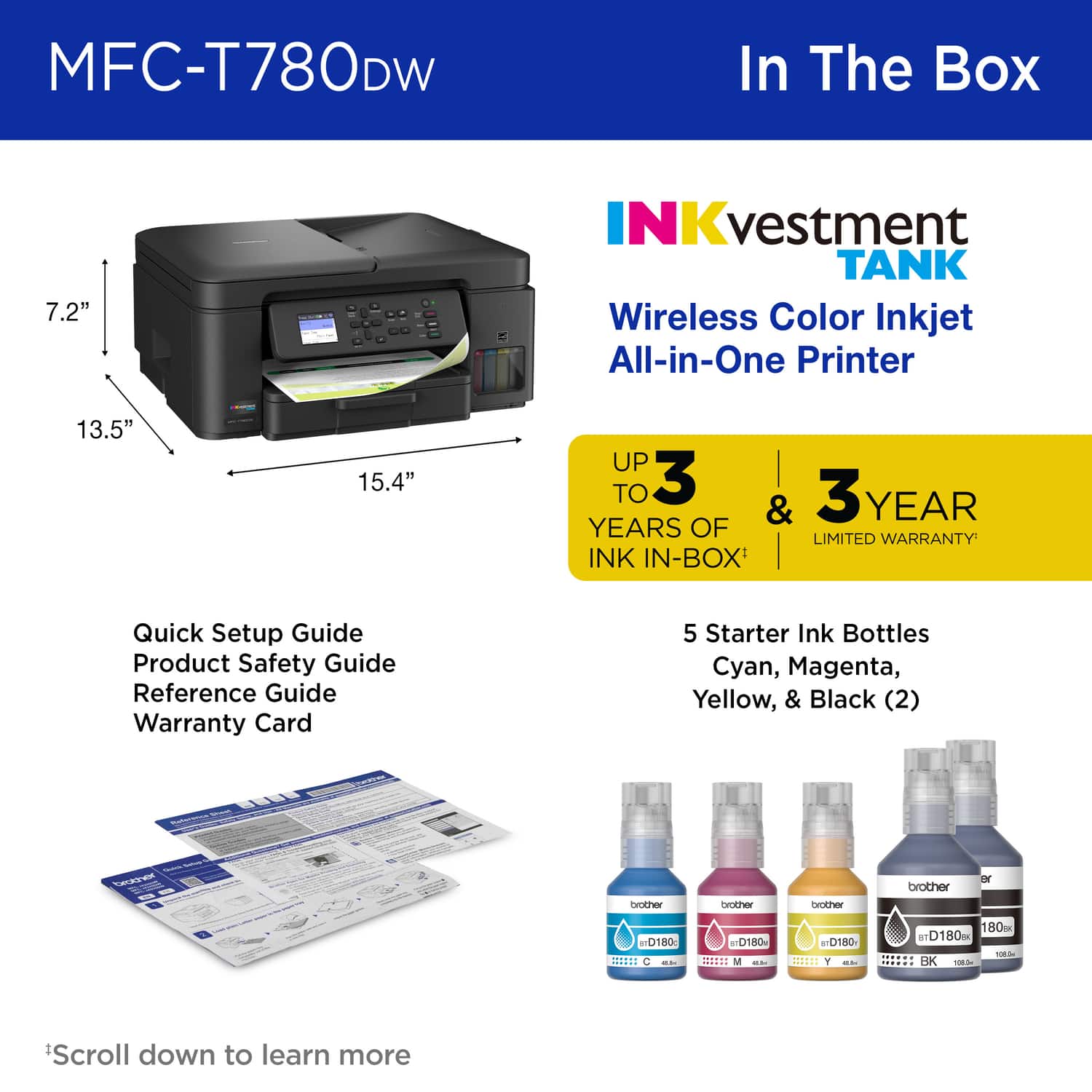
|Posted .This reviewer received promo considerations or sweepstakes entry for writing a review.This is a great home or home office all-in-one printer. Brother has always been a reliable brand for me when it comes to printers and this one has been no different so far. It prints fast, copies and scans well, and it comes with a full supply ink. In the box there is the printer, a power cord, some manuals, and a set of ink bottles. The ink bottle tops are keyed in a way that helps you prevent from filling up the wrong tanks and also avoiding mess. I did get a few spots of ink of my hands during the filling process, but overall it was generally pretty clean. The supplied bottles completely fill all of the tanks and you even get an extra bottle of black ink, which is nice.The ink supply is supposed to be good for up to 3 years, though this will obviously depend on your own usage. You do get a nice visual indication of the ink levels through the clear window on the front of the printer. The setup process was pretty straightforward via the app and the built-in screen and it took me around 20 or so minutes to turn it on, connect to Wi-Fi, fill the ink tanks, calibrate, and update the firmware. The primary form of connectivity for this printer is W-Fi but it is also possible to connect to it via USB, though no USB cable is included.The paper tray at the bottom of the printer can accommodate many different paper and photo sizes up to A4. Navigating the printer functions via the screen and control panel is intuitive and I was able to accomplish all of the basic tasks on just the printer itself. Printing documents is definitely where this printer excels. It prints extremely quickly. Full size photos do take a bit longer. Print quality for both documents and photos is excellent. Copying and scanning also work great - I noticed that the printer does not wait for the document to completely scan before it starts printing, which speeds up the process. The printer can also be connected to cloud services like OneDrive or Google Drive, so scans can be saved directly from the printer. The app works well enough, though to me there wasn’t much functionality that I couldn’t already access on the printer itself. It is possible to setup this printer to be available outside of your local network, though I did not test this functionality. Overall, I’m very happy with this printer. My last Brother printer lasted a long time and even when I did get rid of it it was only because I’d gotten a newer model. If you need a reliable home printer/scanner this is definitely worth a look.
I would recommend this to a friend - Pros mentioned:Print quality, Reliability, Setup process
High Quality Printer
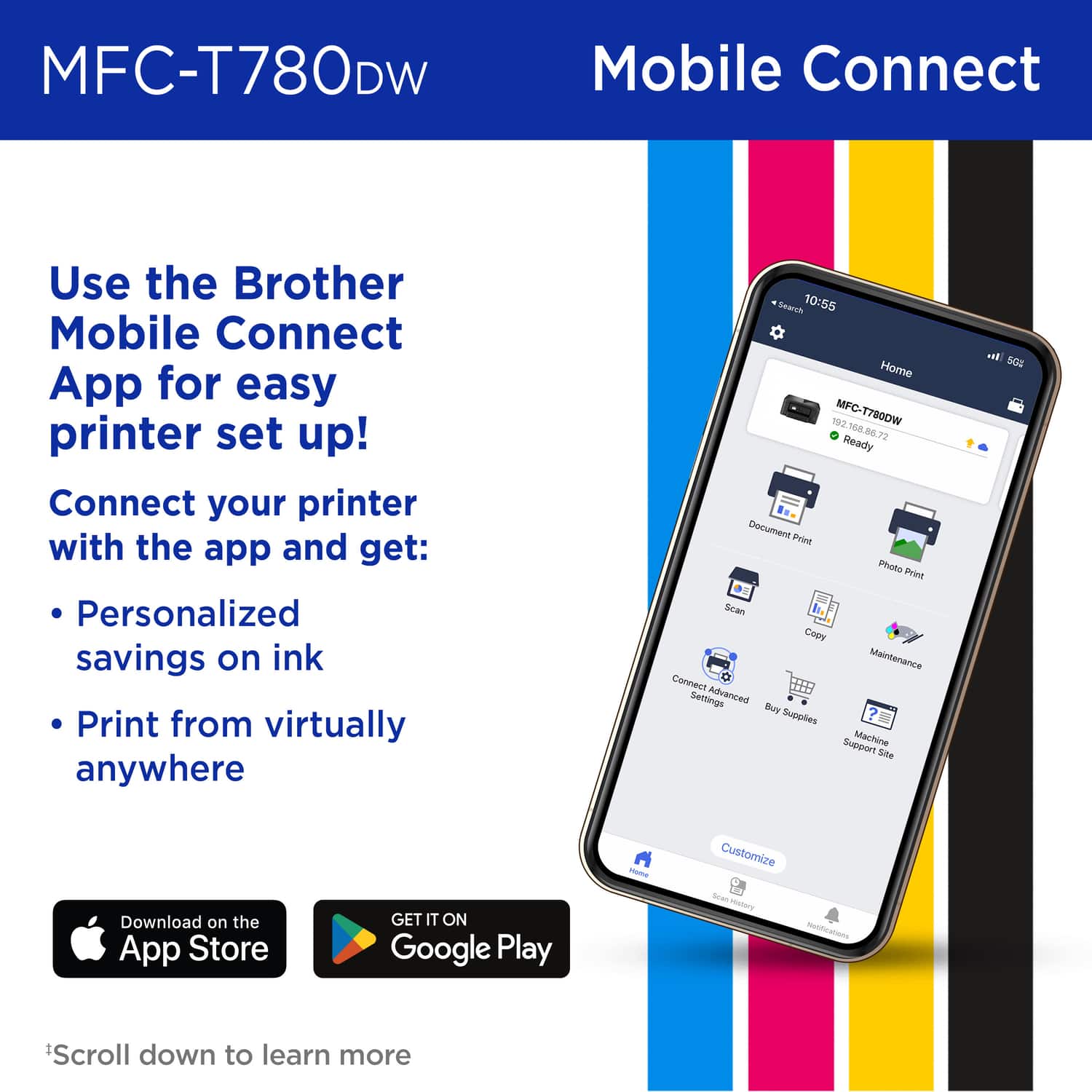
|Posted .This reviewer received promo considerations or sweepstakes entry for writing a review.The Brother Inkvestment 780 has been an excellent, high-quality printer. I’ve used it for printing documents and photos, scanning pictures, and making copies. It has handled everything reliably. Document printing is fast and efficient, and while photos take a bit longer, the quality is impressive and well worth the extra time. Occasionally, it makes a slight squeaking noise during operation, but it’s quiet enough that it isn’t distracting. Setup: Setup was quick and straightforward using the Brother Mobile Connect app. The app itself is excellent, user-friendly, and easy to navigate. It connected wirelessly without any issues, and the printer’s built-in screen walks you step-by-step through loading paper, refilling ink, and running the initial alignment test. The entire setup process felt simple and stress-free. Ink: The ink refill system is especially well designed. The bottles click securely into place, making the process completely mess-free. The transparent tanks are a great feature, allowing you to clearly see the ink levels rise as they refill, which makes monitoring levels easy and convenient. Pros: • Mess-Free Ink System: The refill bottles are intuitive and clean, and the transparent tanks make it easy to monitor ink levels. • Excellent Mobile App: One of the best printer apps I’ve used simple, reliable, and easy to navigate. • Great Value: Replacement ink is affordable, and the included ink supply should last for years under normal use. Cons: • Minor Squeaking Noise: Occasionally makes a slight squeak during operation, but it’s not loud and isn’t a dealbreaker.
I would recommend this to a friend - Pros mentioned:Print quality, Reliability, Setup process
User Friendly and Prints Fast :)
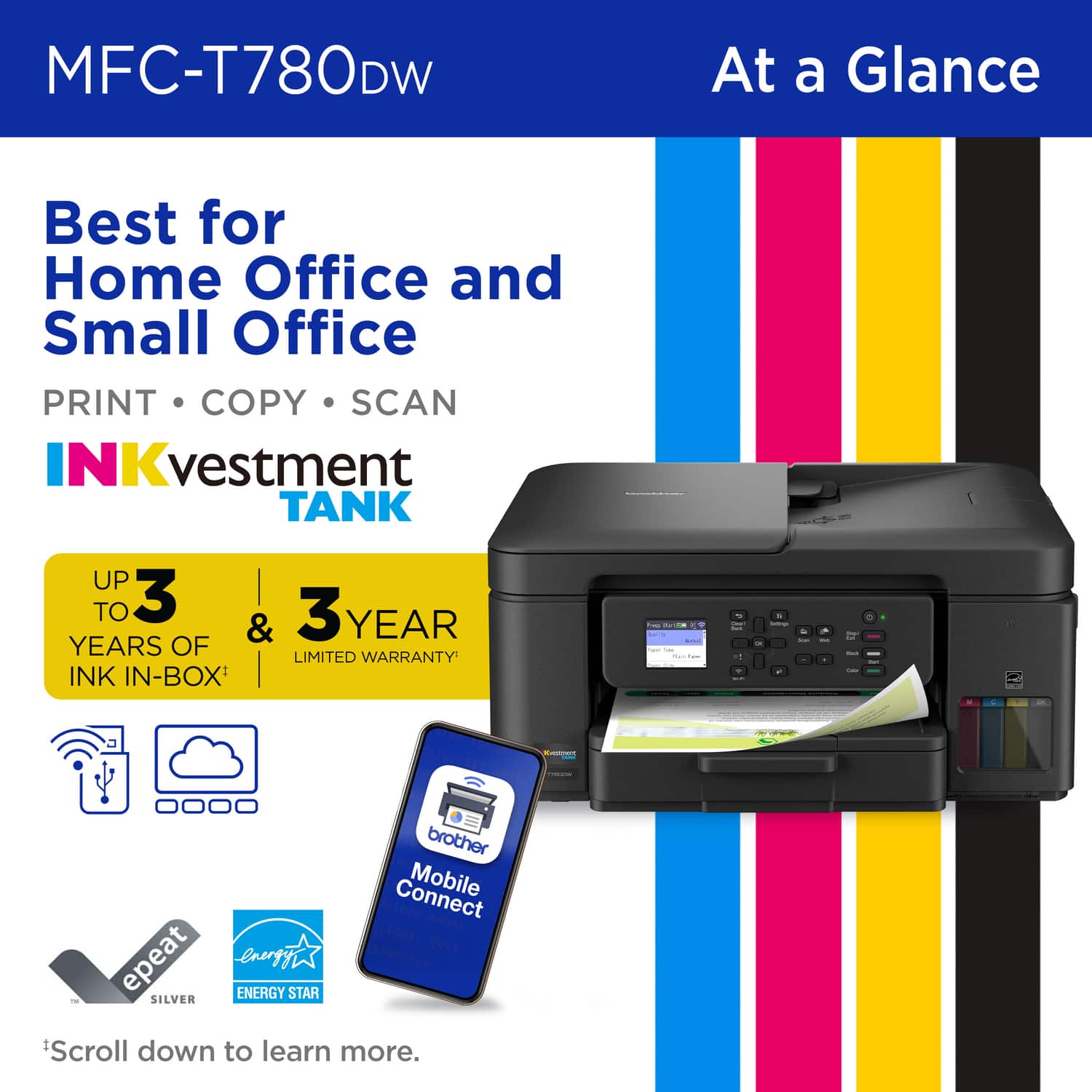
|Posted .This reviewer received promo considerations or sweepstakes entry for writing a review.The Brother MFC-T780DW has been one of the easiest printers I have ever set up. Upon opening the box all I had to do was just install the ink. The Brother INKvestment tank printer comes with 5 ink tanks, it promises to last up to 3 years of ink. I have not had it that long, so I cannot prove that BUT I do have a similar model, and it is still going strong after 2 years. Once all the ink is set up, just follow the instructions on the printer screen. After that all you need to set up is the wi-fi connection, or you have the choice to use a USB cable. The wi-fi connection was flawless, and I did not run into any issues. I have several computers at home, and they were all able to connect easily to Brother Printer. You can also download the app if you want BUT you do not need to, I have an iPhone and I was able to print photos and documents without the use of the app. I went ahead and printed some photos and let me tell you that they came out so nice, no streaks of any kind, no pixels, and the print was high quality. Now obviously printing photos will use a lot of ink so the Ink life may not last too long. All documents printed fast. Overall, I've been happy with this printer. It's easy to set up, prints beautifully, and works seamlessly with all of my devices. If you’re looking for something reliable for the home or office, this is one I would recommend.
I would recommend this to a friend - Pros mentioned:Print quality, Reliability
Reliable, economical, high quality Brother printer
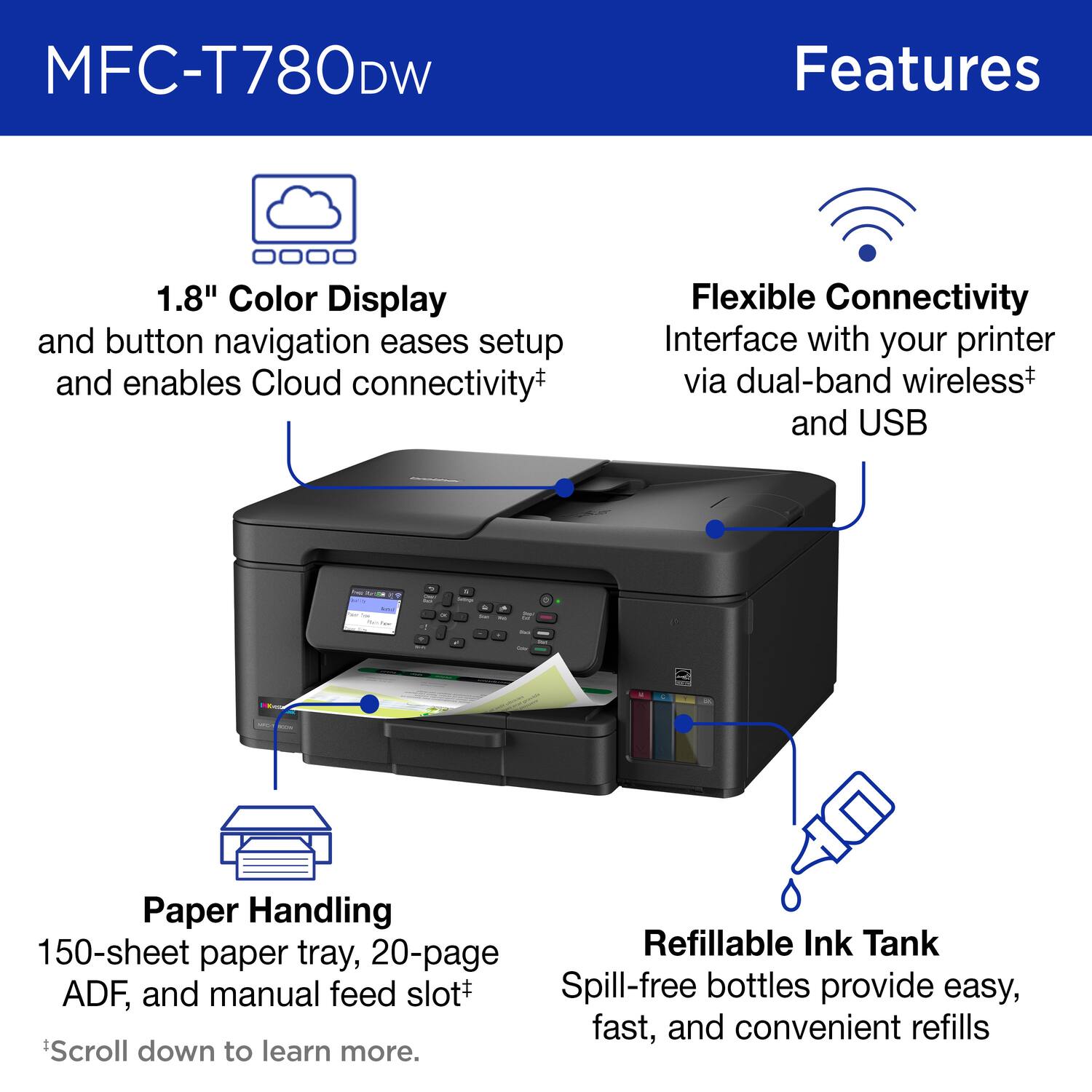
|Posted .This reviewer received promo considerations or sweepstakes entry for writing a review.Brother INKvestment Tank 780 Wireless All-in-One SuperTank Inkjet Printer Brother’s entry into the large ink reservoir printers is welcome news to me. The current oldest printer I own is a Brother, and that’s because it won’t die. It will likely get passed down to family in my estate. This newest, fully featured inkjet is heavy, suggesting its mechanicals are robust, with access to the paper path easily accessed from the rear for clearing jams (which I have never had). The plastic case is plain but tough. Getting connected was an issue, which I will discuss later. The economics of large ink reservoirs with ink packaged in individual bottles that are purchased as needed is superior to small multipacks of ink that must be replaced with out regard to remaining ink levels. It’s time for setup and testing. SETUP: Getting set up for use took no more than a few minutes of removing plastic protectors and a little bit of blue tape. Model 780 can be used with Wi-Fi or USB-Direct. There is no Ethernet. I was not surprised, but just be aware of the implications for you. Setup is accomplished via a 1.8” color display and for Wi-Fi you use the Brother Connect App. Getting the printer ready for connecting to my computer by wire was fairly direct. But few of us have printers close enough to wire via USB. The following description of connecting to Wi-Fi is unique to my situation and to my electronic environment. It is likely your experience will be different. Connecting to my Mac Mini via WiFi was aggravating. Firstly, using a 1.8” display screen for setup with text cramped by space is a bad idea. Those simple directions were difficult to accomplish. Brother then directs the user to their App, which eventually becomes very useful. However, for WiFi setup, the App seems to be missing some guidance or instructions. Ultimately, the process is no different than other WiFi connections I’ve made to appliances or other devices. You must first make a local WiFi connection between the phone and the printer, so the printer can be handed off directly to your home WiFi. Did I miss that instruction? Once I figured that out, enabling the WiFi on the printer still required a lot of patience before my iPhone 14 would recognize the printer. The Brother printer would not appear in the App as available until after multiple attempts, re-pressing the WiFi button, and backing up and restarting. It eventually did appear, but I do not know what I did right. I’m now in the printing business, and I doubt I will have any further problems. Ink management is a delight. Large bottles carefully labelled and designed to match the printer ink reservoirs are the ideal approach to inkjet printing. This is an immense money-saving strategy. You only need to replace the depleted color. Intermittent printing use does not result in useless cartridges that are expensive to replace. And, no subscription required! Once the printer’s ink reservoirs are filled, I can monitor their levels by looking at the front-facing clear windows on the printer. FEATURES: This is a multifunction printer, including duplex printing, copying/scanning (direct from the flatbed at 1200 x 2400 dpi), a single-sided 20-page document feed, 150-sheet paper tray, and manual feed. All of this plus 3 colors plus black ink, which Brother expects should allow for 14,625 black pages and sufficient color ink for 4400 pages. I can’t guess what the parameters are for this prediction, but it’s years more than a cartridge-style printer’s capacity. PERFORMANCE: This is a quiet printer, with only minimal mechanical noise at turn-on. Paper handling is reliable from the rear feed or the reasonably large paper tray. I loaded heavy-weight photo paper from the back slot for my best prints, and it was problem-free. Document feeding is not something I do often, but I had no problems. The resulting prints were saturated with color and had great contrast. I was satisfied with the color print speed, and black-only text prints were very fast. SUMMARY: My initial connectivity issues do not discourage me, and I can still recommend this printer. Brother printers are very reliable, and I’ve yet to see one of mine fail. The performance is predictable, the printing output is colorful, and print resolution is high quality. This is a small, quiet, economical, and reliable printer that should be a great device for a small business, classroom, or consumer with above-average printing needs.
I would recommend this to a friend - Pros mentioned:Print quality, Setup process
Excellent AIO Printer for Photos and Stickers
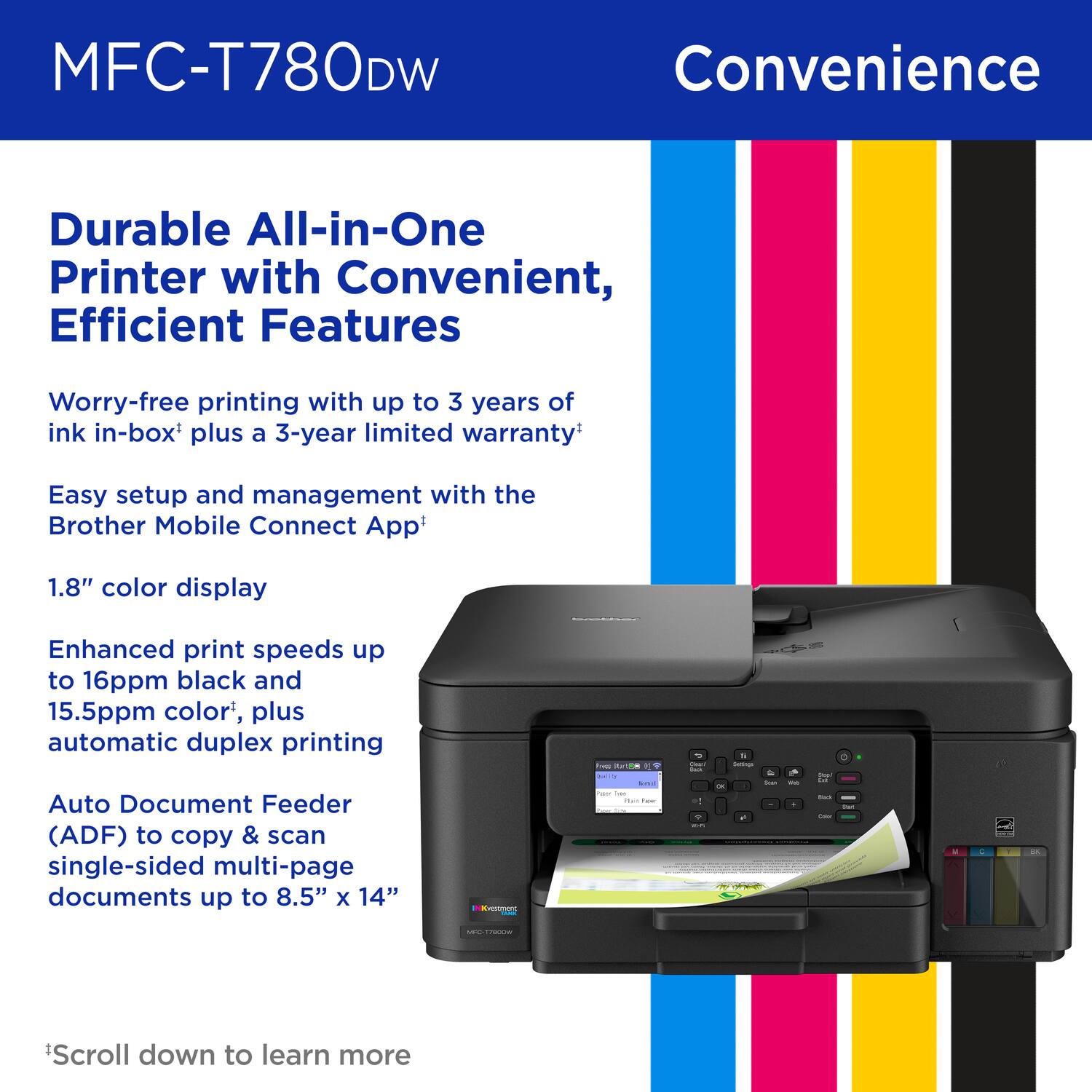
|Posted .This reviewer received promo considerations or sweepstakes entry for writing a review.This printer is a powerhouse and there’s plenty to like about it. First and foremost is that it uses refillable ink tank technology. This is the gamechanger. Users no longer need to purchase printer cartridges multiple times a year. Brother even throws in extra black ink, which is really nice. As an all-in-one printer, the printer also supports scanning. The printer has Automatic Document Feeder (ADF) that works for both printing and scanning. Duplex printing is also supported so we can save on paper consumption. Here’s the gist of the specs: ADF up to 20 documents 16 page per minute (ppm) in black and up to 15.5 ppm in color Duplex printing Scan with ADF up to 8.5 x 14” and flatbed glass up to 8.5 x 11” Setup Very easy and can be done by using mobile phone and PC. Both options work well and the printer can be up and running in minutes. Printer calibration and firmware update are part of the initial setup, and they are highly recommended to perform. Users need to have a piece of blank printer paper to perform the calibration. Connectivity Wireless printing works very well. I’ve been printing pictures from my phone and PC and had no issues. The app works well for wireless print. Performance I use this printer mostly to print photos and have been having great result with photo papers. I also use the printer to print stickers with vinyl sticker papers. Color, brightness, depth and resolution are all there. This is a great printer for photos and stickers. With the refillable ink tank technology, I have no worries about having to spend money to buy expensive printer cartridges. Even when the ink runs out, the 3-pack color ink is available in a very reasonable price and there’s a whole extra black ink bottle that comes with the printer to top up the blank ink. Conclusion Occasionally, there comes the need to print something in the house. This is the printer to get because of its massive capabilities and the three year limited warranty. This printer suits heavy users who want cost-effective, high-quality photo and sticker prints. Likes: Refillable ink-tank technology All-in-one, print and scan with ADF Great print quality for both photos and stickers Don’t Like: None
I would recommend this to a friend Hoping for 3 years worth of ink
|Posted .This reviewer received promo considerations or sweepstakes entry for writing a review.I was due for a printer upgrade when I came across this Brother INKvestment Tank machine. I dislike printers that don't cost much up front but then cost a fortune in ink going forward. Brother says this machine comes with "up to" three years worth of ink. I realize people's usage varies so it is hard to say how long ink will last for each person. I don't print much at home so I am hoping I am on the longer end of 3 years. The tanks need filling when it arrives. It took just over half of the provided ink. I have researched replacement bottles and they don't break the bank. Ordered from Brother, the black (largest), costs $21 and a set of the other colors costs $33. That is very doable. I had a bit of trouble connecting it to my laptop when I placed it in my home office. My phone connected without an issue. Thinking it was more of a Wi-Fi strength issue than an issue with the printer, I moved it to the living room where the router is. It connected with no problem. I have printed and scanned. Scans go easily to my documents folder on my laptop. It isn't super-fast nor super slow. It is on the pricier end of printers but if the bottles of ink do truly last 3 years, it might be worth it!
I would recommend this to a friendVery good home office printer
|Posted .This reviewer received promo considerations or sweepstakes entry for writing a review.This Brother INKvestment 780 Wireless All-in-One Supertank printer is exactly what I was seeking in a home office printer. I was using another manufaturer’s printer which also featured ink tanks and I was very pleased with the low cost of maintenance and ink resupply. When it started to have what appears to be age-related problems which would not resolve, I started looking for a replacement that also featured ink tanks. The reason I selected this Brother printer is the auto-document feed (ADF). ADF makes a difference when you move from printing, scanning or copying just a couple of pages to many. It is worth the upgrade to me. I have setup many printers and found the process to usually run into complications when it comes to connecting to my mobile device and PC – not with this printer. From the time I took it out of the box, plugged it in, filled the ink tanks, completed setup, updated the firmware, and connected to my PC to actually printing my first page was around 10 minutes. The print quality is very good, both in B&W and color. The connection to my mobile device was easy. Overall, I am very happy with this printer, and I look forward to using it in my home office for many years.
I would recommend this to a friendGood for everyday tasks with one issue....
|Posted .This reviewer received promo considerations or sweepstakes entry for writing a review.So let's get the biggest issue out of the way....this is a very flimsy unit. Everything feels like they used the most inexpensive parts available to build this thing. Nothing feels sturdy and parts can break off with almost zero effort. That's the reason for three stars. So for the positives, this was very easy to set up once you load the app. I have not used a printer where you need to actually fill the individual tanks with ink bottles. It was however very simple to do and not a drop was spilled due to how the bottles lock into place. Plus being able to physically see the ink levels is an added plus. I was able to connect my phone via wifi and I hardwired the printer to my laptop quickly and no problems whatsoever. The display screen is small but functional and prompts are very easy to follow. Print quality is good for documents and general office printing. I wouldnt say this is a go to photo printer, but it gets the job done. Of course one of the selling points is it comes with UP TO 3 Years of Ink. This is predicated on approximately 150 pages per month and depending also if you are printing pictures or other high dynamic items. So for the average user, this is a fair claim. The unit is relatively quiet, and has a smooth feeding system for the paper tray. Printing at an average 16 pages per minute in either black or color, is acceptable and it holds true to that claim. Scanning was also very simple to use and execute on. Copying was as equally user friendly. This is a good unit for a small office or an everyday printer. Given it's price point, I did expect a higher quality item, but I would still recommend it for everyday use.
I would recommend this to a friend- Pros mentioned:Print quality
Very efficient printer
||Posted . Owned for 2 months when reviewed.This reviewer received promo considerations or sweepstakes entry for writing a review.This printer takes much less time to print than our old one did. Our old printer was a Brother, too, and I had been needing to upgrade for a while. Getting it set up was a bit tricky, but once we had it figured out it has made itself worth it. Pictures print vividly on good photo paper and also decently enough on regular computer paper. This is important for me since I do print PDF's for sewing projects and some guides are better printed in full color.
I would recommend this to a friend - Pros mentioned:Print quality, Reliability
Good printer
||Posted .This reviewer received promo considerations or sweepstakes entry for writing a review.Works fine. Print is good. No connectivity issues on win11
I would recommend this to a friend tech challenged user
||Posted . Owned for 1 week when reviewed.This reviewer received promo considerations or sweepstakes entry for writing a review.Not as intuitive as previous printer - manual online has almost 600 pages because it addresses multiple printers at once and laborious to find anything specific to this printer. Hard to locate needed information and print just what is needed. Hopefully, I can learn steps for my purposes in its use.
I would recommend this to a friend- Pros mentioned:Setup process
printer
||Posted .This reviewer received promo considerations or sweepstakes entry for writing a review.I like this printer the way it works for me. It was easy to setup and clear pictures then my old one.
I would recommend this to a friend Terrific printer
||Posted . Owned for 2 months when reviewed.This reviewer received promo considerations or sweepstakes entry for writing a review.Great print quality, adequate speed, easy to use. Love the ink refill system. Only complaint is that I wish the paper tray had a higher capacity.
I would recommend this to a friend- Pros mentioned:Reliability
Does what i need it for
||Posted .This reviewer received promo considerations or sweepstakes entry for writing a review.Really good printer, does what i need, no problems yet
I would recommend this to a friend Made with Apple in mind
||Posted .This reviewer received promo considerations or sweepstakes entry for writing a review.Seems like it was made for my Mac. Really pleased with the simplicity.
I would recommend this to a friendStay Away!!! Do not buy printer
||Posted . Owned for 2 weeks when reviewed.This reviewer received promo considerations or sweepstakes entry for writing a review.I spent 2 hours of my life trying to get this printer to work and finally gave up after 2 phone calls to support. I could not get the printer to connect to my internet. Support told me I had to contact my internet provider because it would not connect. I told them I had 12 devices connected to my internet. After trying a 10th time to connect, the 2nd support person finally told me it was not compatible with my 5 g internet. I tried changing to the 2.5 g but still could not connect. Returned it and got an HP compatible printer that works with 5 g and got connected within seconds.
No, I would not recommend this to a friend- Pros mentioned:Print quality
WOW
|Posted .This reviewer received promo considerations or sweepstakes entry for writing a review.My first impression of this printer after unboxing it was WOW! As in I was kind of blown away about how unbelievably cheap this thing feels... I mean every door, tray, lid, etc. feels like it's about to break. Literally every piece of it feels like really cheap plastic. For a $300 printer it feels like a huge ripoff. As far as functionality goes, it does make up for some of that. I really like the ink system. It's obviously too early to know if it will work as intended (the ink lasting up to 3 years), but if it does come close that's a big plus to me. I've had an HP printer for the last several years and the proprietary, subscription based refill concept is really irritating. The printer literally won't print unless you use their refills. With this one you are using proprietary refills in the fact that the refill has to interface with the refill tank properly in order to refill it but that can easily be replicated by aftermarket sellers, if it hasn't already. Plus you can can physically see the ink level in the tanks on the front of the printer so you know exactly what the levels are. This isn't a photo printer (though it can print on photo paper), but the print quality is perfectly fine for what it is, which is a home office/small business printer. It can printer multiple documents with ease and reasonable speed as well as scan and copy multiple documents with speed and ease. It has some additional features when scanning and copying such as scanning directly as an email attachment or to a USB drive and enlarging/reducing size when copying. The initial setup is really easy through the app and connecting to wifi worked without any issues. Printing over wifi has worked without issues as well. I would recommend using the paper catch on the outlet side of the printer because it will shoot the paper a good distance. I can't to what all else is out there in the same price range but, or if it's a good buy for the price. But as far as features go, it has everything I need personally, and as I mentioned, I really like the ink system and hopefully it lasts at least close to what it says, but even if it doesn't, the Brother branded refills are not that much. I'll just have to be very careful in handling it because it feels like I something could break without much effort.
No, I would not recommend this to a friend Great Printer If Ink Holds Up!
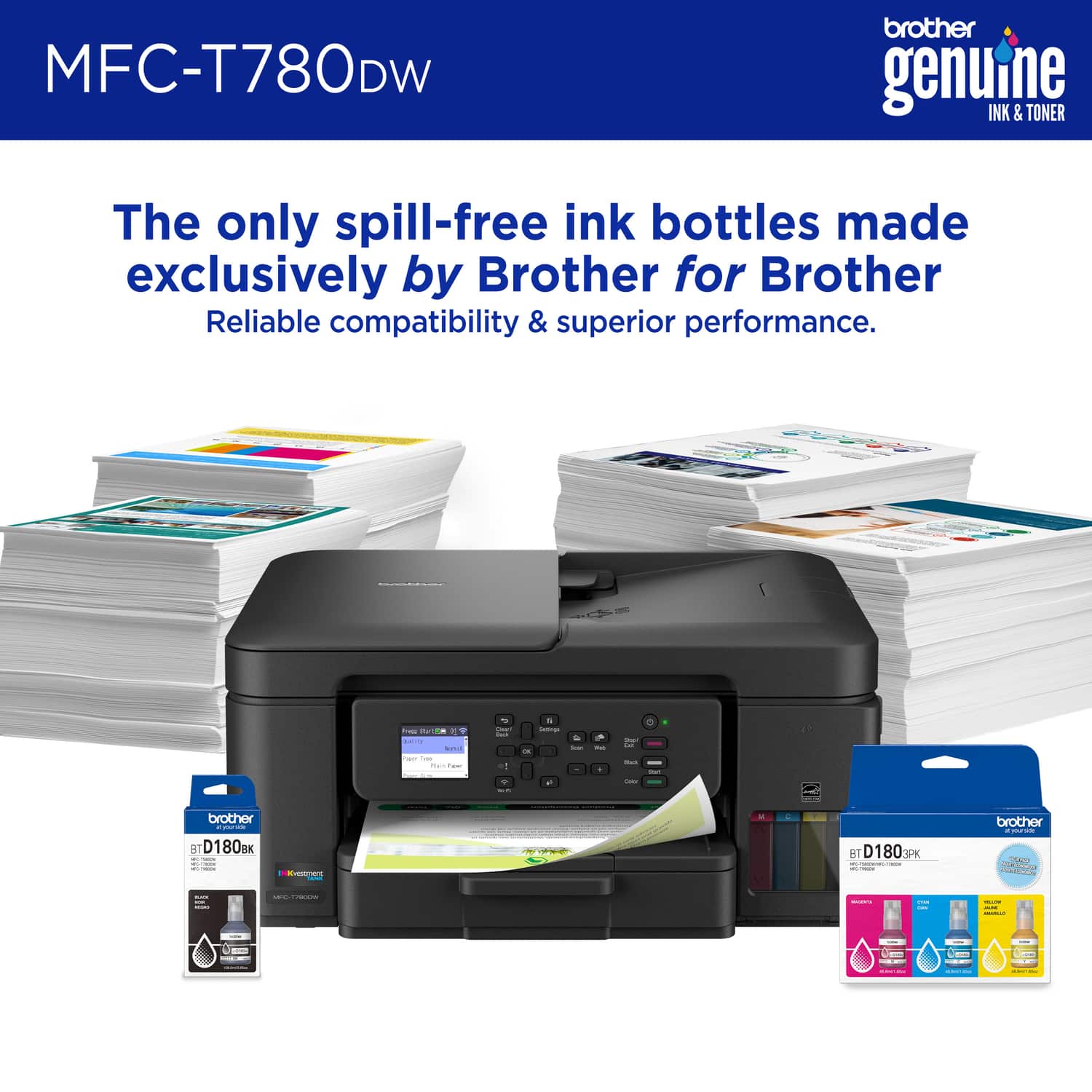
|Posted .This reviewer received promo considerations or sweepstakes entry for writing a review.Despite the year being 2026 there’s still seemingly no way to fully rid ourselves of companies and business arrangements requiring physical paper copies of documents. And let's get real, the main drawback has always been that it's usually cheaper to buy an entire new printer than to refill the ink cartridge. Brother seems to have a workable solution for the problem with their new SuperTank printer which swaps out the old cartridges for refillable compartments for each of the four colors your printer uses. Inside the box was nothing extra fancy, just the printer and quick start guide with some legalese type paperwork about warranties and safe use. There’s a bottle of Cyan, Magenta, and Yellow included to get started as well as two bottles of black ink which are larger due to being used more frequently (thanks Brother)! Unpacking the printer was easy and I was pleased to see that it didn’t have a lot of hiding places for the shipping tape to be removed from (you know those little blue tape pieces you have to remove from all over your device before using it). Setup is done through their app, WPA button on your router, or if you really must its possible from the touchscreen (I did not subject myself to the torture of this given my lengthy wifi password). While I was super nervous about filling the ink tanks with the liquid, which I am SURE is very staining if spilled, upon following the instructions on the setup app it was actually as close to idiot proof as you could make it. There’s a flip out “drawer” on the front right of the printer with a capped tank for each color and a place to set the lid to keep it safe. Bottles of ink have a nozzle and an opening with a film covering it and when you load it the only way it really fits the printer pokes the film and automatically fills the tank, its even handsfree so you don’t have to worry about jiggling it or anything it just stays there until it fills to the marked line. It all makes sense in practice, trust me, and it's very easy and spills are nearly impossible but theoretically you may remove the empty bottle and splatter a dribble perhaps…just be careful. Once the printer is powered on, set up, and filled with ink it runs like any other printer. I found the printing speed to be quick (Brother advertises 16 pages per minute, maybe 15 color pages per minute) and both black and color prints were crisp and professionally clean looking. Printing over wifi was fast, almost immediately it would receive the file and begin printing. Scan to print was initially a little light but adjusting the settings was easy and may have been a matter of my preference as opposed to an out of the box minor gripe. Double sided printing or copying is done automatically, I don’t know how common that feature is now but my last two printers I had to manually flip the paper so this was a vast improvement for me! For me the printer/copier/scanner is more than sufficient for my family to use for homework, document back ups, and any business needs we have and the real test of worth is going to be how long those ink tanks stay usable before needing a refill. Will the compatible bottles of ink stay relevant and available long-term or is this a new way of handling planned obsolescence only time will tell but if they last longer than old ink cartridges even the price tag of about $33 for color refills and $21 for black refills isn’t too painful for my wallet depending how long bottles last.
I would recommend this to a friend