TCL - 27" G64 Series QHD HDR QD-Mini LED Gaming Monitor - Black and Gray
Screen Size
27"Related Item

Highlights
- Key Specs
- Refresh Rate: 180Hz (The number of frames per second the device can produce natively without enhancement. Higher rates help produce smooth, seamless pictures.)
- Maximum Resolution: 2560 x 1440 (Maximum resolution refers to the highest number of pixels that a screen can process and display. Higher resolution signals produce more detailed images.)
- Response Time: 1 milliseconds (The speed at which pixels can change colors is called response time. It is measured in milliseconds (ms).)
- Panel Type: QLED (Technology that affects response time and image quality.)
- Synchronization Technology: FreeSync (AMD Adaptive Sync) (Generally, these technologies allow syncing between a computer/console game's frame rate and the device's refresh rate for a smoother display without tearing.)
- Screen Size: 27 inches (Size of the screen, measured diagonally from corner to corner.)
- Display Connector(s): 1 x DisplayPort 1.4 (The number and type of connectors used to connect to an external display.)
- General
- Brand: TCL
- Model Number: 27G64
- Product Name: 27" G64 Series QHD HDR QD-Mini LED Gaming Monitor
- Color: Black and Gray
- Operating System Compatibility: Not Applicable
- Display
- Refresh Rate: 180Hz (The number of frames per second the device can produce natively without enhancement. Higher rates help produce smooth, seamless pictures.)
- Maximum Resolution: 2560 x 1440 (Maximum resolution refers to the highest number of pixels that a screen can process and display. Higher resolution signals produce more detailed images.)
- Native Resolution: 2560 x 1440 (Native resolution of a screen refers to its single, fixed resolution. Sometimes screens must scale an image up or down in order to fit the native resolution. This can cause a loss of resolution or detail.)
- Contrast Ratio: 5000:1 (Measured difference between a displayed image's brightest whites and darkest blacks. The larger the first number, the more detail and color that can be displayed.)
- Response Time: 1 milliseconds (The speed at which pixels can change colors is called response time. It is measured in milliseconds (ms).)
- Display Type: LED
- Panel Type: QLED (Technology that affects response time and image quality.)
- Synchronization Technology: FreeSync (AMD Adaptive Sync) (Generally, these technologies allow syncing between a computer/console game's frame rate and the device's refresh rate for a smoother display without tearing.)
- Aspect Ratio: 16:9 (The measurement of the width of a screen compared to the height of a screen, expressed as a ratio.)
- Curved Screen: false
- Brightness: 600 candela per square meter (A measure of the total light output.)
- Screen Size: 27 inches (Size of the screen, measured diagonally from corner to corner.)
- High Dynamic Range (HDR): true (An HDR-compatible 4K TV or other HDR-compatible product displays HDR video content when it's available from sources like 4K Ultra HD Blu-ray Discs and 4K streaming services.)
- High Dynamic Range Format: HDR 10 (There are a few HDR formats that tell the TV or other HDR-compatible product how to best utilize its capabilities to display HDR content. HDR technology can support one or multiple formats, each with various benefits to picture quality.)
- Horizontal Viewing Angle: 178 degrees (The maximum angle at which the display can be viewed with acceptable visual performance from either side.)
- Vertical Viewing Angle: 178 degrees (The maximum angle at which the display can be viewed with acceptable visual performance from above or below.)
- Touch Screen: false (Touch-screen devices make navigating more intuitive. Using a touch-screen display, you can do things such as tap to select, hold and drag to move items, swipe to scroll, and pinch to zoom.)
- On-Screen Display Languages: Multilingual On–Screen–Display (The available language options for displayed text.)
- Display Surface: Anti-glare, Anti-reflective
- Color Gamut (NTSC): 96 percent
- Color Gamut (Standard RGB): 99 percent
- Connectivity
- Number of DisplayPort Inputs (Total): 1
- Number of HDMI Inputs (Total): 2
- Display Connector(s): 1 x DisplayPort 1.4 (The number and type of connectors used to connect to an external display.)
- Headphone Jack: true (The device features an interface that allows for the connection of headphones.)
- Compatibility
- Wall Mountable: true (The product is able to be secured to a wall. Some products are designed ready to mount, while others may require additional hardware/accessories for installation.)
- VESA Wall Mount Standard: 100mm x 100mm (VESA wall mount standards refer to the spacing of screw holes built into a TV in order to fit with standard TV wall mounts. These standards are implemented into most TVs and monitors.)
- Features
- Tiltable: true
- Adjustable Stand Height: true
- Built-In Webcam: false
- Integrated Speaker(s): false
- Dimensions
- Product Height With Stand: 20.63 inches
- Product Height Without Stand: 14.37 inches
- Product Width: 20.28 inches (The out of box width of the item. Width is measured as the horizontal distance from one side of the item to the other as it would be primarily used or placed.)
- Product Depth (With Stand): 8.98 inches
- Product Depth Without Stand: 3.27 inches
- Product Weight: 13.73 pounds (The out of box weight of the item.)
- Stand Included: true
- Certifications Listings & Approvals
- ENERGY STAR Certified: false (Devices carrying the ENERGY STAR service mark, such as computer products and peripherals, kitchen appliances, and other products, generally use 20% to 30% less energy than required by federal standards.)
- EPEAT Qualified: false (The Electronic Product Environmental Assessment Tool (EPEAT) was designed to provide an environmental assessment tool for purchasers. In order to qualify for EPEAT, a product must meet all 23 required criteria.)
- Warranty
- Warranty - Parts: 1 year limited
- Warranty - Labor: 1 year limited
- Other
- UPC: 846042043243
The TCL 27G64 QD-Mini LED Gaming Monitor is ideal for next level gaming with TCL’s Halo Control System that includes the Powerful Light-emitting Microchip, Condensed Micro Lens, Micro OD Reduced Optical Distance, High Contrast HVA Panel, QLED, and Dynamic Light Algorithm for Stunning “Halo-Free” Images. Get sharp, QHD resolution and see all the details. The LD180 Precise Dimming Series, HDR600 Brightness, 180Hz native panel refresh rate, and 1ms GTG provide deep contrast, vibrant highlights, and smooth, responsive gameplay. Stutter-free gaming and ultra-smooth frame transitions with AMD FreeSync and NVIDIA G-SYNC Compatible. The built-in Crosshair Aim Guide provides enhanced targeting precision in any game. TÜV Low Blue Light certification ensures reduced eye strain and more comfortable viewing.
- 27” Gaming Monitor with QHD (2560x1440) Resolution: Crisp and clear visuals with lifelike detail on a spacious 27″ screen—perfect for gaming, streaming, or everyday use.
- QD-Mini LED: TCL’s QD-Mini LED delivers stunning brightness and precision—just what serious gamers need for a truly immersive session.
- TCL Halo Control System: An advanced Technology Suite that includes the Powerful Light-emitting Microchip, Super Condensed Micro Lens, Micro-OD Reduced Optical Distance, and High Contrast HVA Panel for Stunning “Halo-Free” Images.
- 180Hz Native Refresh Rate: High refresh rate for fluid motion and razor-sharp clarity in fast-paced action.
- LD180 Precise Dimming Series: Smart local dimming that adjusts scene by scene, for deeper blacks and sharper contrast with every frame.
- HDR600 Brightness: HDR600 Brightness delivers brilliant highlights and rich depth in nearly any light.
- 1ms (GTG): Lightning-fast responsiveness for ultra-smooth gameplay and competitive edge.
- AMD FreeSync: Enjoy fluid, tear-free gameplay even during fast, high-intensity action—built for smooth competitive performance.
- QLED: Rich, vibrant colors across nearly the full DCI-P3 spectrum—bringing images to life with stunning realism.
- Crosshair Aim Guide: Four on-screen reticles to help you aim faster and more precisely—your competitive edge, built-in.
- TÜV Low Blue Light Certification: Engineered for eye comfort—reduced strain during long sessions, without sacrificing image quality.
- High Contrast HVA Panel: TCL’s leading HVA panel technology delivers exceptional contrast and rich detail, elevating every scene.
- 2 HDMI Inputs and 1 DisplayPort: Fast, flexible connections for your PC, console, and more—everything you need, ready to plug in.
- Built-In Stereo Speakers: Enjoy easy audio with built-in speakers that deliver clear, powerful sound.
- Fully Adjustable Stand: Find your perfect viewing angle with a fully adjustable stand for customized comfort and ergonomics.
- 27” Gaming Monitor with QHD (2560x1440) Resolution: Crisp and clear visuals with lifelike detail on a spacious 27″ screen—perfect for gaming, streaming, or everyday use.
- QD-Mini LED: TCL’s QD-Mini LED delivers stunning brightness and precision—just what serious gamers need for a truly immersive session.
- TCL Halo Control System: An advanced Technology Suite that includes the Powerful Light-emitting Microchip, Super Condensed Micro Lens, Micro-OD Reduced Optical Distance, and High Contrast HVA Panel for Stunning “Halo-Free” Images.
- 180Hz Native Refresh Rate: High refresh rate for fluid motion and razor-sharp clarity in fast-paced action.
- LD180 Precise Dimming Series: Smart local dimming that adjusts scene by scene, for deeper blacks and sharper contrast with every frame.
- HDR600 Brightness: HDR600 Brightness delivers brilliant highlights and rich depth in nearly any light.
- 1ms (GTG): Lightning-fast responsiveness for ultra-smooth gameplay and competitive edge.
- AMD FreeSync: Enjoy fluid, tear-free gameplay even during fast, high-intensity action—built for smooth competitive performance.
- QLED: Rich, vibrant colors across nearly the full DCI-P3 spectrum—bringing images to life with stunning realism.
- Crosshair Aim Guide: Four on-screen reticles to help you aim faster and more precisely—your competitive edge, built-in.
- TÜV Low Blue Light Certification: Engineered for eye comfort—reduced strain during long sessions, without sacrificing image quality.
- High Contrast HVA Panel: TCL’s leading HVA panel technology delivers exceptional contrast and rich detail, elevating every scene.
- 2 HDMI Inputs and 1 DisplayPort: Fast, flexible connections for your PC, console, and more—everything you need, ready to plug in.
- Built-In Stereo Speakers: Enjoy easy audio with built-in speakers that deliver clear, powerful sound.
- Fully Adjustable Stand: Find your perfect viewing angle with a fully adjustable stand for customized comfort and ergonomics.
Whats Included
- Quick Start Guide (QSG)
- Warranty Info
- Power Cord Adapter
- DisplayPort Cable
- Quick Start Guide (QSG)
- Warranty Info
- Power Cord Adapter
- DisplayPort Cable
Product Manuals
Q: Is this compatible with a MacBook Pro?
A: This monitor features 2 HDMI 2.1 ports and 1 DP 1.4 port. Hope this helps! Thank you, TCL Customer Support
Compare similar products
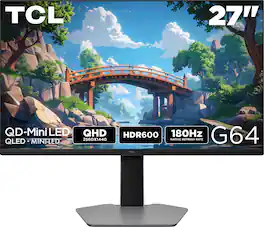
The TCL 27G64 QD-Mini LED Gaming Monitor is ideal for next level gaming with TCL’s Halo Control System that includes the Powerful Light-emitting Microchip, Condensed Micro Lens, Micro OD Reduced Optical Distance, High Contrast HVA Panel, QLED, and Dynamic Light Algorithm for Stunning “Halo-Free” Images. Get sharp, QHD resolution and see all the details. The LD180 Precise Dimming Series, HDR600 Brightness, 180Hz native panel refresh rate, and 1ms GTG provide deep contrast, vibrant highlights, and smooth, responsive gameplay. Stutter-free gaming and ultra-smooth frame transitions with AMD FreeSync and NVIDIA G-SYNC Compatible. The built-in Crosshair Aim Guide provides enhanced targeting precision in any game. TÜV Low Blue Light certification ensures reduced eye strain and more comfortable viewing.
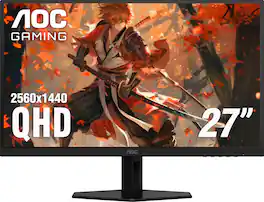
Witness stunning visuals with AOC Q27G40XMN, 27" Mini-LED backlight technology, delivering deeper blacks, brighter whites, and more vibrant colors.
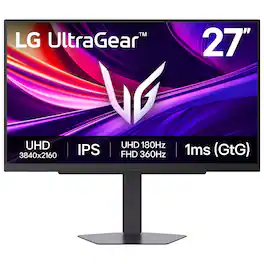
It's time to upgrade your setup with the 27 Inch 4K UHD IPS UltraGear gaming monitor, delivering crisp ultra high (3840 x 2160) resolution, vibrant color with up to 95% DCI-P3 coverage, and striking contrast through VESA DisplayHDR 400. Every detail is vivid, sharp, and designed to elevate your gaming and streaming experience. Stay ahead with a 144Hz refresh rate and lightning-fast 1ms (GtG) response time, ensuring smooth, responsive gameplay. Adaptive sync technologies—NVIDIA G-SYNC compatibility and AMD FreeSync Premium—keep every frame fluid and tear-free. Dual Mode lets you take control of your gaming experience. Enjoy graphically stunning story-driven adventures in 4K UHD at up to180Hz immersing yourself in epic visuals and rich detail. Or game in Full HD at an electrifying 360Hz for ultra-responsive gameplay¹. Stay battle-ready with dual HDMI, DisplayPort 1.4, USB upstream and two downstream ports, plus a 4-pole headphone jack. A slim bezel, fully adjustable stand bring both performance and style to your ultimate gaming setup.
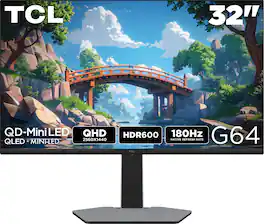
The TCL 32G64 QD-Mini LED Gaming Monitor is ideal for next level gaming with TCL’s Halo Control System that includes the Powerful Light-emitting Microchip, Condensed Micro Lens, Micro OD Reduced Optical Distance, High Contrast HVA Panel, QLED, and Dynamic Light Algorithm for Stunning “Halo-Free” Images. Get sharp, QHD resolution and see all the details. The LD336 Precise Dimming Series, HDR600 Brightness, 180Hz native panel refresh rate, and 1ms GTG provide deep contrast, vibrant highlights, and smooth, responsive gameplay. Stutter-free gaming and ultra-smooth frame transitions with AMD FreeSync and NVIDIA G-SYNC Compatible. The built-in Crosshair Aim Guide provides enhanced targeting precision in any game. TÜV Low Blue Light certification ensures reduced eye strain and more comfortable viewing.
| Pros for TCL - 27" G64 Series QHD HDR QD-Mini LED Gaming Monitor - Black and Gray | |||
|---|---|---|---|
| Build Quality | Color Quality, HDR Performance, Contrast, VRR Performance | Build Quality | There were no pros for this product— |
| Cons for TCL - 27" G64 Series QHD HDR QD-Mini LED Gaming Monitor - Black and Gray | |||
| There were no cons for this product— | Local Dimming, Refresh Rate, Viewing Angle, Monitor Stand | There were no cons for this product— | There were no cons for this product— |
Specs
Reviews
Customer Images
The vast majority of our reviews come from verified purchases. Reviews from customers may include My Best Buy members, employees, and Tech Insider Network members (as tagged). Select reviewers may receive discounted products, promotional considerations or entries into drawings for honest, helpful reviews.
- Rated 5 out of 5 stars
Great Monitor! Great color and adjustable stand!
The height adjustable stand is great! I love the screen and the colors are very bright. It’s a big improvement over my older LG monitor. I love playing COD on it because the blacks level contrast is great against the colors of the game.
Posted by NFLfan
- Rated 3 out of 5 stars
Definitely Budget Friendly
For starters, there's no speakers. Let's just establish that every gaming monitor from here on out should have speakers of some kind or have a pair of starter headphones inside the packaging. 27" is a great size for a gaming monitor. The picture is pretty crisp and runs video games from my Zephyrus PS5, and Xbox series X really well. There is a DPC cable and a power source in the package, but no signs of the obviously required HDMI cable. There are two ports in the back for HDMI 1 & 2, and 1 port for DPC. The power supply port and a 3.5 mm jack are available as well. This is quickly becoming a rant, instead of a review, but the truth needs to be told. TCL's resolution is passible and does look decent. It will even do great for video editing. I'm not crazy about the back panel either. All of that back-end should at least have an RGB strip to give it some flare. The controls are all compressed into one button on the bottom of the monitor, right in the center. There's even a volume option, which really does bother me more that there are no speakers. It's easy to put together and even take down with a simple button press on the tower arm. It is a great starter screen, if I had to say anything nice about it. I would even go so far as to say that it would make for a great monitor for the video editor in the family. But for self? I'm inclined to go for something better.
Posted by hitsuyoo
- Rated 5 out of 5 stars
Amazing Alternative to OLED!
I’ve been wanting to try a Mini LED monitor since they came out but have always ended up going with an OLED monitor instead due to features. I needed another monitor for a mid-range build, that’s when I saw the TCL had released the 27” G64 Series QHD monitor which was within budget. So, I decided to pick it up! Pros: - Local Dimming and Brightness stand out. - Color is on par with OLED. - Easy to navigate menus. - No burn in risk. Cons: - Settings need tweaking for best results. - No USB-C ports or upstream USB-A on the monitor. Setup: TCL made it easy to get the 27G64 Series out of the box by placing instructions on the outside of the box for how to remove the monitor and all the parts quickly and easily. Once out of the box, all the monitor stand parts and cables are on the back side of the packaging fit into the monitor’s Styrofoam packaging. The monitor stand only requires screwing in the bottom baseplate, then attaching to the monitor is simply a snap in place with a quick release lever. The monitor supports VESA 100 mounting. There are 2x HDMI 2.1 ports and 1x DisplayPort 1.4, with an audio jack for headphones. The HDMI 2.1 only allows 2K at 144Hz, so if you want to get the full use of the monitor than I would recommend the DisplayPort 1.4 as that provides 2K at 180Hz, which is the maximum of the monitor. Monitor Settings & Software: The main draw for the 27G64 is the Mini-LED (QLED) panel type. The monitor size is 27in with a maximum resolution of 2560 by 1440 (2K) with a maximum refresh rate of 180Hz. I find that 2K at 27in is the perfect size for the resolution, as 1080 at 27in seems stretched, as does 2K at 32in. One of the biggest benefits of the Mini-LED panel is the local dimming with 180 local dimming zones, paired with a Brightness of 600 Nits helps provide brighter and darker colors across all scenes. This enables a much wider dynamic contrast ratio of 6 Million, though I would look at the Native Contrast Ratio of 5000:1 for better comparison to other panel types. Though this is where I find my only complaint about the monitor, the preset calibration of color, brightness, and contrast could be a little better as I found the default settings to be too bright on vivid colors, creating an unrealistic brightness to red and yellows. It was on the boardline of being too painful look at. Adjusting the color profiles and tone helped, but I found even with all the pre-defined combinations, I couldn’t get the color just right. It was either too bright or dull in different scenes. To be clear, this is me being extremely picky due to my work with color calibrated displays for real world color accurate applications. But the one benefit that came from all this tweaking was noticing how easy it was to access, navigate, and change the settings of the monitor. I like the old school simplistic menus that don’t have all the extra “smart” features to them, as often the added features either add bloatware or complicate the process of adjusting the image settings. I had no issues at all with TCL’s menu. Display: Using the TCL 27G64 has been amazing with HDR enabled, the colors are very vivid, darks are darker and brights just pop. The difference between the 180 dimming zones provide is obvious improvement in contrast. Especially in scenes with a single source of light and the rest of the image is dark, like a movie scene in a cavern with a torch or in an FPS game with a flashlight. As mentioned above, the colors need a little tweaking as the brights by default are a little too vivid and intense, which make it come off as unrealistic. But with tweaking the colors balance well, I often tend to prefer cooler color tones than warm as it helps bring down the pop of color on displays like the TCL 27G64 There is no haloing effect and very little to no backlighting bleed effect. There is zero ghosting with the 180Hz Refresh and 1 MS Response, making transitions and fast paced game play smooth as possible. I found the images looked cleaner and crisper than on an OLED but they were a little more washed out or over saturated under the same settings, as I had a side by side comparison with another OLED screen. If color accuracy is a concern, I’d spend both time and money to get a color calibration tool but for my intended purpose as a gaming monitor, I didn’t want to spend too much time getting it perfect. The preset settings were good enough. One of the biggest benefits the Mini-LED’s have over the OLED is the lack of Burn-In risk, where the pixels get stuck with a ghost image of a static image that has been on the display for too long. For the most part, Burn-In isn’t much of an issue with more recent OLED displays, so I don’t think that should be a major deciding factor but if it’s between two monitors and everything else is the same, the Mini-LED would be my recommendation for the benefit of Local Dimming and no Burn-In risk. Conclusion: If you’re looking to upgrade from a traditional LED display to a modern display with better color and more features, like HDR, the TCL 27G64 QD-Mini LED Monitor is a solid choice for both the size, specs, and price range! I found the Local Dimming and HDR worked amazingly well while playing games, helping dark scenes pop and preventing backlight glow. Paired with the 180Hz Refresh Rate and 1ms Response Time, the game play was smooth and flawless, with no ghosting or distortions. I’ve really enjoyed playing on this monitor and look forward to trying out some more games soon!
Posted by BradfordBT