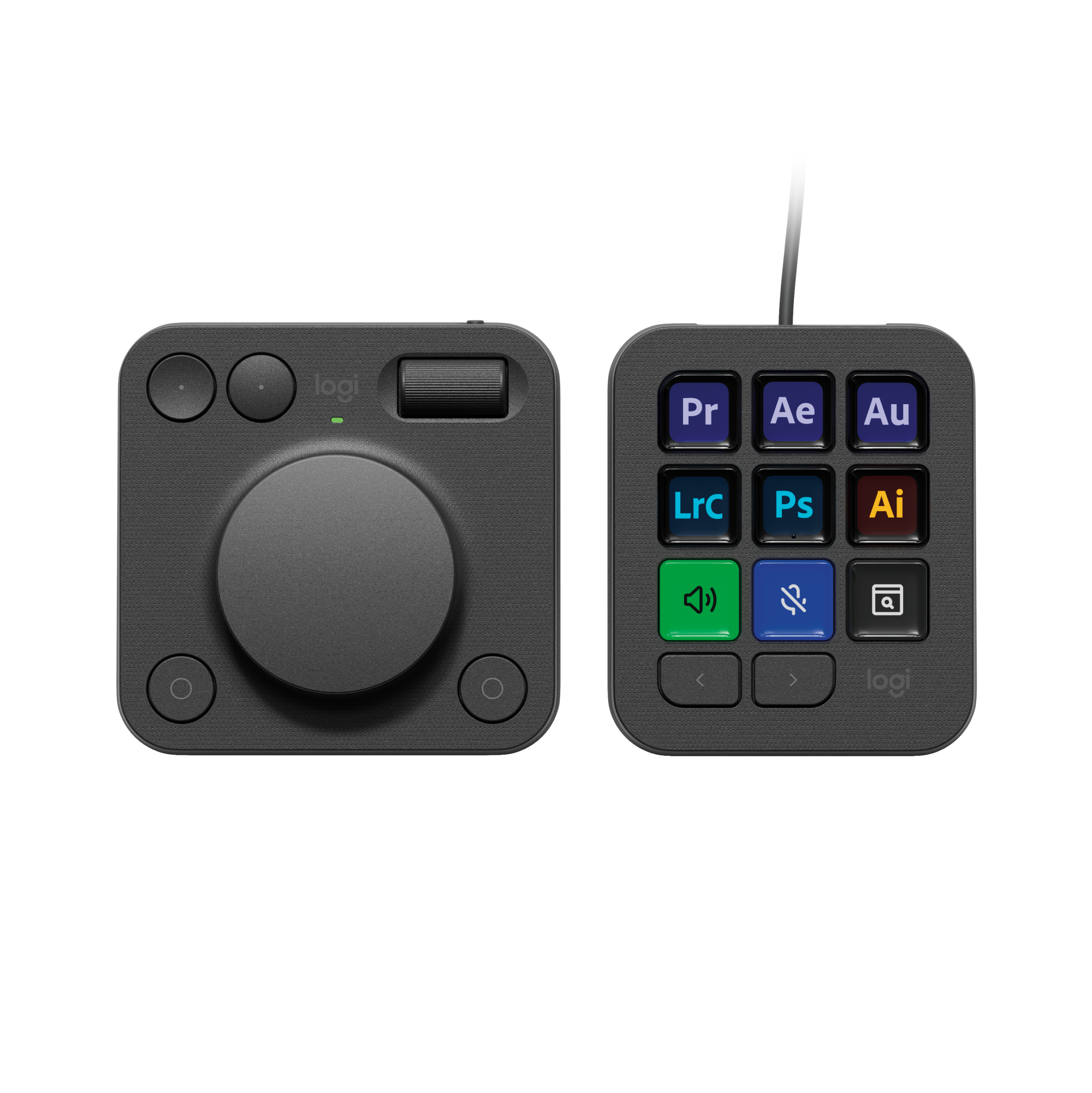
Logitech - MX Creative Console Programmable Keypad with 9 Customizable Keys & Control Dial for Graphic Design, Video Editing, more - Graphite
Color
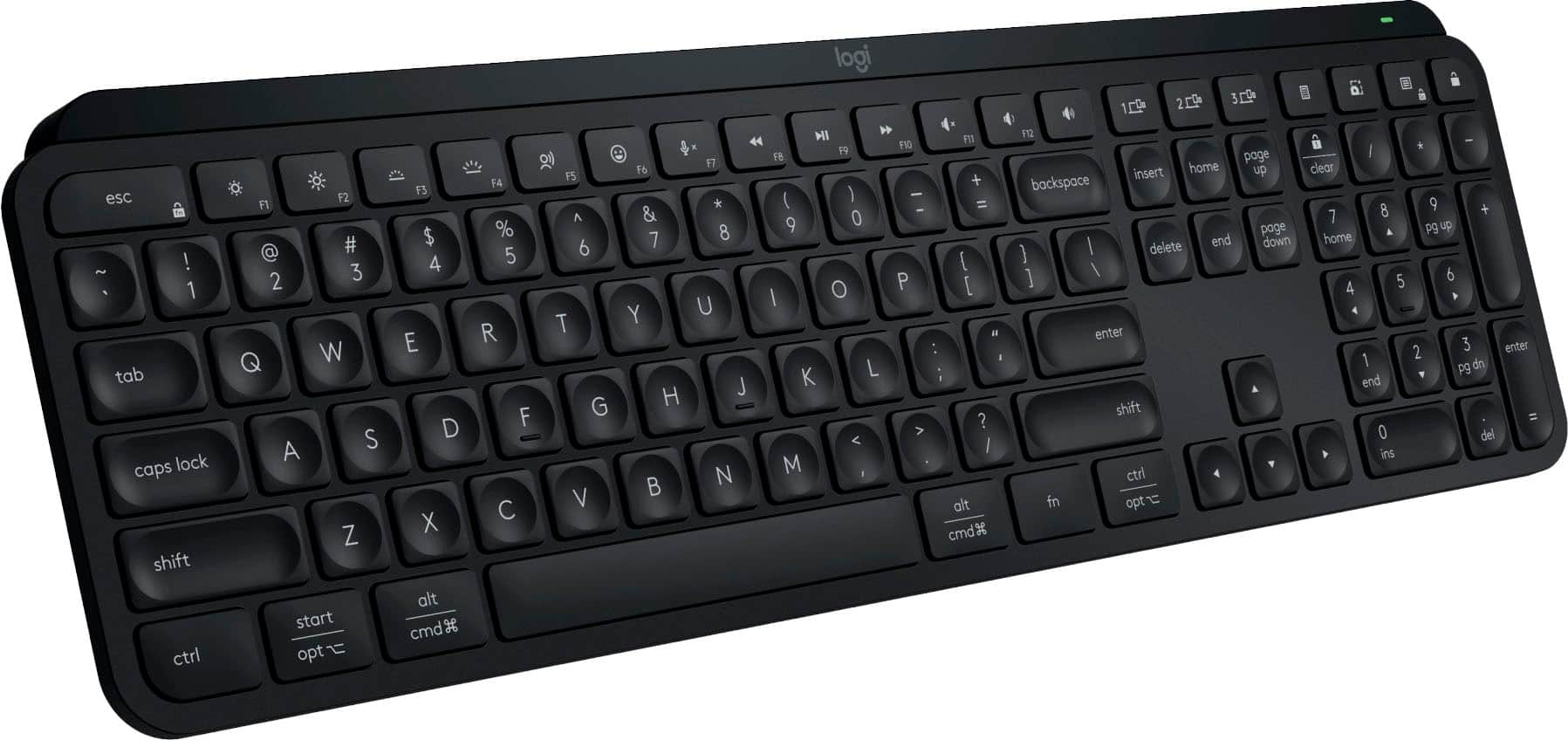
Graphite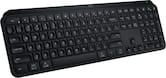 Logitech - MX Keys S Universal Full-size Wireless Scissor Keyboard for PC and Mac with Backlit keys - Black$109.99$129.99
More Buying Options
Related Item

Specifications
- Form Factor40%Connection TypeWired
- Key Specs
- Form Factor: 40% (The size, arrangement, and physical configuration of the product.)
- Connection Type: Wired
- General
- Brand: Logitech
- Model Number: 920-012660
- Product Name: MX Creative Console Programmable Keypad with 9 Customizable Keys & Control Dial for Graphic Design, Video Editing, more
- Color: Graphite
- Features
- Keyboard Type: Keypad
- Functions
- Form Factor: 40% (The size, arrangement, and physical configuration of the product.)
- Connectivity
- Connection Type: Wired
- Wired Connectivity: USB-C
- Cable Length: 4.92 feet
- Number of Devices Connectable Simultaneously: 1
- Compatibility
- Operating System Compatibility: Windows, Mac
- Plug and Play Operation: true
- System Requirements: Windows 10 or later, macOS 13 or later, USB-C port, Bluetooth® low energy technology. Logi Options+ App available for recent versions of Windows and macOS at app.logi.com. (The software that a product must have for it to be able to integrate with another product.)
- Dimensions
- Product Height: 3.62 inches (The out of box height of the item. Height is measured as the vertical distance from the bottom of the item to the top as it would be primarily used or placed.)
- Product Width: 3.06 inches (The out of box width of the item. Width is measured as the horizontal distance from one side of the item to the other as it would be primarily used or placed.)
- Product Depth: 1 inches (The out of box depth of the item. Depth is measured as the distance from the front of the item to the back as it would be primarily used or placed.)
- Product Weight: 3.39 ounces (The out of box weight of the item.)
- Product Height (Mouse): 3.62 inches (The out of box height of the item. Height is measured as the vertical distance from the bottom of the item to the top as it would be primarily used or placed.)
- Product Length (Mouse): 3.68 inches (The out of box length of the item. Length is measured as the longest dimension of the item.)
- Product Width (Mouse): 1.33 inches (The out of box width of the item. Width is measured as the horizontal distance from one side of the item to the other as it would be primarily used or placed.)
- Product Weight (Mouse): 4.52 grams (The out of box weight of the item.)
- Mouse
- Mouse Included: true
- Connection Type (Mouse): Wireless
- Wireless Connectivity (Mouse): Bluetooth (The manner in which a mouse sends data to another device over a short distance without the use of wires or cables.)
- Handedness: Ambidextrous
- Rechargeable Battery (Mouse): true
- Battery Chemistry (Mouse): Alkaline
- Battery Size (Mouse): AAA (The battery size required for operation.)
- Warranty
- Warranty - Parts: 1 year
- Warranty - Labor: None
- Other
- UPC: 097855197085
Introducing MX Creative Console, streamline your creative workflow with intuitive and customizable backlit LCD keys and tactile controls for precise adjustments on the dialpad. MX Creative Console lets you quickly access shortcuts and actions on your favorite apps with recommended profile configurations, or customize it to fit your own workflow.
- 3-months of Adobe Creative Cloud on us (a value of $179)*: Pair two of the world’s top creative tools. Buy one MX Creative Console and claim your free 3-month Adobe Creative Cloud membership. *Value calculated based on Adobe Creative Cloud All Apps monthly value of $59.99 valid on Adobe.com on Sept 12, 2024. Terms & Conditions apply.¹ ² ³
- Speed up your creative workflow: The Logitech MX Creative Console lets you quickly access tools and actions on your favorite apps, allowing you to fully focus on your work.
- App integrations: Adobe Photoshop, Premiere Pro, Illustrator, Lightroom and Lr Classic, Final Cut Pro, Figma, Davinci Resolve, Spotify, Zoom, and more; quick start with recommended profiles.⁴
- Tactile analog control: Make precise adjustments with the low-friction control dial, navigate with the roller, and access actions with the programmable keypad (stand included for flexible placement).
- Customize for any app: Assign tools and actions to up to 15 keypad pages by profile, dial, and roller, and upload your own icons to the customizable LCD display keys.
- Discover more on marketplace: Find a growing library of actions and plugins, recommended profiles, icon packs, and more on the marketplace in the Logi Options+ App. ⁵
- Actions ready at your cursor: The Actions Ring is a customizable digital extension of your console, an on-screen overlay that lets you access tools, shortcuts, actions, and more.⁶
- Bluetooth and USB-C: Pair the dialpad with Bluetooth and use 2x AAA batteries (included) for up to 18 months of use. Connect the keypad with a USB-C to USB-C cable (included). ⁷
- 3-months of Adobe Creative Cloud on us (a value of $179)*: Pair two of the world’s top creative tools. Buy one MX Creative Console and claim your free 3-month Adobe Creative Cloud membership. *Value calculated based on Adobe Creative Cloud All Apps monthly value of $59.99 valid on Adobe.com on Sept 12, 2024. Terms & Conditions apply.¹ ² ³
- Speed up your creative workflow: The Logitech MX Creative Console lets you quickly access tools and actions on your favorite apps, allowing you to fully focus on your work.
- App integrations: Adobe Photoshop, Premiere Pro, Illustrator, Lightroom and Lr Classic, Final Cut Pro, Figma, Davinci Resolve, Spotify, Zoom, and more; quick start with recommended profiles.⁴
- Tactile analog control: Make precise adjustments with the low-friction control dial, navigate with the roller, and access actions with the programmable keypad (stand included for flexible placement).
- Customize for any app: Assign tools and actions to up to 15 keypad pages by profile, dial, and roller, and upload your own icons to the customizable LCD display keys.
- Discover more on marketplace: Find a growing library of actions and plugins, recommended profiles, icon packs, and more on the marketplace in the Logi Options+ App. ⁵
- Actions ready at your cursor: The Actions Ring is a customizable digital extension of your console, an on-screen overlay that lets you access tools, shortcuts, actions, and more.⁶
- Bluetooth and USB-C: Pair the dialpad with Bluetooth and use 2x AAA batteries (included) for up to 18 months of use. Connect the keypad with a USB-C to USB-C cable (included). ⁷
Whats Included
- MX Creative Dialpad
- X2 AAA batteries
- MX Creative Keypad
- USB C to C high-speed 2.0 cable
- Stand
- User documentation
- MX Creative Dialpad
- X2 AAA batteries
- MX Creative Keypad
- USB C to C high-speed 2.0 cable
- Stand
- User documentation
Q: How many customizable keys does the keypad have?
A: The MX Creative Console Programmable Keypad has 9 customizable keys.
Q: Can the keypad be used with other applications besides the recommended profiles?
A: The MX Creative Console allows for customized use beyond the recommended profiles to fit your workflow.
Q: Does the keypad require any special software to operate?
A: The Logi Options+ App is available for recent versions of Windows and macOS at app.logi.com.
Q: What is the length of the cable connecting the keypad to the computer?
A: The cable length is 4.92 feet long.
Q: Is the keypad compatible with both Windows and macOS?
A: The MX Creative Console is compatible with Windows 10 or later and macOS 13 or later.
Q: What is the purpose of the control dial on the keypad?
A: The control dial allows for making precise adjustments.
Q: How many customizable keys does the MX Creative Console have?
A: The MX Creative Console Programmable Keypad has nine customizable keys.
Q: Is the MX Creative Console compatible with Bluetooth?
A: The MX Creative Console uses Bluetooth low energy technology for wireless connectivity.
Compare similar products
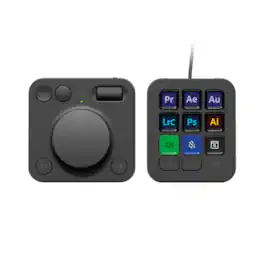
Introducing MX Creative Console, streamline your creative workflow with intuitive and customizable backlit LCD keys and tactile controls for precise adjustments on the dialpad. MX Creative Console lets you quickly access shortcuts and actions on your favorite apps with recommended profile configurations, or customize it to fit your own workflow.

Iconic Stream Deck tech with LCD keys, dials, and touch strip. Fully customizable. Perfect for any workflow. Stream Deck + is your audio mixer, studio controller, production console – anything you want it to be. Trigger actions. Control mics and cameras. Adjust volume, lighting, and much more. Create limitless pages for different apps and swipe between them on the fly. Set up with ease in the Stream Deck app. Unlock Elgato Wave Link mixing software, and hit the Stream Deck Store for plugins, icon packs, thousands or royalty-free music tracks, sound effects, and more. With new plugins and updates added regularly, Stream Deck + evolves with your workflow.
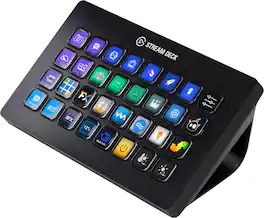
Improve the quality of online broadcasts with this Elgato Stream Deck XL advanced stream controller. The included app makes it easy to assign custom functions to the 32 touch-sensitive keys for easy access to actions and effects. This Elgato Stream Deck XL advanced stream controller is compatible with a variety of popular live streaming services.
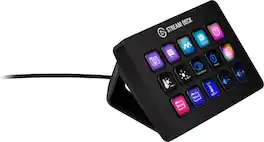
Stream Deck gives you 15 LCD keys to control your apps and tools. Trigger actions, launch social posts, adjust audio, play sound clips, activate lights, and much more. Get visual feedback to confirm your commands. Set Stream Deck to automatically switch key configurations as you jump between apps. It’s the ultimate workflow hack, and it’s fully customizable. Personalize your Stream Deck with custom icons, screensavers, and a growing range of interchangeable faceplates. Use the app to configure keys with ease, and hit the Stream Deck Store for app plugins, icon packs, thousands of royalty free tracks, effects, and more.
| Pros for Logitech - MX Creative Console Programmable Keypad with 9 Customizable Keys & Control Dial for Graphic Design, Video Editing, more - Graphite | |||
|---|---|---|---|
| Customization, Dial, Battery Life | Ease of use, Customization, Quality, Knobs, Volume Control | Ease of use, Customization, Overall Performance, Back Lighting, Button Count | Ease of use, Overall Performance, Customization, LCD Keys, Software |
| Cons for Logitech - MX Creative Console Programmable Keypad with 9 Customizable Keys & Control Dial for Graphic Design, Video Editing, more - Graphite | |||
| Bluetooth, Software | There were no cons for this product— | Price | Price, Stand |
Specs
Reviews
Customers are saying
Customers find value in the customizable features, particularly the responsive dial, which enhances workflow efficiency. The long battery life is also a significant plus, with users reporting extended use without needing battery replacements. However, some users experienced connectivity issues with the Bluetooth functionality and initial software setup challenges. Overall, the positive feedback on customization and battery life outweighs the reported concerns about Bluetooth and software.
Customer Images
The vast majority of our reviews come from verified purchases. Reviews from customers may include My Best Buy members, employees, and Tech Insider Network members (as tagged). Select reviewers may receive discounted products, promotional considerations or entries into drawings for honest, helpful reviews.
- Rated 5 out of 5 stars
Smooth controls option for workstation
This is very customizable for various functions. It seamlessly opens apps and displays their icons on the buttons provided. The text color customization and smooth dial control are features that I enjoy.
Posted by RonR
- Rated 4 out of 5 stars
Great device for Adobe users
I got this MX Creative Control after seeing a video about it online. The more I saw it, the more I thought this might help speed up my process. It has definitely made my photo editing a little faster and even more enjoyable. This is highly recommended.
Posted by JaimeM
- Rated 5 out of 5 stars
Highly recommended
I love it, it really simplifies my workflow. Highly recommended
Posted by DavidT
Package deals that include this item
Package - Logitech - MX Creative Console Programmable Keypad with 9 Customizable Keys & Control Dial for Graphic Design, Video Editing, more - Graphite (2 pack) and MX Keys S Universal Full-size Wireless Scissor Keyboard for PC and Mac with Backlit keys - Black
Your price for this item is $429.97The comparable value for this item is $529.97