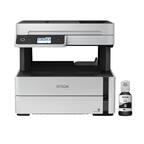
A:Answer Hello Jack. You can select Black/Grayscale printing in the print driver, but the printer does not provide a setting to choose which color ink to use to print a black document. Even when you select Black/Grayscale, the printer could still use a small amount of color ink since it manages the color automatically. Regards, Kevin - The Epson Team.


.](https://pisces.bbystatic.com/image2/BestBuy_US/images/products/6b8343ea-50ad-4766-b78d-ebdbb694bc44.jpg)

. 1 Most features require an Internet connection to the printer, as well as an Internet- and/or email-enabled device. For a list of Epson Connect enabled printers and compatible devices and apps, visit [www.epson.com/connect](http://www.epson.com/connect).](https://pisces.bbystatic.com/image2/BestBuy_US/images/products/5bf434fa-75e7-457c-b1f8-67b7b737348f.jpg)