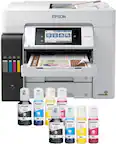
A:Answer Hello DrJosh. The ET-3850 only includes print, copy, and scan features. Unfortunately, fax functionality is not available on this model. We recommend looking at the ET-4850 as it is a printer with similar features and includes fax functionality. At the time of this posting, it is currently in stock on BestBuy's website, but please note inventory can change. Regards, Kevin - The Epson Team.


.](https://pisces.bbystatic.com/image2/BestBuy_US/images/products/0f303e94-82e9-4920-a0f8-610c645cee57.jpg)

. 1 Most features require an Internet connection to the printer, as well as an Internet- and/or email-enabled device. For a list of Epson Connect enabled printers and compatible devices and apps, visit [www.epson.com/connect](http://www.epson.com/connect).](https://pisces.bbystatic.com/image2/BestBuy_US/images/products/08161d2e-edb0-4574-a401-0ac72389cf92.jpg)