

Black Friday is hereShop new DoorbustersShop now

Main Content

Questions & Answers

Your price for this item is $529.99
The comparable value price is $629.99
Page Showing 1-20 of 206 questions
  • QuestionCan I connect this scanner to my computer wirelessly?

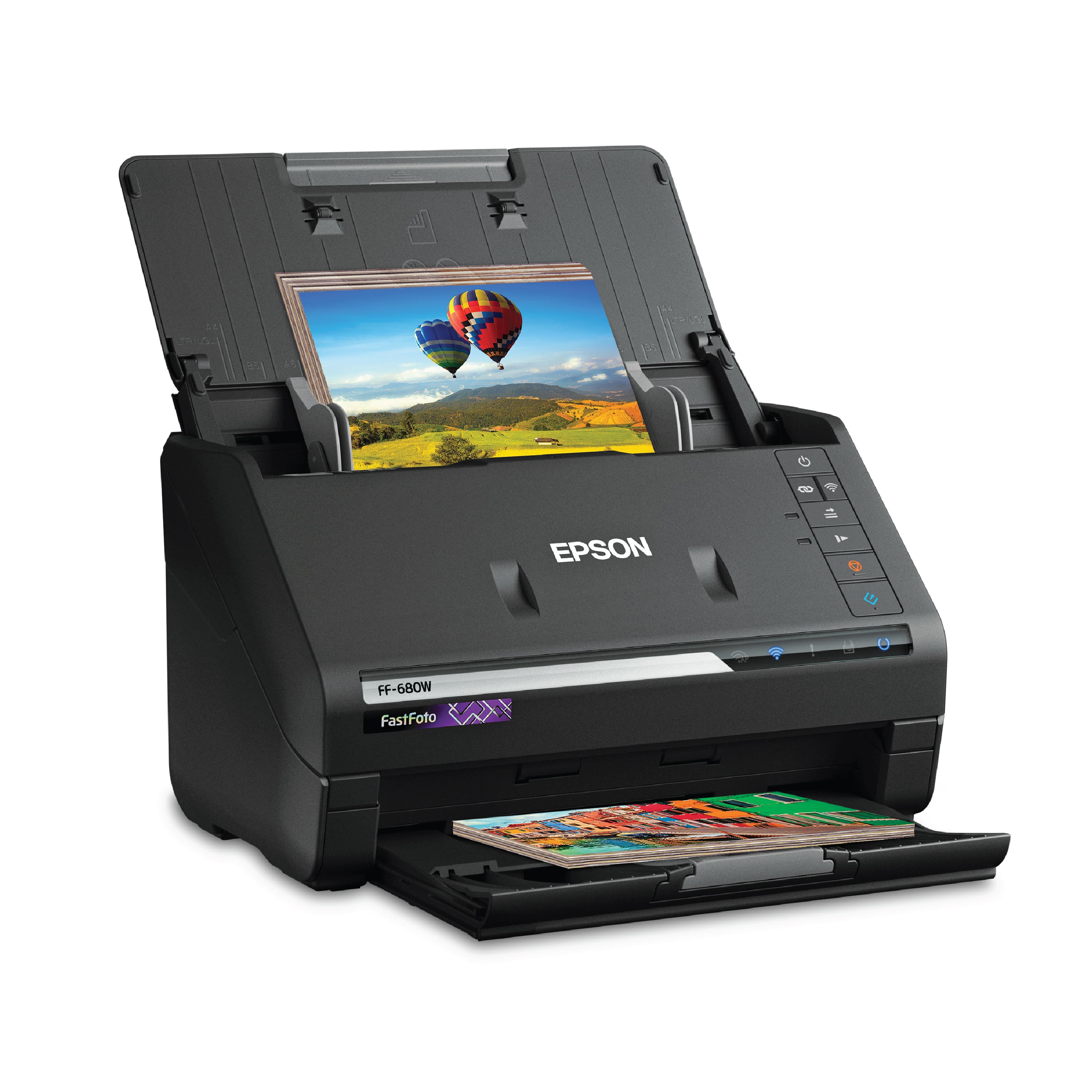
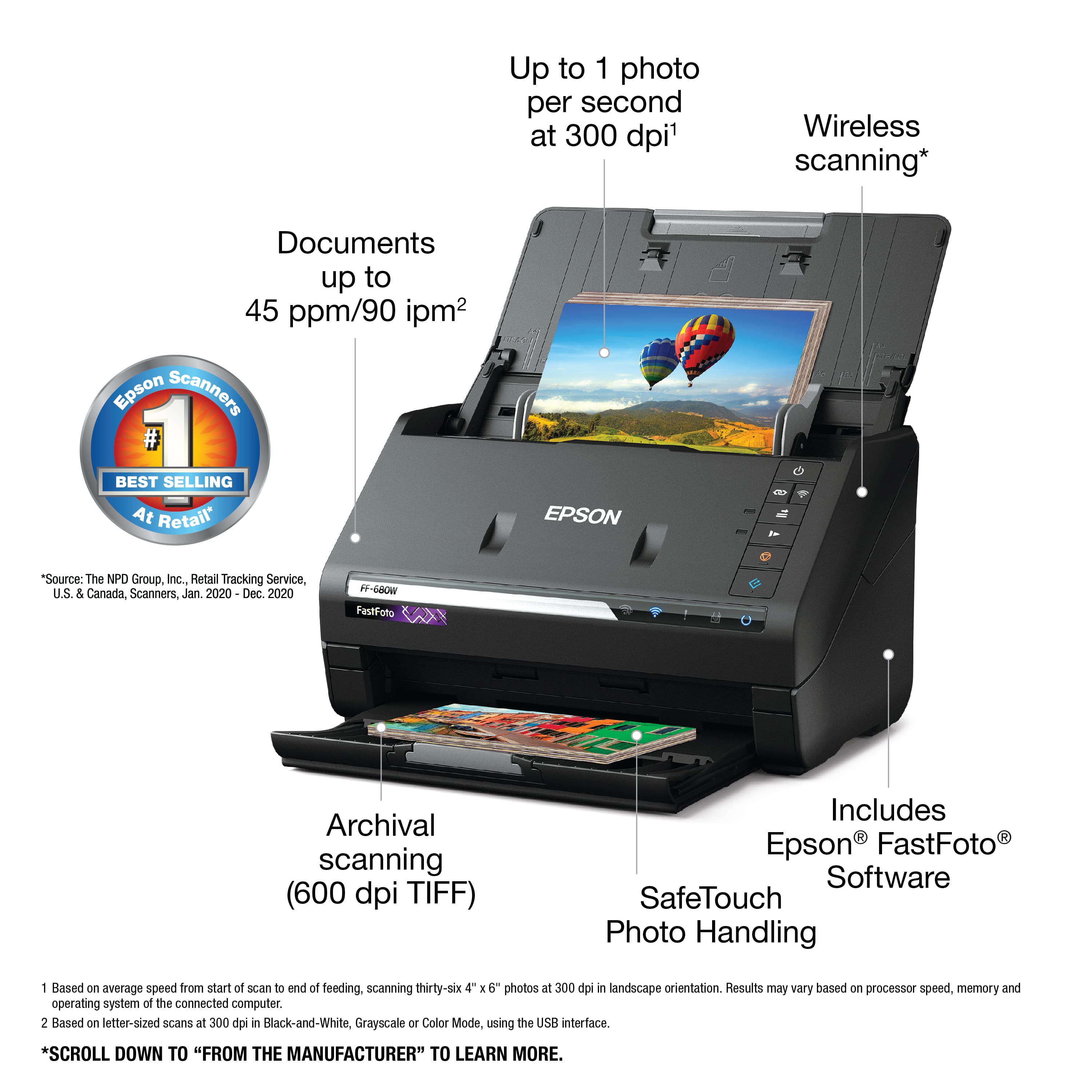
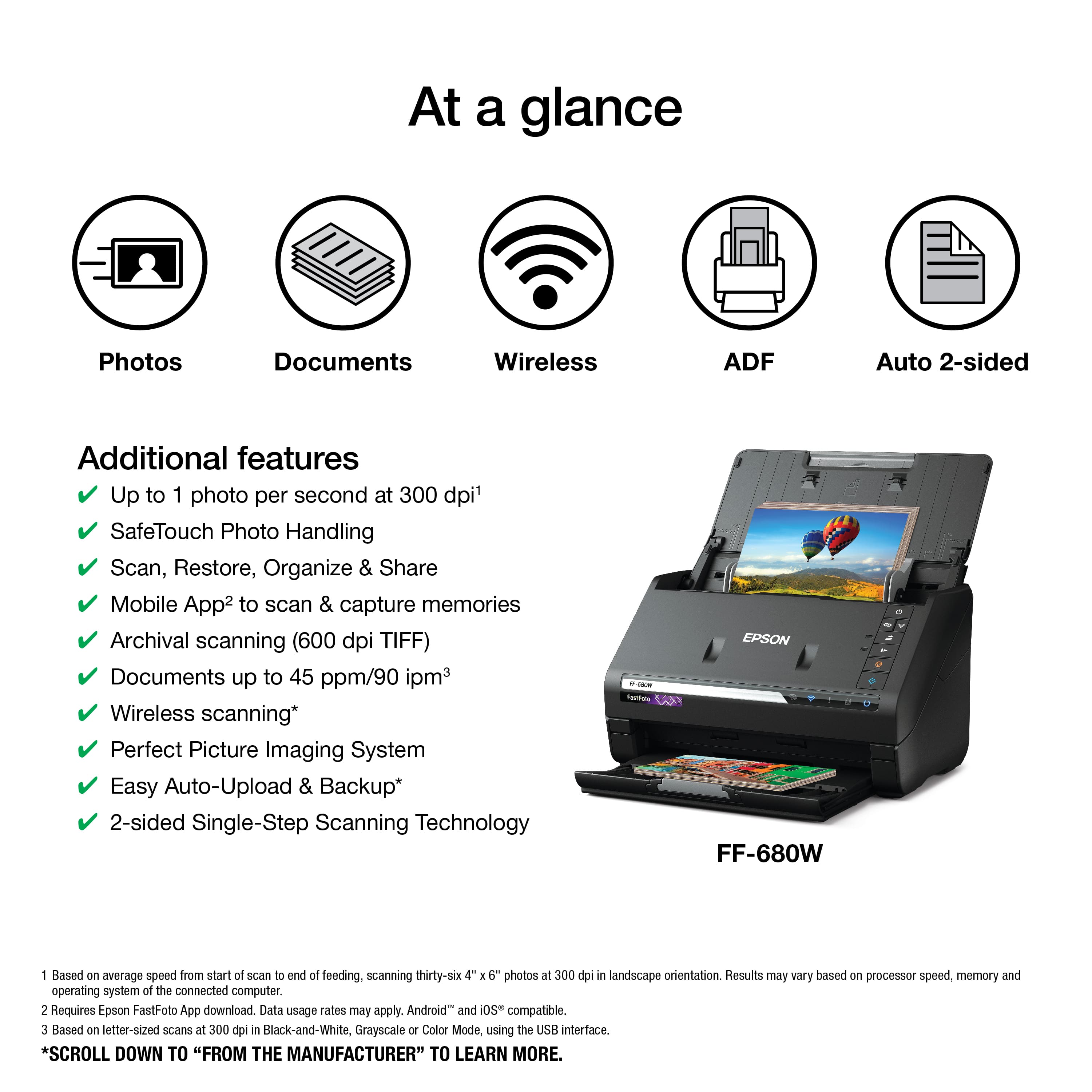
    • Answer Yes, the Epson FastFoto FF-680W offers both USB and wireless connectivity options for flexible placement.
    This question and answer was generated by AI based on customer and product data.
  • QuestionHow fast can this scanner scan photos?

    • Answer The Epson FastFoto FF-680W can scan photos as fast as 1 photo per second.
    This question and answer was generated by AI based on customer and product data.
  • QuestionDoes this scanner come with software for optical character recognition?

    • Answer Yes, the Epson FastFoto FF-680W includes Epson ScanSmart software with optical character recognition (OCR).
    This question and answer was generated by AI based on customer and product data.

  • QuestionCan this scanner scan old photos?

    • Answer Yes, the Epson FastFoto FF-680W can help restore old photos with its Perfect Picture Imaging System, which includes auto enhancement and color restoration.
    This question and answer was generated by AI based on customer and product data.

  • QuestionDoes the Epson FastFoto FF-680W have a document feeder?

    • Answer Yes, this scanner has an automatic document feeder that can hold up to 100 sheets.
    This question and answer was generated by AI based on customer and product data.
  • QuestionWhat is the maximum size document this scanner can handle?

    • Answer The Epson FastFoto FF-680W can scan documents up to 240 inches in length.
    This question and answer was generated by AI based on customer and product data.
  • QuestionCan someone upload some photo scans at full 600 dpi? I want to see some samples. I got the unit and my scans are VERY grainy/noisy for blacks, and streaky.

    Asked by A.

    • Answer My very FIRST scan after unboxing was ridiculously noisy in black areas. (So it's NOT dust). It was a clean, colour 6x4 print in good condition, about 15 years old. The black areas were a pure black cardigan worn by someone standing on a beach in front of a patch of dark green seaweed. Both the cardigan and the seaweed had unusable levels of chromatic noise. Tweaking the settings made very little difference. For comparison, I then scanned it on an old cheap flat bed scanner (Canon MX320) and the difference was stark. The flatbed had some noise, but perhaps only 20% of the levels of the Epson. Another problem is that the rollers leave visible impression tracks on old B&W photos. i.e. the FF-680W damages valuable old photos so my advice is to NOT put them through without putting them in the plastic sleeve first. Ironically, because this adds time to your workflow it basically negates the only reason to buy this unit - speed! Feedback for Epson: there's no point being FAST if your results are RUBBISH. PS: I worked in the R&D division of a camera manufacturer for 5 years, so I know something about image quality.

      Answered by RMarriner

  • QuestionI have successfully scanned photos using the Epson, but when I try and go back and edit the photos, the error message is telling me I don't have permission. The edit button works, but the submenu buttons are all grayed out.

    Asked by Krl.

    • Answer I have the same issue, and I find Epson's reply here to be a cop out. I can change the permissions on a file by file basic, but I can not change the permissions on the folder to apply the new settings to all of my previously scanned images. I can not even view a rotated photo using the Windows Photo Viewer, let alone edit or save the files. within the FastFoto software, I can only change the data and filename by right-clicking on the photo and changing the description. The rest of the "edit" menu buttons are greyed out. The folder that FastFoto created to store the scans in is set as Read Only, and the permissions can not be changed using the Properties>Security settings on the folder level. The scans themselves only have permissions to Allow Read & Execute, but not Modify or Full Control. This is annoying.

      Answered by CoKrosays

  • Questiondoes it scan to only JPEG or can I scan to PDF or do I have to convert it to PDF using additional software

    Asked by jpeg2pdf.

    • Answer YES; when you load the FastFoto software it will add 2 icons to your computer - Epson FastFoto for Jpegs and Epson ScanSmart for PDF's for documents. It will also give you an option as to where you want to save it (hard drive, Google Drive or drop box); I actually saved mine to an external drive that was connected to my computer. I also noticed that you can send it to a printer if you need your document printed. What was amazing was how fast is cans documents; we also tested a 2 sided document & I was fully expecting it to slow down to scan the back, but no it scanned them equally as fast. So far impressed with scanner.

      Answered by Aloha

  • QuestionI want to use this to scan business documents. do you recommend this scanner? it seems to be mostly for photographs. Can I tell it my scan properties. single and double in a setting or does it default and I have to change the setting?

    Asked by documentvsphotos.

    • Answer I bought mine with the intent to scan documents and photos. We scanned some documents - it was super fast. It will even scan 2 sided documents at the same speed it scans single sided documents; super impressed with the document scanning. I have another sheet feeder printed/scanner but it is much slower and only scans the front.

      Answered by Aloha

  • QuestionCan I save directly to a flash memory?

    Asked by player.

    • Answer If you mean can you plug a thumb drive into the scanner, NO. The scanner needs to be connected thru USB cable or WIFI, to a computer which runs the software to manage the printer. You could plug the "flash drive" into the computer and have the software safe the pictures directly there rather than the computer's hard drive..

      Answered by BobG

  • QuestionI want to scan a whole album into one file, approximately 300 pictures. If for some reason I have to stop scanning and continue later, can I add pictures to the same file? If so, will it keep numbering consecutively or start over?

    Asked by Debra.

    • Answer If you scan in 100 photos and want to rest and come back another day you simply make the same selection in the "Describe Your Photos" window the next time you return to scan. When you select the same folder with the first 100 photos in it it will append the numbering with your next scan to 101, 102 etc. It gives you 'FILE NAME PREVIEW' to see how your file naming will look before you begin the scan. Your file naming will sequence in numbered order.

      Answered by UltraViolet

  • QuestionDoes the included software have Optical Character Recognition (OCR) to turn scanned documents back to text? If so, is it accurate?

    Asked by Dweeb.

    • Answer I purchased this mainly for photo processing. However it does have OCR software. It doesn't note if OCR is proprietary to Epson of from a 3rd party. The manual states: "You can save the scanned image as a PDF, JPEG, or searchable PDF file. If you select searchable PDF, you can select the OCR (Optical Character Recognition) language". It will also scan and save to word, excel and powerpoint file formats. I made a scan to pdf, but I haven't tried to scan articles yet. Hope this helps

      Answered by Scott

  • QuestionI am looking to save these to my ICLOUD. Is it user friendly with MAC? How would I save these images to ICLOUD?

    Asked by Anonymous.

    • Answer Hi, The most straight-forward way to scan images to your iCloud storage space would be to scan wirelessly to an iPhone or iPad and sync the images to your iCloud from there. The Apple device has to be on the same WiFi network as the FastFoto FF-680W. Regards, Mark - The Epson Team.

      Answered by Epson

  • QuestionIs this first generation technology or is this able to scan at 1200 x 1200 dpi?

    Asked by marcus88.

    • Answer 1200 x 1200 is interpolated, not optical.

      Answered by Beaudejour

  • QuestionCan this scan slides or negatives?

    Asked by Maddog.

    • Answer I don't think this one can. I think it's for paper photos and documents, not slides or film.

      Answered by Dennis

  • QuestionDoes the roller ever damage the pictures or make them curl?

    Asked by Barbara.

    • Answer Hi Barbara. The feed roller assembly in the Epson FastFoto FF-680W may leave track marks on the photos. Regards, Bobby - The Epson Team.

      Answered by Epson

  • QuestionIf I load several photos, does it assign file name as it scans?

    Asked by Mike.

    • Answer The File Name allows for a year to be assigned first. e.g. 1982 OR it has 1980s if you don't know the specific year (You do not have to assign a year if you don't want to though.) Next it allows you to provide any name you want to associate with the photo(s) e.g. John and JoJo's wedding. Or Las Vegas When the scanner goes to work it would name each file: 1982_John_and_JoJos_wedding_0001 If you have file enhancement on it would create a file name of the enhanced photo by adding an "a" to it: 1982_John_and_JoJos_wedding_0001_a If the back of the photo has detected writing on it it would save it with a "b" to it: 1982_John_and_JoJos_wedding_0001_b (With one photo you could have up to three files saved with enhancement and back of photo scan turned on.) Each successive photo in your scanning will just set the counter up one. In this case 0002, 0003 etc. So if you don't assign a year to the photo it would be as follows: John_and_JoJos_wedding_0001 I have scanned in over 2,200 photos to date and it is working great.

      Answered by UltraViolet

  • QuestionWill this work with a Mac notebook? I have tried Photomyne on my iPhone. Not the best solution for lots of photos. I want to scan photos for photo books.

    Asked by Macgirl.

    • Answer I am using the Epson Fast Foto scanner with my MacBook Pro. Very easy connections and easy scanning process. I am OK with technology but certainly not a whiz. The Epson directions were clear and I was scanning within minutes of taking it out of the box.

      Answered by Debbeck

  • QuestionI believe this scanner automatically rotates the photos. How well does that work?

    Asked by Rotation.

    • Answer It's correct in rotation about 50% of the time. Seems like it depends on how recognizable "up" is.

      Answered by TomA