A:AnswerI am having big exact same problem with an insignia 3.0 external hard drive on a laptop with windows 10 I simply cannot transfer the media from the hard drive and I have no idea why I'm having this problem Trying to upload the media from the external hard drive on to the laptop and I have no idea why I'm having this problem please help !!!
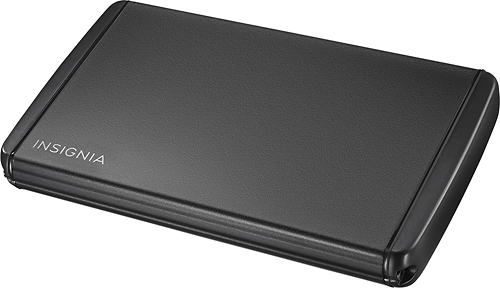
A:AnswerThis is just the enclosure box. Does not come with a hard drive, once you install a hard drive of your choice, it acts like an external drive when you connect to your PC. I put in a SSD drive to back up file from a PC.
A:Answerif its an ssd unlikely as TRIM deletes all data marked for deletion as in a format almost immediately unlike a HDD which keeps files marked for deletion until overwritten...
A:AnswerUnless your Sling allows for recording on an external storage device, no. Even if it did allow external reading/writing the power draw to spin an HDD would probably be more than the sling can provide.
A:AnswerYou should be able to as long as you use a suitable hard drive in the enclosure and properly format it. There are plenty of step-by-step articles out there on the internet that should help you.
A:AnswerMacs use a different file system than PC, so there is no way your Surface will be able to read the drive. You will have to use a third party software such as MiniTool to accomplish this.
A:AnswerAs long as the hard drive isn't the problem (and frankly I would look at a mechanical hard drive before a motherboard if it is only read/write from that one drive) then this will do the trick for you.
A:AnswerIf the hard drive is actually encrypted it is an anti-tampering and anti-theft protection that activated either when the system became unstable or when the HDD is being removed. You may need to contact Sony for a decryptor in it may be easier to take it to a computer shop where they can assist you with decrypting
A:AnswerIt should be able to access the files because it’s not utilizing the old operating system, it will ignore that part of the drive however if you start having problems or cannot access information take it to one of the Apple stores that has on site tech support and good luck
A:AnswerI see someone answered that UASP was part of 3.0 usb but that does not mean that the Usb attached scsi protocol UASP is actually supported unless the spec say so. Do Not assume Uasp is supported
A:AnswerIf your Apple iOS is not recognizing the driver take both devices to an Apple store that has tech-support and they should be able to assist you. You mentioned that you had it hooked up to a system that used a Windows operating system or android, hopefully it did not get it formatted for that operating system.