Customer Ratings & Reviews
- Model:
- 5779C002
- SKU:
- 10840233
Rating by feature
- Value
Rating 4.3 out of 5 stars
- Quality
Rating 4.4 out of 5 stars
- Ease of Use
Rating 4.2 out of 5 stars
- Pros mentioned:Print quality, Setup, Size

One printer to rule them all(most)
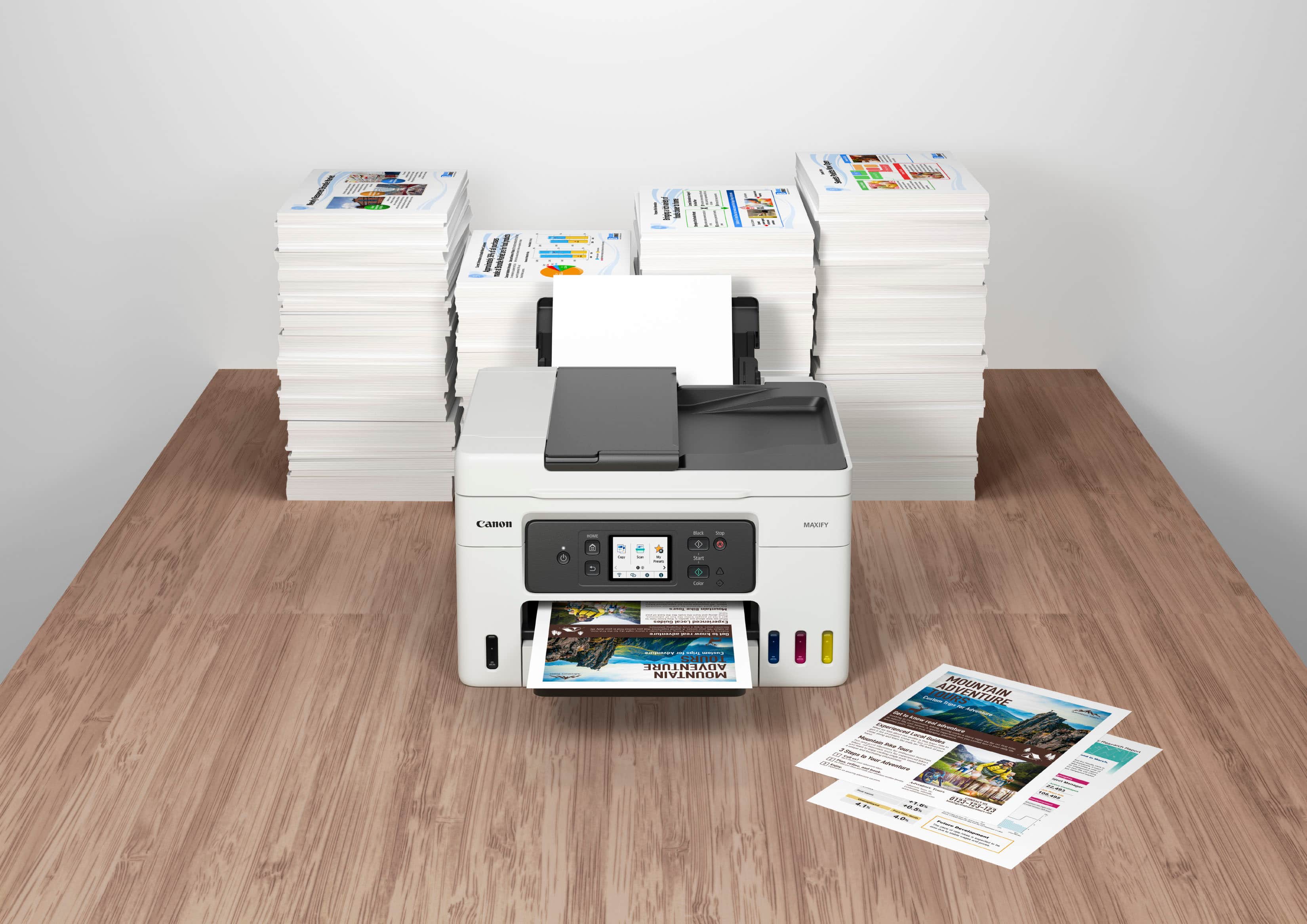
|Posted .This reviewer received promo considerations or sweepstakes entry for writing a review.Tl;dr I’d recommend this printer if you need lots of good looking, color print outs and have some time to wait for them. A fast 9 pages per minute single sided will have you making flyers in no time. Double sided documents must be slowed down to reach the same quality Generally speaking, you can buy a cheap printer with expensive cartridges or an expensive printer with cheaper consumables. Canon is moving to the head of the pack when it comes to cheaper consumables, offering up to 16,000 pages from a single set of ink. Needless to say, I can’t confirm if Canon is lying, but I can say Canon is delivering this low cost per page with consistent, quality printing. That’s significantly better than ink jet printers I’ve used from Brother. Unfortunately, this is not a perfect unit that I can recommend to everyone. You can choose faster printing or double sided printing, but not both. When printing double sided pages, the ink doesn’t have enough time to dry before the page is sucked back through the rollers for printing on the other side. This results in some ghosting of text or images located near the bottom of the page. This can be fixed by increasing the drying time setting on the printer or by printing single sided only. With the drying time increased, the printer goes from 5 pages per minute (double sided) to 2 pages per minute. My friends Brother, color laser printer in his home office does 12 pages double sided per minute by comparison. It cost around the same amount up front. While his page cost is ~$.04 for consumables, this printer is < $.01 using Canon’s excellent ink. The printer was easy to set up and fairly easy to use. I had the printer out of the box and on the cart is < 5 minutes thanks to flexible, but strong cardboard packing materials. It was solid, but not heavy, weighing about half of my friends printer. Set up can be done through an app or a web page. Connecting it to WiFi was very straightforward. Loading the ink was similarly easy. It’s amazing how much ink the printer’s reservoirs go. While the print speed may be slow, the print quality is great (other than the ghosting issue mentioned above). Text is clear and precise. Mixed with graphics, this printer is hard to beat! The small office type color laser printers do not handle graphics and pictures as well, even at a higher cost per page. The single sided scanner can be set to use a variety of web services. E-mailing scans requires configuring an outgoing mail server, but gets the scan where it needs to be quickly. It isn’t the fastest around, but gets the job done in a pinch. The LCD screen is convenient for some things, but isn’t really large enough to make more than a few basic changes. It’s a touch screen and fairly responsive, but requires you to enter passwords and email addresses using the alphabet on a U.S. phone keypad. Also, it’s hard to access the screen when standing up as it doesn’t tilt up. Overall, this is a decent printer released at a time when fewer and fewer people are using paper. Therefore, the main use for this printer is destined to be flyers and other, similar collateral. For that, the double sided printing issue will not be a problem. It just means tweaking the printer setting each time double sided is needed. 4 stars for being a good value, just not quite the printer to rule them all.
I would recommend this to a friend Great printer
||Posted . Owned for 1 week when reviewed.This reviewer received promo considerations or sweepstakes entry for writing a review.Being not tech savvy I had my son set it up. This printer does not need special cartridges so much better.
I would recommend this to a friend- Cons mentioned:Connectivity
slow
||Posted .This reviewer received promo considerations or sweepstakes entry for writing a review.the printer takes a long time to think, compared to the brothers that I had, this one is the slowest, it takes a long time to load the system, it takes a long time to connect!
No, I would not recommend this to a friend Great purchase
||Posted . Owned for 3 weeks when reviewed.This reviewer received promo considerations or sweepstakes entry for writing a review.Perfect for our needs. Great for students and business. I love the big ink tanks.
I would recommend this to a friendPerfect printer
||Posted . Owned for 3 weeks when reviewed.This reviewer received promo considerations or sweepstakes entry for writing a review.Love it! Highly recommended. Don’t hesitate , run.
I would recommend this to a friendImpossible to Connect !!
||Posted . Owned for less than 1 week when reviewed.This reviewer received promo considerations or sweepstakes entry for writing a review.I have never had such a difficult time trying to connect a printer to a computer via wifi ! I don't know what the problem is but it's beyond ridiculous ! I am not computer illiterate but apparently I am when it comes to Canon printers... no reason it should be difficult, at all ! Pick another printer, any printer ! My HP didn't last 2 years but at least I could connect it ! Ugh !
No, I would not recommend this to a friend- Pros mentioned:Print quality, Setup, Size
Fantastic and useful All in one GX4020
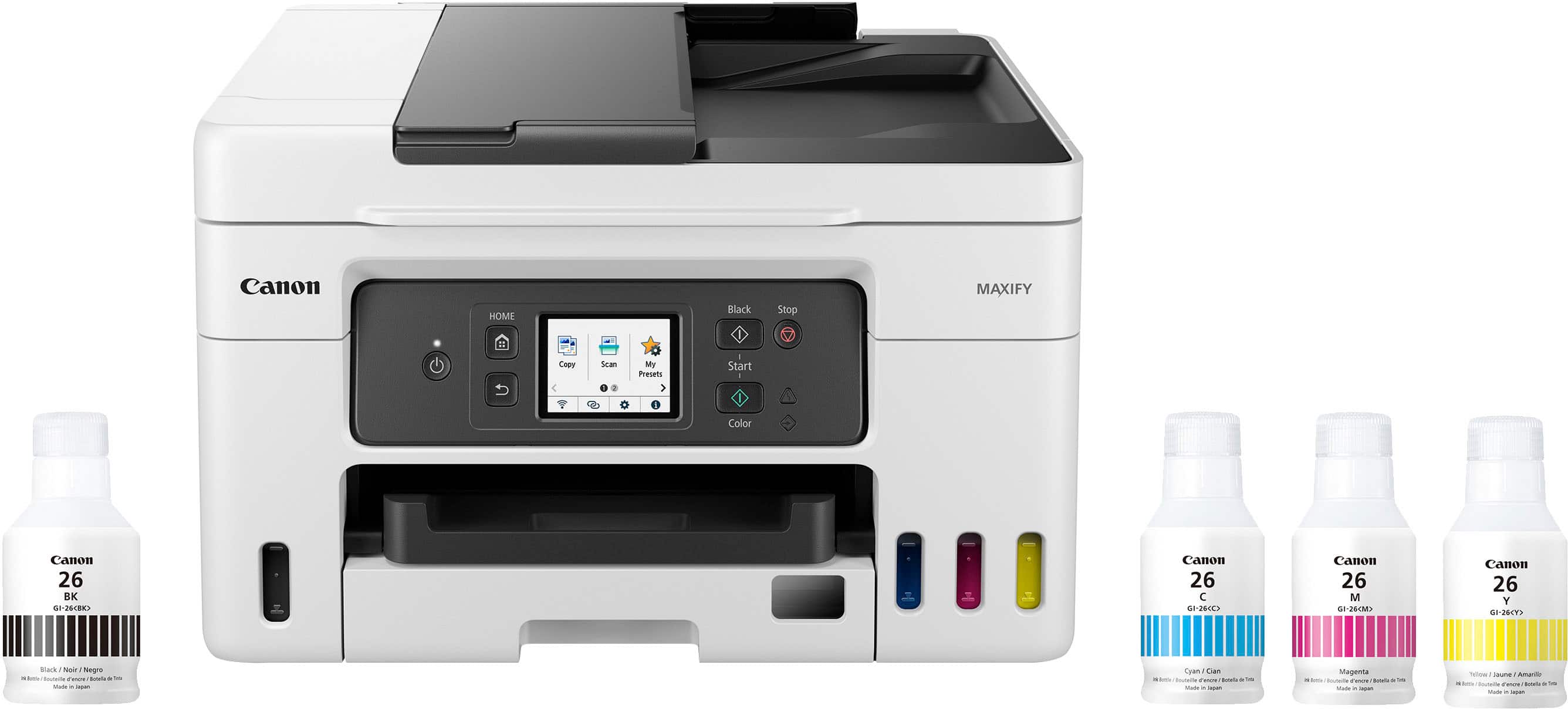
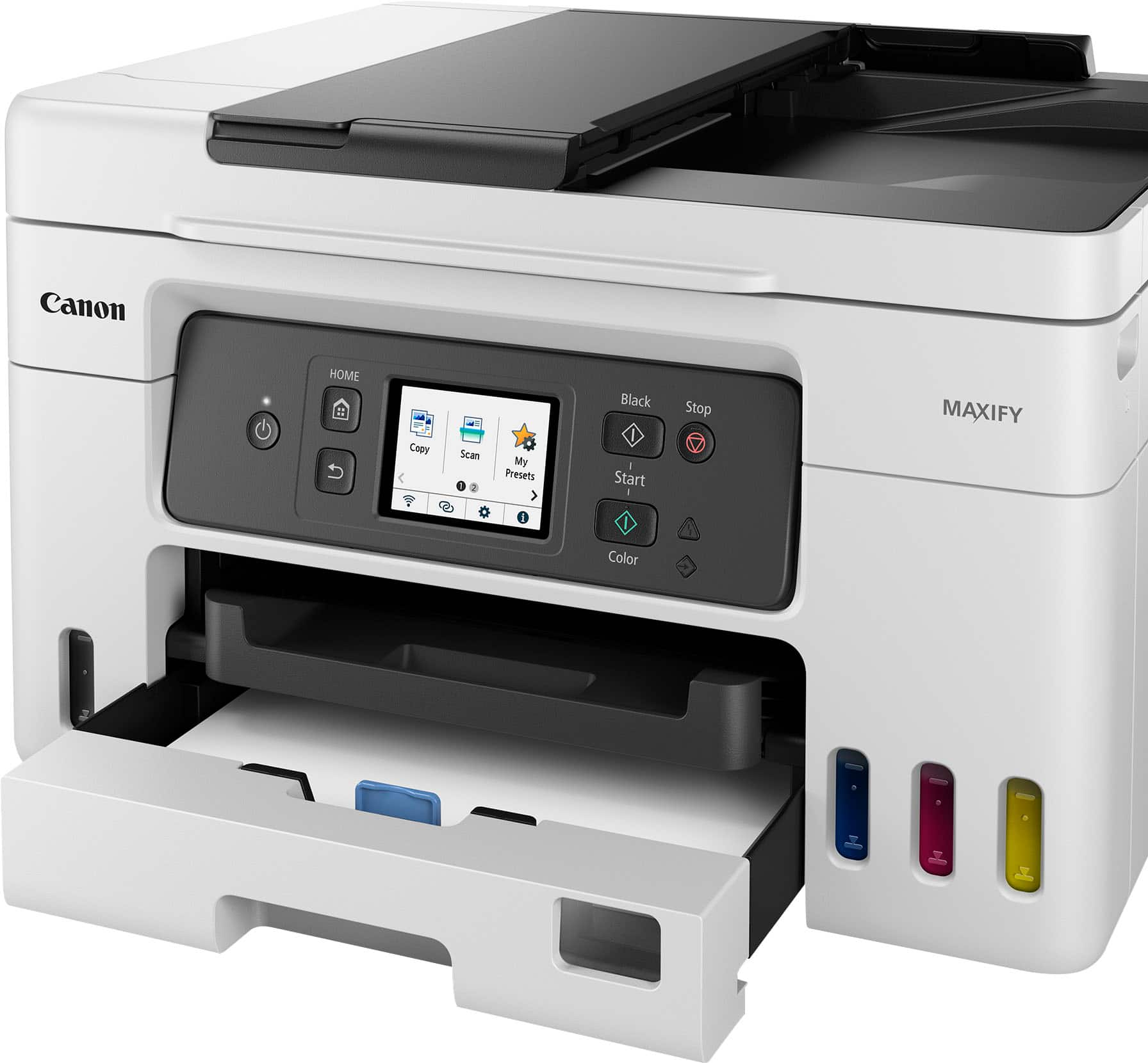
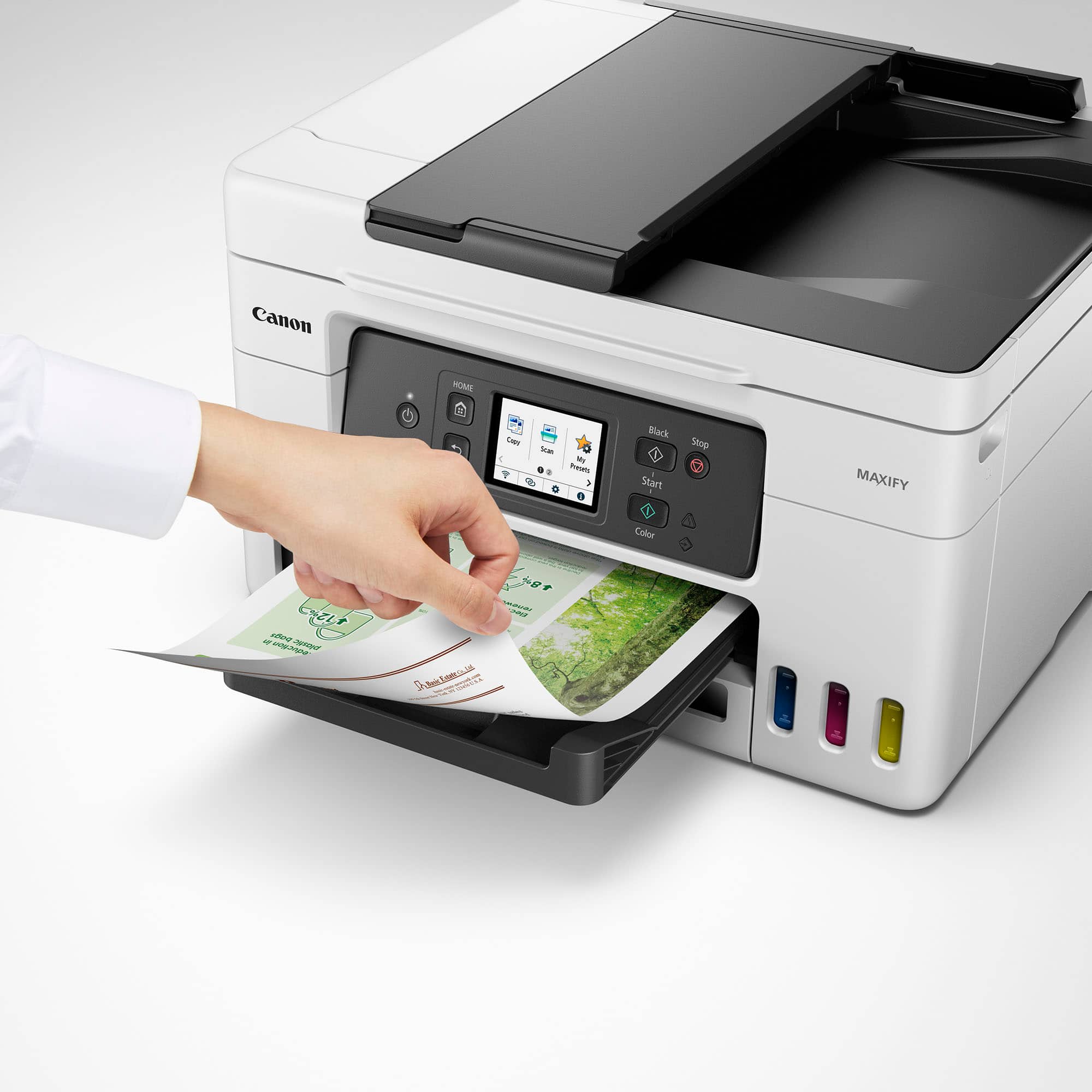
|Posted .This reviewer received promo considerations or sweepstakes entry for writing a review.I have many Canon products including my R7 and the Maxify GX4020 is what I needed for my home small office. Right out of the box it comes well packaged, it comes with instructions on how to take it out, it has tape to make sure everything is intact on arrival. The box comes with the GX4020, Power cord, telephone/fax cord, 4 Canon 26 ink (one yellow, one cyan, one magenta and one black) and lastly the manual and instructions. Setup is easy, it comes with a setup instructions pamphlet, and the application either on the computer or mobile device can be connected to the all in one. It has generic drawings of the printer and has step by step, from turning on the printer, pouring the ink, loading paper and the instructions on the screen of the printer. I like how it works either wired or wireless, so I do not need to have the printer next to me or my printer all I need is an outlet to plug it in. Printing is easy and for a home office it is fast, I like that I can print from my mobile device as well as my computer or laptop that I work from and it is not wired. I also like that it does print on both sides and it prints with a nice sharp and crisp finish. As I mentioned I have an R7 so I have printed my photos and they come out great. Copying is easy with the ADF or automatic document feeder up to 35 pages and that is more than enough for me. Scanning is something I do a lot since I do not like to have documents around, I just scan and store them on my computer, cloud or storage. The scanning resolution is 1200 x 2400 and it is plenty. Faxing can be done and it is a good option to have but I usually just scan and email or share the file. As for the ink, I really like the visual I have on the ink; the printer has windows to show the levels of ink and having a visual also helps to know if I have to order more Canon ink. I like the touch screen on the printer, I can do everything from the touchscreen if I want to and also it does give me important information such as how to do maintenance or fill with ink. I also like the shape of the printer, I can do everything I need without taking much space. Overall I really like the GX4020 for home or small office, I like how easy it is to setup and maintain. I like that it is easy to connect and use. I also like that all around the printer you have stickers showing me how to open, close, fill with ink and on the screen there is more information, finally on the application there is plenty more info available if necessary.
- Pros mentioned:Ease of use, Print quality, Size
A great home office alternative to laser printing.
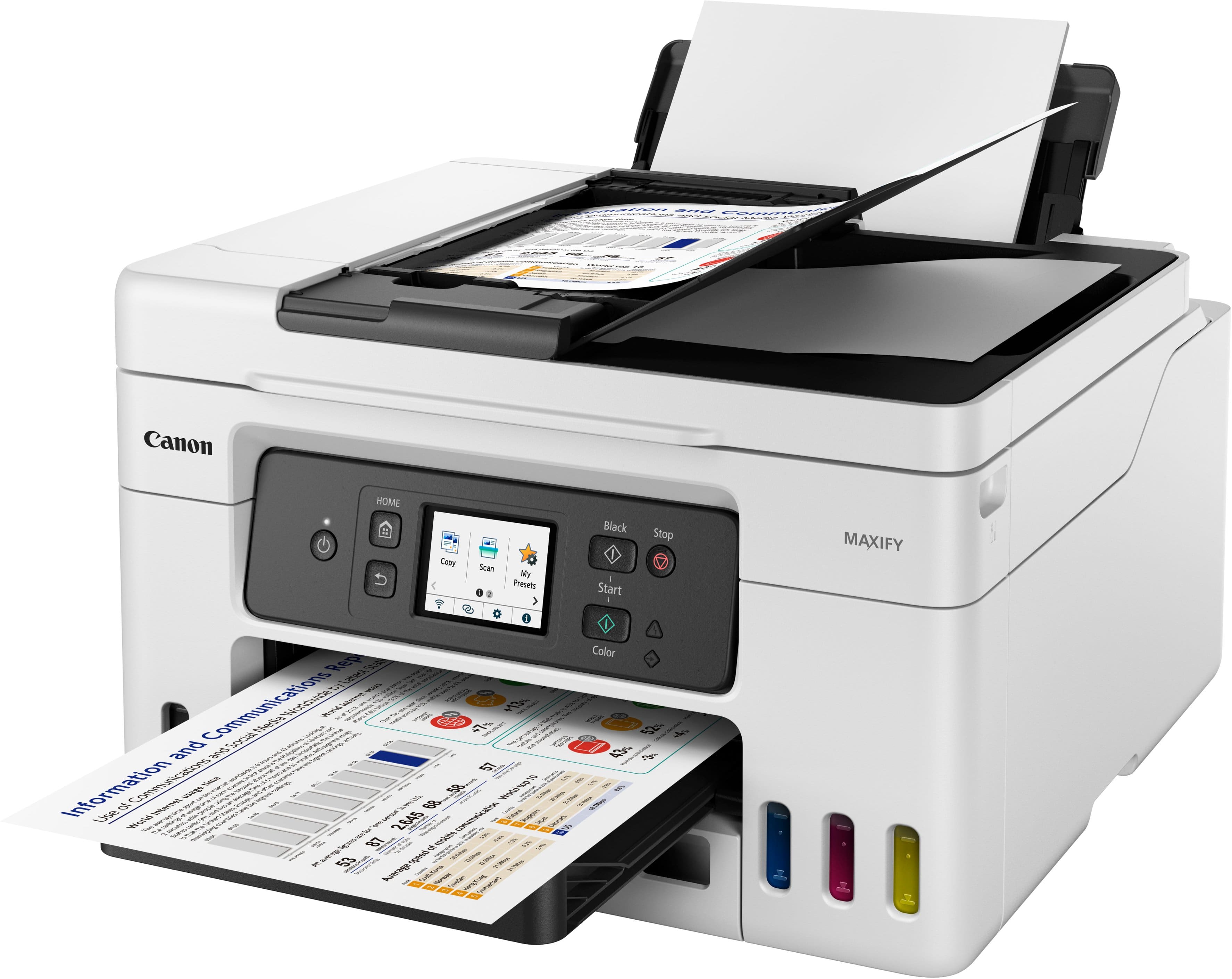
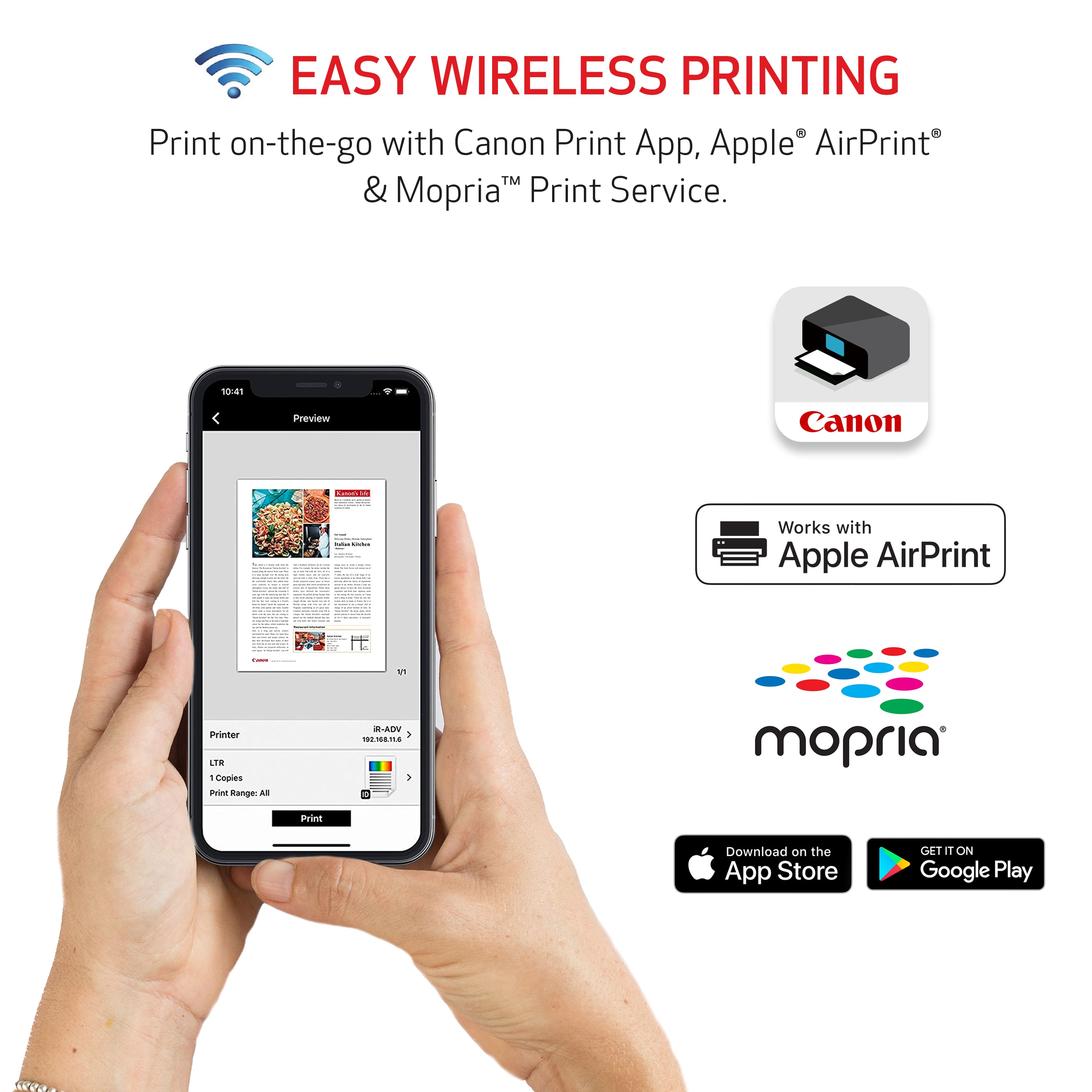
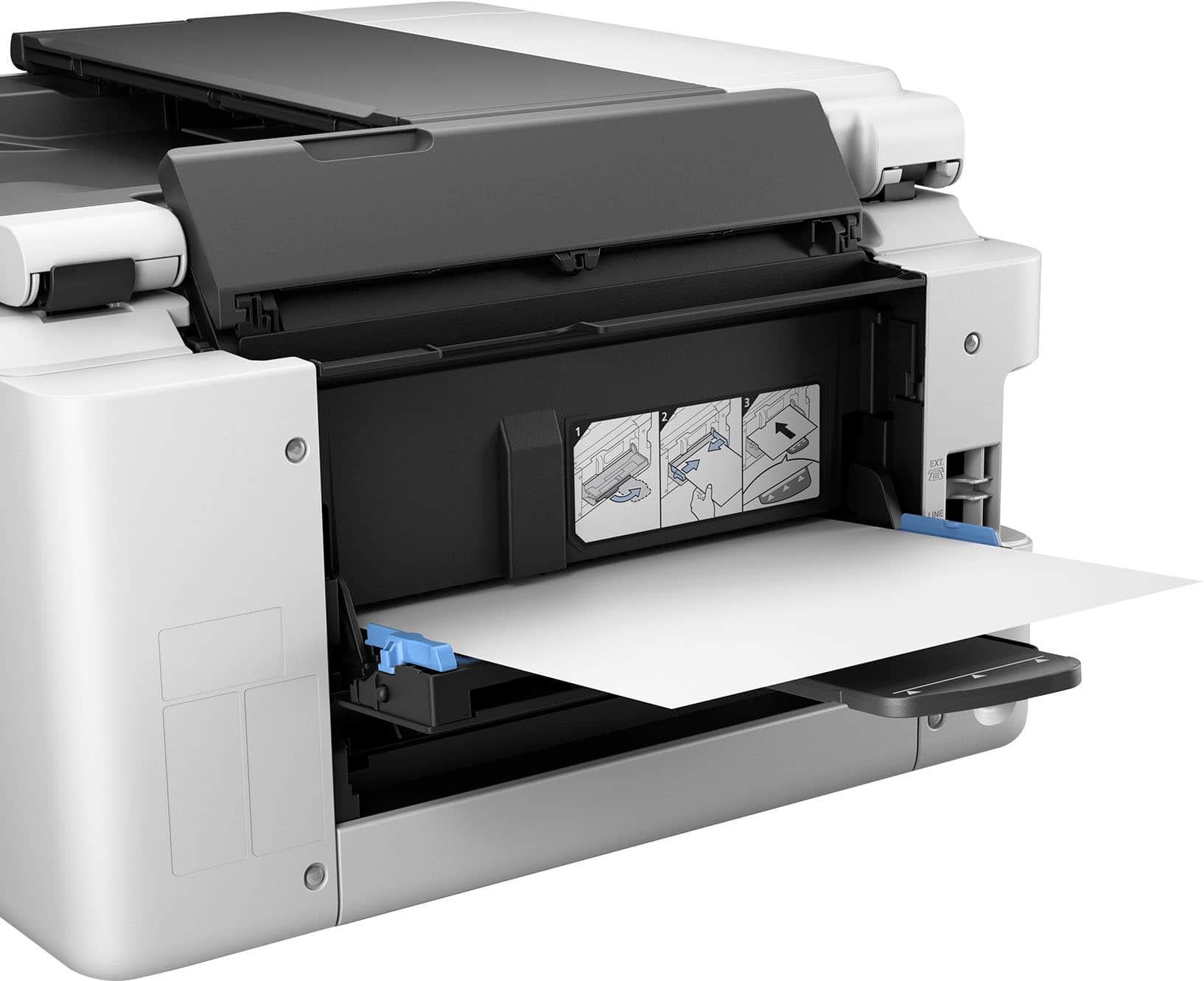
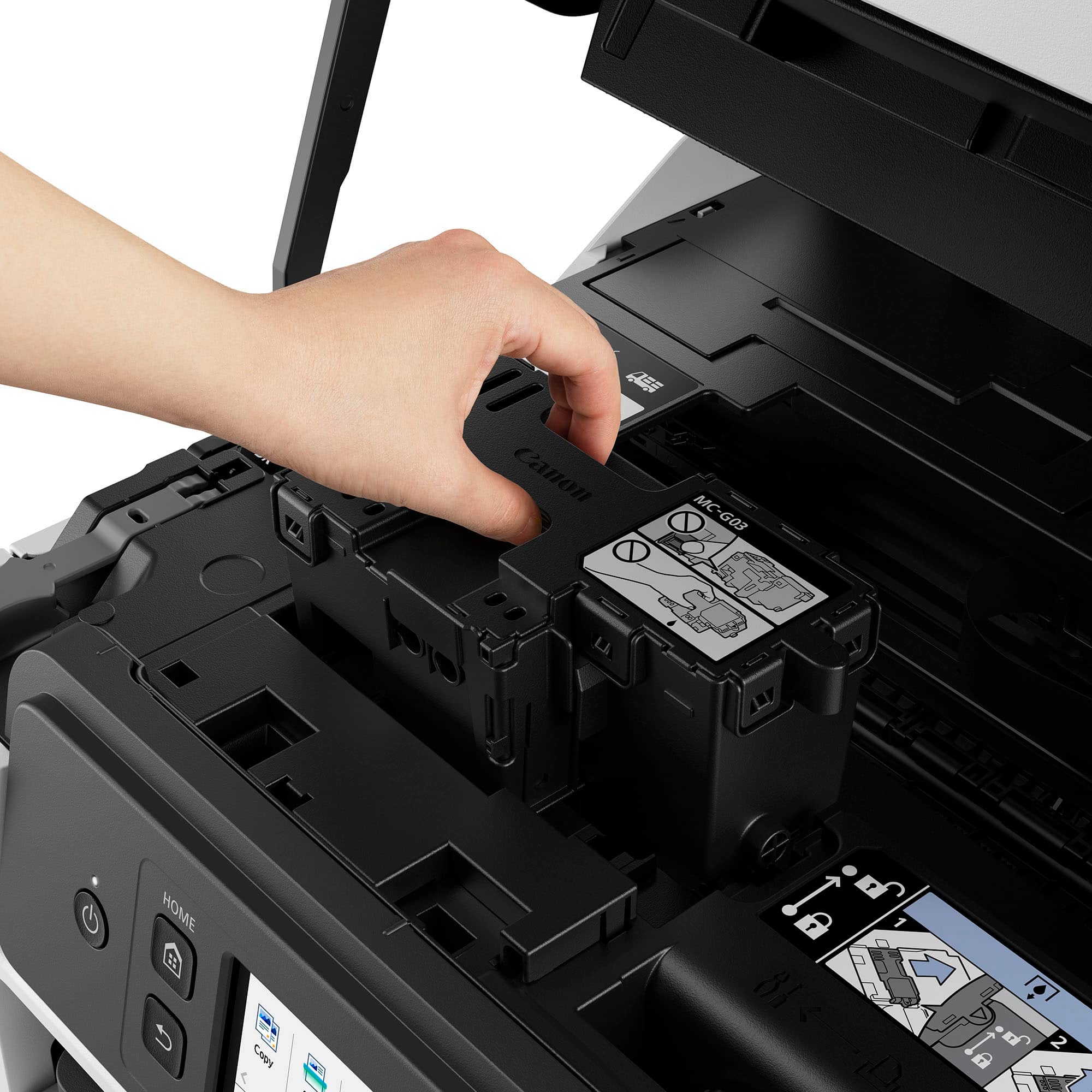
|Posted .This reviewer received promo considerations or sweepstakes entry for writing a review.Packaging/Delivery/Setup: This printer was shipped with just the product box and no outer packaging/box. To no one’s surprise, the box arrived damage, but the printer was well-padded enough where it didn’t affect the printer. Taking the printer out of the box, the first thing that stuck out is that it’s a nice size but not overly commanding (I should preface this comment with I have a medium-duty business printer that is easily the size of 3-4 of these high and two deep). It’s also insanely lighter, comparably but still feels substantial (or high quality). The design feels modern and is eye-catching. The setup was painless. This all-in-one supports AirPrint and the screen provides the instructions (or you can scan a QR code and access them online). With AirPrint, you pretty much just connect it to the same WiFi as your Apple products and they should “discover” the printer without having to jump thru hoops or download anything extra. Filling the inks was a lot easier than anticipated. I remember the old school ink refill kits that used to come with a syringe, and I was highly traumatized by these. I recall ink going everywhere and the consistency of the ink being too thin so it leaked out of the cartridges and effectively ruined the printer. I’m happy to report these re-fillable printers have come a long way and replacing the ink is as easy as aligning the bottle over the corresponding color and pressing down into the “inlet” with no mess. Printing/Copying/Scanning Some things that stuck out to me: (printing) LOVE the multiple paper trays (front and rear). The manual feed is kinda useless because it only does one sheet a time, but I do like the option of having multiple trays. I print more shipping labels than anything else, so I’d be likely to put these in the main tray and regular paper in the rear tray. I do wish (just thinking of placement against a wall) that there was an option to purchase stackable trays so both trays could be front-facing. (scanning) I was surprised to discover that this printer supports duplexed scanning. Copy and print speeds were good, but the weird thing is the print quality is worse than my larger laser (about 1/2 the resolution). Equally interesting, the scanner quality on this blows my larger laser out of the water (easily 2-4x the resolution). Some final things to consider: (1) The warranty on this is pretty funky. At first glance, 3 years is eye-raising, but then they go all car manufacturer on you and put a “orrrr 80,000 sheet” warranty on it. So after doing some math, a box of paper is 10 reams or 5,000 sheets. This means your warranty could end considerably earlier if you use more than 16 boxes of paper in any period of time. (2) Something that’s common on these small-business focused inkjet all-in-ones is to have consumable components that are required to be maintained outside of the ink. This is very much in-line with what you’d expect on a business all-in-one laser, but if you look at most consumer printers, they don’t require maintenance cartridges or print heads. The maintenance cartridge was explained to me as a reservoir for ink dispelled when the printer is calibrating etc. And the print head is over $150 to replace on an already $500 (MSRP) machine so just be aware of the cost of operation/ownership. (3) WiFi included is dual-band! And this printer is actually a little quieter than my laser. (4) From a design perspective (in regards to the touch screen/printer software) Canon made a lot of great decisions in regards to usability and this printer is intuitive and easy to use/operate for the average user.
I would recommend this to a friend - Pros mentioned:Print quality, Setup, Size
Mighty Printing; Small Footprint
|Posted .This reviewer received promo considerations or sweepstakes entry for writing a review.I’ve used a number of printers in my time, not all have been a pleasant experience. Whether it’s a clunky setup, inefficient printing, durability, or any other number of things printers can, and have, been an often frustrating experience. Then every now and again one comes along that changes your experience and your mindset. That is the case with the Canon GX4020. To begin, the footprint of this printer is relatively small comparatively, but don’t let that fool you. It packs a pretty decent punch - more on that later. The smaller size makes it much easier to place in tighter workspaces. Setup is one area where printers can cause an enormous amount of frustration. Canon has quite an easy setup and installation process. Remove the shipping tape, fill the tanks, connect to your print source, and boom - you’re printing. The initial print head cleaning did take several minutes, however that’s not something you have to deal with at any frequency. I connected to an iPad Pro 12.9, MacBook Pro, iMac, Windows 10 PC, and a Chromebook. Everything connected wirelessly and quickly. I’ve had no issues on any platform and printing is easy. I love the ink tanks. Filling is the easiest of any printer I’ve ever used. Literally turn the ink bottle upside down and place it on the tank. Canon has even made it foolproof by making each color have a different attachment shape, preventing users from placing the wrong color in an ink tank. Printing is fast and produces excellent images. No edge bleeding or runoff noticed. Paper feeds are smooth with printing and copying. Copying also produces excellent reproductions. Ink tank levels are easily visible from the front of the printer. The touchscreen is a bit small but definitely useful and usable. That is about my only complaint, but it’s not really a complaint, just more of a wish for a slightly larger screen. This is now my main home office printer. Small, efficient, tons of ink print longevity, excellent print, scan, and copy quality. It really is a no brainer. I would absolutely recommend this printer.
I would recommend this to a friend Paper jams frequently
||Posted . Owned for 1 month when reviewed.This reviewer received promo considerations or sweepstakes entry for writing a review.Paper jams a lot. I had trouble with 2-sided printing
No, I would not recommend this to a friend- Pros mentioned:Ease of use, Print quality, Size
Buy this, it's that simple.
|Posted .This reviewer received promo considerations or sweepstakes entry for writing a review.If you are looking for a nice printer, this might me the one to grab. We have a home office, and we need a big printer or one that can print lots of pages fast. Mega tanks are the best way to go, because you won't have to purchase ink for quite some time. I've been using mega tank printers for a long time, and I don't buy ink very often. This printer is on the smaller size, so it can actually fit in more places than you might think. The controls are ready to understand, and the least techie person can't figure this out. The screen on the outside could be a little bigger, as I wear glasses. It's kinda hard to see at times, but definitely not a major issue. Won't be for most people that use this printer. It holds a lot of paper, so that won't be an issue either. After using it for about a month, it's worth it in my opinion. It's on the higher side in price, but most of these mega tank style do cost more than other printers. The value you get from buying one of these makes sense.
I would recommend this to a friend - Pros mentioned:Print quality, Setup, Size
Very Classy
|Posted .This reviewer received promo considerations or sweepstakes entry for writing a review.I have been utilizing the Canon MAXIFY MegaTank GX4020 to assist me with my flyer printing for Real Estate business I've bee in for about 3 years. The setup is as simple. You do have to pour the ink into the tanks so take your time to try not to spill anything. Once you put ink in the tanks, you really can not move the machine, or the ink can spill. I have not had any issues with jamming either, nor streaks on my flyers. The print quality of the Canon MAXIFY MegaTank GX4020 very is crisp. I do use quality glossy paper as well. The printing speed is fast, and does not stutter. The size of the Printer is a little larger, but it will still look nice on an office desk. I do like the windows on the front of the machine that shows the actual level of the inks. Scanning documents is also a good feature. Uploading documents has never been as simple and consistent. I typically send them to my email, but I have the folder setup on my desktop as well. I do use both Apple and Windows operating systems, and both work great.
I would recommend this to a friend - Pros mentioned:Ease of use, Print quality
The inkjet I've been looking for MY ENTIRE LIFE!
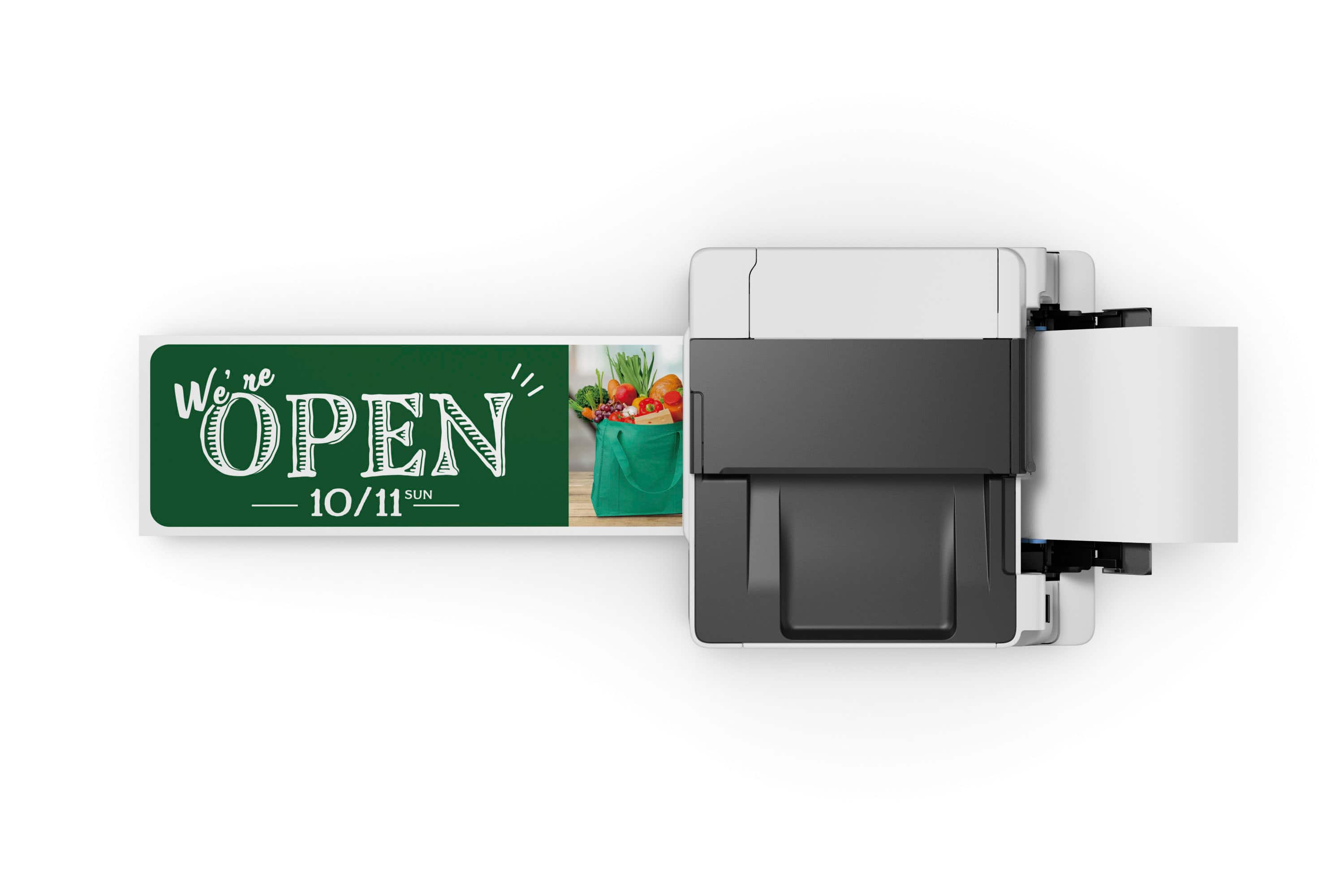
|Posted .This reviewer received promo considerations or sweepstakes entry for writing a review.I've had terrible luck with inkjet printers throughout my life. I've thrown away So Many printers because they fail in one way or another or they get clogged or they just stop working or run out of ink every time you turn around or at the worst times.... or brand new ink doesn't work etc. etc. etc. I essentially gave up on color printing because it's a pain and a hassle. I went out and bought myself a Canon Laser Printer Imageclass MF232W so I could run my business and deal with my person printing and not have to deal with the mayham and constant irritation of an inkjet while trying to earn a living. THAT printer has been nothing but WONDERFUL to use! Five plus years as my primary machine for personal and business (contracts, estimates, proposals etc) and I've NEVER had an issue with it AND I'm not buying ink or beating the side of the machine, begging it to print, copy or scan for me. That being said, I was More Than EXCITED to get this Canon GX4020 printer to do the color stuff I've been paying for and outsourcing through the years. This machine is PHENOMENAL in so many ways I don't have enough room to explain it here but I'll try. I highly suggest anyone buying this printer to actually read the manual because there's TONS of features in this printer and you won't know about some of them unless you read the manual. This printer actually has a feature that when you power it off, it closes/seals the print head to prevent it from drying out! How awesome is that?! That's a FANTASTIC FEATURE in my book because my color printing needs tend to be spread out, only needing color every now and again and not everyday. That is the main region why my previous cheap inkjet printers failed on me all the time. I've learned, now, that an inkjet isn't an inkjet. You get what you pay for.... and mainly I've paid for problems by going "cheap" with past inkjet printers. This machine prints fast and clear, has MULTIPLE FEED TRAYS for different types of paper, photo, envelopes etc. So you don't have to load and unload the same feed tray to change from paper to envelopes and then again to load photo paper and again to go back to normal paper. You can save settings assigned to the feed tray for the stock(s) you are using so all you do is select your preset when you actually do have to change stock in one of the feed tray options. Simple! Speaking of that, it takes basically every size of paper or stock known to man, including long continuous paper for banners! It scans & faxes beautifully and fast. Top feed is AWESOME to have, especially on a machine like this that will find itself in offices and small businesses. Wireless printing is fantastic! Love the sleep mode so it's not on all day everyday but it's smart enough to wake up and print when it gets sent a print... even wirelessly. It has MULTIPLE settings that can be saved so you don't have to re set it up all the time if you change out your paper types based on what you are printing. Touchscreen is great and makes setting up & changing settings a breeze, as well as easy normal operation. Oh hey... it has Automatic Double Sided Printing THAT ACTUALLY WORKS! It HOLDS A TON of ink! Refilling the ink is super easy and no mess! With ECONOMY MODE you can get 21,000 COLOR & 9,000 BLACK sheets from one inking! That's phenomenal in my book!!! In STANDARD MODE it's 6000 black & 14,000 color! The print quality is fantastic and it even has a QUIET MODE that you can run when noise is an issue but you are ok with slower printing.... that's not that much slower TBH. Great feature to print a high volume, overnight without having a ton of noise to deal with! The main paper tray comes completely out of the machine! Making changing paper and size super easy. Controlling it with the app is a breeze, the way it should be, it's not fussy or clunky. It does what it's told to do without errors or "spooling" or any other typical printer aggravations. The footprint is TINY considering all the capabilities of this machine. It's 16 inches wide by 16 deep and 9 3/4 high nominally without the tray hangovers. They really did a nice job with designing in all these features and not having it be a giant machine. It feels solid and well built and even has an automatic hold open arm when you open the top to fill ink and a "soft, slow close" built into the top hinge so that it doesn't slams shut hard. They've really thought about a ton of "little things" with this printer and paid attention to detail and because of that it has really inspired confidence in me that this is the inkjet that I've Been Looking For MY ENTIRE LIFE! I'm so happy to be able to print my own full color flyers for my business now and not have to order them any more! That's how nice this prints!... and how cost effective it is! I love everything about this printer so far and knowing what I know now, I would 10,000% buy it without regrets! I've had zero issues with the machine, including setup. For real, skim the manual and thank me later. Operationally, no issues. Prints, scans, copies and faxes first time every time. No paper feeding issues or paper jams.... even on higher volume print jobs and using the cool top feeder. Color prints don't come out soaking wet and warped like my past inkjet printers. The touch screen is responsive and makes navigating through the machine very simple and its setup is intuitive to use. I'm Very Happy with the machine so far and I have nothing but nice things to say about it. I used to dread having to print anything in color, so for the first time in many years I have a machine that is so confidence inspiring that I actually get excited a little when I have something I need to print in color. The top auto feed is so convenient.... and the copy is done and printed a fraction of second after the feed releases the scanned paper. I've used this machine to print from my Samsung Tab S7+, Samsung Note 10+, my desktop (windows), my laptop (windows) and our business Android Tablets and mobile devices and it's worked flawlessly with all of them. I haven't had to "troubleshoot" not once since taking the machine out of the box. It's plug and play, after skimming the manual. It has its own built in maintenance and cleaning and squirts ink into a maintenance cartridge (read the manual) and not soaking a piece of paper with silly amounts of ink to keep things flowing smoothly and no dry outs! This is a great addition to my equipment lineup and I can't wait to print another run of flyers or even print my own full color proposals now without having to stop somewhere and get them printed on my way to meet with a prospective client! I think I've finally found an inkjet that does what a printer should do.... make my life easier, more convenient and stress free.....as far as color printing is concerned. Love, Love, LOVE THIS MACHINE! You won't be disappointed, GO Buy One! I could go on and on about this printer but you can't fully appreciate my words and how they apply until you actually get the machine and use it. It's the NICEST PRINTER I've ever owned personally and I'm more than happy that I have 24/7 accesses to hassle free color printing now! I've had nothing but good luck with Canon Printers since I switched from other brands that I've thrown away. I've never had to throw away a Canon. Just sayin'.
- Pros mentioned:Ease of use, Print quality
Exceptional Canon Quality
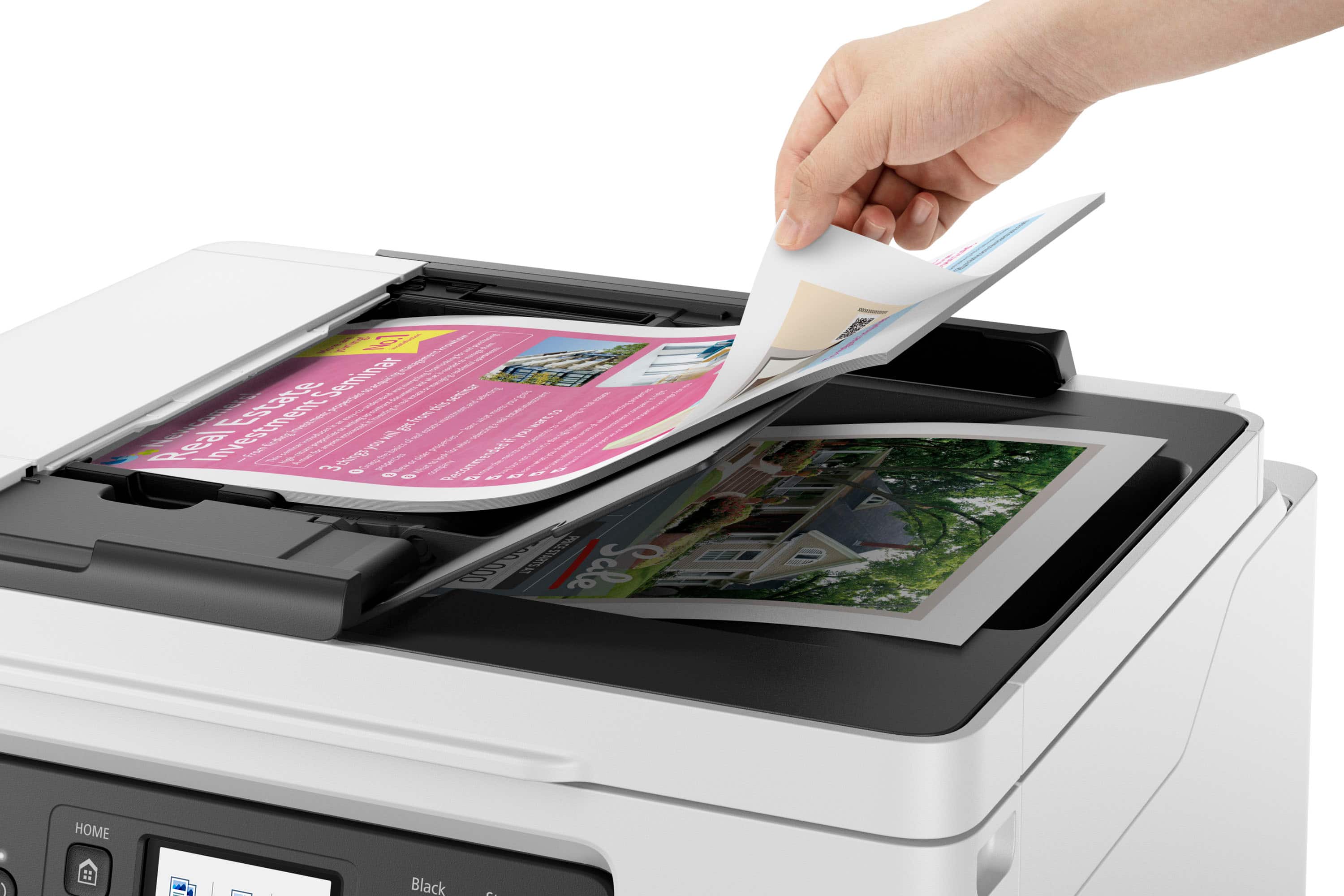
|Posted .This reviewer received promo considerations or sweepstakes entry for writing a review.After a couple weeks of use of the Canon 4020 printer, I have to say, it's probably the happiest I've been with a printer at this price point or below. This coming from an IT professional who has dealt with setting many up, and associated user complaints.The kicker for me was the ease of setup using my phone, and ultimately the ability to easily print directly from it with the app. If you're like me, I use my phone for everything, from viewing bills, forms, email, etc. I have several computers, but I rarely use them unless I have to type, so I appreciate the integration, moreso than other brands, in accommodating the mobile devices. On to quality, I didn't have any photo paper, mainly because I print invoices and forms exclusively, but I did attempt to print one even on plain paper, and it came out surprisingly good! The scan feature is easy, but be aware, if you're going to be scanning into your computer, although this has an ADF, it is not fast, at all....So any frequent scanning is highly discouraged, but it's at least available on this for the occasional usage. Copy of course allows you to use the flat bed or ADF. There is also a direct input in the rear that folds out to do envelopes or thicker items that may not bend well through the traditional drawer. The quality of the device feels modest, not impressive, but acceptable. I foresee the slide out tray to catch prints breaking at some point down the road, but this is a true all-in-one device at a fairly decent price for the features. This isn't even mentioning the whole "maxify mega tank". The ink comes in 4 separate bottles, 3 color and 1 black. It is extremely simple to input, the bottles have their own specific ports that each have a unique cutout pattern, so you can't insert the wrong color in the wrong slot, I appreciate that, if not for myself, for other users that may be less...aware. I'm skeptical the ink will stay fresh and not begin to clot, but I'm assuming Canon did their research here and have a special formula to avoid that. The claim for 14,000 color pages is extreme. I rarely print in color, so we'll see how it holds up. Overall a very solid machine at this price point, especially if you have a mini home office that requires multifunctionality.
- Pros mentioned:Ease of use, Print quality
Canon hits us with another winner!!!!
|Posted .This reviewer received promo considerations or sweepstakes entry for writing a review.So the title gives away a bit of the review of the Canon - MAXIFY MegaTank GX4020 Wireless All-In-One Inkjet Printer with Fax - White, all because it is all so simple and easy. From setup to usage. With the Canon - MAXIFY MegaTank GX4020 Wireless All-In-One Inkjet Printer with Fax - White - you get a "PIABAB" Or for those that don't like acronyms - a printer in a big (bleep) box.] The Canon - MAXIFY MegaTank GX4020 Wireless All-In-One Inkjet Printer with Fax - White has only one major setup step and that is to feed it its ink supply! I'm a major fan of the "MegaTank" line, as well as others who are now waking up. We no longer want to buy piddly (sp) amounts of ink for enormous prices. The Canon - MAXIFY MegaTank GX4020 Wireless All-In-One Inkjet Printer lets you feed the basic colors (Black, Yellow, Cyan, and Magenta) and it seems like it will never run out of ink no matter what you throw at it! The second step of setup is through your operating system, and that is simply having it find the printer and the driver. And then a couple of small network steps and you are done! You have a printer with an endless supply (or what seems like it) of ink. My neighbors saw it being delivered, and they aren't uber nerds: like myself, or even nerds. The next weekend their daughter was coming home from the service for a visit. They desperately wanted a "Welcome home" banner made but didn't have the $$$ to pay to have a "Big Box" store make and print one out. I've made a few in the past using (multiple) legal-sized sheets of paper. The Canon - MAXIFY MegaTank GX4020 made the job so much simpler! We had a great time in my heated garage designing the perfect banner, then I had (we'll call her Jade) press print, and then Jade and her husbands' eyes lit up when my wife brought out the (almost fully constructed) banner. The colors were bright and vivid, the text crisp. And this giant banner (13 legal-sized sheets of paper IIRC) did not even put a dent in the ink supply. Before, I would be having a stroke wondering "how much blue, or how much black this is using". Those fears are gone forever with the Canon - MAXIFY MegaTank GX4020 Wireless All-In-One Inkjet Printer with Fax - White. The fact that it is ALSO a copier is icing on the cake as my neighbor needed a copy of her daughter's birth certificate. Cut out, you can not tell which one is which; that is how great the Canon - MAXIFY MegaTank GX4020 is! Keep in mind I'm not advocating using this printer for dubious purposes (you will get caught, and you will go to jail) I'm just pointing out the print quality. And when I think about it, I think it was set on just "normal" as well! Unfortunately not having a "regular" phone line I was not able to test out the fax feature. But if it's like everything else - it's great! To sum it up, Canon hit it out of the ballpark with the MAXIFY MegaTank GX4020 Wireless All-In-One Inkjet Printer with Fax - White. This will be an upgrade from any printer you're using today! Hit up a local best buy or order on the website! It's worth it!
I would recommend this to a friend - Pros mentioned:Print quality, Setup
This Printer Has It All!
|Posted .This reviewer received promo considerations or sweepstakes entry for writing a review.Canon has officially won my heart back with the Maxify MegaTank GX4020, an all in one printing solution. Setup was the easiest yet with easy to follow prompts plus fast and easy mobile setup as well! This is an All in One printing solution, which means it can Print, Copy, Scan, and Fax. This is available on most printers nowadays but where the Canon shines is the scan and copy bed, with a 1200 x 2400 dpi can resolution, which gives original detail on almost every document, photo or whatever you are scanning/copying/faxing. The Copy features are plenty as well with Fit to Page, Doc Copy, and even ID Copy, but that's not all. The printer itself can make great photos and print all the work documents you need, but I found it works great making stickers! Yes, stickers, and it rocks! I bought a sticker making kit with precut shapes you can add a logo, picture, or whatever you want and print. The quality is just as good as the $5 stickers at truck stops, which is fine with me. The printer also can make professional signs and long style banners, I only tried a small 8x10 poster and the quality looked no worse or better than most local printing companies, this will save me lots of printing costs for the fliers I use at events. The printing color is also very true to what I want, the colors do not differ much and it is always hard to take what is on a screen and put it to paper. My system has been tuned to have the truest colors as I design graphics for ATV's, dirt bikes and more, so I can truly say Canon's color profiles are corrected and can be used for projects that color is the utmost important item on your checklist. This is my first tank style printer and I can say this looks to be the way to go. Quick fill, easy to buy the ink at many retailers and cheaper in the long run from what I can tell. The printing head can be removed easily for replacement and maintenance as well, it will most likely last the lifetime of a normal consumer but may wear out in a business setting after a few years like most do. The 4020 has an included 3 Year or 80,000 Page warranty, which is insane for most companies nowadays, this shows me that Canon knows this printer is built to last and perform. Print fast, Print Clear, Print Bright, Print with this Canon!
I would recommend this to a friend - Pros mentioned:Overall performance, Print quality
Great for home office or small businesses!
|Posted .This reviewer received promo considerations or sweepstakes entry for writing a review.The Canon Maxify GX4020 is one amazing device. It truly, in my opinion, checks all the boxes for a small business or home office. It copies, prints, scans, and even faxes documents! On a side note, I am not sure exactly how many people still send a fax, but it is a nice feature to have. It came well packaged and, after opening the box, I followed the easy to understand setup instructions. The main thing that has to be done is adding ink. This printer holds a huge amount of ink in four different reservoirs. All you have to do is open the bottle of ink and dump it into the appropriate reservoir. It really is that simple. After that, I loaded some normal printer paper into the printer and let it run the setup process. This printer does also do automatic double sided printing which is an awesome addition to the device. Printing wirelessly from my phone and laptop was a breeze as well. My only complaint about this printer is the screen size and the lack of a "tilt" function. I feel like a printer of this quality should have a larger screen. I also feel like it would have been easier to use if I could have tilted the screen outward. Other than that, this is a great printer with a huge ink reservoir that will print a long time before having to buy more ink!
I would recommend this to a friend - Pros mentioned:Ease of use, Print quality
Canon Hit A Home Run
|Posted .This reviewer received promo considerations or sweepstakes entry for writing a review.This Canon printer is quite impressive for what it is. Normally, I like to steer clear of Canon printers as I have had some rather bad experiences with them in the past. I decided to take a chance on this one and so far I have no regrets! Setup out of the box is pretty straight forward, especially considering it's designed to be wireless! One less cable running through my home office setup is always a welcome thing. I set this up on the opposite side of my home office from my main computer desk. Using the Canon app and software makes using the printer, and scanner, easy as pie. Once I had the printer identified on my Mac, iPhone, and iPad I was able to reliably print from any device. Anywhere in my house even. The included bottle of ink complete fill the tanks inside the printer and I think they will easily last me the better part of a year based on how often and what I print. Print quality is above average with smearing at all. Color prints, to me at least, appear on par with what is on the screen when I print. Text, even small text, is clear and sharp. Scans as well come through clear and sharp. Even scanned wirelessly! Using the built in touch screen is easy as can be. So far no jams or issues meaning this is worth the money in my book.
I would recommend this to a friend - Pros mentioned:Print quality, Setup
Easy setup, quality printing
|Posted .This reviewer received promo considerations or sweepstakes entry for writing a review.This cannon despite appearing to be bulky, and potentially too heavy was quite easy to get into my office. The packaging was perfect, and includes pretty much everything you need for a small/office environment. Setup was a breeze straight out of the box, and o decided to go with the QR code setup. Remember to follow the instructions as they read, so you don’t miss any packaging, or insert the ink incorrectly. Within about 15 minutes I was up and ready to go. The display is of decent quality, and responsive. Visually, the printer looks nice in the office, and the print quality is really good for an all in one printer. I had no problems printing test documents from my phone wirelessly, and no issues getting the printer connected to my internet. The only feature I haven’t tried, or need at the moment is the fax, but it’s handy to have. What I love most is that for a all in one printer, the setup was easy, it takes up a decent amount t of space without being too much, and it prints at a pretty good speed. You won’t regret your purchase, and I’m glad to have this Cannon to replace a different model and brand.
I would recommend this to a friend - Pros mentioned:Ease of use
Perhaps the Best Printer on the Market Today!
|Posted .This reviewer received promo considerations or sweepstakes entry for writing a review.The Canon Maxify MegaTank GX4020 Wireless All-in-one Printer is perhaps the easiest printer I have ever set up. I didn't have to do any online searches or go to any video apps to help me figure out how to get it up and running. In fact, it is so easy and simple that there is no "Quick Start Guide" included. Now mind you, this printer is designed for small business and home use, so I think its safe to say that anyone who purchases this printer will have at least a rudimentary experience base, and will know that the tape holding parts in place needs to be removed, paper has to be put in the paper tray, etc. The included instructions say to power on the printer and follow the instructions on the display. And I swear, it really was that simple and easy. This is the very first ink tank printer I have ever used, so to be frank I was trekking in uncharted territory. But again, the instructions on the display made even filling the ink tanks a wonderfully easy experience. Each tank is dedicated to a certain color. There is Yellow, Magenta, and Blue, as well as Black. Filling is as easy as unscrewing the cap on the bottle, and placing it upside down on the appropriate tank filler. Each bottle appears to be exactly enough to fill each tank the first time around. I was a bit worried about whether the tank might overfill, but the black set my mind at ease as there was still a good amount left over in the bottle, and there was zero spillage at all. I mean NONE. No spill, no mess. After the tanks were filled, the printer went through a roughly ten-minute finishing process to get itself ready for printing, including an alignment process. There was no need to sit around and watch it, or the need to remove and re-insert the alignment page as the printer took care of all that. When finished it printed a test page, and everything looked great. As a side note, I wondered about the possibility of accidentally inserting a color bottle into the wrong tank, that is, what would happen if I accidentally tried to put the yellow into the blue tank. Canon took care of this possibility as well, because each color ink bottle is "keyed" to fit only its corresponding tank on the printer. There is no way you can accidentally put the wrong color into the wrong tank. Again, thank you, Canon! Now, it was then time for the network connection. This involved downloading the app for the computer. Based on my experience with another well-known computer and printer company, I was filled with doubt and apprehension about how well this app would work. The "other" company's printer software has been a freaking nightmare, and I never know when using its printer whether I will have to go through the set up process again, reinstall it or whatever. You will think I am embellishing my review when I tell you that after following a couple software install prompts, the Canon app DID EVERYTHING to connect the printer to my home network and get it ready for wireless use. I'm still on cloud 9 about that...there was no issue whatsoever in trying to find the printer, the network...I didn't have to go to my router and press the WAP button...not one single issue. This is the absolute most painless printer install I have ever experienced. I don't know who the designers are who developed this product, but Canon hit the jackpot when they hired them. They understand all the issues of set up and installation, the intuitive aspects of the printer software, even the packaging and shipping of the product. It is all top-notch and first-class! Seeing as this is an all-in-one office machine, I was eager to test out its other functions...copying, faxing, and scanning. I was really interested in the double-sided printing function, so that was the first function I tried out. I might interject at this point that there is an online user's manual you can download if you feel the need. I experienced a couple little quirks while initially attempting double-sided copying, but the printer prompted me specifically as to what the issue was, and the issue was that I had failed to select the correct paper size. This had nothing to do with the printer itself. I selected double-sided printing in the print setup, and clicked print. As I watched it print, I noticed the printed page was coming out of the printer, and I was a bit disappointed, thinking I was going to have to manually flip the page over. At the last second, the printer "grabbed" the page, reinserted it, and printed the second side. No human intervention needed at all. A perfect print. Now it was time for the scanning function. I discovered you can use the ADF (automatic document feeder) or place the original on the glass. I chose the ADF. Rather than use a simple text document, I chose to push the boundaries and used a document with text, graphics, and a photo. The scan itself was flawless, and the secret to success lies in HOW to save the document... With a photo and/or graphics, you have the option to save as PDF, png, or jpg. Since it is so easy to find even free PDF software allowing for editing, not being able to save as a doc file is not even an issue when graphics are involved. The only minor let-down came when I discovered that even pure text documents can only be saved as PDF files. I'm not sure why this is, but again, with the number of PDF editing apps out there, this really isn't much of an issue. Something to keep in mind is that the finished scan also depends upon the scan resolution. Default is 300dpi, with the max being 600dpi. (The minimum is 75dpi). There is a marked difference in scan times when using the higher resolution or the lower resolution options. Lower resolutions scan much quicker, and the 600dpi is noticeably slower. The cost/benefits to using any of these settings is of course noticed in the finished product. Graphic scans at the lower resolutions are quite marginal, and the 600dpi is quite good. I think it would be nice to have a 1200dpi option, but perhaps that might be available later. Another side note is that the GX4020 required human help to scan double-sided documents, that is, it cannot flip the document over by itself to scan both sides. Sadly, I am unable to test the faxing function of the Canon printer, as it requires a dedicated phone line which I do not have. I have not personally sent a fax in over 20 years, so this is not even an issue with me. I would have liked to try it out though. From top to bottom this is one of the best printers (along with the app, design, etc) I have ever had the distinct pleasure to use. It is painless, unbelievably intuitive, and elegantly simple to use. I cannot say enough about the app and how easy and reliable it is. No matter how many times I turn my computer on and off, I cannot get the app to do like its competitors and lose the printer, necessitating a reinstall. And with a reported 6,000 pages of b&w printing and 14,000!! pages of color, the print costs are amazing! This is an outstanding product, and I will gladly and whole-heartedly recommend the Canon Maxify MegaTank GX4020 Wireless All-in-one Printer anytime the circumstances allow, especially to my family and friends. And again, thank you Canon for a top-notch product!!
I would recommend this to a friend