Customer Ratings & Reviews

- Model:
- B11B228201R
- SKU:
- 6280708
Rating by feature
- Value
Rating 4.5 out of 5 stars
- Quality
Rating 4.7 out of 5 stars
- Ease of Use
Rating 4.6 out of 5 stars
Customers are saying
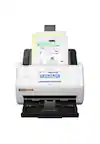
Customers frequently mention how fast and easy the WorkForce ES-500WR is to use. They also appreciate its compact size and wireless connectivity. The scanner's software, including OCR capabilities, is also well-received. While some customers found the setup process to be time-consuming, the overall sentiment towards the product is positive.
This summary was generated by AI based on customer reviews.
- Pros mentioned:Scan speed, Size, Software

Great Scanner, High Quality
|Posted .This reviewer received promo considerations or sweepstakes entry for writing a review.I was actually quite impressed with this scanner, the time it takes to scan as well as it's ability to scan front in back with high detail. It has the option to scan both wired or wireless, and even comes with a Superspeed USB A to USB B. I scanned a few different type of papers, even tested scanning a few different type and sized paper at once with no issues. The Epson scanning software is also very easy to use, with a ton of options when saving your documents, there are multiple export options to boot when you scan. I like when I scanned a receipt, the software was able to what I scanned and asked if I would like to discard the back side of the scan as it was just the company logo over and over. I have a bit of paper bulk and this is going to allow me to create a digital copy of things in case I may ever need to reference it at a later date. This has the speed and functionality of a heaver duty scanner, but in a package that can fold up very small and be stored out of the way.Epson did a very good job at designing this scanner. This Scanner was designed to do one thing, and it does it well, I would definitely recommend this product!
I would recommend this to a friend - Pros mentioned:Ease of use, Scan speed, Size
Powerful and proficient
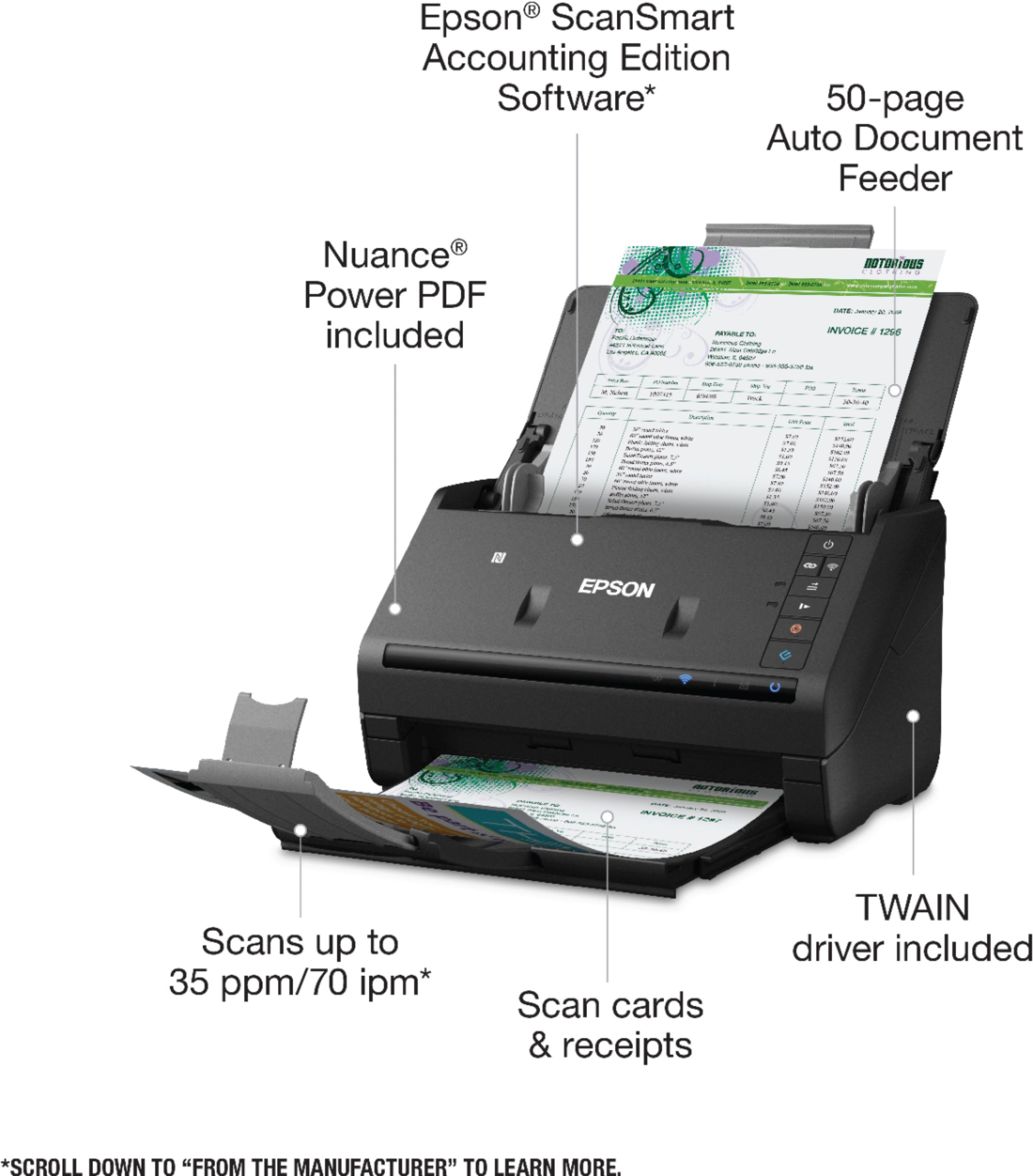
Posted .This reviewer received promo considerations or sweepstakes entry for writing a review.This printer from Epson is indeed powerful and efficient. Since I own my own housekeeping business, it’s been important for me to find a reliable and proficient scanner for all my accounting and documentation needs. This machine helps me to easily scan in my invoices, receipts, important bills, contracts, and other documents. The set up process was very easy and simple, I simply followed the instructions. My documents quickly and easily glide in and out the scanner. It also has a double sided scanner which allows me to scan both sides without needing to constantly switch around the paper. I also love that I can scan ID badges and cards for business purposes and they come out super clear. It has a 50 page automatic document feeder so you can load a stack of papers and leave it. That option allows me to multitask and continue on with my day. Setting this up for wireless was easy as well. This set also includes the Epson scans mart accounting software which was an added bonus! I recommend this scanner for small offices as well as large offices due to the compact size and proficiency of this machine. This is a review for the Epson WorkForce ES-500WR Wireless Document Scanner that I received free of charge to do a beta test and review.
I would recommend this to a friend - Pros mentioned:Ease of use, Scan speed, Size
Great Epson WorkForce Scanner for all your needs!
Posted .This reviewer received promo considerations or sweepstakes entry for writing a review.Review for WorkForce ES-500WR The first benefit I noticed when I opened the box was how compact the scanner was. The installation process was self-explanatory. I was able to connect the scanner wireless which is a plus. Didn’t have any problems downloading the Epson scanSmart software. Love the fact that I could scan receipts, ID’s, documents, invoices, pictures, even business cards. Search edit files and export to QuickBooks, Excel, Dropbox, google Drive, Tablets, smartphones and more. The scanner works in a fast-paced quiet mode. A big advantage of the paper feeder features is that you can scan stacks of documents in a single batch. Another advantage is two-sided scanning. The scanner Is also equipped with slow speed mode button, for delicate or wrinkle documents. Double-feed detection skip button to easily resume scanning documents. I will recommend the WorkForce ES-500WR to anybody who is looking to purchase it for their business or personal use. If you simply are looking to get more organized and clutter less this scanner is ideal for you. It serves its purpose, So, go ahead and give it a try it will exceed your expectations. Thank you for reading “This is a review for the Epson WorkForce ES-500WR Wireless Document Scanner that I received free of charge to do a beta test and review.”
I would recommend this to a friend - Pros mentioned:Ease of use, Scan speed, Wireless
Great - Once It Gets Going!
|Posted .This reviewer received promo considerations or sweepstakes entry for writing a review.First and foremost, this is only a scanner. Do not purchase this if you’re looking for an all-in-one machine. I noticed a few things upon taking it out of the box. It’s lightweight, sturdy and that it has minimal buttons. This is a wireless device, so power cord is all you need. I really like the idea of connecting with my computer, smart phone and/or tablet. Very convenient! This doesn’t take up a lot of space, which is a huge plus. You have to download files to get it going. My Internet connection is great, so it only took a few minutes to download the files onto my computer. The issue though was the installation process after I downloaded the files to my computer. It took a ridiculously long time. After a few minutes I grabbed my stopwatch and started timing it. The files finished installing on my computer after 28 minutes. Figure 32 minutes, given that I didn’t start it on time. I tested it by scanning 5 pages. It was very quick and the quality was impressive. I haven’t tried double sided yet, but I’m curious to see how that’ll work. The quality was readable. Although I don’t work from home, it’s nice knowing I have a scanner like this one. Pros: Lightweight Doesn’t take up a lot of space Wireless Can scan to: Computer, smart phone and tablet Can scan to Dropbox, Sharepoint, Google Drive Scanned file can become a searchable document Claims to handle 50 pages Various page sizes Cons: Long initial setup Initial problem with scanning, but it worked after some troubleshooting I’m giving this a 4/5 because after setting it up I had some initial problems when I pressed the scan button. I followed the instructions so it wasn’t user error. Overall, this is a very nice machine for personal use. It’s small, fast, lightweight and does the job nicely. I really like how it’s a wireless machine, but it is on the expensive side considering it’s only a scanner. Due to the price and only being a scanner, I’m torn if I’d recommend it to a friend. If you’re looking for a small scanner that doesn’t take up a lot of room, definitely consider it. Also, this can be a great option if you work from home.
No, I would not recommend this to a friend - Pros mentioned:Ease of use, Scan speed, Wireless
A must have scanner for organizing documents
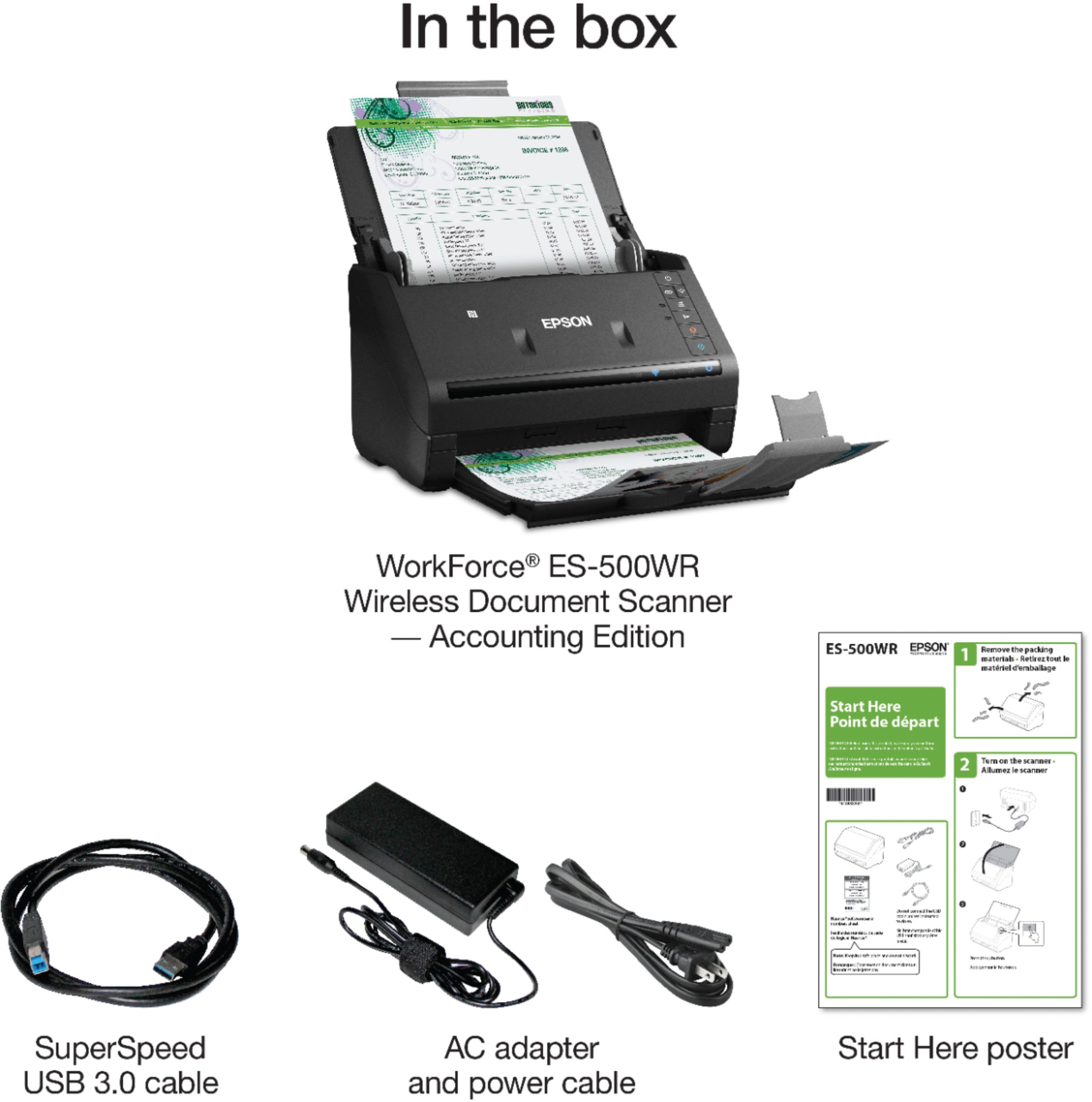
Posted .This reviewer received promo considerations or sweepstakes entry for writing a review.I received the scanner in a nice and safely boxed packaged. When I opened the box, the scanner was safely packed. Before you plug the scanner make sure to take off all the blue tapes that was taped on the scanner. In the box there were 3 cable connectors, manual and the Epson scanner. Also there is a clear print on the box how to take the scanner out from the box. So when you're done with the unpacking, you'll have to read the manual first before turning on the scanner. Then the instructions from the manual will guide you on setting up the scanner. Simple and easy tips as what I had experience. Connecting, setting up and installing the software Setting up the scanner is easy. I just follow what was in the manual for the instructions to set it up and install the software. Just get things ready, the scanner, cords and the USB cable. Once they are ready you are ready for the set up. For the downloading and installing the software, you can find it in the manual. Took less than 5 minutes to install the Epson-500 WR software. Take note: Do not connect the USB cable unless instructed to do so. I am very impressed with the Epson-ES 500 WR with its features, fast, lightweight compact and convenient to use plus you can use it wireless. It is easy to use than scanning a document using a printer with a scanner. It is convenient to just use a separate scanner. With the automatic document feeder, it is no sweat to scan documents. Once the scanner is connected to your internet, it is just quick to perform and scan documents. You can connect the scanner to the laptop through the USB cable or just use it wireless. Also you can use and scan documents using your mobile device by just downloading the app. Edit scanned documents by downloading the Epson scan. When I tried to scan documents, I am really impressed how fast the scanner perform the task. And also with the two-sided scanning it was a breeze. And I was curious about scanning a card. So what I did is I tried to scan a library card. When I hit the start button, the card went through but stuck inside the scanner. Ugh, I was nervous. I was worried on how to take the card. Good thing I found an area to press to open the scanner. And I took the card out. Pros: easy set up, fast, convenient and lightweight Cons: The price value of the scanner is quiet much for personal use. But I will highly recommend this to a friend for business and personal use. "This is a review for the Epson Work Force ES-500 WR Wireless Document Scanner that I received free of charge to do a beta test and review."
I would recommend this to a friend - Pros mentioned:Scan speed, Software
Epson Business Scanner ES 500WR
|Posted .This reviewer received promo considerations or sweepstakes entry for writing a review.After testing this scanner for 2 weeks I come away with the following impressions. 1) This is a small but powerful scanner, meant for small to midsized company. Scans quickly, mostly quiet (for a scanner). 2) has a 50-page paper feeder (again small to midsize company) with software that allows for continuation pages to be added to the PDF document. 3) Can do double-sided documents which any company could use. 4) Can scan Excell and word documents that are editable after the scan (Just awesome). Can be downloaded straight to Google Docs, Dropbox and can also be saved straight to your computer with ease. Additionally, this unit comes with downloadable PDF software Nuance that also has included license code for 1 computer in case you don't already use any number of PDF software alternatives. I give this 4 stars out of 5 due to its wireless functionality. It only works with 2.4 ghz wireless and I happen to use 5.0 ghz. I did a test at 2.4 but prefer plugged directly into the computer for best results. See video of the test at youtube link: https://www.youtube.com/watch?v=kkRmylXjNAE
I would recommend this to a friend - Pros mentioned:Ease of use, Scan speed, Size
Impressive
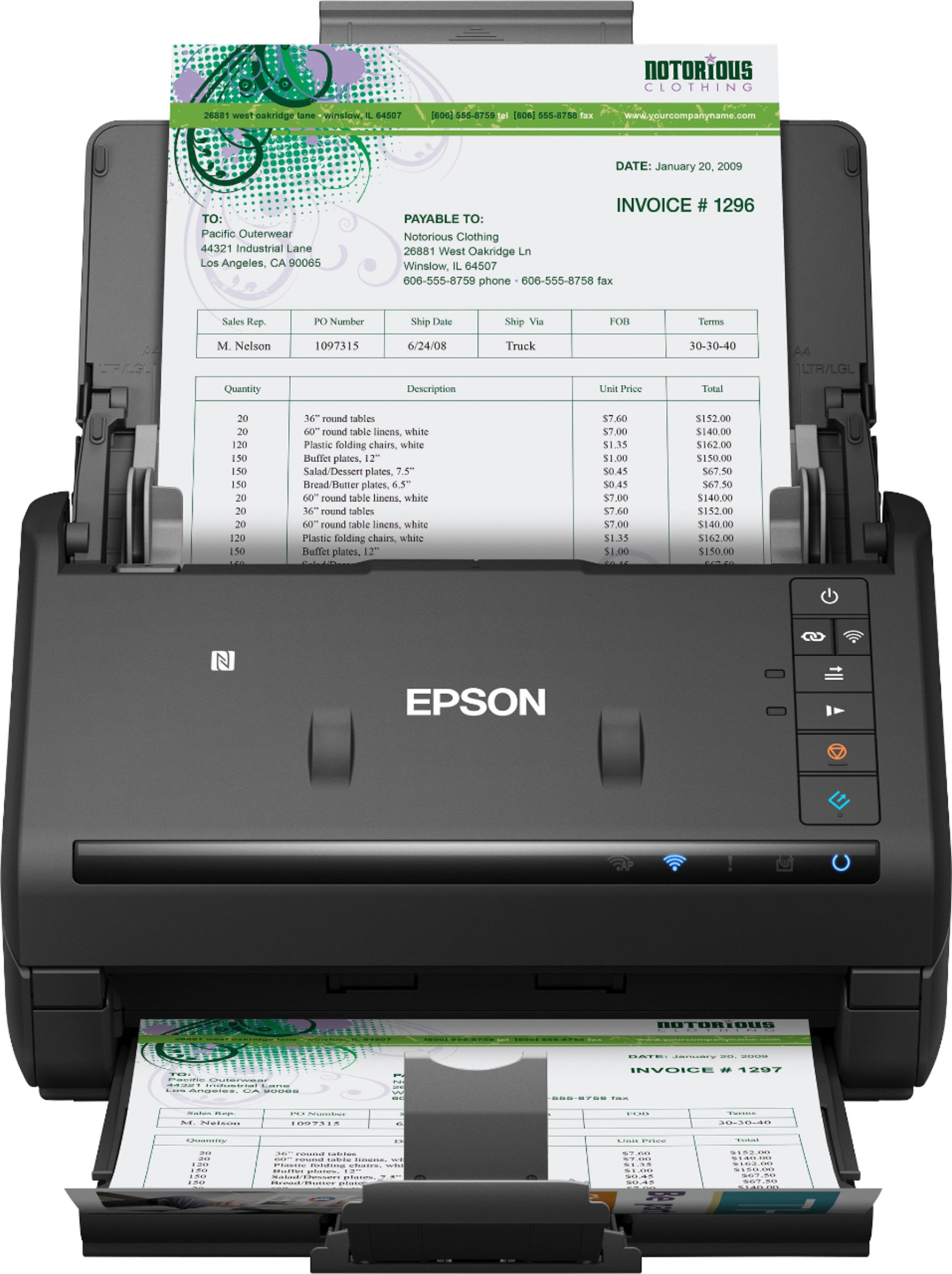
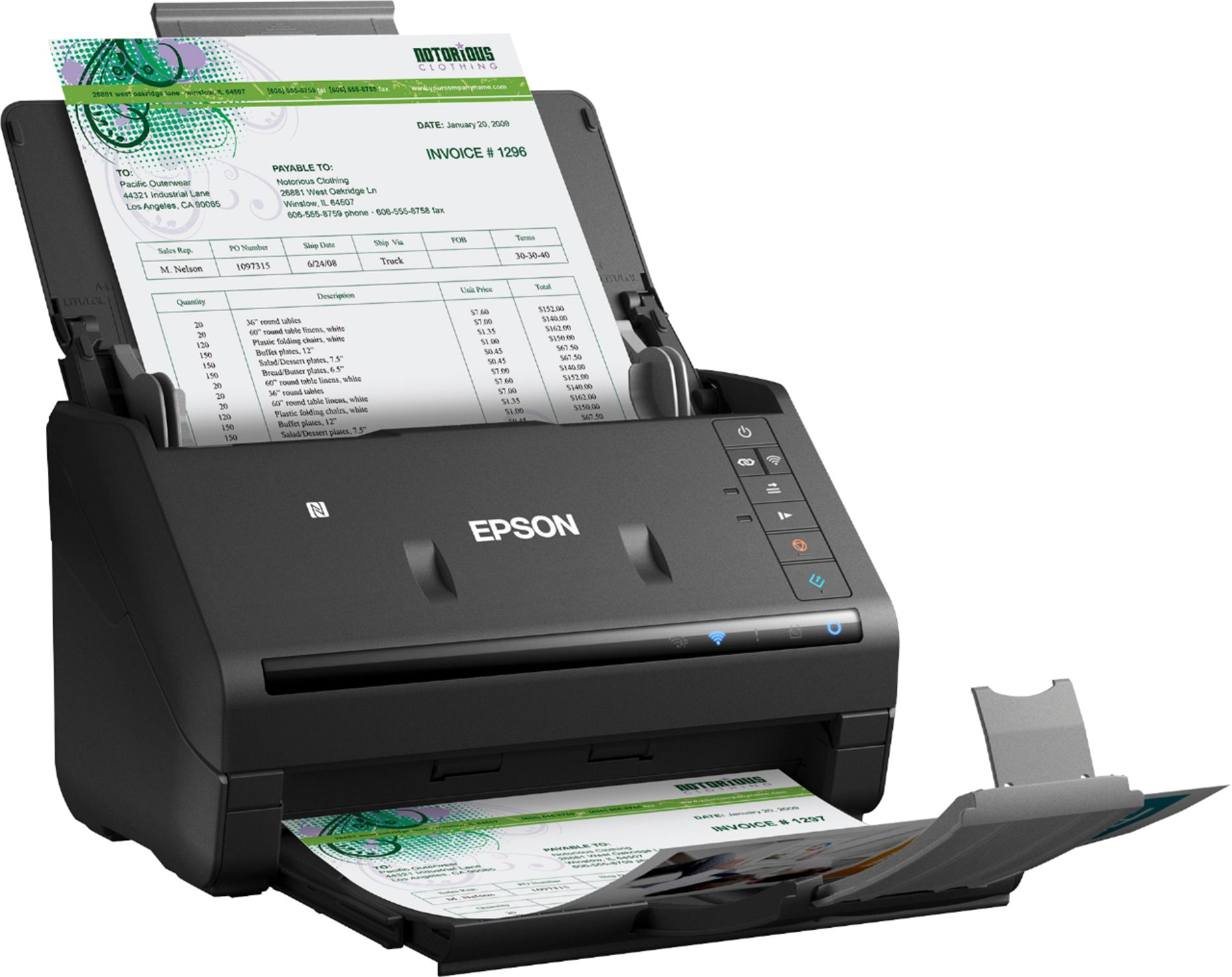
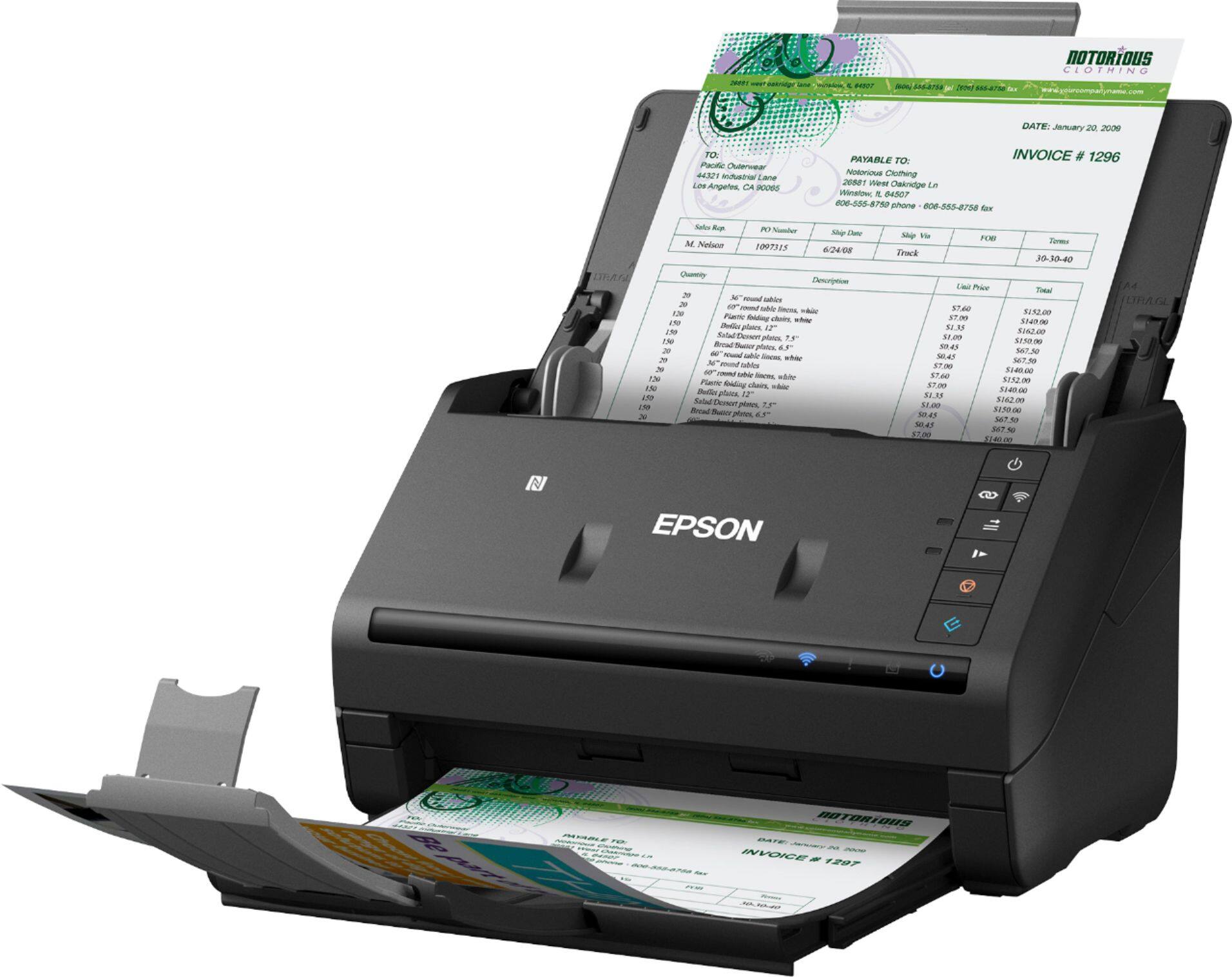
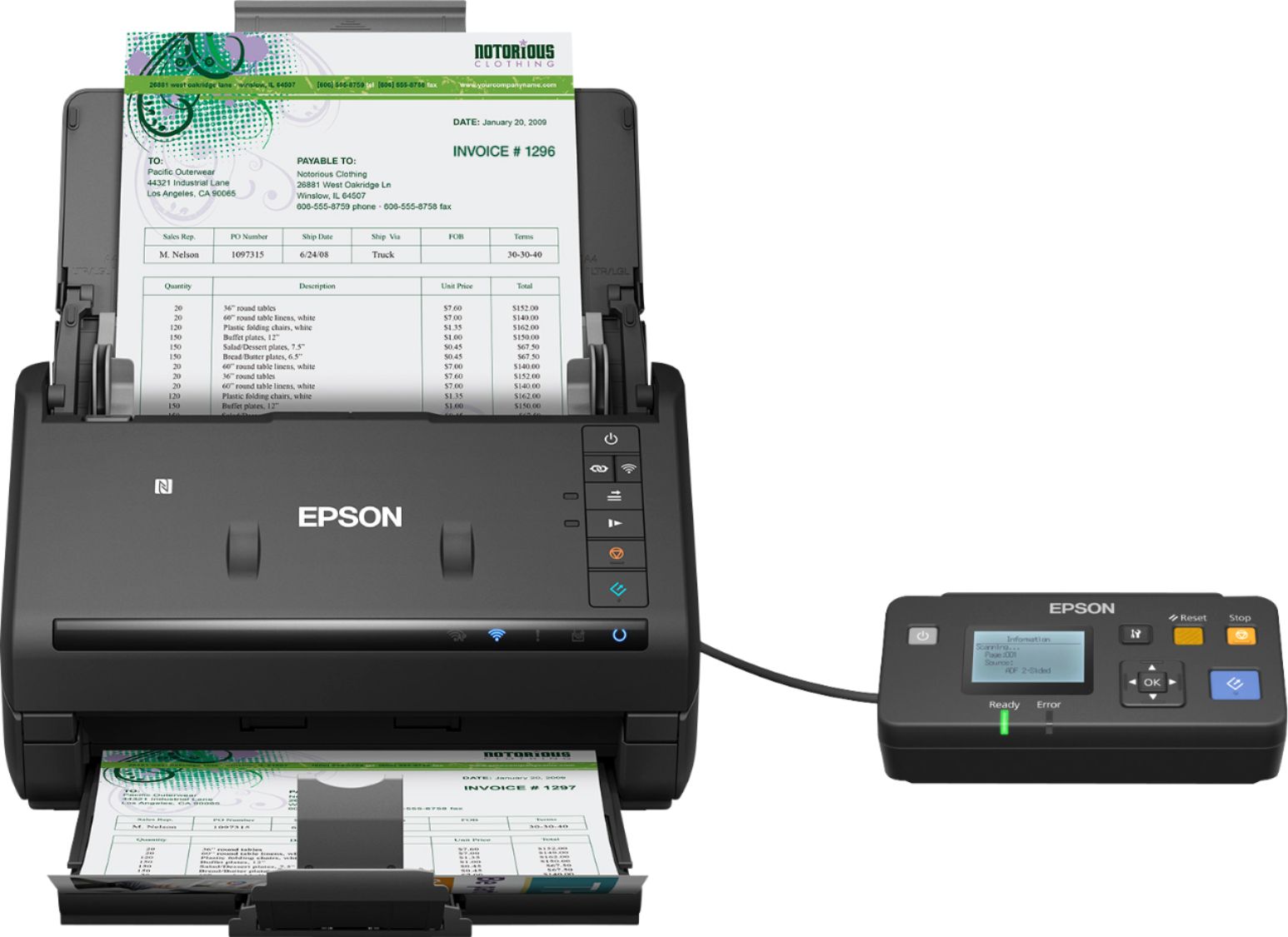
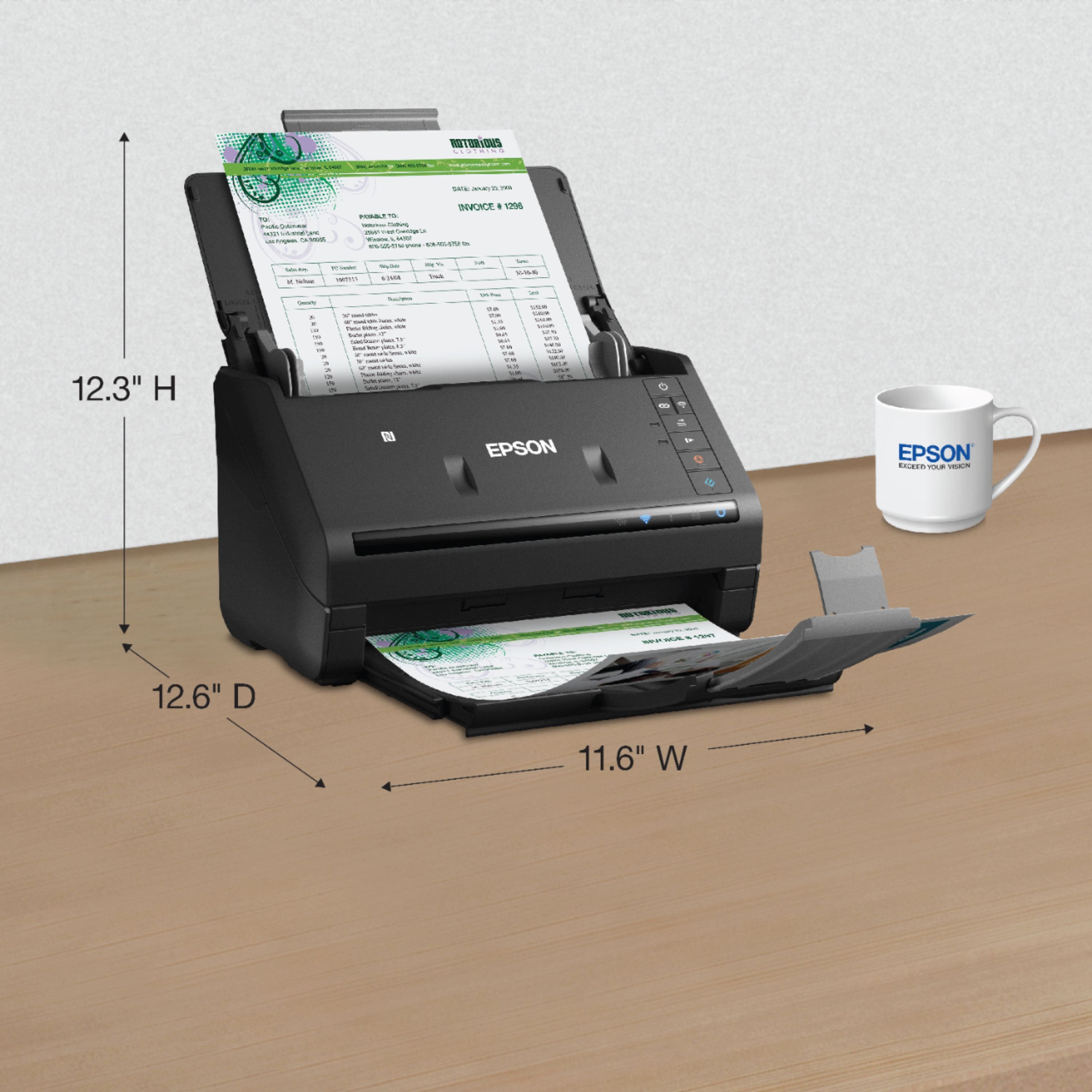
Posted .This reviewer received promo considerations or sweepstakes entry for writing a review.I wasn't sure what to expect with this scanner since I was doing fine with my present set up. Boy was I mistaken, this Epson workforce ES 500 WR is hands-down better than what I'm using now. From the set up to the actual usage it was much less trouble to get going then the sheetfed combination unit I'm using now, set up was a breeze from unpacking, downloading the software and running a test scan was no more than a few minutes with no problems whatsoever. The unit is compact as you can see from the pictures because space is at a premium in my home office, since you have the choice of ethernet or Wi-Fi you can just about put it anywhere you want, I opted for Wi-Fi and set up only took a couple minutes and so far the connections been rock solid. When units not to use it is very compact and when you're ready to use it you just unfold the feed tray and pullout the paper holder, turn the unit on your ready to go. A lot of my working notes are on regular notebook paper that's been torn off the pad but the Epson handled them with no problems, even when I loaded multiple sheets, believe me this unit is fast and accurate, it's got my sheetfed scanner beat by a mile. After you've scanned your pages your asked where you want to save your work, it could not be easier. I can see it speeding up my work flow from scanning to filing much better than what I am using now. When I unpacked the scanner it had the usual quick start guide and I spent a minute looking for the ponderous manual that usually comes with stuff like this, there was none, it could not be easier to set up and use. It comes with ethernet cable and your power cable which is pretty much all you need but going the Wi-Fi route is a lot easier. It also comes with a download of Nuance powered PDF with the serial number. I haven't used Epson products for a while, but I'm really impressed with this scanner. I'm not a professional reviewer but just a small business person looking for ways to make my life easier and was really happy when I got a chance to review this scanner. This is a review for the Epson WorkForce ES-500WR Wireless Document Scanner that I received free of charge to do a beta test and review.
I would recommend this to a friend - Pros mentioned:Scan speed
Time saver!
|Posted .This reviewer received promo considerations or sweepstakes entry for writing a review.Review based on receipt scanning only at this time.. My always saves her receipts for tax time as we itemize. This has always been a time consuming task that we don't look forward to. That looks to have changed dramatically. The setup was easy but did have 1 little snag. The Software would not recognize (and the scanner wouldn't scan) during initial setup. However rebooting the PC after the initial install solved everything. You can scan multiple items at once and the receipt part of the scanning was awesome. It totals the items and shows the business the purchase was made etc. You can then go over the items and make any changes necessary and then save. You can always go over them later also and segregate if needed. This really put a smile on our faces as this will greatly reduce the time needed to get ready for tax time! Very happy with this scanner!
I would recommend this to a friend - Pros mentioned:Scan speed, Size, Wireless
my new scanner!
Posted .This reviewer received promo considerations or sweepstakes entry for writing a review.I have fallen in love with this scanner. When I first got it I was surprised how fast it got here. It was only a couple of days. Second it doesn't take up much room and since it is wireless it doesn't have to stay in one place. It doesn't even have to be near the computer. That is a great feature. I followed all the directions of instillation. It was simple. You can connect with the cord and its really simple. But following the wireless directions are just as simple and then you can connect more then one device. I have several connected. I even have my cell phone connected to it. I just went tot the app store, downloaded it. Once I got into the app it gave me directions which were just as easy as doing it on the desktop. I could not believe how fast it was. Normally you wait forever for a scanner to warm up, then when you put a paper in it takes it a bit to scan it. Not this one. BANG!!!! and it's done. I put the paper in. gave it probably 10-15 sec and zing. it scanned the paper and was done. It really surprised me. I LOVE IR!!!! I would recommend it to any one that is looking for a scanner. With all of my medical records, I'm looking forward to getting organized. and it does double sided papers. I feel really lucky to have found this machine. It is so much faster and easier to use then any scanner I have ever used. I have used many different types of scanners having worked in the Mortuary business for over 10 years. Great job on making this scanner! “This is a review for the Epson WorkForce ES-500WR Wireless Document Scanner that I received free of charge to do a beta test and review.”
I would recommend this to a friend - Pros mentioned:Scan speed
Excellent Scanner
|Posted .This reviewer received promo considerations or sweepstakes entry for writing a review.This Epson WorkForce ES-500 is an excellent scanner to digitize documents, receipts, and photos fully. If you generate a mountain of paperwork, this device will save you time and money. Digitize documents saves employee time from organizing and filing paper document, saves money from having file cabinets, and it is easier and faster to access and to share. I highly recommend storing all data on two secure and reliable data file storage system, one in a hard disk drive and one in a cloud service. I have my data to automatically and routinely back up. The setup and software installation was quick and easy. I started using this scanner on a stack of receipts that I usually upload and match with an expense record keeping software. I was super impressed with the scan quality and the software being able to extract the information from the receipt. The scanner did not miss a single paper receipt. It was able to scan a stack of tiny, super long, very thine, and crumpled paper receipts without getting jammed. The software was smart enough to get data from each scanned receipt, and it was 99% accurate. One issue was when the receipt had two forms of payments, and the software only detected the first payment. Another problem was a receipt with blurred and faded print. But other than these two issues, the scanner is very accurate. The date it collects depends on the software settings, and they include total amount, date, tip, tax paid, payment method, and card number. You can further input the tax type, classification, sub-classification, and comment space. After I complete scanning all the receipts, I save them and match it with my expense record keeping software. Before this scanner, I was using my smartphone, but this scanner is a lot better. Scanning a stack of pages is quick and with impressive good quality. The software saves the documents to PDF formats that can be searchable and editable. Overall, I am satisfied with my new scanner. It handles documents without paper jam, does double-sided scanning, it is quick, and the software is useful.
I would recommend this to a friend - Pros mentioned:Ease of use, Scan speed, Wireless
amazing scanner!
Posted .This reviewer received promo considerations or sweepstakes entry for writing a review.Oh my GOSH! I have nothing but GOOD things to say about this Epson Scanner! First of all, I need to let everyone know how EASY it is to set up! The instructions are very easy to follow and it takes less than 5 minutes to get it all set up! It comes with all of the cables you need to get it all going. Once you plug it in, you go to the website and download the software. Then, you can start scanning! It really is VERY simple! Once you load the receipt or the paper you want to scan, you press the button on the machine that lets it know you want it to start scanning. I have to warn you, this thing is a beast. It sends the documents through the machine very fast. You do not have to wait at all to get your important documents scanned and saved! The biggest thing I love about this scanner is how well built and fast it is! I don't like waiting a long time for my documents to scan, so when my documents took literally 2 seconds to shoot out of the end of the scanner, I was amazed! I am used to having to wait a bit for my documents to get scanned. Not with this Epson scanner! It only took me about 2 minutes to scan ALL of the documents I needed to scan! You can also scan documents wirelessly to your phone, computer, tablet or to the cloud! I LOVE that it comes with the accounting software. It makes it so much easier to scan in documents, and to be able to find them! This thing is built VERY well. It is very high quality. It is actually not very heavy, but it is tough and will last a very long time. I HIGHLY recommend this scanner to everyone. It is so nice and fast, and I know anyone who needs a fast, easy to use scanner will love this one! This is a review for the Epson WorkForce ES-500WR Wireless Document Scanner that I received free of charge to do a beta test and review.
I would recommend this to a friend - Pros mentioned:Scan speed
Workhorse and timesaver!
|Posted .This reviewer received promo considerations or sweepstakes entry for writing a review.This Epson double-sided scanner is even more wonderful than I thought. I became Treasurer of a nonprofit and years of files need scanning. This machine caught my eye. 1. Packed securely and easy to take out of the box. No assembly required! The unit is small and compact and folds closed quickly. Recommend keeping it closed to keep the dust out when not in use. 2. Follow the simple instructions. Download ALL of the software. This takes the most time of the whole setup, but it's not that long. I have a screwy router, so I completed the wireless hookup by connecting the scanner to my laptop. Easy peasy. Took about a minute. 3. Time to scan! Wow! Fast, accurate! I did a few small things to get than hang of the software. Then I threw it 40 pages of bank statements for a fiscal year. Some were crinkled, some were previously stapled (don't forget to remove staples!), some were on think paper, some paper had three-ring holes, some were double-sided, some single-sided. This scanner did not hesitate! in about a minute the stack was scanned. 4. Extras I did not expect: a. When scanning double-sided, it does not 'copy' a blank page! You can watch thumbnails of the scanning in progress and see if it looks alright. b. After scanning, you are presented with various choices, including saving to your computer, saving to Dropbox, Google Drive. Evernote, put in Receipt Manager (for Quickbooks! ) save to Word, Excel or Powerpoint! Especially nice for what I am doing by uploading old records to Google Drive is that I input my login credentials once and it is seamless. c. Quiet. Very quiet.... d. Being small and wireless, it can set anywhere when not in use, including a drawer, on top of a cabinet, etc. No need to keep on the desk or printer stand when not in use. Overall, I give this scanner my highest marks. I thought it would save time for me, but it will work better than I imagined.
I would recommend this to a friend - Pros mentioned:Ease of use, Scan speed, Size
Love this Scanner!
Posted .This reviewer received promo considerations or sweepstakes entry for writing a review.This scanner is perfect for my home office. It's small and compact so it doesn't take up a lot of valuable desk space. It was very easy to take out of the box and set up simply by plugging it in and following the download prompts. And, because it's wifi, I was able to place it on the opposite side of the room from my computer which fit my needs perfectly! Once I downloaded the software, I was able to start scanning immediately. It connected easily to my home wifi network. One of the best features about this scanner is how fast it is! You hit the button and it scans it quickly! The quality of the scanned image is great too! I've started by scanning in my daughter's preschool artwork so far and saving everything as jpeg images. I'm excited about being able to easily and quickly save her artwork so I can then get rid of excess papers around the house. So far, I've tried scanning 1-4 documents at a time with no issues whatsoever. And, it scans thick paper with ease as well! I look forward to also start using this scanner to help streamline paperwork with both home receipts and my small business expenses. The only issue I've encountered so far is sometimes when I try rotating a scanned image on my computer screen, the image will turn black so that I have to go back and re-scan it. I'm sure this is either user error or there's an easy fix that I need to research. Overall, I'm very pleased with this product and highly recommend it! This is a review for the Epson WorkForce ES-500WR Wireless Document Scanner that I received free of charge to do a beta test and review.
I would recommend this to a friend - Pros mentioned:Scan speed, Size, Software
An Excellent Scanner
Posted .This reviewer received promo considerations or sweepstakes entry for writing a review.The Epson ES-500WR is the first dedicated document scanner that I have worked with. Previously I had used an “all in one” printer/scanner that didn’t have an automatic document feeder. Physically the scanner appears to be well made. I have been very pleased with the physical size of the ES-500WR. It is quite small and takes up minimal desk space. The ES-500WR makes scanning multiple pages incredibly easy. The pages are scanned very quickly and the results are outstanding. You can load up to 50 pages at a time and the software will allow you to add more pages to that scan. Epson has included an excellent selection of software. The Scan Smart program is very intuitive and allows for custom settings if so desired. There is also a business card scanning program and a PDF program. It is very helpful to be able to scan receipts and export the data to accounting programs such as Quickbooks, etc. The initial setup of the scanner went without any issues.The scanner was connected to our wifi network and operable in less than 15 minutes. I appreciate the fact that you can choose to save scanned documents to your pc, smartphone or upload to a cloud service such as DropBox or OneDrive. This scanner is a product that I would not hesitate to recommend to anyone looking to eliminate needless paper clutter in a home or office environment. This is a review for the Epson Workforce ES-500WR Wireless Document Scanner that I received free of charge to do a beta test and review.
I would recommend this to a friend - Pros mentioned:Ease of use, Scan speed
Wonderful Scanner!
Posted .This reviewer received promo considerations or sweepstakes entry for writing a review.The packaging protection was packed great. When unpacking it was easy to pull out of the box. Setting up is a breeze. Installing the software was a long but it wasn't a big deal. The scanner is really heavy which I love, because I feel that it is better made and not with cheaper material like other flatbed scanners have. Wireless set up was a breeze compared to other products I have tried and set up. I didn't even have to plug into the computer which other wireless products I had to do. Scanning documents was super fast and extremely easy to do. I can either use the software to scan the document or press the scan button. I tried scanner a regular paper, business card and a trading card. The scanning speed was really fast and it can even scan both sides without having to do anything to the paper. It scans both sides at the same time. The business card and trading card looks like there was no damage to the cards which was a concern of mine when using it. I like the fact that you can pull up the paper feeder and close it when you are not using it. I really loved this scanner and am using it all the time. This is a review for the Epson WorkForce ES-500WR Wireless Document Scanner that I received free of charge to do a beta test and review
I would recommend this to a friend - Pros mentioned:Scan speed
Fast Document Scanner with Great Scan Quality.
|Posted .This reviewer received promo considerations or sweepstakes entry for writing a review.Pros: Fast Scans, clean interface Cons: Image quality of scans is average, fragile output tray stopper My go to document scanner has been the Fujitsu IX500 for the last 2 years or so. I purchased 5 in total with 1 for home use and the other 4 for use at my workplace. Unfortunately 2 of the 5 scanners have failed where black bands have begun to appear on my scan and that was with moderate use. The remaining 3 continue to work without issue. I decided to try out the Epson Workforce ES-500WR to see if it would be worthy replacement. There are are a few areas where the Epson ES 500WR excels and a few areas where it falls short. First the positives, the ES-500WR is really fast. While the IX500 is no slouch in speed, the ES-500WR seems to be about nearly 2x faster compared to my IX500’s. I like the utilitarian Epson scan software, whereas the Fujitsu software seems somewhat clunky and outdated. Setup is straightforward and relatively easy, albeit somewhat long, but I recall the Fujitsu taking just about as long to set up. Once set up, scanning wirelessly was effortless. Where the ES-500WR falls short: image quality is average. If I didn’t have the Fujitsu IX500 as a reference baseline, I’d think the image output of the ES-500WR is pretty good. I’d rate the ES-5000WR scanned image quality as great and that of the IX500 to be excellent. I would sacrifice quality over quantity any day. So while the ES-500WR scans faster than the IX500, the improved image quality has me using the IX500 more. Furthermore, the output tray stopper came off as I was extending the output tray on first use. If I’m not careful, it pops off quite easily. Lastly, the IX500 seems to do a better job of correcting skewing compared to the ES-500WR. Note, I don’t use OCR often, but the included OCR software seemed adequate for the task. Again, the software seems more current and updated compared to the bundled OCR software with the Fujitsu IX500. For those looking for their first document scanner, what you’re paying for is image quality and bundled software with special regard to OCR software. If I were to choose, I’d still go with a Fujitsu IX500 even with its reliability issues for image quality alone. But if you’re looking for faster scans and modern software with a slight sacrifice in image quality, I’d recommend the ES-500WR.
I would recommend this to a friend - Pros mentioned:Ease of use, Wireless
Makes my household day-to-day operations easy
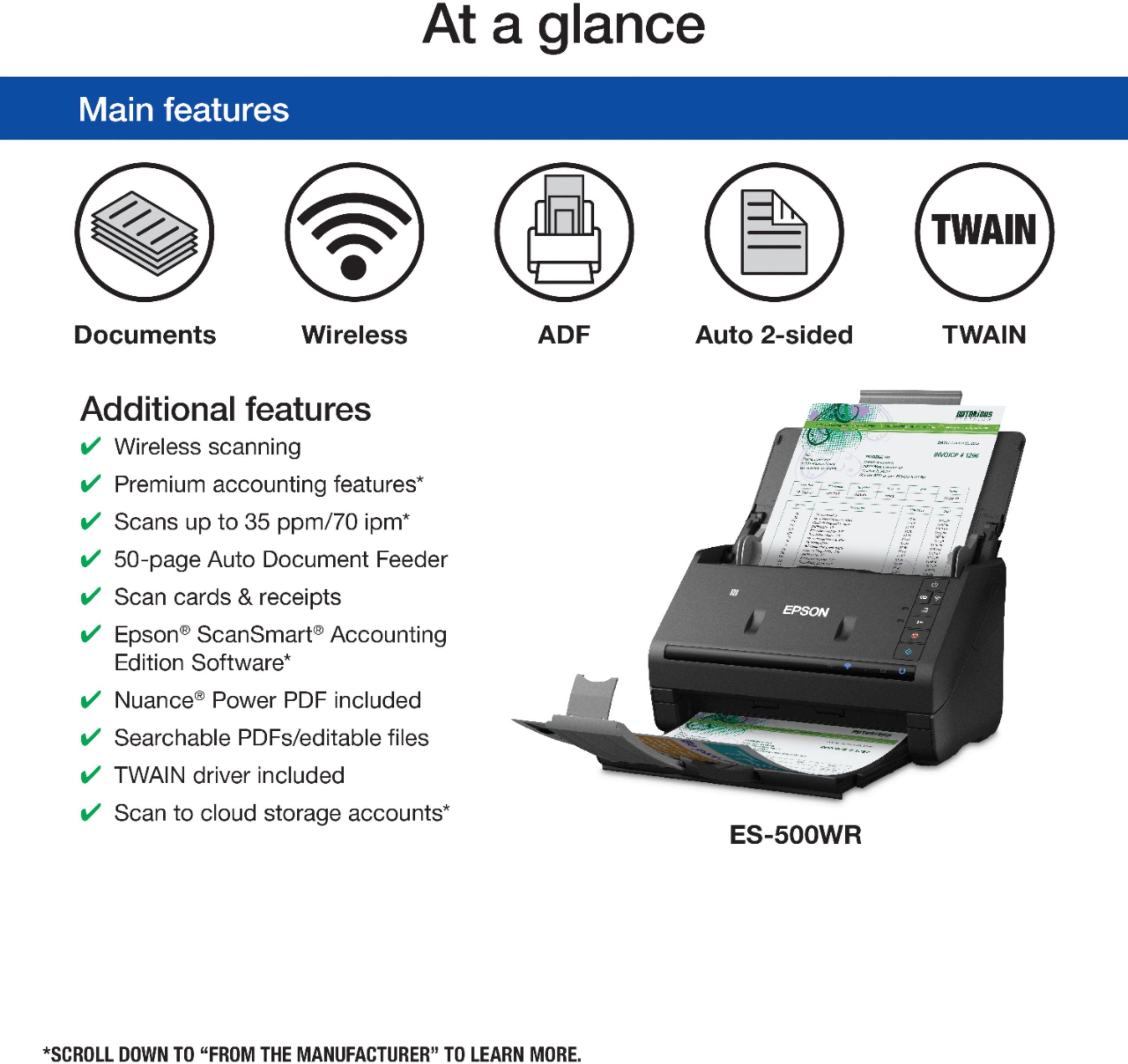
Posted .This reviewer received promo considerations or sweepstakes entry for writing a review.I fell in love with the Epson WorkForce ES-500WR duplex document scanner. I have used a scanner at work for 7 years. I have always wanted a scanner at home to handle my finances and day-to-day household operations. This awesome Epson WorkForce ES-500WR makes my household day-to-day operations easy. I use it to scan bills, back up paperwork such as birth certificate etc., receipts, ID cards and other documents I need for my family, side hobbies and to run my household. One of my favorite uses for the Epson scanner was to help me with registration and FAFSA for my daughters, which will attend college for the first time in August. This scanner helped greatly with all of the paperwork needed for first time freshmen. It also helped me organize the paperwork for easy access in a folder on my computer. Before, I used the scanner, I had paperwork and notes everywhere. After using the scanner, I can click on a folder, all of my documents are right there, at my fingertips, and they are organized by category. The Epson WorkForce ES-500WR duplex document scanner can: Handle two sided documents It is wireless Easy to use and operate with twain. Scans documents, receipts, recipes, ID cards and so much more. It is fast and has an auto feeder. Scans documents to PDF’s My favorite reason I love it,------------it is compact and fits nicely on my desk or in the kitchen when I scan recipes. I highly recommend The Epson WorkForce ES-500WR scanner to any business or household organizer. This is a review for the Epson Workforce ES-500WR Wireless Document Scanner that I received free of charge to do a beta test and review.
I would recommend this to a friend - Pros mentioned:Ease of use, Scan speed, Size
Great fast scanner
Posted .This reviewer received promo considerations or sweepstakes entry for writing a review.Now I do not have to keep my shopping receipts in envelopes that are then erased and spoiled. with this magnificent scanner I have my receipts secure and digitally archived. This scanner is really fast, practical and compact. Very easy to handle and safe for any document. I recommend 100% Thank you!
I would recommend this to a friend - Pros mentioned:Scan speed
Great hardware, ok software
|Posted .This reviewer received promo considerations or sweepstakes entry for writing a review.Let’s just start with how fast and crisply the Epson ES-500WR scans. FAST. It has a small footprint, is attractive and even connects to your network with WiFi. Love this. I have mine connected to a WiFi via an extender in another room and it’s still very fast. It scans via buttons and an app you install on your computer or tablet/phone. The frustrating things are that the app takes a while to open and it’s just graphically clunky. I do like that it’s easy to remove pages and send scans to most popular apps. However, it could be better. That said, the performance of the hardware makes this a nice product for a home or small to medium sized office.
I would recommend this to a friend - Pros mentioned:Scan speed, Size
I love it
Posted .This reviewer received promo considerations or sweepstakes entry for writing a review.I am extremely happy with this product, I've been with him for a week and served me a lot. Scanning the receipts and saving both on the computer and on the mobile. I love how it works and it is fast as scanning and does not make any noise. It has many tools, you can edit what you scan and for me is a very good tool. To install the program is very easy both on the computer and on the mobile. Another thing I like about this product is that it doesn't take up space. I would say that every office needs a ES-500WR because it is very good quality. This is a review for the Epson WorkForce ES-500WR Wireless Document Scanner that I received free of charge to do a beta test and review.
I would recommend this to a friend