Customer Ratings & Reviews
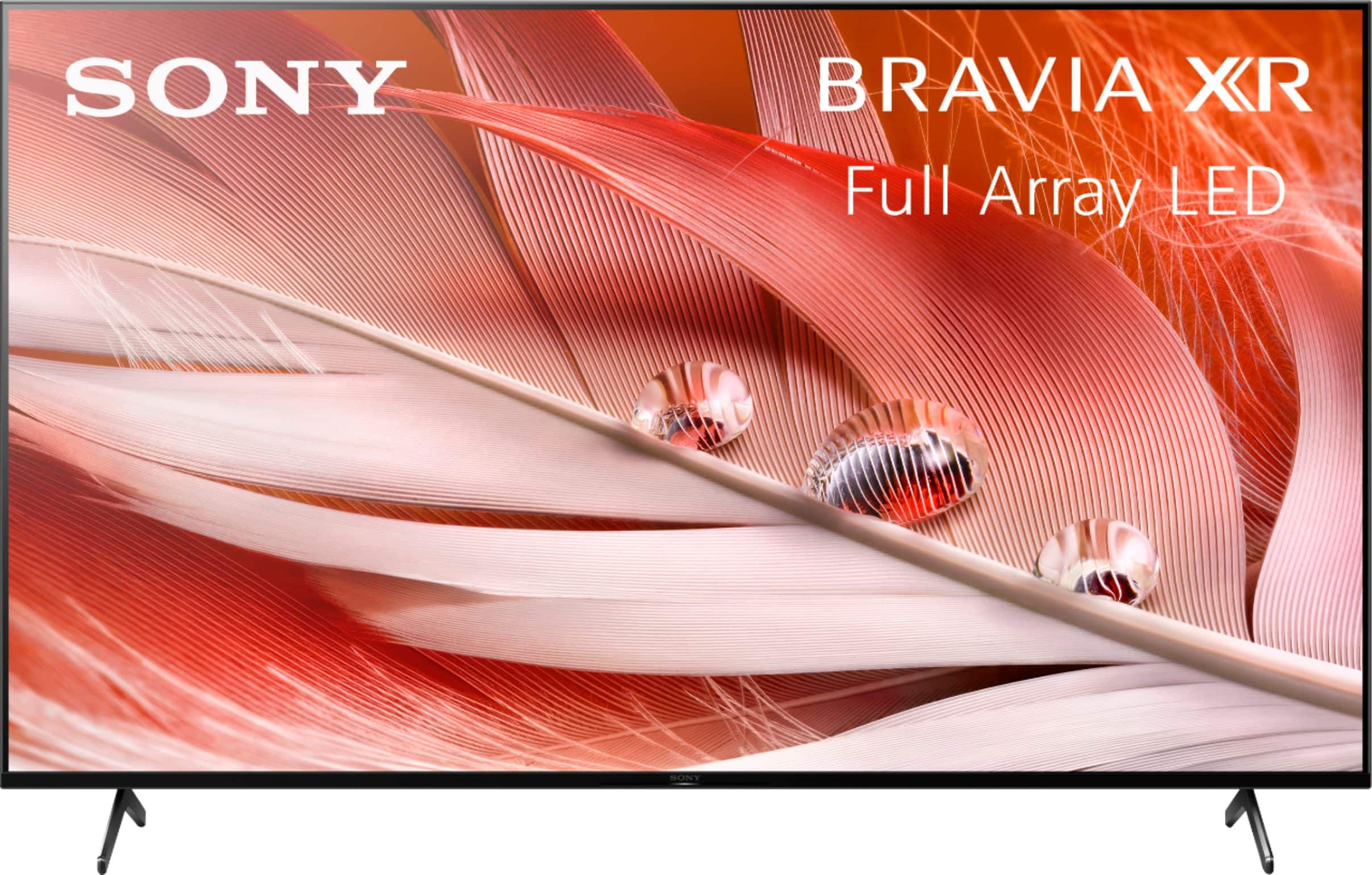
- Model:
- XR65X90J
- |
- SKU:
- 6453208
Customer reviews
Rating 4.7 out of 5 stars with 1712 reviews
(1,712 customer reviews)Rating by feature
- Picture Quality4.8
Rating 4.8 out of 5 stars
- Sound Quality4.5
Rating 4.5 out of 5 stars
- Brightness4.7
Rating 4.7 out of 5 stars
Customers are saying
Customers commend the 65" Class BRAVIA XR X90J Series LED 4K UHD Smart Google TV for its exceptional picture quality, describing it as beautiful, incredible, and perfect. They also appreciate its user-friendly setup and reasonable price point compared to OLED TVs. While some users have concerns about glare and the limited number of HDMI 2.1 ports, overall, customers are highly satisfied with the TV's performance, especially for gaming.
This summary was generated by AI based on customer reviews.
- Pros mentioned:Picture quality
Rated 2 out of 5 stars
Failed picture 8 months after purchase.
||Posted . Owned for 10 months when reviewed.This reviewer received promo considerations or sweepstakes entry for writing a review.The TV display failed after 9 months, showing vertical columns of jagged lines covering the bottom 2/3 of the screen. I received a replacement TV under warranty after 3 1/2 weeks after jumping through all the hoops but we had to remove the failed TV from its mount and carry it down stairs for the delivery person to pick up. This is the first item of electronics ever that I have purchased in the past 20 years that has failed relatively quickly. The person delivering the replacement said he had done the same for a number of Sony TV's. The picture quality was quite good until it failed. Surprised that a premium priced product like this would fail.
No, I would not recommend this to a friendBrand response from SonyListens
Posted .Hi Camper, thank you for choosing and purchasing our product. We're sorry to hear what happened to your SONY unit. This is the experience we don't want you to have. Please email the below information to socialsupport@am.sony.com so we can check your file:
Apologies if you disclosed some of this information in your review and to customer service, we just want to ensure that we have your accurate details at the time of communication.
Full Name:
Best Buy Username:
Telephone Number:
Case Number:
Sony TV Model Number:
Additional Information regarding your experience with the X90J
~Earl
Rated 2 out of 5 stars
Backlight dying
||Posted . Owned for 1 year when reviewed.This reviewer received promo considerations or sweepstakes entry for writing a review.Great tv when it had a properly working backlight/local dimming zones. Contacted Sony support they had me restart the tv, that obviously did nothing. And they couldn’t help me because my tv was out of warranty by not even 2 months. So it lasts the 1 year then might die on you right after. Forcing you to spend money on repairs or a new tv.
No, I would not recommend this to a friendBrand response from SonyListens
Posted .Hi Artt,
Thank you for choosing and purchasing Sony X90J BRAVIA smart Google TV.
We regret to hear about what happened with your Sony TV. This is definitely not the customer experience we want you to have. You can contact us and provide your case number by sending us an email to socialsupport@am.sony.com so we can review your file.
Apologies if you disclosed some of this information in your review and to customer service, we just want to ensure that we have your accurate details at the time of communication.
Full Name:
Best Buy Username:
Telephone Number:
Sony TV Model Number:
Additional Information regarding your experience with the X90J:
We value you being a Sony customer. Sorry for the inconvenience and hope to speak directly to try to resolve this matter.
Thank you for letting us help assist you.
Sincerely,
Vincent
- Pros mentioned:Picture quality
Rated 2 out of 5 stars
Buyer Beware
||Posted . Owned for more than 2 years when reviewed.This reviewer received promo considerations or sweepstakes entry for writing a review.The Picture quality is good, but that's the only thing going for it. The sound quality is bad, we needed to add a soundbar to sit more than 6 ft away from the tv. You can download Smart TV apps, but it only has memory for 2-3 more apps. Otherwise you have to delete one and download what you want. The internet connectivity issues are the worst. Our tv is 2 years old and it disconnects from the internet daily. We have tried numerous fixes, Sony says just unplug and restart the tv. Our internet company has replaced all of our hardware and checked out internet speed too. We tried hard wiring it via Ethernet and tried using the wireless feature. I wish we would have researched Sony Tv's more before purchasing this one. Sony Customer service gave us the run around while we were in warranty and now we are stuck with it.
No, I would not recommend this to a friend - Pros mentioned:Picture quality
Rated 2 out of 5 stars
It's fair. Technical issues made it worse
||Posted . Owned for 2 weeks when reviewed.This reviewer received promo considerations or sweepstakes entry for writing a review.This TV replaced the Samsung Q80A. This screen and refresh rate do not compare to the screen of the Q80A but doesn't have any of the same blooming issues that plague the Samsung model. So that's a plus. 4k looks grrat but watching 1080 doesn't necessarily look good. However, this TV turn has turned off on its own multiple times and for some reason, it does not recognize the antenna correctly that I have connected to it. Basic channels like NBC do not work or are extremely choppy. However, the channels work on every other cheaper TV in the house when the antenna is connected to those TVs. Also, the TV states that it's a 120hz. However, when looking at the sticker on the back of the TV, it shows 50/60hz. Therefore, the refresh rate left much to be desired. I specifically wanted a 120hz TV set due to gaming and watching movies but I can tell it's not quite 120. Once again, I'm disappointed with the quality of the TVs made in 2021. I've bought cheaper TVs years ago that are still going strong with no issues, but yet, every TV that I've tried within the last month or so (2 Q80A's and this Sony) have had some pretty major issues with them to be a new TV. Due to the sticker price, it's something I wasn't expecting and won't accept. I will be returning and replacing this TV as well. We like to hope that when spending over $1200 or more on a 4k TV, they actually come out of the box with no issues.
I would recommend this to a friendBrand response from SonyListens
Posted .Hi Alex,
Thank you for choosing and purchasing our BRAVIA XR X90J Full Array LED TV.
We are sorry to hear that the TV have issues right out of the box. We also regret that you're planning to return and replace this TV due to the issues you've encountered. This is definitely not the news and experience we wanted you to have. As a consumer like you, we always wanted to have a working TV considering the price we pay for the product.
We’d love to help you troubleshoot your problem by isolating your sources and understanding your connections.
If the TV turns off itself, please try the following steps on the link below to fix the problem
https://www.sony.com/electronics/support/televisions-projectors-lcd-tvs-android-/xr-65x90j/articles/00032613
Our X90J supports XR Motion Clarity (120Hz). This TV also supports 4K/120Hz and is perfect for gaming and movies.
For poor reception or poor picture quality, please check the following:
Change the position, direction and angle of the terrestrial television antenna to maximize the antenna signal level. Make sure that the direction of the antenna is not changed unintentionally (such as by wind).
If you are using a TV signal booster, adjust its signal gain. If equipment (such as a TV signal distributor) is connected between the antenna and the TV, it may affect the TV reception.
Directly connect the antenna and the TV to check if the reception is improved.
Reference: https://helpguide.sony.net/tv/iusltn1/v1/en-003/08-04_07.html
May we contact you to help and get more information? If so, please email the below information to socialsupport@am.sony.com.
Apologies if you disclosed some of this information in your review and to customer service, we just want to ensure that we have your accurate details at the time of communication.
Full Name:
Best Buy Username:
Telephone Number:
Sony TV Model Number:
Additional Information regarding your experience with your X90J
We are sorry for the inconvenience and hope to speak to you to resolve this matter.
We appreciate you and thanks again for shopping Sony!
Sincerely,
Erin
- Pros mentioned:Picture quality
Rated 2 out of 5 stars
I'm Done With Sony TV's
||Posted . Owned for less than 1 week when reviewed.This reviewer received promo considerations or sweepstakes entry for writing a review.This is my 3rd Sony TV in a year. This is also my 3rd Sony TV that I will be returning in a year. HDMI port 4 does not display 4k. I have an Amazon Fire Cube and it will only output at 2K 60 on port 4. Changed all the settings and switched to an enhanced for the port but nothing works. Moved it to HDMI port 2 and it works fine and displays at 4K. Seriously Sony what is wrong with your TVs. X900E bought 4/2020 - anything plugged into any HDMI port the tv will go into a constant boot loop. Returned X900H bought 6/2020 - constant loss of internet signal. Flashing green pop up intermittently. Best Buy sent out techs 3 times to fix and they were unable to. Also Sony's TV support was no help. Went back and forth with them for over a month and finally made it to Level 3 support to be told that I need to update the TV to the new update that I already had updated on the TV. Returned And now the X90J bought 5/2021 - HDMI port 4 won't display in 4K. Will be returning TV for a different brand. Probably a LG. I purchased the LG CX in November and have ZERO problems with it. Looks like another LG is happening for me. I should have never tried Sony again but thought no way I can get 3 in a row that are bad. I was wrong. Here's the positive I will say about the TV; the picture is really good. This is the only reason I give the TV a 2 star instead of 1. It looks amazing on ports that will display at 4K. Now if only they all worked......
No, I would not recommend this to a friendBrand response from SonyListens
Posted .Hi bx75,
Thank you for choosing and purchasing our BRAVIA XR X90J Full Array LED TV.
While we are glad that you like the picture quality, we regret to hear that you're considering returning the TV because t won't display 4K in HDMI 4. This is definitely not the experience we want you to have with our premium TVs. We'd love to help you troubleshoot your problem and turn this into a pleasant experience.
If you still have the unit, we recommend following the steps on the link below on how to view 4K or HDR Videos from an HDMI Source on an Android TV.
https://www.sony.com/electronics/support/televisions-projectors-lcd-tvs-android-/xr-65x90j/articles/00141961
May we contact you to help and get more information? If so, please email the below information to socialsupport@am.sony.com.
Apologies if you disclosed some of this information in your review and to customer service, we just want to ensure that we have your accurate details at the time of communication.
Full Name:
Best Buy Username:
Telephone Number:
Sony TV Model Number:
Additional Information regarding your experience with the X90J
We are sorry for the inconvenience and hope to speak to you to resolve this matter.
We appreciate you and thanks again for shopping Sony!
Sincerely,
Erin
- Pros mentioned:Picture quality
Rated 2 out of 5 stars
What happened Sony?
||Posted .This reviewer received promo considerations or sweepstakes entry for writing a review.This may not be representative of all (especially my past experiences) but, I purchased a 65” X90J and had several patches of either dead pixels or dust behind the screen. I am used to this from brands like TCL but Sony!?!? Really?. I have tried so many TVs at this point I wasn’t going to risk getting another dud and ended up going with the 2021 LG Nano. While it takes a bit of a cut in contrast I at least got a clean panel with excellent uniformity and no need to return. I do like the picture quality on these but, it was really unexpected. I hope you have better luck than me. I had over 5 spots in the TV which I’m sure the clusters count as the TV being “defective”. The new pricing is also terrible, my 65” 900h I got on sale for $969. This wasn’t even close at $1399-1499 for worse QC. With the constant promise of features that “will be added in a future update” I think it’s time to move on.
No, I would not recommend this to a friendBrand response from SonyListens
Posted .Hi Matt,
Thank you for choosing and purchasing our XR65X90J Ultra HD Smart TV. This is definitely not the news that we would like to hear. Please allow us to help you and turn this into a better experience.
Do the 5 spots appear on all inputs? Power reset the TV, simply unplug the unit and wait 1-2 minutes then plug the device back in and power on. Check the link below and select the symptom of your TV and then follow the instructions provided to troubleshoot and resolve the issue.
https://www.sony.com/electronics/support/televisions-projectors-lcd-tvs-android-/xr-65x90j/articles/00200749?cpint=spt-tv_triage_00200862_line
If that doesn't work, please email the below information to socialsupport@am.sony.com. Apologies if you disclosed some of this information in your review and to customer service, we just want to ensure that we have your accurate details at the time of communication.
Full Name:
Best Buy Username:
Telephone Number:
Sony TV Model Number:
Additional Information regarding your experience with the XR65X90J
We are sorry for the inconvenience and hope to speak to you to resolve this matter.
Regards,
David
- Pros mentioned:Picture qualityCons mentioned:Reliability
Rated 2 out of 5 stars
Wouldn't turn on after 3 months ownership
||Posted . Owned for 3 months when reviewed.This reviewer received promo considerations or sweepstakes entry for writing a review.TV has a great picture, but started an issue where it wouldn't turn on. Sometimes unplugging and plugging back in would work, but eventually after only 3 months of owning it, maybe watching TV on it 10 times, it stopped working. Not the first Sony I've owned that had this issue.
No, I would not recommend this to a friendBrand response from SonyListens
Posted .Hi Kevin,
Thank you for reaching out to us. We're sorry to hear your X80J TV stops working. Allow us to help and do the best possible for you. May we know if you can turn the TV on using the actual power button on the TV? Make sure that the power cord and AC adapter are not disconnected or loose. Try to connect the TV directly to the power outlet to isolate the issue. Please check this link with steps to follow if your TV has no picture or power: https://www.sony.com/electronics/support/televisions-projectors-lcd-tvs-android-/xr-65x90j/articles/00153674
May we contact you to help? If so, please email the below information to socialsupport@am.sony.com.
Name:
Best Buy Username:
Telephone Number:
Model Number:
Issue:
We are sorry for the inconvenience and hope to speak to you to resolve this matter. We appreciate you and thanks again for shopping Sony. - Kris
- Pros mentioned:Picture quality
Rated 2 out of 5 stars
Won’t stay connected to Netflix
||Posted . Owned for 1 month when reviewed.This reviewer received promo considerations or sweepstakes entry for writing a review.Great picture quality. However This Sony Bravia will not stay connected to Netflix. All other apps work fine. But when watching a show on Netflix it disconnects every 9 minutes and there is no fix. After researching the internet for a possible cause it became clear that this is a common issue with the Sony Bravia TV. Countless people have had the same issue. It seems Sony wants to blame it on internet connection. However I have the fastest internet speed available. The issue is not the WiFi/internet. It’s an internal problem with the Sony Bravia. Wish I had known sooner. If you want to use Netflix I suggest purchasing a different brand.
No, I would not recommend this to a friendBrand response from SonyListens
Posted .Hi SonyUGh, Thank you for choosing and purchasing our BRAVIA XR X90J 4K HDR Full Array LED with Smart Google TV (2021). We're glad you like the picture quality of our newest product. We're sorry to hear that you have an issue with your SONY unit. Please follow this link to isolate and fix the Netflix issue:
https://www.sony.com/electronics/support/televisions-projectors-lcd-tvs-android-/xr-65x90j/articles/00230344
May we contact you to help? If so, please email the below information to socialsupport@am.sony.com.
Apologies if you disclosed some of this information in your review and to customer service, we just want to ensure that we have your accurate details at the time of communication.
Full Name:
Best Buy Username:
Telephone Number:
Sony TV Model Number:
Additional Information regarding your experience with the X90J
We are sorry for the inconvenience and hope to speak to you to resolve this matter.
We appreciate you and thanks again for shopping Sony!
Sincerely,
Earl
- Pros mentioned:Color
Rated 2 out of 5 stars
Decent TV, if it was about 800 dollars cheaper
||Posted . Owned for 3 weeks when reviewed.This reviewer received promo considerations or sweepstakes entry for writing a review.Be warned, there are better TV's for the price. Only reason I'm not returning it is the hassle. The panel has uniformity problems and honestly, the fact that it only has 24 dimming zones puts it below other TV's that are around half as expensive as this one. The sound output of the TV is atrocious, you're going to need a soundbar. Pros: Motion looks great, colors are nice Cons: Panel brightness is low, uniformity is bad, it's SUPER reflective, overpriced when compared to other TVs.
No, I would not recommend this to a friendBrand response from SonyListens
Posted .Hi Alex, While we are glad to hear that you are happy with the picture quality and colors of the TV, we are sorry to hear that the TV did not meet your expectations when it comes to the reflections of the TV and its brightness level. We'd love to troubleshoot the issues that you are having and make this a better experience for you. In the meantime, you may change the TV screen settings by using the Sony remote then Press the HOME button, then select [Settings] — [BRAVIA Settings] — [Picture adjustments] this will let you fine-tune your TV picture and brightness.
You can also adjust the sound quality of the TV by using the Gear Icon (Quick Settings) button on the remote control, then select [Settings] — [Display & Sound] — the desired option. This will let you configure various settings related to the TV’s sound such as sound quality and sound mode to further enhance your viewing experience even without a soundbar.
For more information, please check our help guide link: https://helpguide.sony.net/tv/iusltn1/v1/en-003/01-03-09_02.html?hl=sound
For best picture quality, do not expose the screen to direct illumination or sunlight also, avoid installing the TV in a room with reflective wall and floor materials.
Should you need further assistance, please contact us for help.
Please email the below information to socialsupport@am.sony.com
Apologies if you disclosed some of this information in your review and to customer service, we just want to ensure that we have your accurate details at the time of communication.
Full Name:
Best Buy Username:
Telephone Number:
Model Number:
Issue:
Regards,
Carl
- Pros mentioned:Picture quality
Rated 2 out of 5 stars
No Dolby Atmos audio for Disney+ and Amazon Prime
||Posted .This reviewer received promo considerations or sweepstakes entry for writing a review.Disney+ and Amazon Prime Video do not output Dolby Atmos - only 5.1 audio on the built in Google TV interface. Netflix is the only major streaming app that will output Dolby Atomos. This is rather peculiar considering the Chromecast with Google TV device outputs Dolby Atmos for both Disney+ and Amazon Prime Video. Unfortunately i still have to use my separate Chromecast device/dongle, rendering the Google TV useless. While the image quality is great, the Google TV built-in interface is nowhere close to a $50 Chromecast with Google TV dongle. I've even updated the TV software and still no Atmos for Disney + and Amazon Prime Video. I'm considering returning this TV.
No, I would not recommend this to a friendBrand response from SonyListens
Posted .Hi Marscandybars, thank you for choosing and purchasing our Sony BRAVIA XR X90J 4K HDR Full Array LED with Smart Google TV (2021). We're glad you like the picture quality of our newest product. We're sorry to hear that you have an issue with your SONY unit. Please make sure the contents that you are playing support Dolby Atmos.
May we contact you to help? If so, please email the below information to socialsupport@am.sony.com.
Apologies if you disclosed some of this information in your review and to customer service, we just want to ensure that we have your accurate details at the time of communication.
Full Name:
Best Buy Username:
Telephone Number:
Sony TV Model Number:
Additional Information regarding your experience with the X90J
We are sorry for the inconvenience and hope to speak to you to resolve this matter.
We appreciate you and thanks again for shopping Sony!
Sincerely,
Earl
Rated 2 out of 5 stars
Sony tv
||Posted . Owned for 1 year when reviewed.This reviewer received promo considerations or sweepstakes entry for writing a review.This Sony tv never allows me to screen mirror my phone. I need to restart the tv every time I want to mirror my phone. Also having issue with the audio and picture.
No, I would not recommend this to a friend- Pros mentioned:Picture quality
Rated 2 out of 5 stars
Sony TV
||Posted . Owned for 1 month when reviewed.This reviewer received promo considerations or sweepstakes entry for writing a review.I want to love this t.v. so much, however, it's NOT what is advertised. I bought it 4 weeks and 3 days ago, and it goes black at times, also the volume disappears totally. The grains are awful and sometimes the whole screen is blurry, then it goes away. It's hard to pay almost $1,300. on sale, and it's not that great. I bought another Sony maybe 12 years ago, and it shows better. I also bought a Samsung t.v. a few months ago for $400., and it shows better consistently. Something is wrong and mis-leading!
No, I would not recommend this to a friendBrand response from SonyListens
Posted .Hi SonyTV, thank you for choosing and purchasing our product. We're glad you love our X90J. We're sorry to hear that you have picture and sound issue with your SONY unit. Please make sure the software of the TV is up to date. You can follow these links to isolate the issues:
https://www.sony.com/electronics/support/televisions-projectors-lcd-tvs-android-/xr-65x90j/articles/00023579
https://www.sony.com/electronics/support/televisions-projectors-lcd-tvs-android-/xr-65x90j/articles/00032635
May we contact you to help? If so, please email the below information to socialsupport@am.sony.com.
Apologies if you disclosed some of this information in your review and to customer service, we just want to ensure that we have your accurate details at the time of communication.
Full Name:
Best Buy Username:
Telephone Number:
Sony TV Model Number:
Additional Information regarding your experience with the X90J
We are sorry for the inconvenience and hope to speak to you to resolve this matter.
We appreciate you and thanks again for shopping Sony!
~Earl
Rated 2 out of 5 stars
Not a clear picture
||Posted . Owned for 1.5 years when reviewed.This reviewer received promo considerations or sweepstakes entry for writing a review.Couldn’t get a very clear picture at my house. Returned it to Best Buy and they help me find a different TV
No, I would not recommend this to a friendBrand response from SonyListens
Posted .Hi Hoover, we're sorry to hear that you have an issue with the picture quality of your SONY unit. It is recommended to adjust the picture by checking this link:
https://helpguide.sony.net/tv/iusltn1/v1/en-003/01-03-09_01.html?hl=picture+adjustment
We have our Support team that is always happy to assist. You can email us anytime at socialsupport@am.sony.com with the following details: Name: Username: Model Number: Issue: Telephone Number:
We hope you consider SONY again. ~Earl
- Pros mentioned:Picture quality
Rated 2 out of 5 stars
Low quality picture not clear. Bright, but not cle
||Posted . Owned for 11 months when reviewed.This reviewer received promo considerations or sweepstakes entry for writing a review.Not happy with this tv, picture quality was bad. I traded it in for an insignia which was less thelan half the cost and had better picyure quality and use. I would not recommend sony, unless you buy the top end model as this model was overpriced and lower quality picture.
No, I would not recommend this to a friendBrand response from SonyListens
Posted .Hi TvGuyed, thank you for choosing and purchasing our product. We're sorry to hear that you have an issue with the picture quality of your SONY unit. You can configure various settings related to the TV display such as color and brightness for picture quality, or screen size. Please follow this link for more details:
https://helpguide.sony.net/tv/iusltn1/v1/en-003/01-03-09_01.html?hl=picture+quality
May we contact you to help? If so, please email the below information to socialsupport@am.sony.com.
Apologies if you disclosed some of this information in your review and to customer service, we just want to ensure that we have your accurate details at the time of communication.
Full Name:
Best Buy Username:
Telephone Number:
Sony TV Model Number:
Additional Information regarding your experience with the X90J
We are sorry for the inconvenience and hope to speak to you to resolve this matter.
We appreciate you and thanks again for shopping Sony!
~Earl
- Pros mentioned:Picture quality
Rated 2 out of 5 stars
Questionable Quality Control
||Posted . Owned for 5 months when reviewed.This reviewer received promo considerations or sweepstakes entry for writing a review.Great picture, but mine has horrible vertical banding. I find this disappointing because I watch a lot of sports and it can be quite distracting. It's as if some of the led strips are brighter than others. Wish there was a fix.
No, I would not recommend this to a friendBrand response from SonyListens
Posted .Hi Razoroback,
Thank you for choosing and purchasing our X90J Ultra HD Smart TV. This is definitely not the news that we would like to hear. Please allow us to help you and turn this into a better experience.
The LCD screen is made with high-precision technology to achieve a high level of performance and picture quality. To achieve this level of performance, the backlight setting of the TV is set to maximize the screen brightness. However, you may notice uneven brightness on the TV when watching in a dark environment or when the screen is blank. This condition is normal and not a malfunction of the TV. If you should find this affects your enjoyment, here are few adjustments that you can do to minimize this condition. Check the link below for more details.
https://www.sony.com/electronics/support/televisions-projectors-lcd-tvs-android-/xr-65x90j/articles/00030311
If you need further assistance, please email the below information to socialsupport@am.sony.com. Apologies if you disclosed some of this information in your review and to customer service, we just want to ensure that we have your accurate details at the time of communication.
Full Name:
Best Buy Username:
Telephone Number:
Sony TV Model Number:
Additional Information regarding your experience with the X90J
We are sorry for the inconvenience and hope to speak to you to resolve this matter.
Regards,
David
- Cons mentioned:Reliability
Rated 2 out of 5 stars
Died quickly, wasn’t impressed.
||Posted . Owned for 5 months when reviewed.This reviewer received promo considerations or sweepstakes entry for writing a review.Stopped working after one week. In all fairness I think I got a lemon but not impressed with this tv for the price. Buy an Oled instead if you can or an LG.
No, I would not recommend this to a friendBrand response from SonyListens
Posted .Hi RoaringLions,
Thank you for sharing your experience with us. We're sorry to hear that we were not able to meet your expectation and issue where the original TV stops working after one week. This doesn't happen often and not the experience we want you to have with us. Your feedback is greatly appreciated. May we know the problem with the replacement TV so we can isolate the issue and do the best possible for you?
May we contact you to help and get more information? If so, please email the below information to socialsupport@am.sony.com.
Apologies if you disclosed some of this information in your review and to customer service, we just want to ensure that we have your accurate details at the time of communication.
Name:
Best Buy Username:
Telephone Number:
Model Number:
Issue:
We appreciate you and thanks again for shopping Sony! - Kris
- Cons mentioned:Glare
Rated 2 out of 5 stars
Glare problem
||Posted . Owned for 1 month when reviewed.This reviewer received promo considerations or sweepstakes entry for writing a review.Tv is not suited for room that is well lit with windows. Glare is excessive. Best Buy is exchanging it for a different set.
No, I would not recommend this to a friendBrand response from SonyListens
Posted .Hi Glare, we're sorry to hear that our product did not meet your expectations. Unfortunately, this unit does not support anti reflection technology. You can check our X95J which supports the X-Anti Reflection technology. (Available in 75 inches and 85 inches screen sizes.)
We have our support team that is always happy to assist you. You may email us including the information below to socialsupport@am.sony.com.
Apologies if you disclosed some of this information in your review and to customer service, we just want to ensure that we have your accurate details at the time of communication.
Full Name:
Best Buy Username:
Telephone Number:
Sony TV Model Number:
Additional Information regarding your experience with the X90J
We appreciate you and thanks again for shopping Sony!
Sincerely,
~Earl
Rated 2 out of 5 stars
Screen developed partial dark green tint
||Posted . Owned for 1 year when reviewed.This reviewer received promo considerations or sweepstakes entry for writing a review.I'm disappointed with this TV. The TV screen developed a dark greenish cast in the middle top portion of the screen- which shouldn't be on a supposable higher end TV, I expected better. Unfortunately I waited a little more than year after purchase to make claim and im out of luck. No comparison to my other samsung tvs picture quality.
No, I would not recommend this to a friendBrand response from SonyListens
Posted .Hi MikeD,
We're sorry to hear the display issue with your television. Please allow us to help you and turn this into a better experience. To isolate the issue, try an external source (such as a cable or satellite box, internet video device, or other devices like a DVD player) and check if the dark green tint occurs. You may also update the software of your TV. A firmware update improves the functionality and features of your device. It can provide fixes to any performance issues that may occur.
https://www.sony.com/electronics/support/televisions-projectors-lcd-tvs-android-/xr-65x90j/articles/00028577
For us to better assist you, please email us at socialsupport@am.sony.com with the following details:
Name:
Best Buy Username:
Model Number:
Issue:
Telephone Number:
Regards,
David
Rated 2 out of 5 stars
Netflix doesn’t work
||Posted . Owned for less than 1 week when reviewed.This reviewer received promo considerations or sweepstakes entry for writing a review.Anytime I stream Netflix the app fails and kicks me out of the app and I have to open it back up. After a quick search it seems like this has been a problem on some Bravias since 2017. Will most likely be returning this TV.
No, I would not recommend this to a friendBrand response from SonyListens
Posted .Hi Kikouy, thank you for choosing and purchasing our Sony BRAVIA XR X90J 4K HDR Full Array LED with Smart Google TV (2021). We're sorry to hear that you have an issue with your SONY. For Netflix related issues, please follow this link to isolate them:
https://www.sony.com/electronics/support/televisions-projectors-lcd-tvs-android-/xr-65x90j/articles/00094005
May we contact you to help? If so, please email the below information to socialsupport@am.sony.com.
Apologies if you disclosed some of this information in your review and to customer service, we just want to ensure that we have your accurate details at the time of communication.
Full Name:
Best Buy Username:
Telephone Number:
Sony TV Model Number:
Additional Information regarding your experience with the X90J
We are sorry for the inconvenience and hope to speak to you to resolve this matter.
We appreciate you and thanks again for shopping Sony!
Sincerely,
Earl
Rated 2 out of 5 stars
Input lag for gamers
||Posted . Owned for 3 months when reviewed.This reviewer received promo considerations or sweepstakes entry for writing a review.Not gonna lie if your a gamer dont buy this tv. The input lag is horrible. There’s really no way to fix it. Changed the settings to help it still does nothing to help it. I play nba 2k and I can’t even shoot the ball because of the lag. It’s almost sad to say.
No, I would not recommend this to a friendBrand response from SonyListens
Posted .Hello Mizzil,
Thank you for your review.
It is unfortunate to hear you are encountering a picture issue when playing games to your X90J. This is usually not the case and definitely not the experience we wanted you to have on our premium TV.
The X90J features BRAVIA Game Mode for increased frame rate and reduced input lag. We are not sure what gaming console you have this TV connected to. However, if you are using a 4K gaming console, please ensure that its properly setup to this TV by following the steps provided on the links below:
https://www.sony.com/electronics/support/televisions-projectors-lcd-tvs-android-/xr-65x90j/articles/00141961
https://www.sony.com/electronics/support/televisions-projectors-lcd-tvs-android-/xr-65x90j/articles/00165077
You may also try configuring various settings related to the TV display- especially the motion settings of our X90J according to your preferences and see if it resolves the problem:
https://helpguide.sony.net/tv/iusltn1/v1/en-003/01-03-09_01.html?hl=picture+settings
And as a general recommendation, to ensure you are getting the most out of our X90J, we highly recommend updating its firmware to the latest version. The software includes key features, applications, bug fixes, and feature improvements. For more information, please visit the link below:
https://www.sony.com/electronics/support/televisions-projectors-lcd-tvs-android-/xr-65x90j/articles/00119543
If you are unable to resolve your concern, please email the below information to socialsupport@am.sony.com.
Apologies if you disclosed some of this information in your review and to customer service, we just want to ensure that we have your accurate details at the time of communication.
Full Name:
Best Buy Username:
Telephone Number:
Sony TV Model Number:
Additional Information regarding your experience with the X90J:
We value you being a Sony customer. Sorry for the inconvenience and hope to speak directly to try to resolve this matter.
Thank you for letting us help assist you.
Sincerely,
Romeo
Sony Social Support