Customer Ratings & Reviews












- Model:
- CTL4100WLE0
- |
- SKU:
- 6196630
Customer reviews
Rating 4.5 out of 5 stars with 1444 reviews
(1,444 customer reviews)Rating by feature
- Value4.4
Rating 4.4 out of 5 stars
- Quality4.6
Rating 4.6 out of 5 stars
- Ease of Use4.3
Rating 4.3 out of 5 stars
Customers are saying
Customers are positive about the Intuos Graphic Drawing Tablet's ease of use, overall performance, wireless capabilities, and included software. Many appreciate the tablet's price and compatibility with various graphic programs. However, some customers have noted issues with lag when using Bluetooth, as well as some difficulty during the initial setup. A few customers also feel the tablet surface could be smoother.
This summary was generated by AI based on customer reviews.
Rated 5 out of 5 stars
Art (and math) pad!
||Posted . Owned for 1 month when reviewed.This reviewer received promo considerations or sweepstakes entry for writing a review.Hate touch screen but need an easier way of transfer your drawings to the screen? This thing is great! Draw away using this little pad and instantly see it being displayed on your desktop before your eyes. Sure it can also allow you to do math, but who likes doing math? Art all the way!
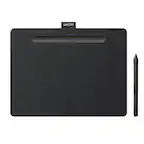
This review is from Wacom - Intuos Graphic Drawing Tablet for Mac, PC, Chromebook & Android (Small) with Software Included (Wireless) - Black
I would recommend this to a friend- Pros mentioned:Overall performance
Rated 5 out of 5 stars
Good Product
||Posted . Owned for 3 weeks when reviewed.This reviewer received promo considerations or sweepstakes entry for writing a review.Works great for my son's note taking for his online course
This review is from Wacom - Intuos Graphic Drawing Tablet for Mac, PC, Chromebook & Android (Small) with Software Included (Wireless) - Black
I would recommend this to a friend - Pros mentioned:Overall performanceCons mentioned:Setup
Rated 5 out of 5 stars
You wont regret it
||Posted . Owned for 2 weeks when reviewed.This reviewer received promo considerations or sweepstakes entry for writing a review.Product is great for what it is. Little issues setting it up other then that works perfect
This review is from Wacom - Intuos Graphic Drawing Tablet for Mac, PC, Chromebook & Android (Small) with Software Included (Wireless) - Black
I would recommend this to a friend - Pros mentioned:Ease of use
Rated 5 out of 5 stars
Buy it!
||Posted . Owned for 3 weeks when reviewed.This reviewer received promo considerations or sweepstakes entry for writing a review.This is a great tool and easy to use. I’m not a professional graphic artist but I really enjoy it!
This review is from Wacom - Intuos Graphic Drawing Tablet for Mac, PC, Chromebook & Android (Small) with Software Included (Wireless) - Black
I would recommend this to a friend - Pros mentioned:Wireless
Rated 4 out of 5 stars
Perfect for online teaching.
||Posted . Owned for 1 month when reviewed.This reviewer received promo considerations or sweepstakes entry for writing a review.This is the perfect compliment for online teaching. I am teaching math online this year due to Covid and this has been the best solution that compliments a laptop online. The wireless tablet is great for walking around the class and the programable buttons on the top of the table make for quick editing. The only drawback is that I wish I had bought the medium vs the small. I think I would have greatly benefited from having more surface and work space to write. Other than that which is more just a consumer choice, this tablet is awesome.
This review is from Wacom - Intuos Graphic Drawing Tablet for Mac, PC, Chromebook & Android (Small) with Software Included (Wireless) - Black
I would recommend this to a friend - Pros mentioned:Ease of use
Rated 5 out of 5 stars
Great device for beginner
||Posted .This reviewer received promo considerations or sweepstakes entry for writing a review.Works great, easy install and each full charge lasts a good while. Comes with a selection of three programs and the pen feels great in the hand. Compact and portable, looks sleek.
This review is from Wacom - Intuos Graphic Drawing Tablet for Mac, PC, Chromebook & Android (Small) with Software Included (Wireless) - Black
I would recommend this to a friend - Pros mentioned:Wireless
Rated 5 out of 5 stars
Small, Portable, and CUTE!
||Posted .This reviewer received promo considerations or sweepstakes entry for writing a review.For me, being on the move with a laptop means I want to have an easy time settling down someplace, yet being able to get up quickly and stash my cute-little drawing tablet away. It works and gets the job done for what I need. It also has bluetooth compatibility! So no cords, except to charge it! This means in and out in a flash of my computer bag! I can tuck it in with less cord tie-up in addition to my computer cords, if that is the case and be gone! Adore it and it works for the price!
This review is from Wacom - Intuos Graphic Drawing Tablet for Mac, PC, Chromebook & Android (Small) with Software Included (Wireless) - Black
I would recommend this to a friend - Pros mentioned:Size, Wireless
Rated 5 out of 5 stars
what's there not to like
||Posted . Owned for 1 month when reviewed.This reviewer received promo considerations or sweepstakes entry for writing a review.Caveat: I can't really evaluate this tablet from an artistic point of view. I suffer from dyspraxia , which means that I am clumsy and not artistic. I use this tablet for on-line teaching. Usually for diagram drawing. The platform is a MacBook Pro running Mojave. I recently gave up on two Chinese tablets because the drivers were so poor. Moreover, the Chinese tablet *will* not support Macos Catalina, which I plan to upgrade (eventually). So I decided to get this tablet. For me it is an ideal size since space on my desktop is at a premium. It also connects via Bluetooth which eliminates the need for a usb cable. I do not detect any lags using Bluetooth. But again I am not using this tablet for gaming where lags might be an issue. The 3 add-on programs are nice to have ,however I lack the desire or patience to learn them. There is a moral here. Namely that the driver software is at least as important as the hardware. However, I had to learn this the hard way since this tablet is the 3rd one I've purchased;the two previous Chinese tablets in which the Mac drivers were sub-standard.
I would recommend this to a friend Rated 3 out of 5 stars
BT latency
||Posted . Owned for 2 weeks when reviewed.This reviewer received promo considerations or sweepstakes entry for writing a review.If you care about latency (who doesn't), just get the wired one. It's unmanageable wirelessly, I probably used it once and the rest has been wired because latency is terrible and they will tell you that it's probably your BT chip or amount of devices connected.
This review is from Wacom - Intuos Graphic Drawing Tablet for Mac, PC, Chromebook & Android (Small) with Software Included (Wireless) - Black
I would recommend this to a friend- Pros mentioned:Size
Rated 5 out of 5 stars
Good buy
||Posted . Owned for 2 weeks when reviewed.This reviewer received promo considerations or sweepstakes entry for writing a review.Got this for my brother who wanted to get into digital art. He likes the size and finds it convenient to use. It’s a great starting piece for those that don’t want to spend a lot and are okay with cutting back on little things that may or may not be dealbreakers for those looking into getting into digital art; and wanting a good piece that doesn’t gouge their wallet.
This review is from Wacom - Intuos Graphic Drawing Tablet for Mac, PC, Chromebook & Android (Small) with Software Included (Wireless) - Black
I would recommend this to a friend - Pros mentioned:Overall performance, Size
Rated 5 out of 5 stars
So nice!
||Posted .This reviewer received promo considerations or sweepstakes entry for writing a review.I absolutely love this!! There is no lag or anything like that. Size is perfect for what I needed it and it works as it should. Do you wanna buy it? Do it! You won’t regret it.
This review is from Wacom - Intuos Graphic Drawing Tablet for Mac, PC, Chromebook & Android (Small) with Software Included (Wireless) - Black
I would recommend this to a friend Rated 5 out of 5 stars
Good for beginners.
||Posted . Owned for 1 year when reviewed.This reviewer received promo considerations or sweepstakes entry for writing a review.Great entry level tablet. Pen is good, battery lasts a long time.
This review is from Wacom - Intuos Graphic Drawing Tablet for Mac, PC, Chromebook & Android (Small) with Software Included (Wireless) - Black
I would recommend this to a friend- Pros mentioned:Ease of use
Rated 4 out of 5 stars
Awesome drawing pad!
||Posted .This reviewer received promo considerations or sweepstakes entry for writing a review.Both of my kids love it. They draw on it like a pro. It's easy to learn, and the ability to change the shortcuts and pressure settings lend versatility. The size of the tablet is perfect, not too big and not too small. The buttons on the pen are easily pressed, which gives it some difficulty when you are drawing. Overall, would recommend! A bang for your buck. Even though it was generally easy to download a drawing software for it, the website wasn't working as well. So we ended up trying different ways to make an account, and again, install a software. But in the end, all turned out well!
This review is from Wacom - Intuos Graphic Drawing Tablet for Mac, PC, Chromebook & Android (Small) with Software Included (Wireless) - Black
I would recommend this to a friend Rated 5 out of 5 stars
An upgrade from a previous wacom tablet.
||Posted .This reviewer received promo considerations or sweepstakes entry for writing a review.A few years ago I got a similar size and priced wacom tablet, the bamboo, and it had a lot of errors with my windows 10 pc. This was almost entirely software/drivers related as it would stop responding, need the machine to be restarted, or completely rearrange my desktop folders every time it was plugged in. Now, using the same exact PC, this new one does not cause any of those issues. I am able to draw in photoshop easily with the pressure sensitivity allowing for drawing super fine lines gradually to thick lines with applying more force to the pen. No issues so far, love it for sketching and photo touch ups.
I would recommend this to a friend- Pros mentioned:Wireless
Rated 5 out of 5 stars
Great upgrade
||Posted .This reviewer received promo considerations or sweepstakes entry for writing a review.I sold my previous tablet to upgrade to the new one & is great. Love the bluetooth, the charge lasts for 2 days depending on ur usage, &the pistachio color is of course amazing.
I would recommend this to a friend - Pros mentioned:Ease of use
Rated 4 out of 5 stars
Very Easy to Use!
||Posted .This reviewer received promo considerations or sweepstakes entry for writing a review.Fun device to use very user friendly, connects to apple products easy after initial set-up. Must find your own Art program to use with it no built in program.
I would recommend this to a friend Rated 4 out of 5 stars
A good beginner tablet
||Posted .This reviewer received promo considerations or sweepstakes entry for writing a review.A good tablet for beginner digital artists. If you are used to traditional art, there's a bit of a learning curve, I'm not sure if it would be better to start with a tablet that has a screen. Also requires a bit of set up if you have two monitors. The charger port also got a little bit loose.
This review is from Wacom - Intuos Graphic Drawing Tablet for Mac, PC, Chromebook & Android (Small) with Software Included (Wireless) - Black
I would recommend this to a friend- Pros mentioned:Wireless
Rated 5 out of 5 stars
Great Wacom Tablet
||Posted . Owned for 1 year when reviewed.This reviewer received promo considerations or sweepstakes entry for writing a review.Love love love this pen table. It’s Wireless. Just charge up and use. It works while charging too
This review is from Wacom - Intuos Graphic Drawing Tablet for Mac, PC, Chromebook & Android (Small) with Software Included (Wireless) - Black
I would recommend this to a friend - Pros mentioned:Ease of use, Wireless
Rated 5 out of 5 stars
Tablet
||Posted . Owned for 3 weeks when reviewed.This reviewer received promo considerations or sweepstakes entry for writing a review.Great item. Accurate and easy to use once you get use to it. I use it wired eventhough it has bluetooth feature on it.
This review is from Wacom - Intuos Graphic Drawing Tablet for Mac, PC, Chromebook & Android (Small) with Software Included (Wireless) - Black
I would recommend this to a friend - Pros mentioned:Wireless
Rated 5 out of 5 stars
Great Tablet for Entry Level use on PC
||Posted . Owned for 8 months when reviewed.This reviewer received promo considerations or sweepstakes entry for writing a review.This is a decent option for someone who wants to dabble in tablet drawing for PC but doesn't want to shell out thousands of dollars. This is a Bluetooth unit, and it is very convenient to use, it comes with a pen and charging cable, but not having to deal with a wire is phenomenal.
This review is from Wacom - Intuos Graphic Drawing Tablet for Mac, PC, Chromebook & Android (Small) with Software Included (Wireless) - Black
I would recommend this to a friend