Kwikset - Halo Smart Lock Wi-Fi Replacement Deadbolt with App/Keypad/Key Access - Satin Nickel
About this product
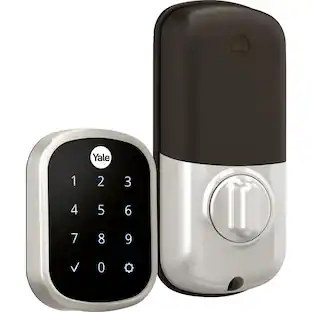
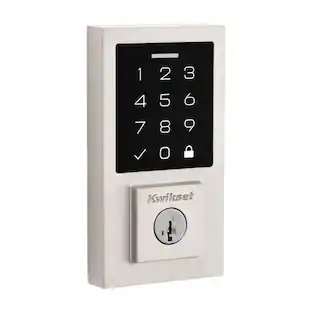
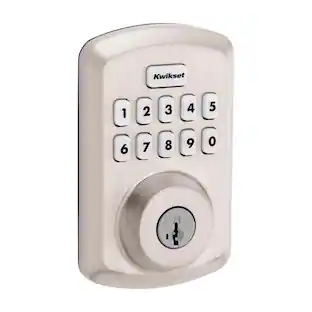
Halo Wi-Fi Smart Lock is a keyless entry electronic deadbolt featuring SmartKey. Using the Kwikset App, you can lock/unlock, program up to 250 user access codes, and receive notifications from anywhere there's an Internet connection. This single cylinder deadbolt can be locked or unlocked by using the keypad or key from the outside as well as the turn button from the inside. The crisp, clean appearance of the Satin Nickel finish brings a modern feel.
Color
Satin NickelHighlights
Features
Features SmartKey security
SmartKey Security protects against advanced break-in techniques and allows you to re-key the lock on your own in seconds. Re-key technology is compatible with Kwikset (KW1) keyway.
Secure deadbolt latch
The deadbolt latch is 20-minute fire rated with round corner face and round deadbolt strike. It has an adjustable backset of 2-3/8" to 2-3/4" to fit all standard door preparations with a 1-inch deadbolt throw.
Batteries included
Requires 4 AA batteries, included
Additional keyed access
Lock comes with 2 keys
Certifiably secure
Certified Highest Residential Security, Durability and Finish - ANSI/BHMA Grade AAA and UL tested
Specifications
- Color FinishSatin nickelLock TypeDeadboltLock/Unlock MechanismApp, Keypad, KeyPower SourceBattery-poweredInstallation TypeReplacement
Reviews
Rating 4.2 out of 5 stars with 60 reviews
Customer Images
The vast majority of our reviews come from verified purchases. Reviews from customers may include My Best Buy members, employees, and Tech Insider Network members (as tagged). Select reviewers may receive discounted products, promotional considerations or entries into drawings for honest, helpful reviews.
Compare similar products
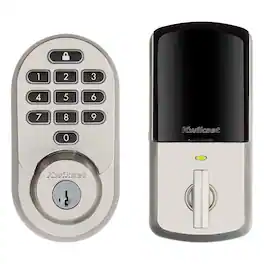
Halo Wi-Fi Smart Lock is a keyless entry electronic deadbolt featuring SmartKey. Using the Kwikset App, you can lock/unlock, program up to 250 user access codes, and receive notifications from anywhere there's an Internet connection. This single cylinder deadbolt can be locked or unlocked by using the keypad or key from the outside as well as the turn button from the inside. The crisp, clean appearance of the Satin Nickel finish brings a modern feel.
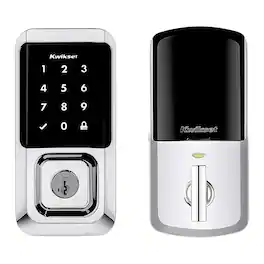
Halo Wi-Fi Smart Lock is a keyless entry electronic deadbolt featuring SmartKey. Using the Kwikset App, you can lock/unlock, program up to 250 user access codes, and receive notifications from anywhere with an Internet connection. This single cylinder deadbolt can be locked or unlocked by using the keypad or key from the of outside as well as the turn button from the inside. The Polished Chrome is perfect for coordinating in a bathroom with polished chrome fixtures.

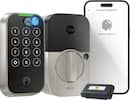
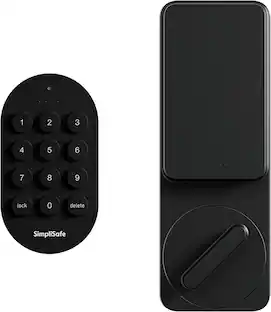
The SimpliSafe Smart Lock makes sure your door is always locked—even if you forget. It secures your door the minute you arm your system and unlocks when you disarm. You can even set a timer to keep your door locked when you need it most. You don't even need a key. Just use the PIN Pad, Key Fob or the SimpliSafe App to lock up when you're home or away. Installation is simple. There’s no drilling required. Plus, with 24/7 professional monitoring—agents will request emergency dispatch when you need it most. It’s seamless, simple and secure. (Requires the latest SimpliSafe Home Security system and a single-cylinder deadbolt.)
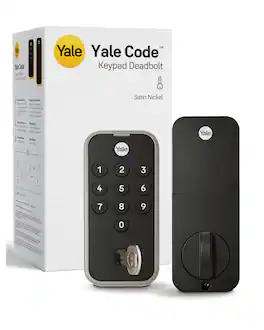
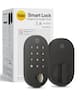
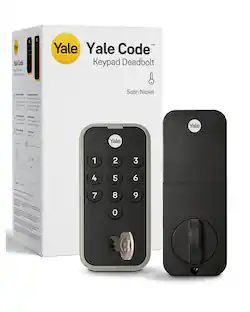
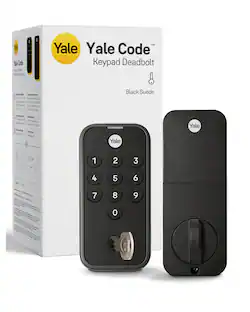
The Yale Code Door Lock is the keyless entry deadbolt lock for people who want key-free convenience without the complexity. No app, no Wi-Fi, no hub—just a reliable lock that does exactly what you need. Install it yourself in minutes with just a screwdriver, create up to 20 entry codes directly on the lock, and share access with family, friends, or anyone you trust. The backlit keypad makes entry easy in any lighting, and Auto-Lock secures the door behind you so you're never left wondering. A backup key is included if you ever want a traditional option. Grade 3 certified by BHMA and built to operate from -22°F to 140°F, it's designed to last. Fits doors 1-3/8" to 1-3/4" thick with a 2-3/8" to 2-3/4" backset and 1-1/2" to 2-1/8" borehole diameter. With its sleek, low-profile design, Yale Code looks great on any door while delivering the trusted security Yale has been known for since 1840.
| Pros for Kwikset - Halo Smart Lock Wi-Fi Replacement Deadbolt with App/Keypad/Key Access - Satin Nickel | |||
|---|---|---|---|
| There were no pros for this product— | There were no pros for this product— | Ease of use, Installation, Design, Overall Performance, Compatibility | Installation Ease, Build Quality, Security, Locking Mechanism, Keypad Illumination |
| Cons for Kwikset - Halo Smart Lock Wi-Fi Replacement Deadbolt with App/Keypad/Key Access - Satin Nickel | |||
| There were no cons for this product— | There were no cons for this product— | Connectivity, Deadbolt Alignment | Connectivity |
Specs
Customers often buy these together
Security Camera


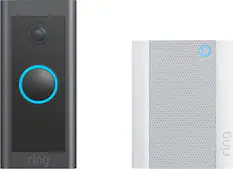
Smart Doorbell





More recommended items
 Sensors and Detectors
 Smart Speakers and Displays
 Networking
More to consider
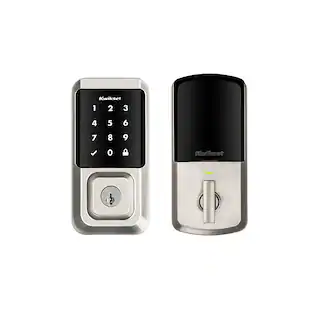 $149.00The price was $205.00
 $158.24The price was $173.83
 $89.99The price was $99.99


Control, Comfort, Convenience Sponsored
 $139.99The price was $179.99
Discover related products
 $139.99The price was $199.99
 $69.99The price was $79.99

Keep exploring
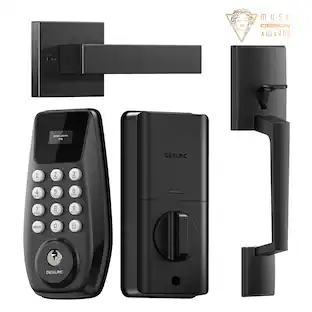
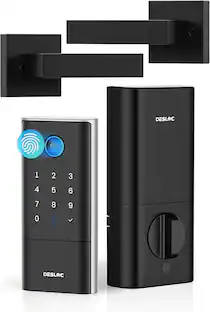
DESLOC - C100 Smart Door Lock with Visible Display, Smart Keypad Deadbolt with Handle for Front Door
$52.99The price was $79.99