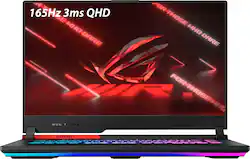
ASUS - ROG Strix G15 Advantage Edition 15.6" QHD Gaming Laptop - AMD Ryzen 9 5980HX - 16GB Memory - Radeon RX 6800M - 512GB SSD - Black
- Key Specs
- Screen Size: 15.6 inches (Size of the screen, measured diagonally from corner to corner.)
- Screen Resolution: 2560 x 1440 (QHD) (Screens come in a range of resolutions (measured in pixels, horizontal x vertical). The higher the resolution, the greater the picture quality.)
- Touch Screen: false (Touch-screen devices make navigating more intuitive. Using a touch-screen display, you can do things such as tap to select, hold and drag to move items, swipe to scroll, and pinch to zoom.)
- Refresh Rate: 165Hz (The number of frames per second the device can produce natively without enhancement. Higher rates help produce smooth, seamless pictures.)
- Processor Model: AMD Ryzen 9 5000 Series (Your computer's processor is like its brain. Working in combination with system memory, the power of the processor determines the complexity of software you can run, how many programs you can have open at the same time, and how fast those programs will run. Most computers feature an AMD, Intel or Snapdragon processor.)
- Storage Type: SSD
- Total Storage Capacity: 512 gigabytes
- System Memory (RAM): 16 gigabytes (Random-access memory (RAM) is a computing device's short-term data storage, which allows active information to be accessed quickly. The size and type of RAM determines how efficiently the device can handle large amounts of information at one time. For example, gaming or video editing requires more RAM for optimal performance.)
- Graphics: AMD Radeon RX 6800M (Often referred to as a "graphics processing unit" (GPU), this device is responsible for displaying image content and decoding/encoding video content in programs and games.)
- Display Connector(s): 1 x DisplayPort 1.4, 1 x HDMI (The number and type of connectors used to connect to an external display.)
- Backlit Keyboard: true (Integrated lights allow for visibility of the keys in low-light conditions.)
- General
- Product Name: ROG Strix G15 Advantage Edition 15.6" QHD Gaming Laptop - AMD Ryzen 9 5980HX - 16GB Memory - Radeon RX 6800M - 512GB SSD
- Brand: ASUS
- Model Number: G513QY-SG15.R96800
- Year of Release: 2021
- Color: Black
- Display
- Screen Size: 15.6 inches (Size of the screen, measured diagonally from corner to corner.)
- Screen Resolution: 2560 x 1440 (QHD) (Screens come in a range of resolutions (measured in pixels, horizontal x vertical). The higher the resolution, the greater the picture quality.)
- Touch Screen: false (Touch-screen devices make navigating more intuitive. Using a touch-screen display, you can do things such as tap to select, hold and drag to move items, swipe to scroll, and pinch to zoom.)
- Refresh Rate: 165Hz (The number of frames per second the device can produce natively without enhancement. Higher rates help produce smooth, seamless pictures.)
- Processor
- Processor Brand: AMD
- Processor Model: AMD Ryzen 9 5000 Series (Your computer's processor is like its brain. Working in combination with system memory, the power of the processor determines the complexity of software you can run, how many programs you can have open at the same time, and how fast those programs will run. Most computers feature an AMD, Intel or Snapdragon processor.)
- Processor Model Number: 5980HX
- Storage
- Storage Type: SSD
- Total Storage Capacity: 512 gigabytes
- Solid State Drive Capacity: 512 gigabytes (The amount of data that can be stored on the device's solid state drive (SSD). SSD is a flash-based storage with faster speeds than a hard disk drive (HDD).)
- Memory
- System Memory (RAM): 16 gigabytes (Random-access memory (RAM) is a computing device's short-term data storage, which allows active information to be accessed quickly. The size and type of RAM determines how efficiently the device can handle large amounts of information at one time. For example, gaming or video editing requires more RAM for optimal performance.)
- Type of Memory (RAM): DDR4 (Each type of RAM delivers a different level of speed, bandwidth, energy efficiency and performance.)
- Graphics
- Graphics Type: Dedicated (Dedicated graphics uses a separate graphics card for processing video images. Because it does not use memory from the system's RAM, there is no extra burden on the CPU and graphics are processed more efficiently. Integrated graphics shares system RAM to process video images.)
- GPU Brand: AMD Radeon
- Graphics: AMD Radeon RX 6800M (Often referred to as a "graphics processing unit" (GPU), this device is responsible for displaying image content and decoding/encoding video content in programs and games.)
- Compatibility
- Operating System: Windows 11 Home (The operating system manages all software and hardware, including files, memory and connected devices. Most importantly, it lets you interact with your device and your programs in a visual way; otherwise, you'd be typing computer code to get anything done.)
- Connectivity
- Display Connector(s): 1 x DisplayPort 1.4, 1 x HDMI (The number and type of connectors used to connect to an external display.)
- USB Ports: 4 x USB-A (The number and type of USB ports the product has.)
- Number of USB Ports (Total): 4
- Camera
- Front-Facing Camera: false
- Features
- Backlit Keyboard: true (Integrated lights allow for visibility of the keys in low-light conditions.)
- Dimensions
- Product Weight: 5.29 pounds (The out of box weight of the item.)
- Certifications Listings & Approvals
- ENERGY STAR Certified: true (Devices carrying the ENERGY STAR service mark, such as computer products and peripherals, kitchen appliances, and other products, generally use 20% to 30% less energy than required by federal standards.)
- EPEAT Qualified: true (The Electronic Product Environmental Assessment Tool (EPEAT) was designed to provide an environmental assessment tool for purchasers. In order to qualify for EPEAT, a product must meet all 23 required criteria.)
- EPEAT Level: Silver (The Electronic Product Environmental Assessment Tool (EPEAT) was designed to provide an environmental assessment tool for purchasers. In order to qualify for EPEAT, a product must meet all 23 required criteria. Products are rated Bronze, Silver or Gold based on how many of 28 optional criteria they meet (below 50%, 50%, 75%).)
- Other
- UPC: 195553469210
Game like a pro with this ROG STRIX Advantage Edition. Double up on AMD firepower with Ryzen 9-5980HX CPU and Radeon RX6800M GPU featuring exclusive AMD SmartShift and Smart Access Memory technology that dynamically boosts performance for any task. Enjoy eSports speed on 165hz QHD simply with FreeSync premium enabling ultrasmooth gameplay.
- Windows 11 operating system: Windows 11 has all the power and security of Windows 10 with a redesigned and refreshed look. It also comes with new tools, sounds, and apps. Every detail has been considered. All of it comes together to bring you a refreshing experience on your PC
- 15.6" QHD display with 165hz refresh rate: The 2560 x 1440 resolution with 100% sRGB color gamut boasts impressive color and clarity. Game with ultra fast 165hz refresh rate and 3ms response time
- AMD Ryzen 9 5980HX processor: Take on anything with up to the latest AMD Ryzen 9 5980HX CPU made with cutting-edge 7nm fabrication technology, activate up to 8 cores and 16 threads to handle demanding work.
- Radeon RX 6800M Graphics: The AMD Radeon RX 6800M GPU with 12GB GDDR6 maximizes speed and power efficiency for brilliant gaming performance. Liquid metal thermal compound allows clocks up to 2600MHz and enables GPU power up to 180W with SmartShift technology
- AMD SmartShift: Get up to a 10% performance improvement thanks to AMD SmartShift. Using a hardware boosting interface and machine learning algorithms, SmartShift quickly moves power between the CPU and GPU, optimizing performance on the fly for games, 3D rendering, video editing, and other workloads.
- AMD Smart Access Memory: Enjoy higher frame rates in many games thanks to AMD Smart Access Memory
- 16GB system memory for advanced multitasking: Substantial high-bandwidth RAM to smoothly run your games and photo- and video-editing applications, as well as multiple programs and browser tabs all at once.
- 512GB Solid State Drive (PCI-e NVMe M.2): Save files fast and store more data. With massive amounts of storage and advanced communication power, PCI-e SSDs are great for major gaming applications, multiple servers, daily backups, and more.
- RGB light bar: Illuminate your life in RGB. A redesigned light bar increases the density of LEDs to create a more refined underglow beneath the chassis. Personalize your Aura Sync settings to set the ideal gaming mood across an entire ecosystem of compatible devices.
- Swappable Armor caps: Add a pop of personality to your chassis with Customizable Armor Caps. Two additional color options come in the box and swap out effortlessly, letting you switch up your style anytime.
- RGB backlit keyboard: Allows you to enjoy comfortable and accurate typing, even in dim lighting. Also able to customize or change to one's preference.
- Vapor chamber: Heat dissipation is faster and more efficient with our advanced vapor chamber, which improves cooling performance and lowers surface temperatures.
- IR sensor: A special IR sensor monitors the temperature of the keyboard, so power and cooling can automatically adjust to keep your fingers cool and comfortable during marathon gaming sessions.
- Two-Way AI Noise Cancelation: Two-Way AI Noise Cancelation clarifies upstream and downstream audio, filtering out unwanted noise to make voice communication clearer.
- Weighs 5.51 lbs. and measures 1" thin: Thin and light design with DVD/CD drive omitted for improved portability. 90Whr lithium-ion battery.
- HDMI output expands your viewing options: Connect to an HDTV or high-def monitor to set up two screens side by side or just see more of the big picture.
- Wireless/Wired connectivity (WiFi 6 - 802.11 ax): Flexible, dual-band connectivity w/ greater reliability thanks to two data streams and antennas. Connect to a Wi-Fi router to experience GB Wi-Fi speeds nearly 3X faster vs. standard Wi-Fi 5 w/ improved responsiveness for even more devices.
- Comprehensive Connectivity: Hook up next-gen devices via the USB 3.2 Type-C with DisplayPort 1.4 and USB Power Delivery. Three Type-A USB 3.2 ports are ready for your favorite gaming gear, while HDMI 2.0b lets you connect a 4K monitor or TV at up to 60Hz
- Xbox Game Pass Ultimate - Discover your next favorite game: 1 month of Xbox Game Pass Ultimate included. Play over 100 high-quality games on Windows 11, console and mobile. Includes new day one titles, iconic Bethesda games and EA Play on PC
A: The percentage you mention really only applies to esports games. The difference gets much smaller with more GPU demanding titles. Ultra settings in a AAA with the 2K screen, you’re talking about only a handful of FPS, basically negligible.
Q: Does it still have the bad ram and the lack of mux switch?
A: No Mux switch and Ram is fixed with new batch
A: Yes, CPU has liquid metal cooling and so does the GPU. No, u can't do that directly as it doesn't have a mux switch. But connecting to an external monitor will allow direct access to the dedicated GPU.
A: Various reviews from what Ive seen have said that the HDMI port does not connect directly to the dedicated GPU, but the USB-C (DP 1.4 spec) does.
Q: What is the maximum RAM the laptop can use: 32GB or 644GB?
A: It supports up to 2 x 32gb 3200mhz laptop ram, I am pretty sure it only has two ram slots, so you have to use two 32 gb strips, it will not go higher than a total of 64gb though, because that’s all the ryzen 9 5980hx allows.
Q: Is this a real laptop that's actually coming out?
A: its in stock today, grab it while you can!
Q: Can local geek squad upgrade with additional memory and hard drive when order comes in?
A: I believe the answer to that would be yes. But they will probably charge a fee. Its actually pretty simple to upgrade the RAM and storage on the ROG Strix G15. I did it for mine. Just remove the screws from the bottom of the panel (there are 11 of them). Carefully remove the panel, don't force it open. Be careful when removing it since the light bar is connected to the motherboard. Once removed you will see 2 black heat pads. The memory is underneath. The SSD is located to the left of that. For the memory just make sure you buy DDR4-3200MHz (thats the memory for the Ryzen 9 5900HX). You can also watch several videos on YouTube showing how to do it. Hope this helps.
A: Its highly recommended to upgrade the SSD. Gen 4 will work, but if its cheaper, just get a gen 3, as youll only see gen 3 speeds if you use a gen 4. This laptpp supports up to 4Tb of storage