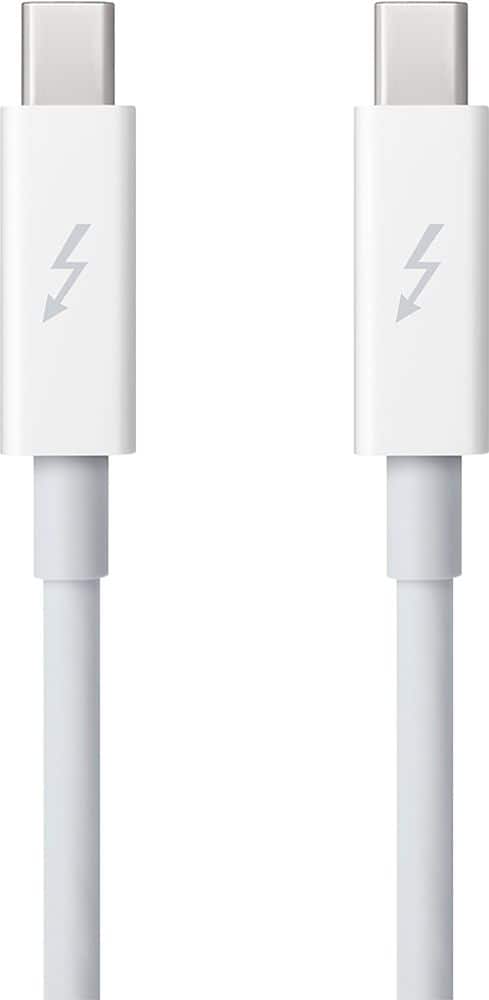
A:AnswerThis adapter allows you to connect Thunderbolt and Thunderbolt 2 devices, such as external hard drives and Thunderbolt displays, to any of the Thunderbolt 3 (USB-C) ports on your MacBook Pro.
This question and answer was generated by AI based on customer and product data.
A:AnswerYes, the male is to plug into a USB-C. If you can see the attached photos, I'm using this to allow me to use my old workhorse Apple Thunderbolt Display with my 2018 Mac Mini--I plugged the monitor into the lightning (female) side of the adapter, and the USB-C (male) side of the adapter into the Mini. It is a really solid, secure connection. Although Mac's adapters tend to be on the spendy side, they are extremely well made.
A:Answerif your iMac or Macbook has a Thunderbolt 2 port and what your trying to connect it to has a Usb C (Thunderbolt 3) port then it will work provided you have a Thunderbolt 2 cable. I have an old Belkin Thunderbolt 2 Dock and used this to connect it to my M1 mini, works great, hope that helps.
A:AnswerUnfortunately it did not work in my case. I have a Macbook Pro with USB 3,0 and Thunderbolt 2 ports. I purchased a 1 TB Samsung SSD T5 drive and this converter. I plugged the male end of the converter into my Thunderbolt 2 Macbook port and used a male to male USB-C cable between the other end of this converter and the SSD T5.
Physically the connections worked perfectly but the MacBook never "saw" the drive. I tried each of the Thunderbolt ports on my MB. I hadn't used the TB ports for a couple of years so I took the connected drive to my wife's slightly newer MacBook to see if it worked with hers - nothing. The SSD came with two cables - a type C to type C connector and a USB 3.0 to type C connector. So I connected the SSD T5 to my MacBook's USB 3.0 port with the cable that came with the drive and noticed for the first time that the hard drive has a light that indicates it's being powered and the Mac recognized and mounted the drive. I went back to using this converter and sure enough, no light on the drive. I dug another converter out of my bottom drawer that converts the thunderbolt 2 to a VGA connector and connected that to the VGA port on my monitor - worked like a champ (just, again, verifying that the thunderbolt port was functioning correctly). I then made sure the Thunderbolt drivers were up to date - they were.
After doing tons of web searching and reading forums tried all sorts of thing on the Mac - deleting the drivers and reinstalling, changing things in the system files, etc. all at no avail. Why all the fuss since the SSD works with the supplied USB 3.0 to type-C cable you ask? The hard drive is capable of 540 gbps data transfer, the Thunderbolt port can provide 20 gbps and the usb 3.0 port only 5gpbs. So while the thunderbolt 2 is still MUCH slower than the drive can support (the whole reason for spending the dough on an SSD drive) the USB 3.0 is only 25% as fast as that.
So I made an appointment with the GEEK squad - strapped on my covid mask like a sheep and went to the store. These guys were CLUELESS about Macs. They tried tellingi me that the drive wasn't formatted correctly for a MAC. I showed them with the USB cable that I had already put 250GB of photos on the drive. Then they told me the Thunderbolt port on the Mac is only meant for displays. How can someone who calls himself a GEEK be so ignorant of the best computer in the world?!!
I see people telling you that this converter works for exactly what I'm trying to do but I'm telling you it does not. My GUESS is that if you're using it for the data transfer and the device that you're plugging it into has an external power source of its own it will work fine but if this connection is for both data and to supply power to the device as in this case that you're out of luck. I returned the converter and use the SSB with the USB 3.0 connector. The 5 GBPS xfer rate is not what I had hoped for but still much faster than a platter spinning hard would give me.
A:AnswerThis is a Thunderbolt 3 to Thunderbolt 2 adapter. It enables you to connect any Thunderbolt 2 device such as a Thunderbolt 2 hard drive or RAID, a Thunderbolt Blackmagic or Aja video device or any such. Even a Thunderbolt to PCIe adapter. To any new MacBook/Pro or iMac which has Thunderbolt 3 ports.
This adapter will work with an Apple Thunderbolt 2 display.
It will not work with an Apple Cinema Display which uses a Thunderbolt 2 looking connector which is actually a mini Display Port. See this document (https://support.apple.com/en-us/HT207266)
The difference between an Apple Cinema Display and an Apple Thunderbolt Display is that the Thunderbolt display has an Ethernet and a Firewire800 port at the back. The Cinema Display does not.
What you need is a USB-C to mini Display Port adapter such as the UPTab USB-C Type C to Mini DisplayPort Adapter or the ITANDA USB C Type to Mini DisplayPort/Mini DP Adapter Cable.
A:AnswerSearch Best Buy for USB-C hubs. I have had good luck with Anker products.
1 of the j5create hubs has 2 USB-A, 1 USB-C and an SD card reader.
No matter what you buy, keep the receipt. The failure rate of generic Chinese parts and accessories is higher than one might expect.