Customer Ratings & Reviews


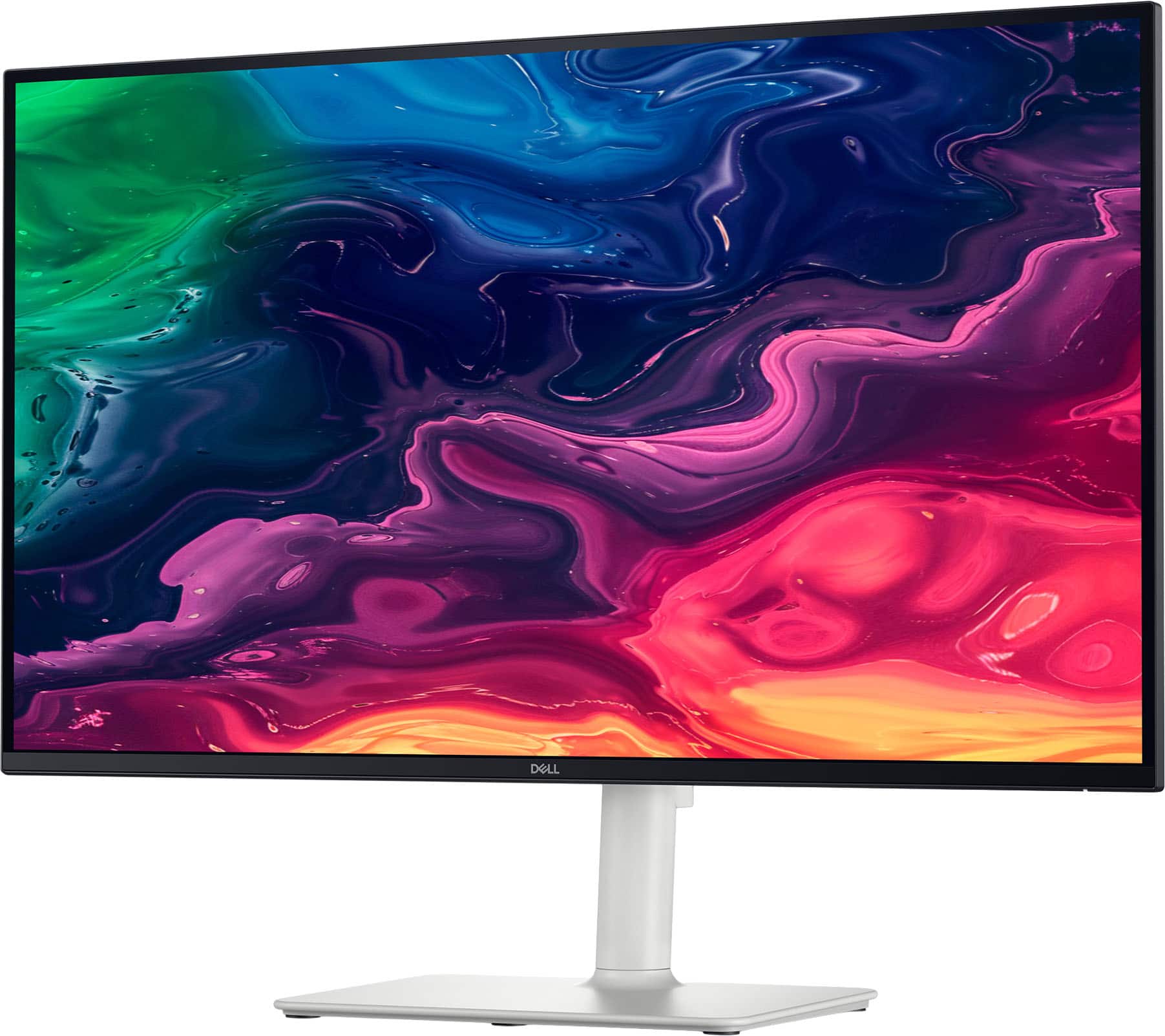
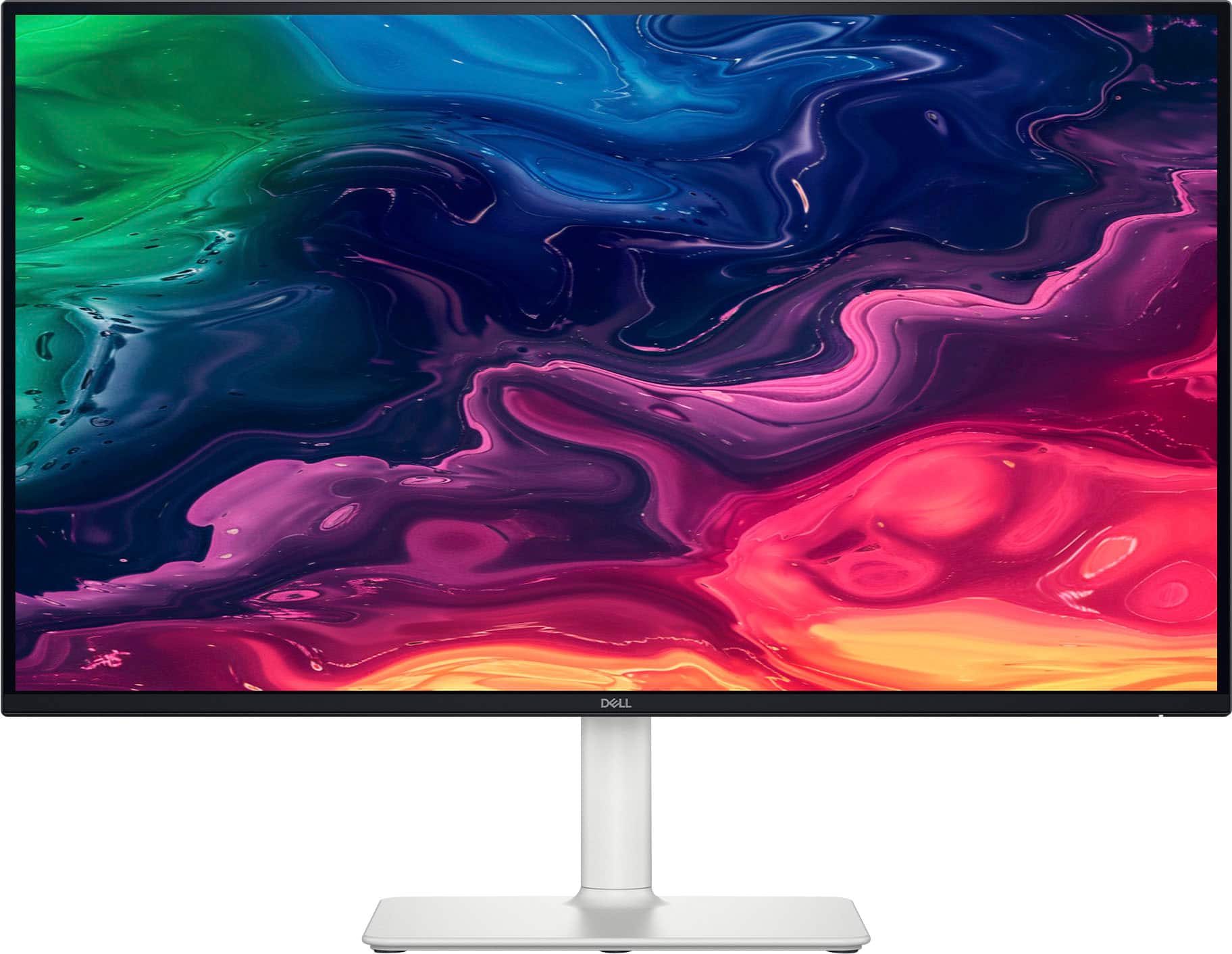
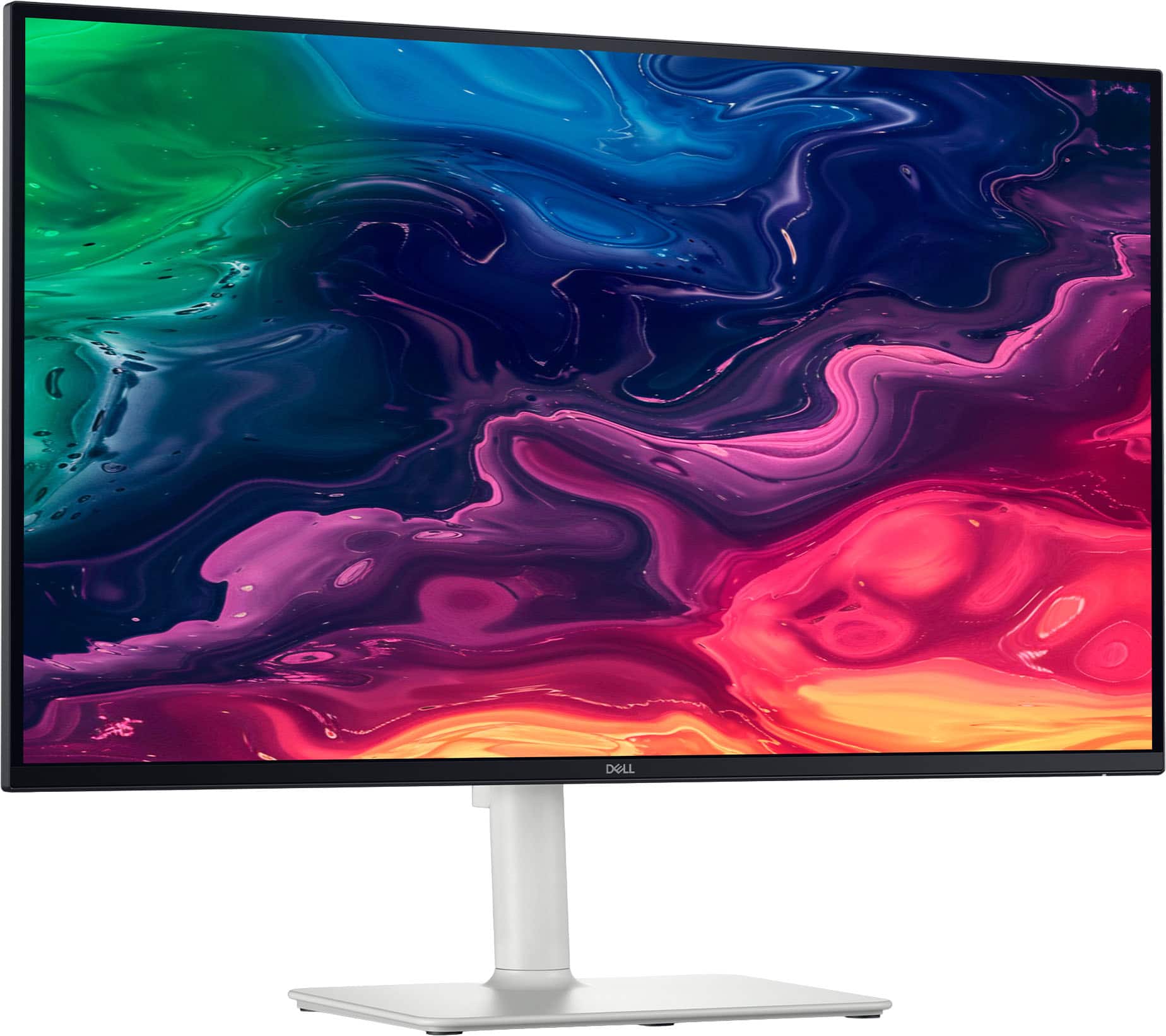
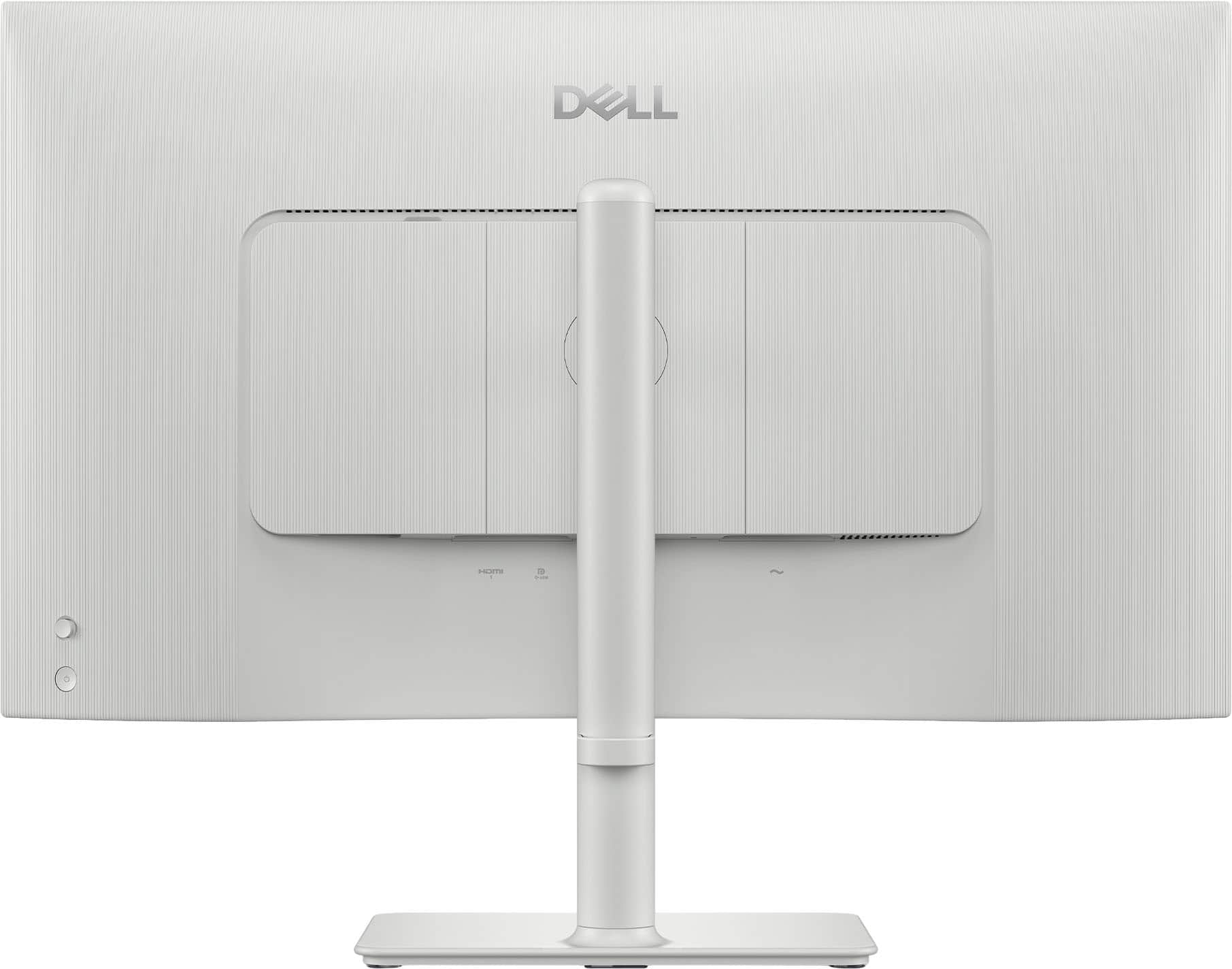

- Model:
- S2725QC
- SKU:
- 6619486
Rating by feature
- Display Quality
Rating 4.8 out of 5 stars
- Ease of Use
Rating 4.8 out of 5 stars
- Features
Rating 4.7 out of 5 stars
Customers are saying
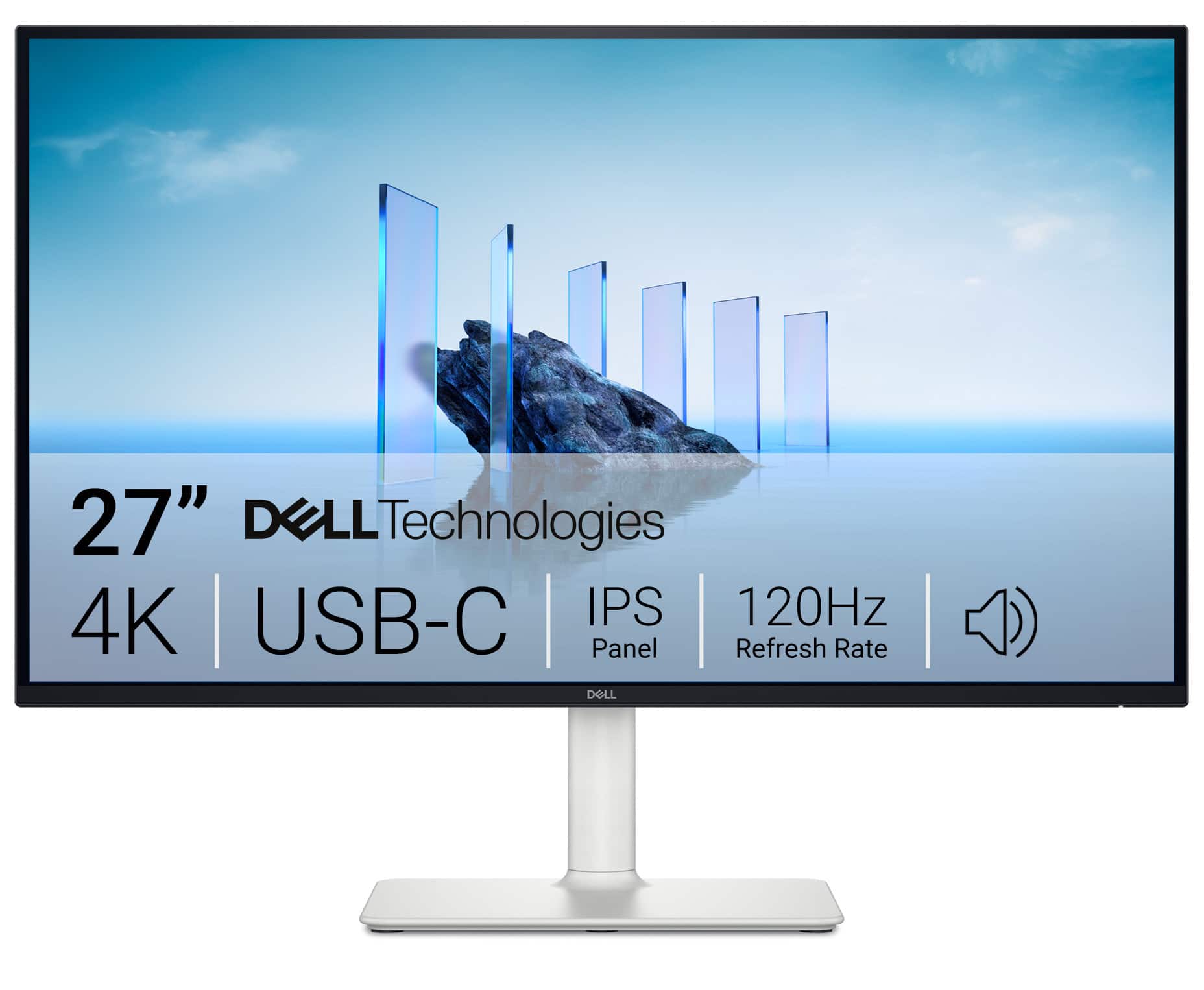
Customers recognize the S2725QC 27" monitor for its excellent screen quality and versatile connectivity options, particularly the convenience of USB-C. The monitor's 120Hz refresh rate and overall performance are also appreciated, along with its adjustable stand and eye comfort features. Additionally, users find the built-in port hub and USB-C power delivery to be quite useful.
This summary was generated by AI based on customer reviews.
- Pros mentioned:Connectivity, Refresh rate, Screen quality
A quietly excellent 4K display
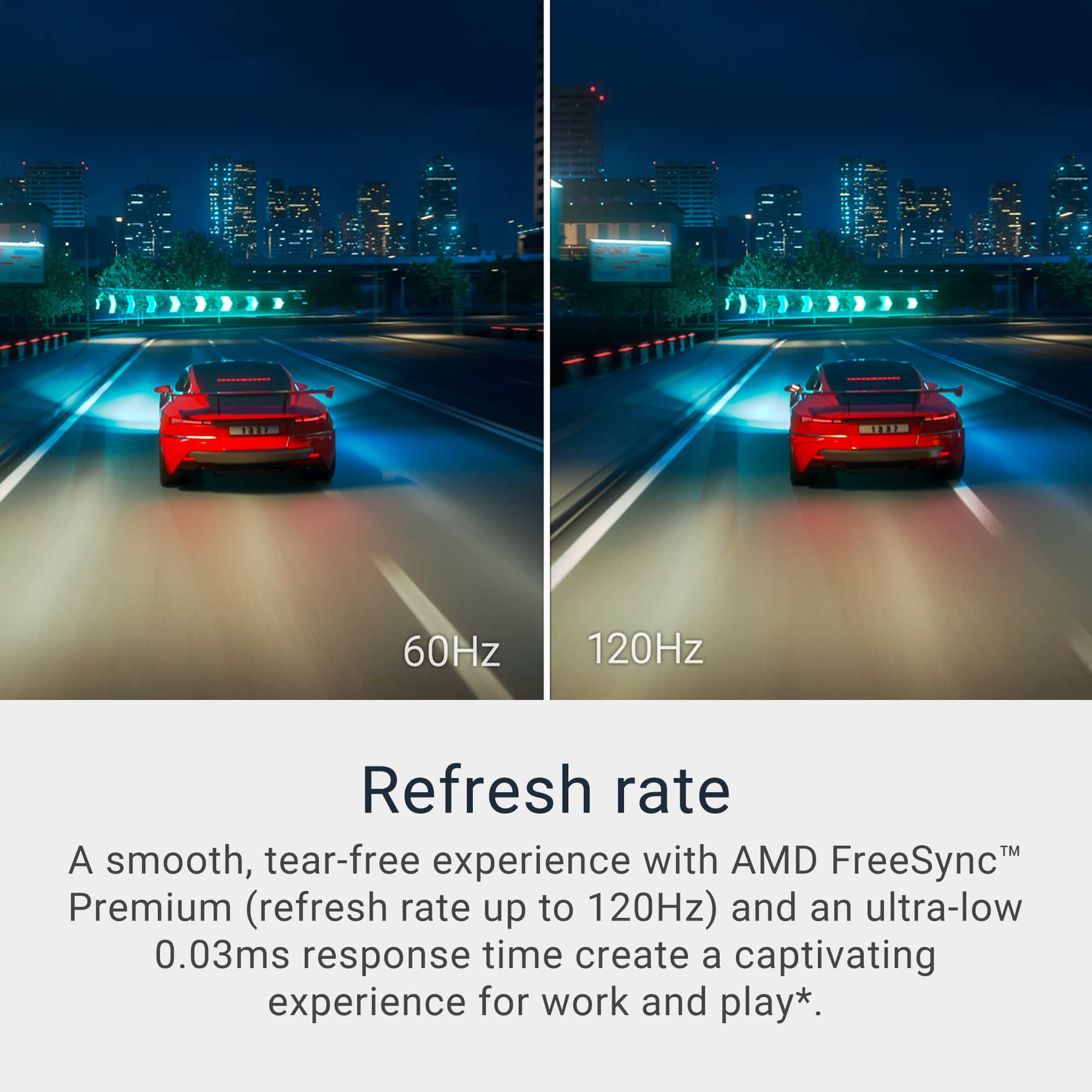
||Posted . Owned for 2 weeks when reviewed.This reviewer received promo considerations or sweepstakes entry for writing a review.I bought the Dell S2725QC to anchor both my workday and evening downtime, and it’s done exactly that—cleanly and without fuss. The 4K IPS panel is sharp and well-balanced, with natural color and crisp text that makes long work sessions easy on the eyes. Photos and video look rich without being oversaturated, and the 120Hz refresh rate adds a subtle smoothness to scrolling, window movement, and casual gaming that’s hard to give up once you’re used to it. USB-C is the real convenience win here. One cable powers my laptop, drives the display, and handles peripherals, instantly making the desk feel more organized and intentional. The Ash White design is understated and modern, with a sturdy stand that fits just as well in a home office as a living-space setup. This monitor doesn’t try to impress with gimmicks—it simply delivers a fast, clean, high-quality picture in a refined package. If you want a premium 27" 4K display that feels great in everyday use, this one is easy to recommend.
I would recommend this to a friend - Pros mentioned:Refresh rate
Beautiful
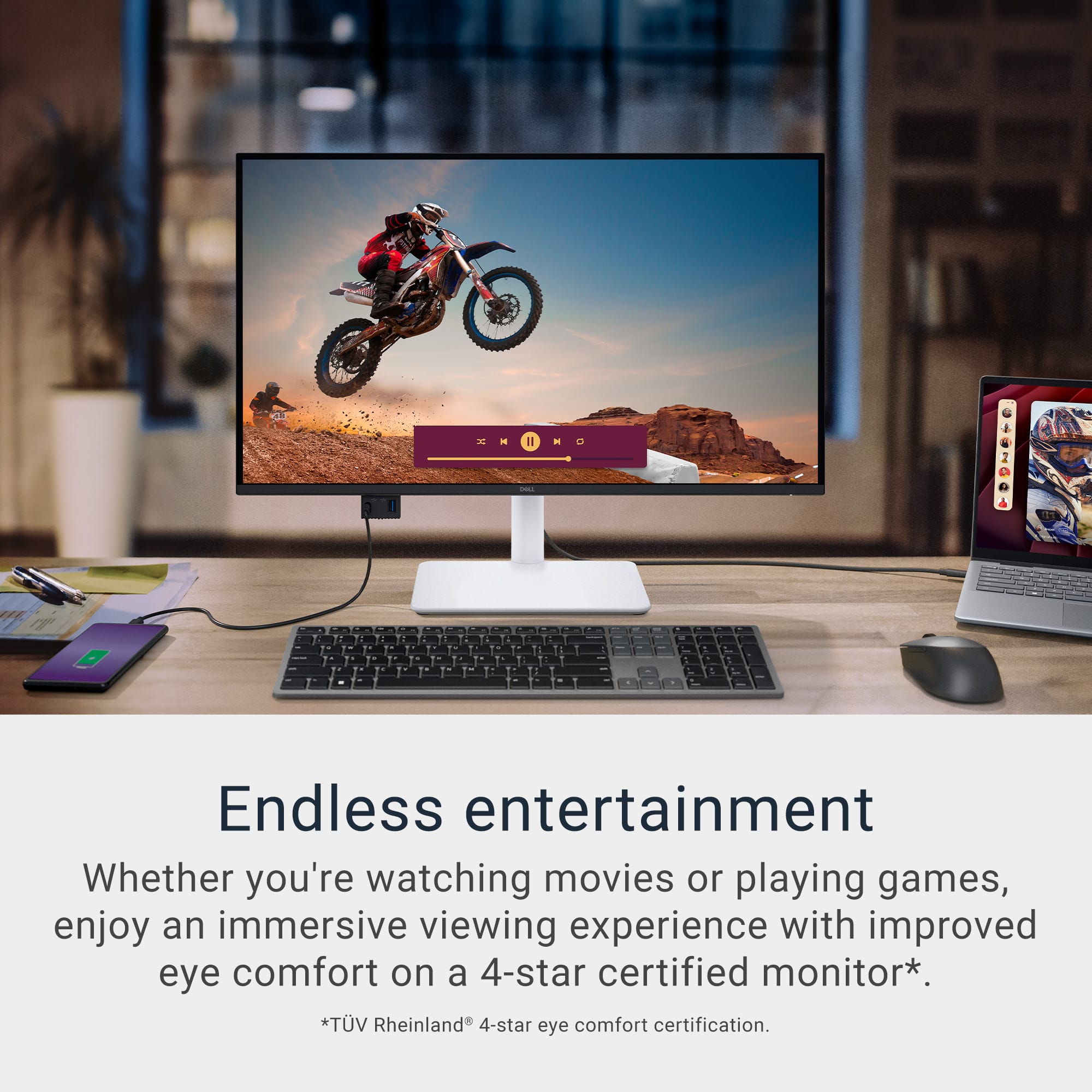
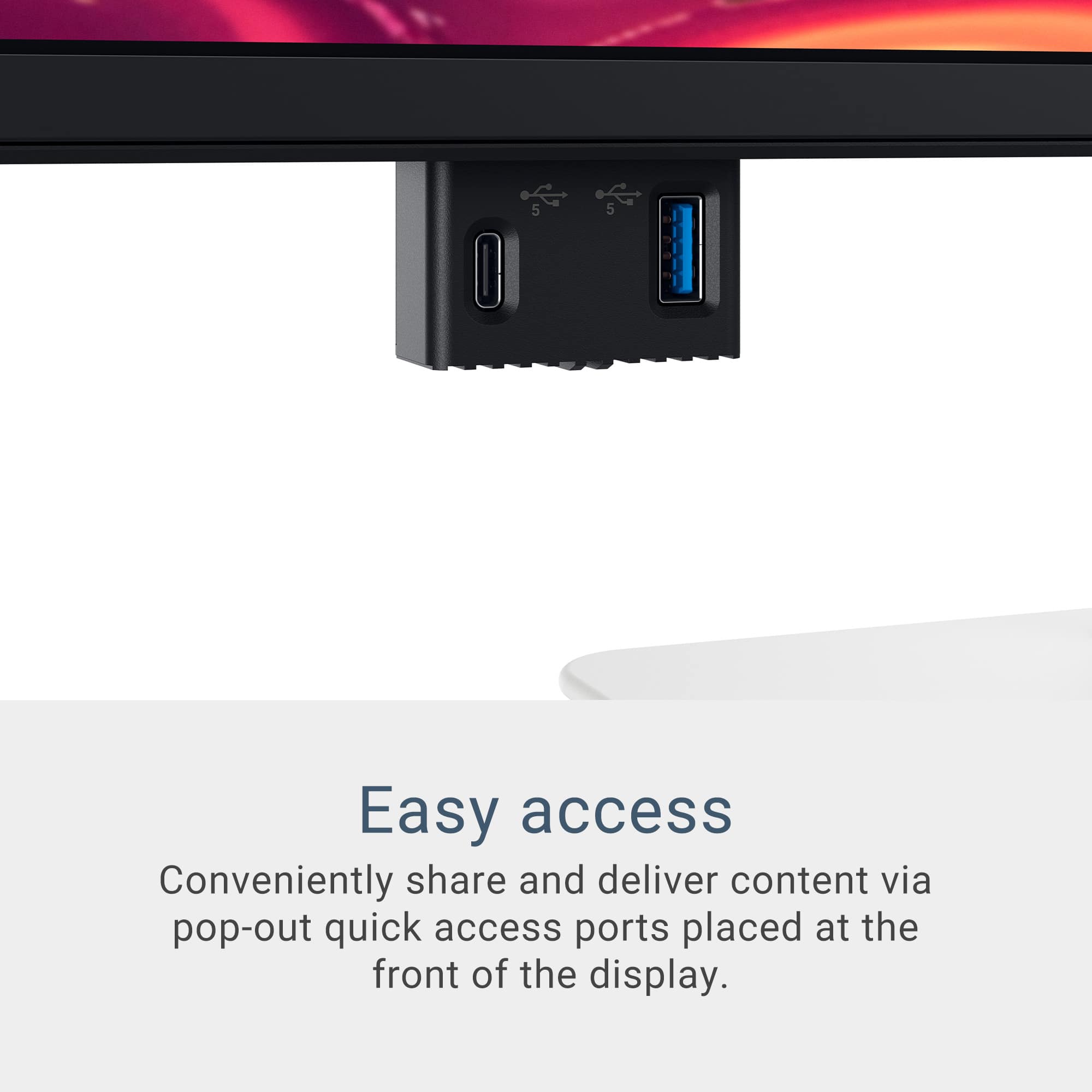
||Posted . Owned for 2 weeks when reviewed.This reviewer received promo considerations or sweepstakes entry for writing a review.I love this monitor. Although it was a tad bigger than I was expecting, it has made me so happy I purchased it. Graphics are amazing! The refresh rate is awesome. When I want to sit at my desk and watch streaming shows, it's perfect. I love the charging ports that drop down from the bottom as well. I can't recommend enough.
I would recommend this to a friend - Pros mentioned:Connectivity, Refresh rate
Stunning 4K Monitor with Smooth 120Hz and Sleek De
||Posted .This reviewer received promo considerations or sweepstakes entry for writing a review.This Dell S2725QC is an absolute gem! The 4K IPS display is crystal clear with vibrant colors, and the 120Hz refresh rate makes everything buttery smooth. USB-C connectivity is super convenient, keeping my desk clean with just one cable for power and video. The sleek silver design looks premium, and setup was a breeze. For the price, this monitor delivers top-notch performance and style—highly recommend!
I would recommend this to a friend - Pros mentioned:Screen quality
Great value
||Posted .This reviewer received promo considerations or sweepstakes entry for writing a review.This monitor is perfect for my use case. I needed something for work that is big enough with high resolution to see charts but not too big to still allow dual monitors side by side in the future. I also wanted good color accuracy and high refresh rates without breaking the bank. This monitor has a great ergonomic stand, allows a single USB cable for power and data, pop ports for accessories and charging, and the side HDMI has a nearby USB port that can power a Chromecast with Google TV (it also has good speakers so I am able to turn it to a smart TV). It has some light bleeds on the edge but it’s still probably the best monitor overall for this price range in my opinion.
I would recommend this to a friend - Pros mentioned:Overall performance, Screen quality
You wont regret buying this
||Posted . Owned for 3 weeks when reviewed.This reviewer received promo considerations or sweepstakes entry for writing a review.Excellent computer!! As described, excellent!! Great image quality, colors and very fast
I would recommend this to a friend Jack of Trades master of none
||Posted .This reviewer received promo considerations or sweepstakes entry for writing a review.Its a good monitor for everything. I like to game, edit photos and videos and it does all of those great but it could be better for each one. I know that doesn't exist in a perfect world but if you want something with over 120hz for gaming or more dynamic range for editing this isn't quite there for professional levels. But since i'm not a professional in any of those fields and just a hobbyist this is perfect. It is great quality for what i need, pretty much perfect but just giving my opinion on what someone else might be thinking its not perfect in every category or excelling in every category.
I would recommend this to a friend- Pros mentioned:Screen quality
DELL 4k IPS Monitor
||Posted .This reviewer received promo considerations or sweepstakes entry for writing a review.I hooked this item up to my Nintendo Switch 2, which had previously been connected to a 720p monitor. The glow up is outstanding. Its speakers are set originally to 50, but I turned them down to 1, and I can still hear it very well. Overall, this is a phenomenal product and well worth a purchase.
I would recommend this to a friend - Pros mentioned:Overall performance
Great monitor with the essential features.
||Posted . Owned for 3 months when reviewed.This reviewer received promo considerations or sweepstakes entry for writing a review.This was a fantastic purchase, especially considering the price. Plus, having a KVM is a real bonus!
I would recommend this to a friend - Pros mentioned:Screen quality
Totally worth it
||Posted .This reviewer received promo considerations or sweepstakes entry for writing a review.Great color and clarity with a crisp picture that pops. Perfect size for multiple windows open. The speakers and laptop charging is pure bonus.
I would recommend this to a friend Great versatile 4k monitor. A must buy.
||Posted . Owned for 2 weeks when reviewed.This reviewer received promo considerations or sweepstakes entry for writing a review.A steal for the price. This monitor has all the bells and whistles of more expensive monitors double the price. Very happy with this as a Mac user for productivity use cases and for gaming!!
I would recommend this to a friend- Pros mentioned:Overall performance
Dell 27 in monitor 4k
||Posted . Owned for 3 weeks when reviewed.This reviewer received promo considerations or sweepstakes entry for writing a review.It's great for video editing, which is what I use it for; I really liked it a lot.
I would recommend this to a friend - Pros mentioned:Screen quality
Incredible Monitor! Would buy for sure
||Posted .This reviewer received promo considerations or sweepstakes entry for writing a review.the 4K UHD display is fantastic. The product is great. I love Dell Monitors
I would recommend this to a friend - Pros mentioned:Overall performance
Very good
||Posted .This reviewer received promo considerations or sweepstakes entry for writing a review.This is a very good monitor for the price, I am very satisfied with this monitor, thanks Dell & Best Buy
I would recommend this to a friend Dell Monitor(s)
||Posted . Owned for 2 weeks when reviewed.This reviewer received promo considerations or sweepstakes entry for writing a review.Bought two, so amazing. Love them, Bear Buy is great.
I would recommend this to a friend- Pros mentioned:Refresh rate
Great features for this price point
||Posted .This reviewer received promo considerations or sweepstakes entry for writing a review.Excellent for most applications. 120Hz @4K is pretty good for this price point. It has USB-C and HDMI connections at that refresh rate.
I would recommend this to a friend Good monitor
||Posted . Owned for 1 month when reviewed.This reviewer received promo considerations or sweepstakes entry for writing a review.Good screen with a good quality image, I like the built-in USB hub, what I don't like is the low quality of the configuration menú
I would recommend this to a friend- Pros mentioned:Adjustability, Connectivity, Refresh rate

A sight (and sound) to behold!
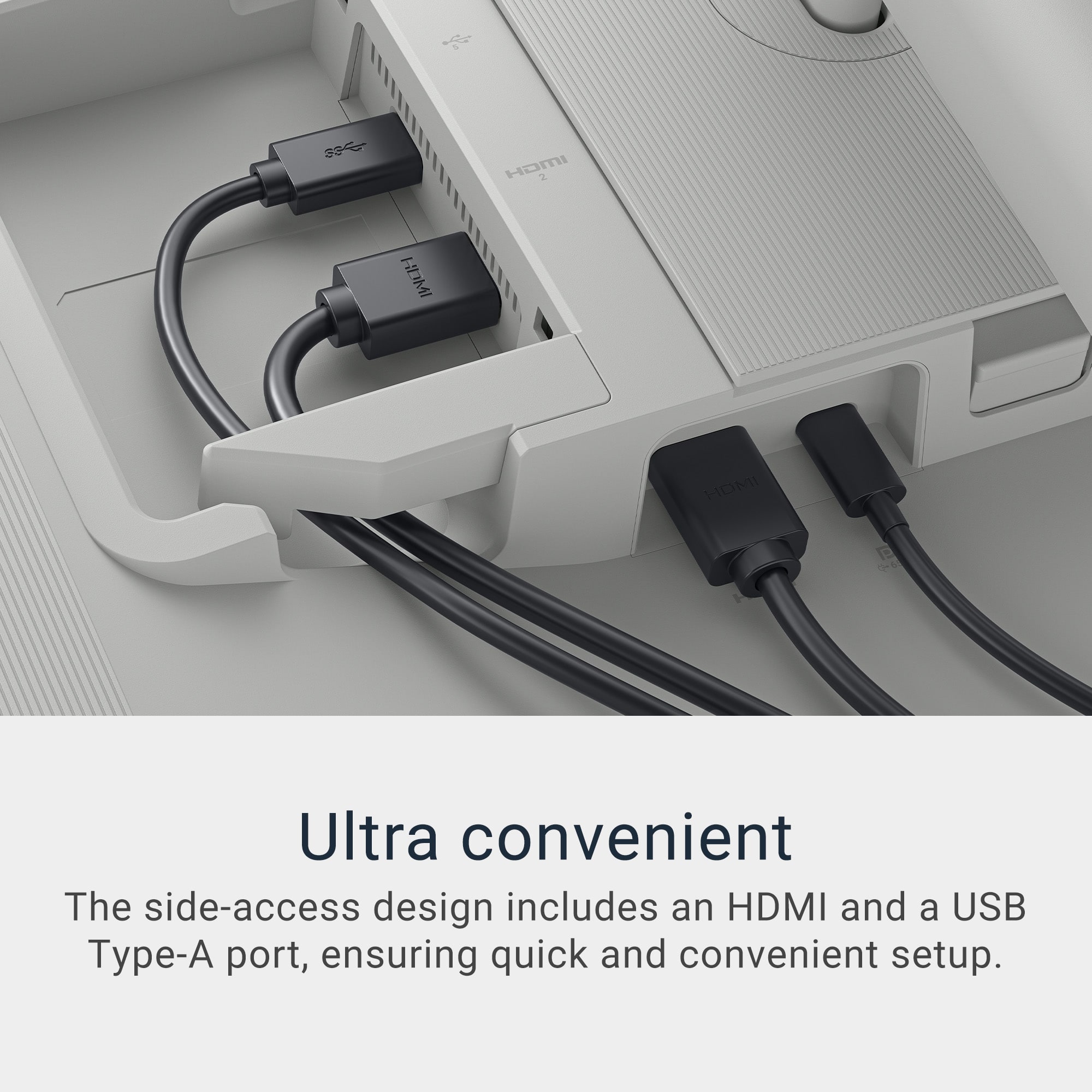
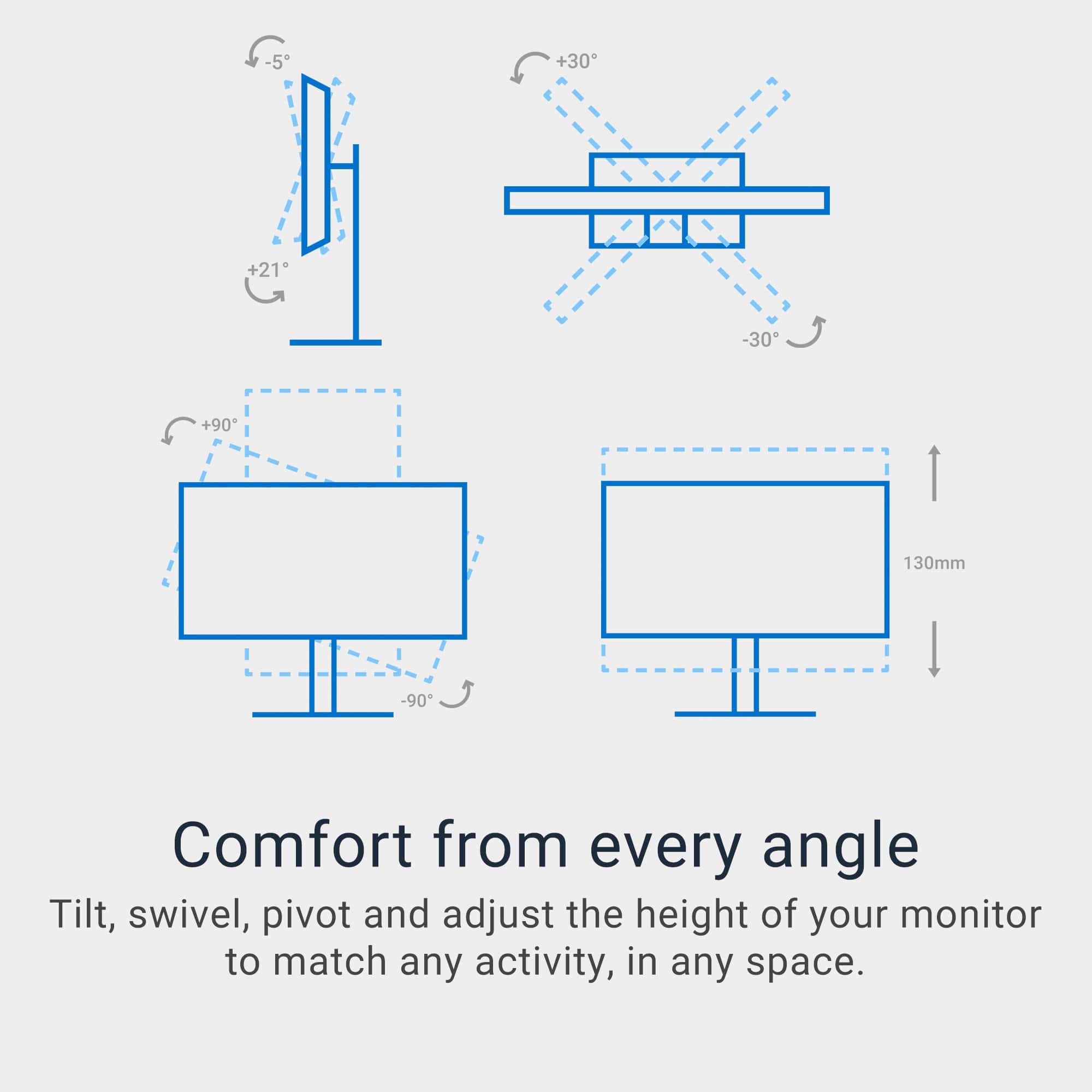
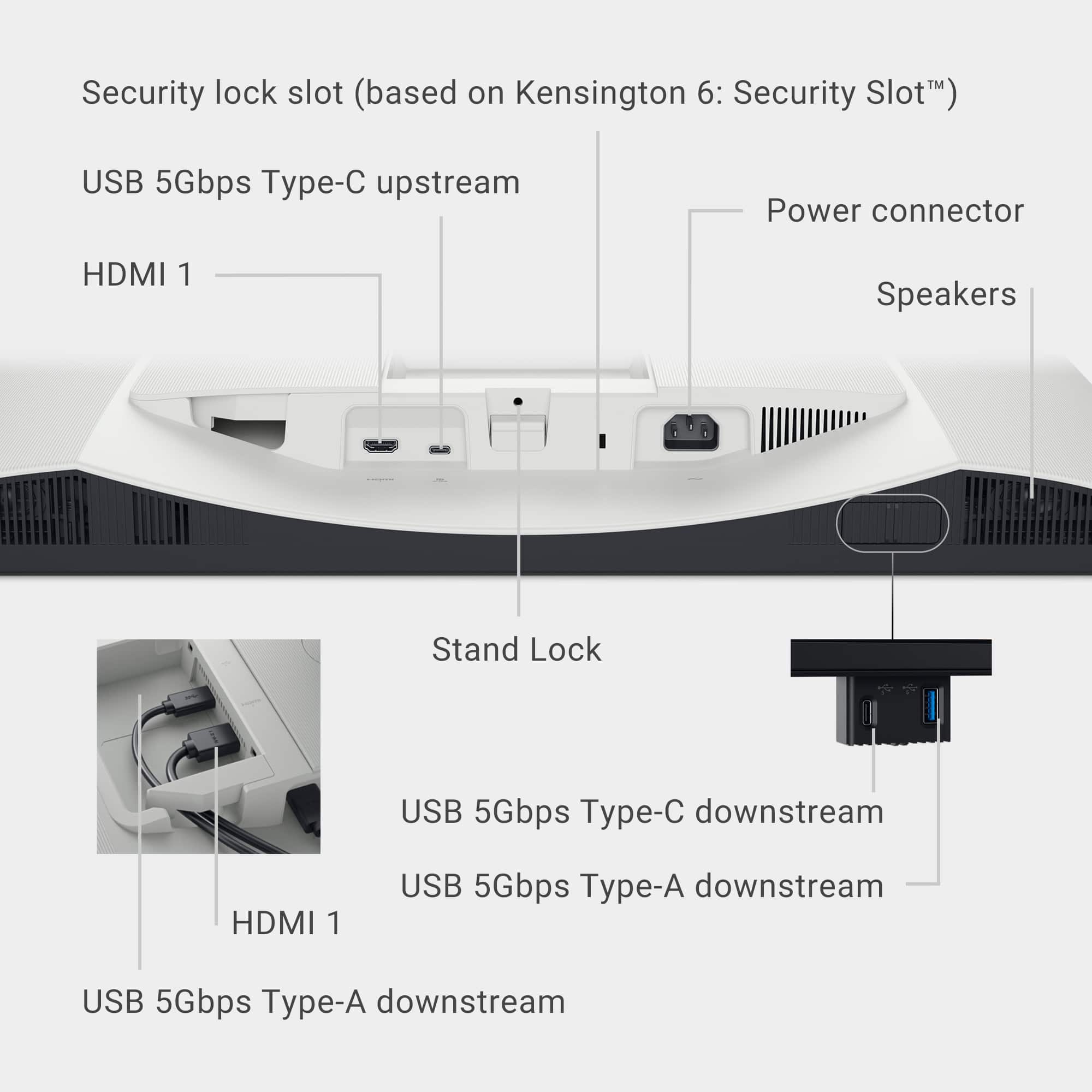
|Posted .This reviewer received promo considerations or sweepstakes entry for writing a review.Stunning is the first word that comes to mind to describe the display. The monitor is also as functional as it is aesthetically pleasing. Dell has definitely hit a homerun with their S2725QC 27" IPS LED 4K UHD 120Hz FreeSync Monitor. As packaged: • Dell 27" IPS LED 4K UHD 120Hz FreeSync Monitor and stand • USB Type-C to Type-C cable (10Gbps and 100W rated) • Power cable • Quick setup guide • Warranty, safety and regulation information booklet As previously stated, this monitor is very aesthetically pleasing. It fits right in my décor and keeps me looking forward to using it. I use it primarily for working from home as an extension of my work laptop. At 27 inches, I have enough viewing area to multitask. Thanks to its narrow bezels, you literally get all “screen”. It has height adjustment, tilt and swivel movement options. At nearly 15 pounds, it is fairly easy to move around should the need arise. The matte IPS display provides antiglare benefits and is capable of a maximum resolution of 3840 x 2160 pixels, certifying it as 4K. Color reproduction is accurate in my opinion with phenomenal viewing angles of bright and vivid visuals. There are eight presets and a custom option for viewing content. To enhance the viewing experience, the monitor is capable of 120Hz refresh rate. Fast moving scenes are handled with ease with practically little to no juddering. With the integrated speakers, Dell’s S2725QC could be tagged as a multimedia device. The two speakers have a 5W output each with modest bass reproduction. While it may not replace a soundbar or home theater setup, I have streamed music and video via the monitor with pleasant results. To personalize the sound output, there are five audio profiles (presets) and a custom option to choose from. If Dell’s goal was to keep the user engaged once connected, they certainly achieved that. There are two HDMI 2.1 ports, one USB Type-A, and a DisplayPort 1.4 (USB Type-C) for connectivity located at the rear of the monitor. The included 3-foot USB Type-C cable, capable of 10Gbps and rated at 100W, is an added bonus as there are no HDMI cables included. The connected device, my laptop in this case, is also charged at 65W thus eliminating an additional power adapter. While USB Type-A ports may be disappearing, Dell’s S2725QC generously provides two for use. My current laptop does not have a USB Type-A so this feature was very welcomed. Another USB Type-A (5Gbps with battery charging) port in addition to a USB Type-C (5Gbps and 15W rated) port can be accessed by pressing under the left side of the monitor. The ports provide easy utility as they face the user when deployed. To help identify their location, Dell includes a label. Dell packages the monitor with the end user unboxing in mind. I was able to easily attach the stand to the screen. The screws required for the connections can be fastened without an actual screwdriver. Once the stand and its base have been securely fastened, the monitor can be safely removed from the packaging. The stand and the rear of the monitor both feature integrated cable management systems to help keep things tidy. Every now and then, a device/item comes along that ticks all the right boxes and is sheer perfection. Dell’s S2725QC 27" IPS LED 4K UHD 120Hz FreeSync Monitor is just that kind of device in my opinion. With a generous warranty, Dell’s legendary robust build quality and eye comfort even over extended use this monitor is a sound investment in my books for work or play. Did we mention it is also Energy Star rated? I wholeheartedly recommend.
I would recommend this to a friend - Pros mentioned:Adjustability, Screen quality
A Big Beautiful Monitor for Productivity
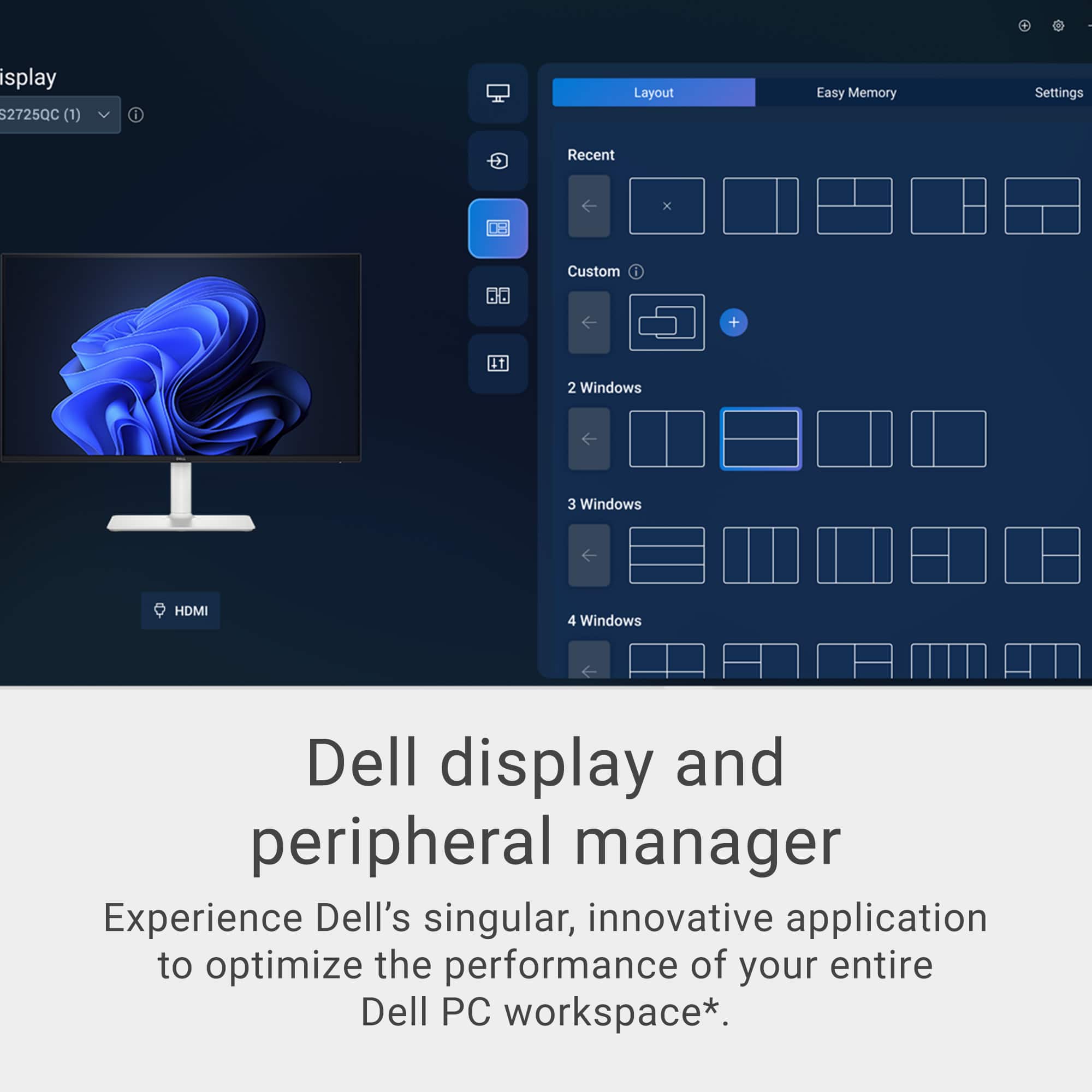
|Posted .This reviewer received promo considerations or sweepstakes entry for writing a review.Lets talk about screen real-estate? In the world of putting in multiple windows to showcase all your data, bigger is better. Size doesn't matter, because along with size, screen resolution of these bigger monitors is also important. I’ve been using a Dell S2721QS (2021 4k model) 27-inch monitor for a while now. Needing better workflow improvements and a dual monitor setup, the release of the new 2025 model of the Dell 2725QC monitor was a welcome opportune addition. One needs to just look at the screen on the Dell 27” 4K screens to realize what you’ve been missing. The color accuracy and clarity on a Dell matte screen means less eye strain and more productivity. The size is perfect for a guy like me who sometimes has to look at data in a bigger context, and the fact that one can have 4 windows on one screen and still have it be usable is just insane. Since I now have two Dell monitors of equal size and resolution, I decided to see what the real world upgrade differences that brings to updated model numbers. Right away, the unboxing and assembly on the new Dell S2725QC is much easier. I have to hand it to Dell, the screw mount system is just genius, it makes assembly so easy! Both my 27-inch screens support dual HDMI (though locations are a bit different), and both support Display Port, but only one, the new 2025 model S2725QC supports Display Port over USB-C. In fact the addition of USB C and USB A has probably been the biggest change that I can see. There are two USB A’s,and two USB-C’s. The front panel has a click down “USB A and C” in addition to the two around the back. One of which can power a laptop while providing video. One forgets how big one of these 27” monitors are. The amount of desk real estate two 27-inch monitors take up is insane, each monitor with 24 inches of width takes up an entire standard 48” sit-stand desk with none to spare. Once you do get the monitors comfortably sitting and balanced on your table, you appreciate the various niceties, like the height adjustable stand, which features pivot, tilt and swivel. This is a feature that I absolutely appreciate, as a lot of the time, we have to adjust the screen to better suit our position, especially on a sit-stand desk. So how is this Dell S2725QC compared to the older Dell S2721SC in terms of image quality. Short of that the new screen is brighter, and has a slightly better contrast ratio (at least in specs), my eyes could not tell the difference. The image quality is beautiful, clear and color accurate. The viewing angle is perfect and there is no eye strain. The new model speakers have improved sound quality, and the stand mount is better designed. A word of caution to those planning to run dual 27” 4k monitors. Besides making sure they fit on your desk, one needs to make sure your computer can support both screens be it by HDMI or USB-C at the native resolution. Most modern computers will run a 4K monitors for business applications with no problems, but will struggle when it comes to gaming or anything GPU intensive in native 4K resolution unless you have a decent video card. I found my work laptop struggled a bit with dual 4k screens vs. a single 4k monitor, but my personal computers had no problem powering both monitors at 4k resolution. So it does help to make sure your equipment is ready to handle a dual monitor setup, What are my final thoughts? If you are looking for a great screen at a great price, this Dell 27” S2725QC is definitely it. Having used one of the older models for 2+ years, I have no hesitation in recommending this monitor to anybody. The monitor is color accurate, which graphics designers, photo/video editors will appreciate. Business applications users and college students would enjoy the bigger screen resolution and real estate to help improve productivity. The gamer would appreciate the 120 Hz AMD FreeSync capability for hours of gaming,
I would recommend this to a friend - Pros mentioned:Refresh rate, Screen quality
Perfect Art Studio Accessory
|Posted .This reviewer received promo considerations or sweepstakes entry for writing a review.When setting up an art studio, whether for graphic design, or researching subject matter, having a reliable and high-quality monitor is an absolute necessity for me. The Dell 27" LED 4K FreeSync Monitor has not only met my expectations but surpassed them in ways I hadn’t anticipated. From the moment I unboxed it, I was impressed by the attention to detail in the packaging. Dell has clearly put thought into ensuring that every component arrives in perfect condition. The box was easy to open, and inside, all the components were protected in their own separate packaging, reducing the risk of damage during transit. Setup was one of the most straightforward processes I’ve ever experienced with a monitor. Dell’s easy-to-follow guide made installation a breeze, with clear, concise instructions that left no room for confusion. Even the two screws used when attaching the base come with their own turning tab so a screwdriver is not needed. Within minutes, I had the monitor mounted on my desk, connected, and ready to go. Once powered on, the display immediately caught my attention. The 4K resolution is truly stunning—the colors are vivid, the contrasts are sharp, and the overall clarity is remarkable. As an artist, accurate color representation is crucial, and this monitor delivers that effortlessly. Whether I’m sketching designs, editing high-resolution images, or even watching tutorials to refine my craft, every detail appears crisp and lifelike. The thin bezel design enhances the display, making the screen appear even larger than it already is. This is particularly helpful when working on intricate designs that require a broad, uncluttered workspace. Another standout feature is the variety of connectivity options. The monitor comes with USB-C, HDMI, and a USB port, making it incredibly versatile. I connected my laptop via HDMI and plugged in my earbuds to the USB port to keep them charged at all times. Often, I listen to music or online tutorials while working, and having my earbuds always ready to use is a convenience I didn’t realize I needed. With flicker-free technology and a built-in comfort view mode, my eyes don’t feel fatigued even after several hours of intense designing or editing. The screen’s anti-glare properties help maintain clarity without excessive brightness, making it easy to work in various lighting conditions. Whether the sunlight streams into my studio or I’m working late at night under artificial lighting, the monitor adjusts beautifully to provide a comfortable viewing experience. Beyond technical specifications, this monitor has transformed my workflow. In a creative space, efficiency matters, and the Dell 27" LED 4K FreeSync Monitor helps streamline my process in multiple ways. The large screen real estate allows me to have multiple windows open simultaneously, so I can reference inspiration images, work on designs, and keep a tool palette readily available—all without feeling cramped. This multi-tasking capability has improved my productivity, allowing me to work faster and more effectively. Another major advantage is its compatibility with digital art tools. Whether working in Adobe Photoshop, Illustrator, or Corel Painter, the monitor handles high-resolution graphics effortlessly. The refresh rate ensures smooth transitions and eliminates lag, which is crucial when working on time-sensitive projects. I never experience delays. The 4K resolution enhances video playback, making films, animations, and even YouTube tutorials look crystal-clear. The vibrant colors and deep contrasts bring content to life, making it an enjoyable experience whether I’m working or winding down with an ambient video. Durability is another plus of this monitor. Dell has a reputation for creating reliable, long-lasting products, and this monitor is no exception. The build quality feels solid, and I have no concerns about longevity.
I would recommend this to a friend - Pros mentioned:Adjustability, Connectivity, Refresh rate
Dell Monitor Review
||Posted . Owned for 1 month when reviewed.This reviewer received promo considerations or sweepstakes entry for writing a review.I recently upgraded to the Dell S2725QC and I couldn’t be happier with it. The 27″ 4K panel delivers razor-sharp clarity—text, spreadsheets and video all pop with stunning detail. The 120 Hz refresh rate makes scrolling, window-swapping and casual gaming feel exceptionally smooth. What seals the deal for me is the single-cable USB-C setup: my laptop gets video, data and even 65 W of power through one connection. The stand offers great adjustability and the overall design is clean and modern. On the flip side, if you’re a competitive gamer or need ultra-deep blacks or HDR performance, this won’t be the ultimate pick—motion blur and contrast are modest compared with high-end gaming monitors. But for hybrid work/play setups, creative professionals or laptop users who want simplicity + performance, this monitor checks nearly all the boxes. Strong value overall.
I would recommend this to a friend