Customer Ratings & Reviews

- Model:
- 10GAT9901
- |
- SKU:
- 11121810
Customer reviews
Rating 4.9 out of 5 stars with 773 reviews
(773 customer reviews)Rating by feature
- Value4.6
Rating 4.6 out of 5 stars
- Quality4.9
Rating 4.9 out of 5 stars
- Ease of Use4.7
Rating 4.7 out of 5 stars
Rated 5 out of 5 stars
StreamDecks Uses are Limited Only by Ur Creativity
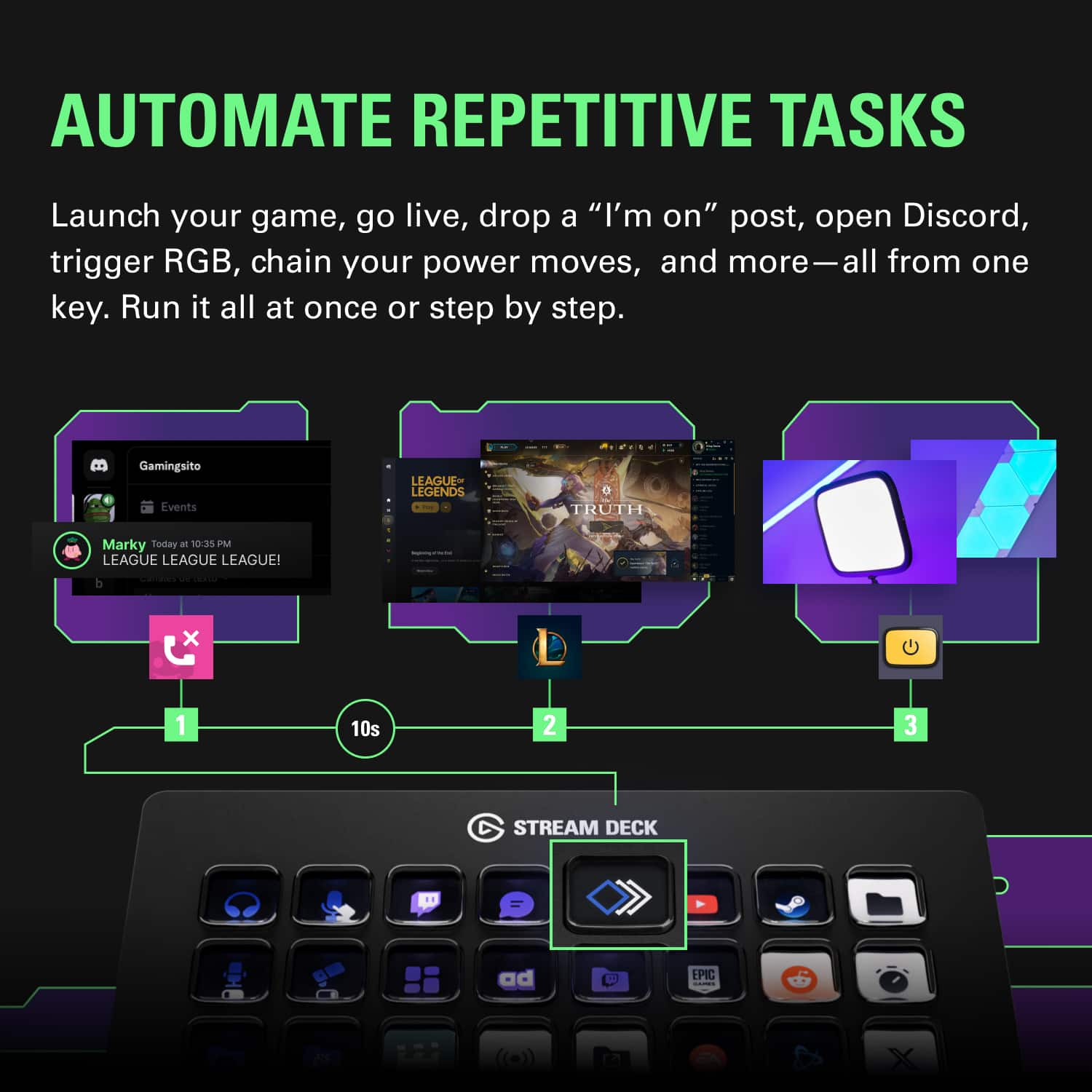
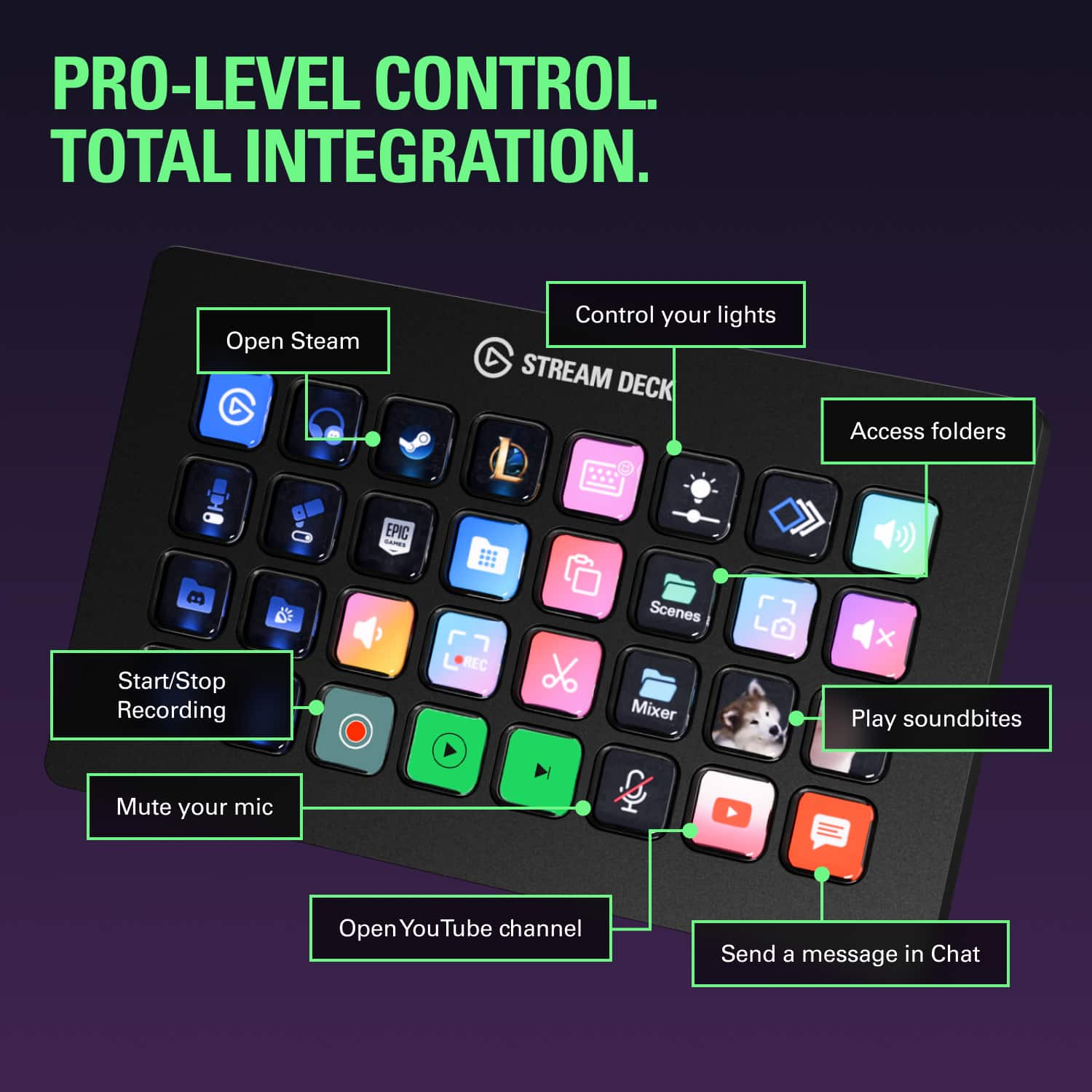
||Posted . Owned for 1 month when reviewed.This reviewer received promo considerations or sweepstakes entry for writing a review.This is a very versatile and handy product if you know how to use it. It’s most popular with Twitch users who use it to generate brb screens or other effects and sounds while they’re broadcasting. It’s also good for keyboard shortcuts that can be used with any app that has shortcuts that can be input through a keyboard. I use it for video editing with Davinci Resolve and photo editing on Lightroom. The keys can also be nested into folders. For example, I have sounds mapped to some of the keys inside a “Sounds” folder for canned applause, DJ horn, ding sounds, etc. I use it even just to launch my most often-used apps and anything else that I dream up. it’s uses are only limited by your creativity.
This review is from Elgato - Stream Deck XL Wired Keypad with Back Lighting - Black
I would recommend this to a friendRated 5 out of 5 stars
Daytrading with El Gato
||Posted . Owned for 1 month when reviewed.This reviewer received promo considerations or sweepstakes entry for writing a review.I use el gato stream deck xl for Day tarding stocks-equities. I hace created buy, sell key strokes with a single button, it really helps me on quick-fast reliabe entries and exits of my positions when needed. Would recommend to anyone with similat use!
This review is from Elgato - Stream Deck XL Wired Keypad with Back Lighting - Black
I would recommend this to a friendRated 5 out of 5 stars
The Stream Deck Is Amazing
||Posted . Owned for 1 week when reviewed.This reviewer received promo considerations or sweepstakes entry for writing a review.I have several of these in different sizes and love them all. You can add shortcut keys for almost everything. I use it most with Vmix for live streaming and it does an amazing job at that.
This review is from Elgato - Stream Deck XL Wired Keypad with Back Lighting - Black
I would recommend this to a friendRated 5 out of 5 stars
Works great for gaming
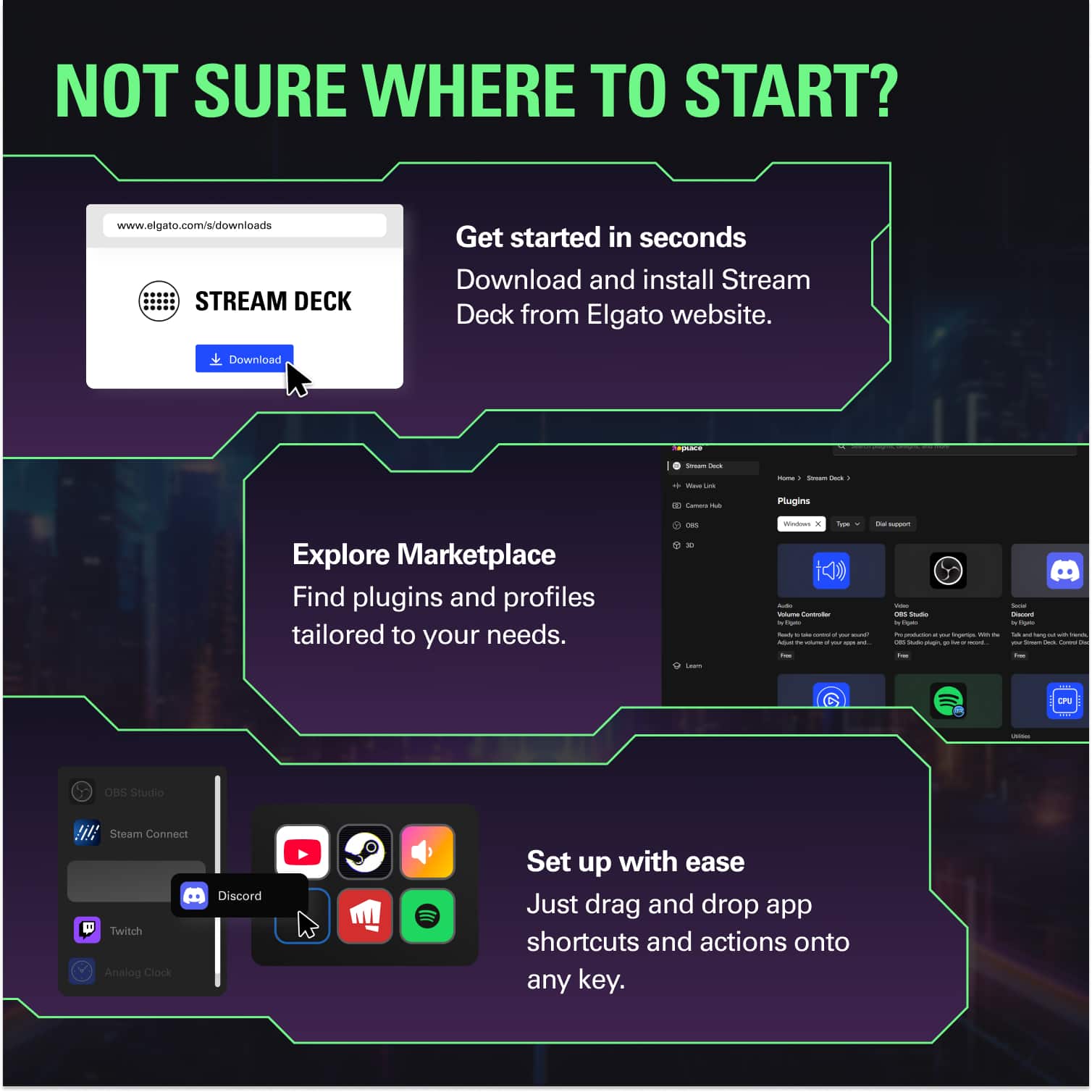
||Posted . Owned for 4 months when reviewed.This reviewer received promo considerations or sweepstakes entry for writing a review.Got this after reading reviews for various games. Out of the box it's not hard to setup. The online tutorials can help with the more advanced features and setup. There are alot of people selling icons and preset configurations. Got some of those and it has made multiple games easier to use with a quick touch of a button. Solidly built and working great so far.
This review is from Elgato - Stream Deck XL Wired Keypad with Back Lighting - Black
I would recommend this to a friendRated 5 out of 5 stars
Worth the money
||Posted . Owned for 3 weeks when reviewed.This reviewer received promo considerations or sweepstakes entry for writing a review.Works great, much bigger than the regular sized Stream Deck. Nice quality for the images for each key, and so easy to use. Crazy that the prices on these have gone up though!
This review is from Elgato - Stream Deck XL Wired Keypad with Back Lighting - Black
I would recommend this to a friendRated 5 out of 5 stars
A Great Upgrade and Productivity tool
||Posted . Owned for 2 weeks when reviewed.This reviewer received promo considerations or sweepstakes entry for writing a review.A great upgrade from MK2 15-key Streamdeck. I can still use my custom buttons I setup for previous profiles and move them over.
This review is from Elgato - Stream Deck XL Wired Keypad with Back Lighting - Black
I would recommend this to a friendRated 5 out of 5 stars
push my buttons!!
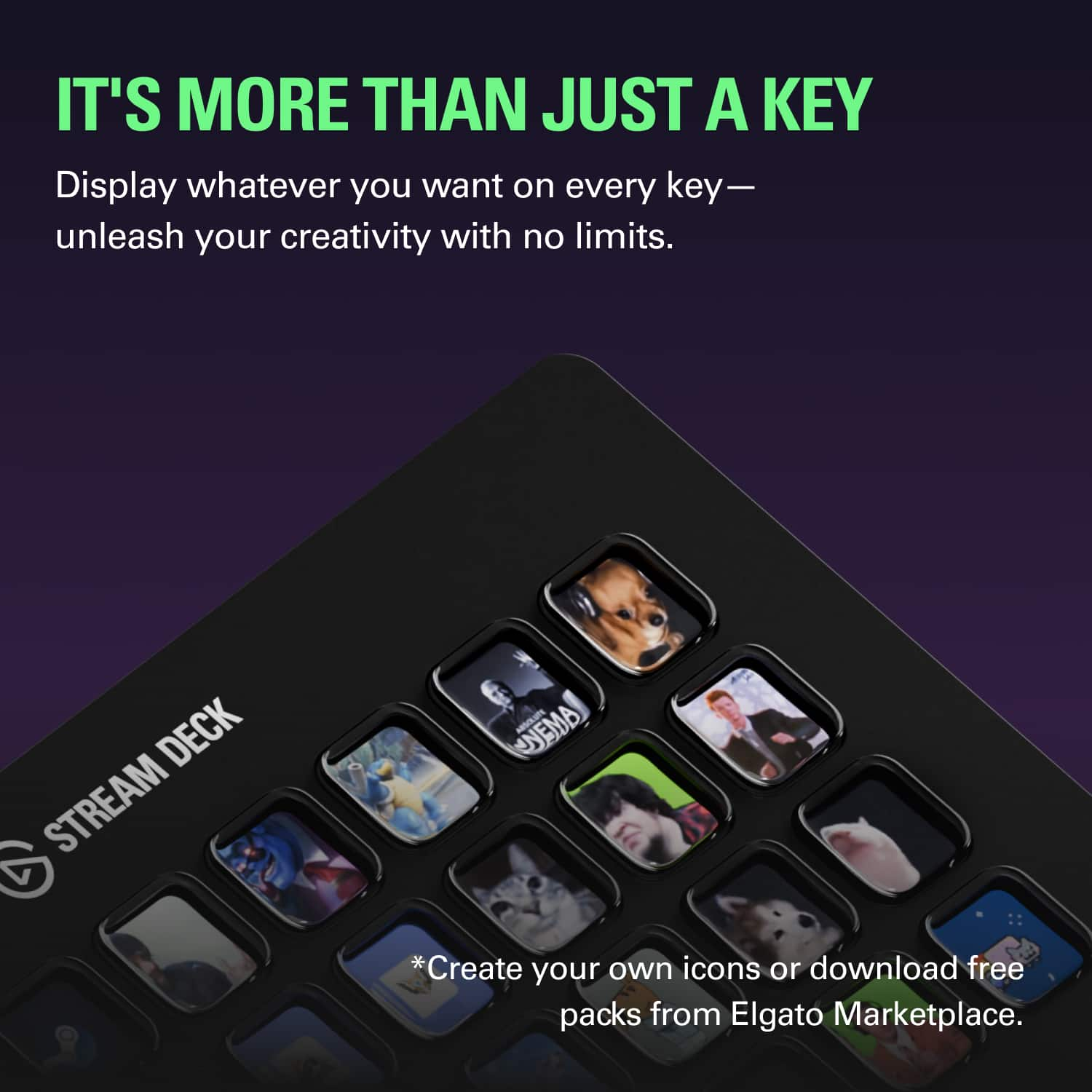
||Posted . Owned for 8 months when reviewed.This reviewer received promo considerations or sweepstakes entry for writing a review.well it is elgato. its a great product. this is a great product and i was skeptical at first. i thought it was a gimic...it is not. but it does come with a little bit of a learning curve. you will have to program most of the macros and buttons yourself. this includes a lot of the pictures. there is a free program by elgato that helps you create the symbols and pictures. there are a lot of youtube videos and other creators that you will be able to get help from. you get virtually unlimited buttons on all of the devices through a folder type of system, this just gives you the most buttons on a single screen which is what i prefer.
This review is from Elgato - Stream Deck XL Wired Keypad with Back Lighting - Black
I would recommend this to a friendRated 5 out of 5 stars
Awesome product better free pluggins
||Posted .This reviewer received promo considerations or sweepstakes entry for writing a review.Plug-in in the store are free to most things you need. Yes if you want a prettier layout you can purchase. The necessity for like obs it's all there. Been super happy with this.
This review is from Elgato - Stream Deck XL Wired Keypad with Back Lighting - Black
I would recommend this to a friendRated 5 out of 5 stars
More than streaming
||Posted . Owned for 2 months when reviewed.This reviewer received promo considerations or sweepstakes entry for writing a review.This is so much more than a streaming tool. It’s a fully customizable productivity tool. Super easy to set up the Stream Deck you can create 1-click physical buttons to replace keyboard shortcuts, multiple steps to launch apps, control components and more. It supports multiple profiles and folders as well so you get more than 32 menu buttons. You can even add your own custom icons!
This review is from Elgato - Stream Deck XL Wired Keypad with Back Lighting - Black
I would recommend this to a friendRated 5 out of 5 stars
EXCELLENT PRODUCT
||Posted . Owned for 1 week when reviewed.This reviewer received promo considerations or sweepstakes entry for writing a review.The versatility of the Stream Deck cannot be matched. Almost everything can be modified to your liking. So good, I bought 31 for a project!
This review is from Elgato - Stream Deck XL Wired Keypad with Back Lighting - Black
I would recommend this to a friendRated 5 out of 5 stars
Love this stream deck xl
||Posted . Owned for 1 month when reviewed.This reviewer received promo considerations or sweepstakes entry for writing a review.Great freaking tool for streaming being able to open any applications by just one click i love this stream deck so much!
This review is from Elgato - Stream Deck XL Wired Keypad with Back Lighting - Black
I would recommend this to a friendRated 5 out of 5 stars
Not just for streaming!
||Posted . Owned for 3 weeks when reviewed.This reviewer received promo considerations or sweepstakes entry for writing a review.Wasn’t sure I needed this at 1st, but ended up loving it so much I got 2! I use this for work mostly: open files, folders, macros, hotkeys and bookmarks to the buttons. Works great for shortcuts in art programs too (and there are even icon packs available) For fun: I’ve even been able to use it for launching specific emulator games with the push of a button (press a button = donkey Kong opens up!) Software is very reliable, very easy to use and very flexible. If you are on the fence, just get it. Worthy every penny.
This review is from Elgato - Stream Deck XL Wired Keypad with Back Lighting - Black
I would recommend this to a friendRated 5 out of 5 stars
Love it
||Posted . Owned for 6 months when reviewed.This reviewer received promo considerations or sweepstakes entry for writing a review.I love having this device. It's not only a must for stream; it's also great for workflow on a pc. I love the extra buttons over the original. Totally worth the upgrade.
This review is from Elgato - Stream Deck XL Wired Keypad with Back Lighting - Black
I would recommend this to a friendRated 5 out of 5 stars
Useful for work!
||Posted . Owned for 1 month when reviewed.This reviewer received promo considerations or sweepstakes entry for writing a review.A really fantastic and fully customizable stream deck. You can essentially setup macros to achieve whatever you want. I actually use it for my day job to make quick macro setups in excel, outlook, etc to complete common tasks that I frequently and repeatedly use.
This review is from Elgato - Stream Deck XL Wired Keypad with Back Lighting - Black
I would recommend this to a friendRated 4 out of 5 stars
elagato for msfs 2024
||Posted . Owned for 2 weeks when reviewed.This reviewer received promo considerations or sweepstakes entry for writing a review.does what its supposed to do if you want some extra hands this is it very helpful
This review is from Elgato - Stream Deck XL Wired Keypad with Back Lighting - Black
I would recommend this to a friendRated 5 out of 5 stars
Terrific shape shifting control panel
||Posted . Owned for 3 weeks when reviewed.This reviewer received promo considerations or sweepstakes entry for writing a review.Simply: If you run complex media apps with a myriad of keyboard shortcuts and/or buried menu commands, this is a godsend. I've mapped out my frequently used commands and macros for Photoshop, Scrivener, Final Cut and assigned them to Stream Deck XL's glowing buttons. They're literally at my fingertips now. One press and custom, complex things occur. My wrists love me again. Steam Deck's secret weapon is that, unlike a physical keyboard, however large, the XL's buttons are virtual, changing with the app or a simple key push. You almost can't run out of customized actions. Most people wouldn't need this peripheral, but if you're a pro app user, it's a necessity.
This review is from Elgato - Stream Deck XL Wired Keypad with Back Lighting - Black
I would recommend this to a friendRated 5 out of 5 stars
My sidekick now! I can’t live without it
||Posted . Owned for 4 months when reviewed.This reviewer received promo considerations or sweepstakes entry for writing a review.This is a productivity must. I don’t game. I don’t stream. I just want buttons for reducing my redundant tasks and this product over delivers. Get the XL if you’re comparing models. Trust me!
This review is from Elgato - Stream Deck XL Wired Keypad with Back Lighting - Black
I would recommend this to a friendRated 5 out of 5 stars
Apps at my fingertips!
||Posted . Owned for 1 month when reviewed.This reviewer received promo considerations or sweepstakes entry for writing a review.I grabbed one of these during a recent sale, after eyeing the older model for awhile. This model looked more sturdy and offered more buttons. Love that you can use "Folders" to switch "Pages" on this unit, giving you even more functionality at your fingertips. It's expensive... it's probably unnecessary... but I'd buy it again.
This review is from Elgato - Stream Deck XL Wired Keypad with Back Lighting - Black
I would recommend this to a friendRated 5 out of 5 stars
Stream deck
||Posted . Owned for less than 1 week when reviewed.This reviewer received promo considerations or sweepstakes entry for writing a review.Works great. Gives me plenty of options for different effects while streaming. It has improved my stream quality tremendously. Easy to use and easy to setup.
This review is from Elgato - Stream Deck XL Wired Keypad with Back Lighting - Black
I would recommend this to a friendRated 5 out of 5 stars
More than you’d expect
||Posted . Owned for 1 month when reviewed.This reviewer received promo considerations or sweepstakes entry for writing a review.Stream Deck seems like a simple concept - just shortcuts, but the efficiency and just fun makes it an excellent product. It will speed up your workflow, whether you stream or not! Being able to open folders hurried in external drives in a click, launch apps instantly, or even map your own family’s audio to play back responses like “nooooo” when they ask a question :-) is all so worth it! My son and I are both very impressed with this one!
This review is from Elgato - Stream Deck XL Wired Keypad with Back Lighting - Black
I would recommend this to a friend