Customer Ratings & Reviews
- Model:
- MFCJ1360DW
- SKU:
- 12061660
Rating by feature
- Value
Rating 4.6 out of 5 stars
- Quality
Rating 4.5 out of 5 stars
- Ease of Use
Rating 4.5 out of 5 stars
The little engine that could
||Posted . Owned for 2 weeks when reviewed.This reviewer received promo considerations or sweepstakes entry for writing a review.Figuring out how to work the printer took a little longer than expected but now that I am using it, the printer is great. Very compact, and quiet. Easy to load paper and clear paper jams! Great printer for home use.
I would recommend this to a friendReview: Brother Printer–Great for Home Office Use
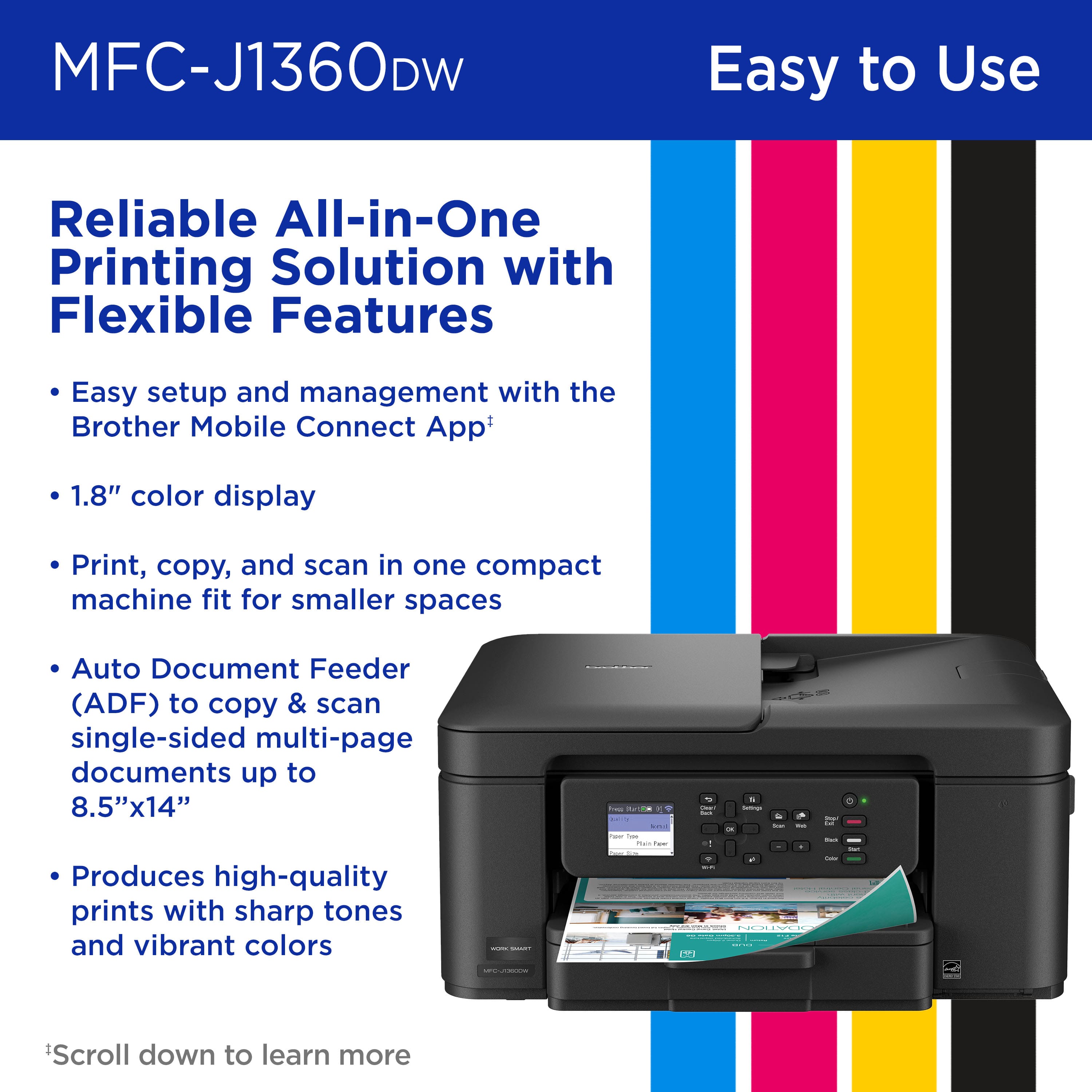
||Posted .This reviewer received promo considerations or sweepstakes entry for writing a review.This printer fits my needs perfectly, as I only print occasionally in my small home office. The display isn’t a touchscreen, but the keypad navigation buttons make setup and operation easy. Ink costs about $23 for black and $60 for a color three-pack. I was able to set it up without using the instructions—my previous printer was also a Brother—but it’s intuitive enough for anyone with basic computer skills. Overall, I’m very satisfied with it. The print quality is excellent for my needs, and you can easily adjust the paper settings to print envelopes, 4x6 photos, or even legal-size documents. It also includes an automatic document feeder and supports duplex printing.
I would recommend this to a friendCheap and reliable
||Posted . Owned for 2 months when reviewed.This reviewer received promo considerations or sweepstakes entry for writing a review.Solid printer for everyday use. Setup was straightforward, print quality is sharp, and it handles documents without issues. Wi-Fi printing works well and it’s been dependable so far. Good value if you just want something that works.
I would recommend this to a friendClear easy and simple
||Posted . Owned for 3 weeks when reviewed.This reviewer received promo considerations or sweepstakes entry for writing a review.The easiest printer I've ever owned and just about every way possible.
I would recommend this to a friend
The printer you didn't realize you needed for home
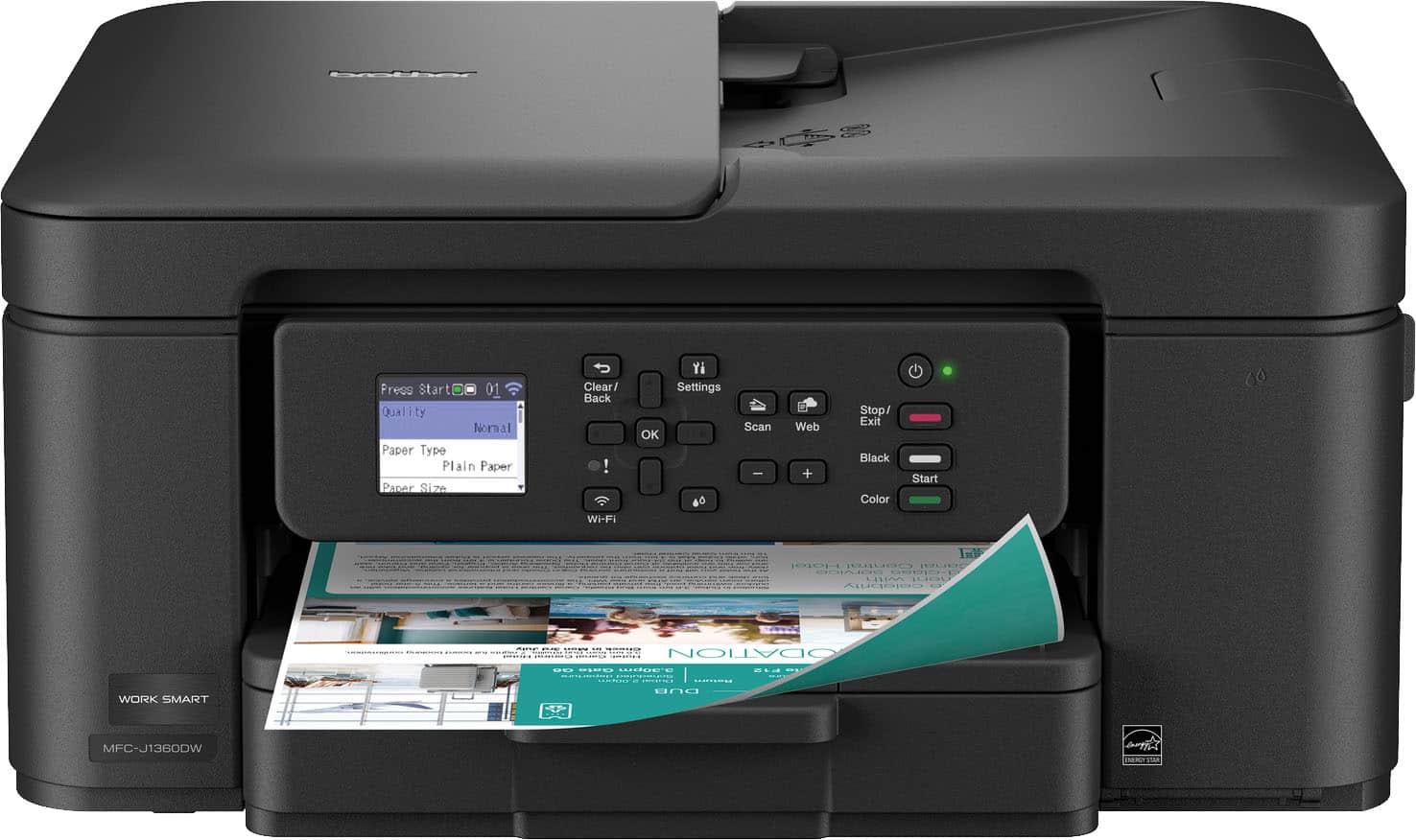
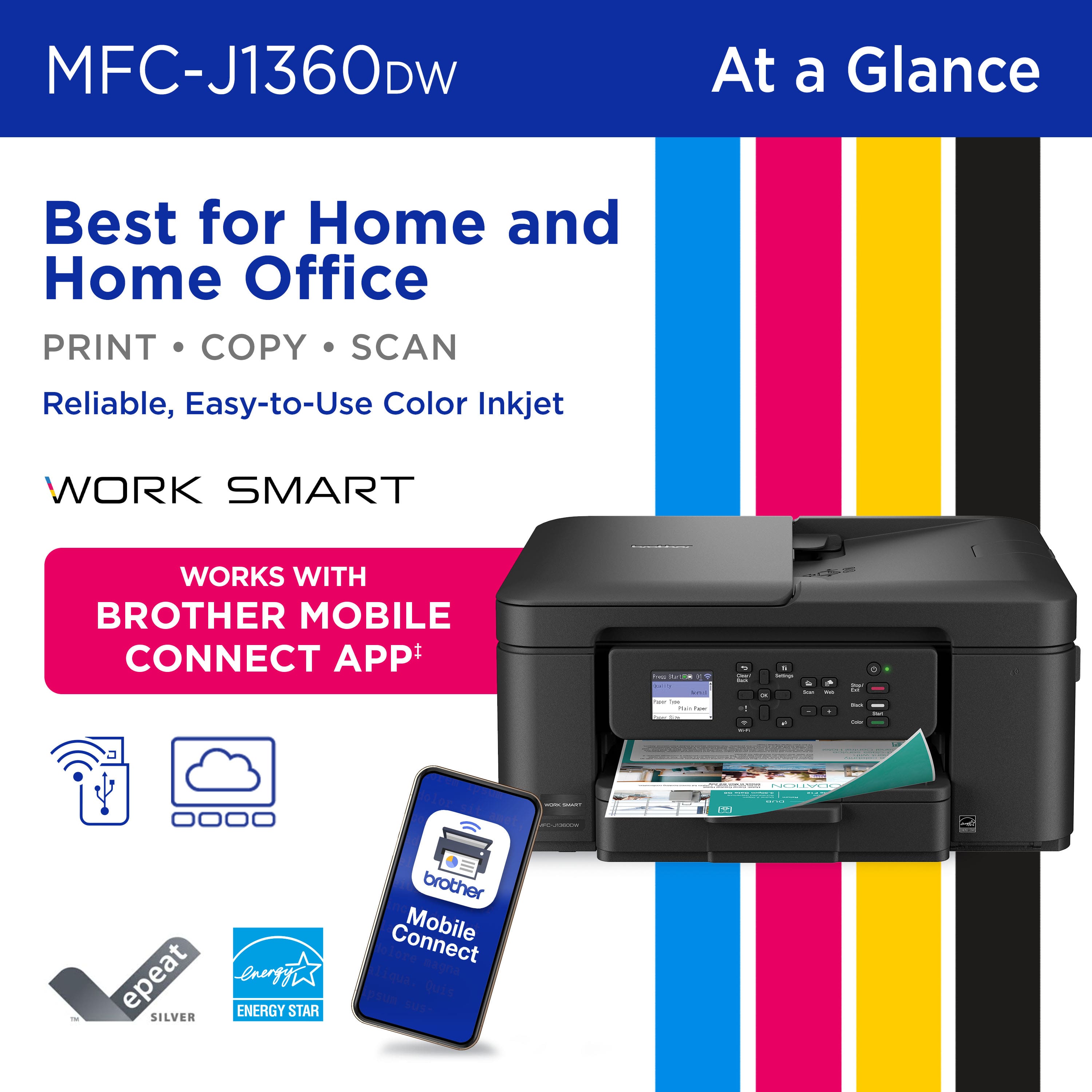
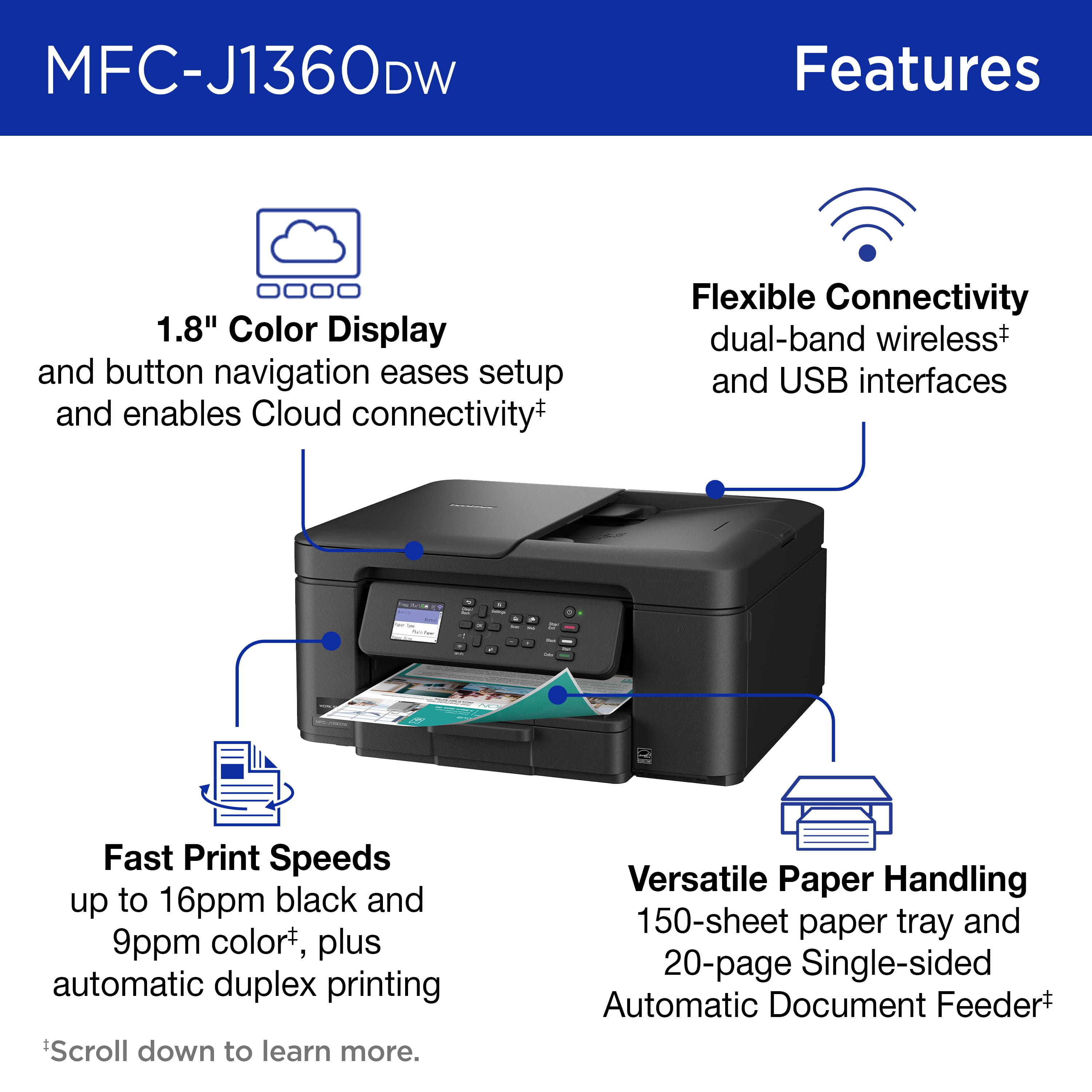
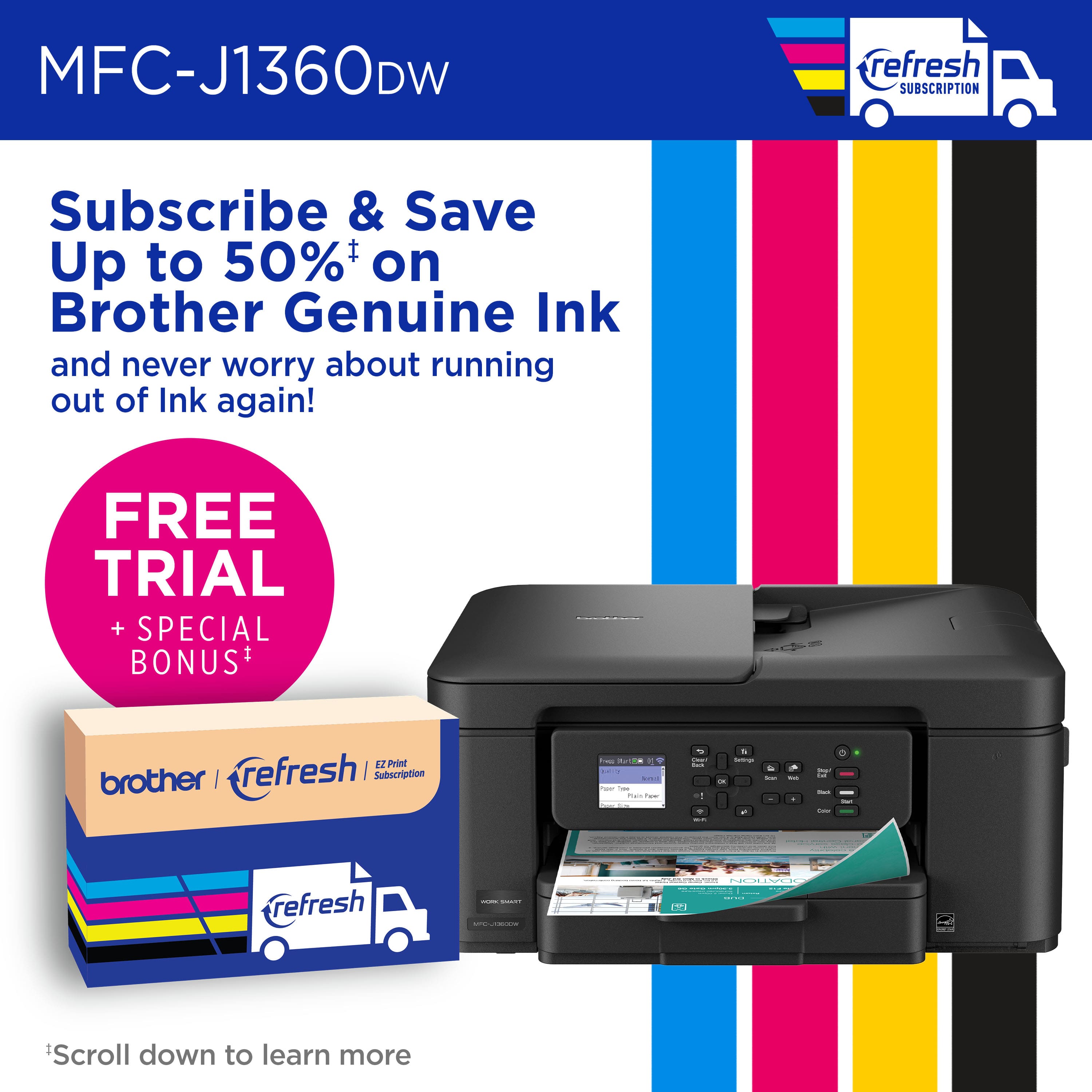
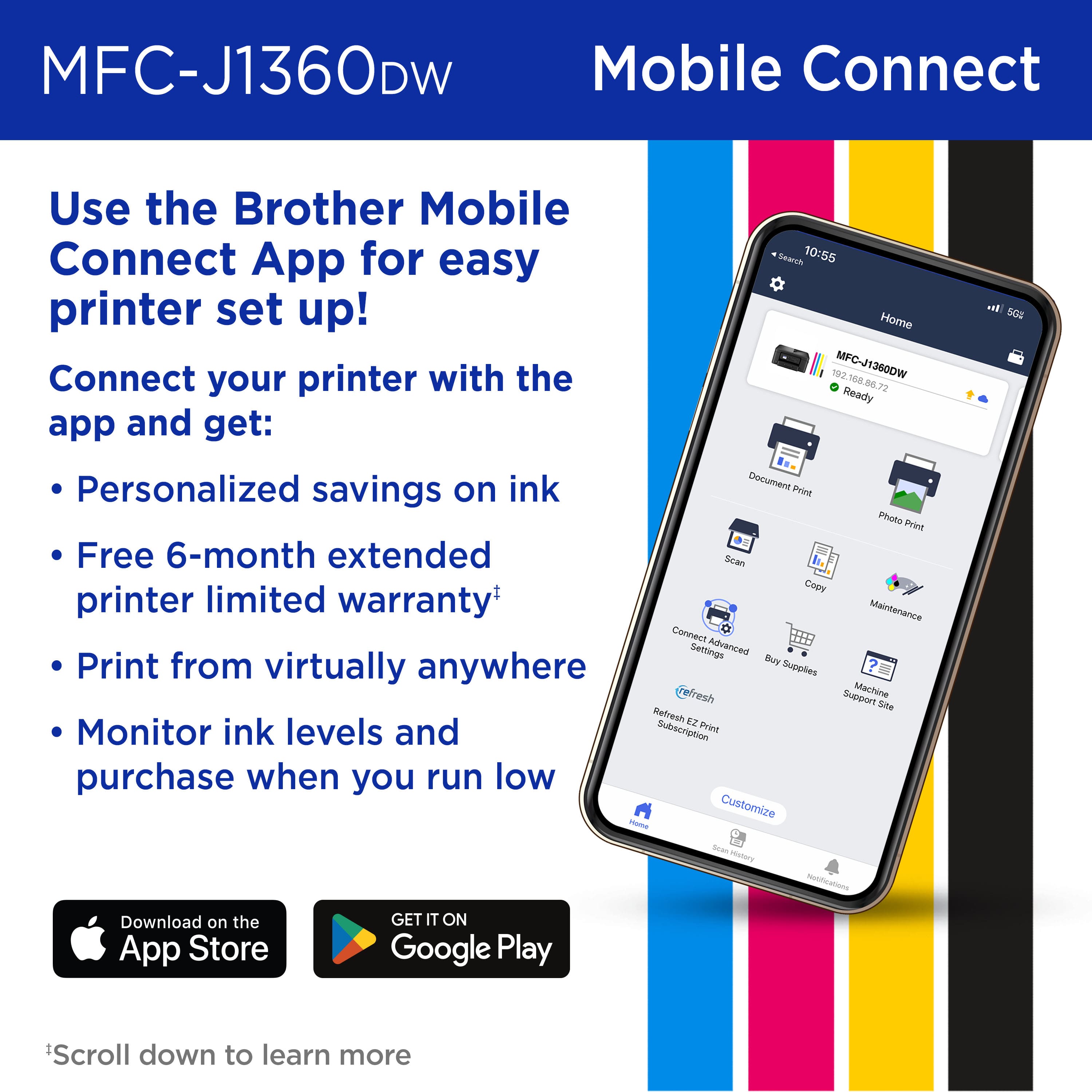
|Posted .This reviewer received promo considerations or sweepstakes entry for writing a review.The Brother 1360 wireless color inkjet printer is a super compact printer for the home and small office. It’s amazing to see how far printer technology has come. Gone are the days when printers take up large spaces and takes forever to print pages. The Brother 1360 is a testament to this claim. The printer is made of black plastic and comes with a 1.8-inch color display. It can print, scan and copy documents. Brother claims the 1360 can print 16 pages per minute in black and 9 pages per minute in color. After performing some tests, the printer comes close to these claims. Setup and App install While unboxing the Brother 1360 I was pleasantly surprised at the ease of setup and the sheer size of the printer. I was able to setup the printer in 10 minutes. Also, I was able to download the Brother mobile connect app from the Play Store. Since this was my first Brother printer, I needed to create an account to access additional features. Once the account was created, I then was able to connect to the printer via Wi-Fi. Once connected, I was able to change the password of the printer and download the latest firmware. Setup was a breeze. Installing the ink was also very easy. Super convenient that ink was provided in the box. After installing the ink, the printer took about 5 minutes to get everything in order before I was able to start printing. Printing Once everything was operational, I was able to test print and make sure the printer page alignment was correct. The paper tray is made of thin plastic so I would advise handling the printer with great care for long term usage. The paper tray can hold 150 sheets of paper which is standard for today’s printers. Almost all companies have a subscription-based ink program and Brother is no different. One major difference with Brother’s refresh subscription is cost and page quantity per tier. A free trial is also included in box that allows you a chance to try out. Pricing is also competitive, so this is a big plus versus the competition. Final thoughts The Brother 1360 has met my needs while printing, copying and scanning documents. The auto document feeder works well and the ability to perform duplex printing is a plus. This allows saving on printer paper by printing on both sides. The Brother 1360 comes with standard yield black, cyan, magenta, and yellow ink that lasts a projected 250 pages. This allows time to decide if you want to take advantage of Brother’s subscription-based ink service or just buy ink directly from the manufacturer. The only thing I’m uncertain of is the long-term usage of the printer. The 1360 is comprised of thin plastic parts, so I recommend handling with a bit of care to extend the life of the printer. I am happy to have this low-cost compact printer to fit into my home office for the foreseeable future.
I would recommend this to a friendVery easy to setup
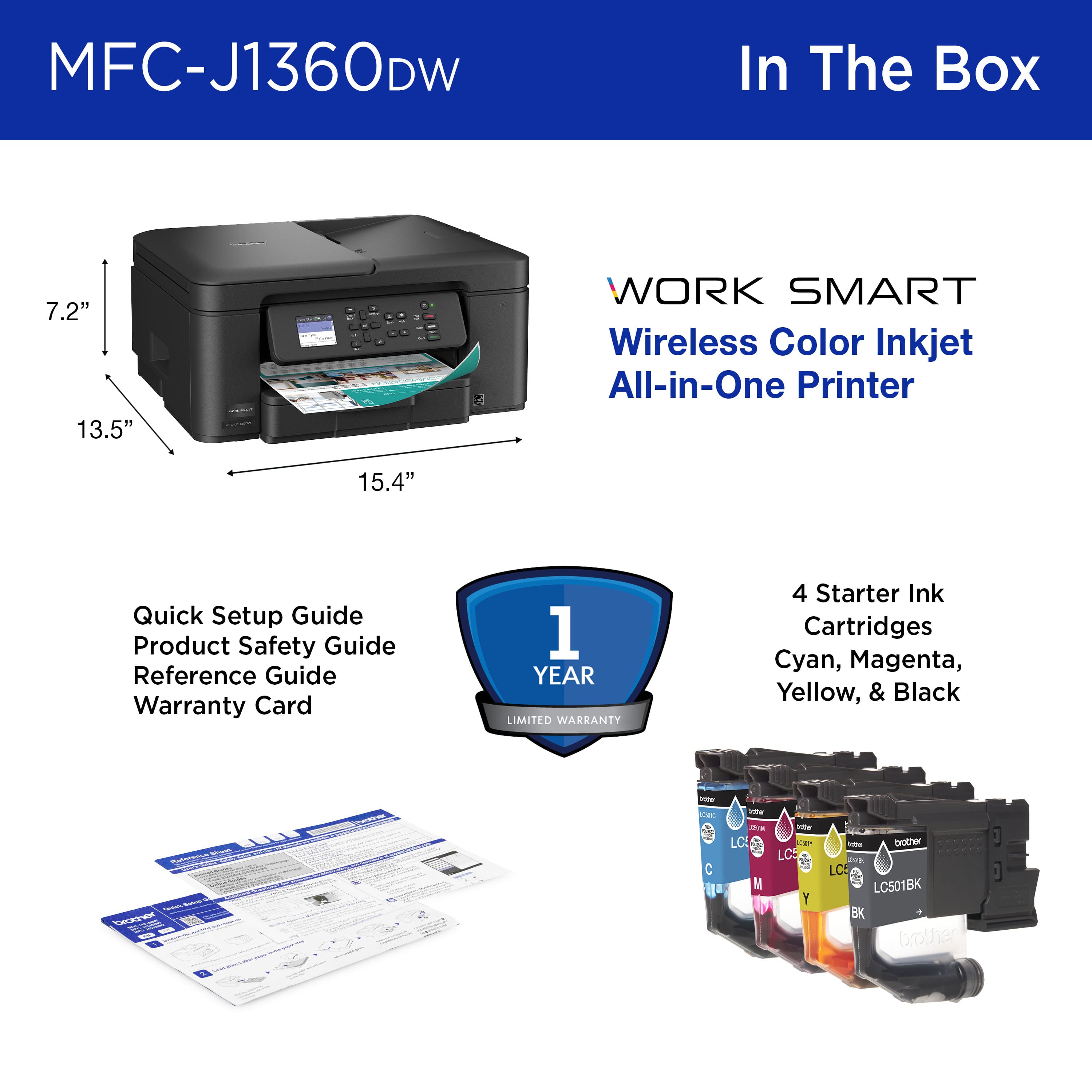
|Posted .This reviewer received promo considerations or sweepstakes entry for writing a review.In some respects, setting up the Brother MFC-J1360DW printer was easier than I expected. I overcomplicated things by telling myself that it couldn’t be as simple as it actually was. I used the android app found on the app store. It had easy-to-follow instructions to set up the machine and to install the software needed to start using it. The printer is fairly compact, measuring about 15 inches wide and 7 inches high. Installing its paper tray (which required gently squeezing some green moveable “guardrails”) might have taken more time than running through the setup procedures. References to dark directional buttons on the onscreen keyboard to the right of the message screen took some getting used to. The android app and on-screen instructions walked me through connecting the printer to my home WIFI and installing the various ink cartridge colors. Again, I overcomplicated things by not trusting just how simple that process really was. I kept expecting that I needed to tear something off of the individual color-coded ink cartridges before installing them. Nope. Just remove them from their individual plastic bags and pop them in. Easy peasy. Once the ink cartridges were installed, there was a slight delay as the ink loaded into position for the actual printing process. Again, the on-screen directions and app directed me through the process of printing out sample pages to ascertain whether the machine was printing correctly. It was. The instructions also guided me through some of the basic functions, such as placing the page to be copied on the glass printer surface and loading the paper into position. It is easy to load paper into the flat pullout paper tray. You don’t have to fight with it to get it to load a fair amount of sheets. The printer is made of sturdy plastic and has clearly labeled buttons for printing in color or black and white. There also are buttons for navigating the on-screen options, powering the machine and connecting the WIFI. Making copies from existing prints was quick and easy. I easily navigated the on-screen selections to reduce the copy sizes to 85 percent and 46 percent of the original. More importantly, I successfully navigated the machine back to print copies at their original size. I often print items from my phone, so having that capability was important. The app is very easy to navigate, and printing from my phone was an easy and seamless experience.
I would recommend this to a friendPrinting with a Brother
|Posted .This reviewer received promo considerations or sweepstakes entry for writing a review.Introduction: The Printer That Means Business In the ever-evolving world of home office technology, finding the right printer can feel like searching for a needle in a haystack. However, the Brother J1360DW emerges as a standout performer that promises to revolutionize your printing experience. Moreover, this all-in-one inkjet printer brings a unique combination of speed, efficiency, and user-friendly design that sets it apart from its competitors. Speed Demons and Print Quality Champions Lightning-Fast Performance When it comes to printing speed, the Brother J1360DW doesn't just meet expectations—it shatters them. Consequently, users can expect remarkably quick print times that minimize waiting and maximize productivity. Whether you're printing important work documents or family photos, this printer delivers consistently rapid results that will impress even the most demanding users. Crisp and Clean Output Furthermore, speed doesn't come at the expense of quality. Each print emerges with sharp, clean lines and vibrant colors that showcase the printer's superior technology. Additionally, the inkjet mechanism ensures that documents and images look professional, with minimal smudging and exceptional clarity. This attention to detail transforms ordinary prints into extraordinary visual experiences. User-Friendly Design and Functionality Compact Powerhouse Space-conscious users will appreciate the Brother J1360DW's incredibly compact design. Strategically engineered to fit seamlessly into home offices and small workspaces, this printer proves that powerful technology doesn't require massive footprints. Importantly, its sleek profile allows for flexible placement without compromising performance. Intuitive Control Interface The printer's responsive push buttons represent another significant advantage. Notably, users can navigate settings, initiate prints, and manage scanning functions with remarkable ease. Furthermore, the intuitive interface eliminates complex setup procedures, making this printer accessible to technology novices and experts alike. Scanning Capabilities and Technological Integration Seamless Scanning Experience Scanning becomes a breeze with the Brother J1360DW's advanced technological features. Moreover, the system supports multiple document types and sizes, ensuring versatility for various user needs. Whether digitizing important contracts or preserving family memories, this printer handles scanning tasks with impressive precision. Software Considerations While the printer excels in many areas, users should be aware of potential software issues. Specifically, challenges may arise when multiple Brother printers are assigned to the same machine. Nevertheless, most users can navigate these minor hurdles with basic troubleshooting skills and a healthy dose of patience. Work Smart Technology and Real-World Performance Innovative Features Brother's Work Smart technology truly shines in the J1360DW model. Consequently, users benefit from intelligent features that optimize printing workflows and reduce unnecessary waste. Additionally, energy-efficient mechanisms contribute to both cost savings and environmental responsibility. Practical Applications From home offices to small businesses, this printer demonstrates remarkable versatility. Furthermore, its robust design ensures consistent performance across various document types and printing scenarios. Whether you're a freelance professional or a student preparing research papers, the Brother J1360DW adapts seamlessly to your requirements. Conclusion: A Printer That Delivers The Brother J1360DW represents more than just a printing device—it's a comprehensive solution for modern document management. By combining speed, quality, and user-friendly design, this inkjet printer stands out in a crowded marketplace. While no technology is perfect, this model offers an impressive balance of features that will satisfy most users' printing needs, especially in a home or small office setting. I would still wish this printer would use a different ink delivery system rather than cartrigdes which are a problematic as they end up in landfills. Final Recommendations Potential buyers should consider their specific requirements and compare the J1360DW's features with alternative models. However, for those seeking a reliable, efficient, and compact printing solution, this Brother model deserves serious consideration.
I would recommend this to a friendBrother has the Best Printers. Period.
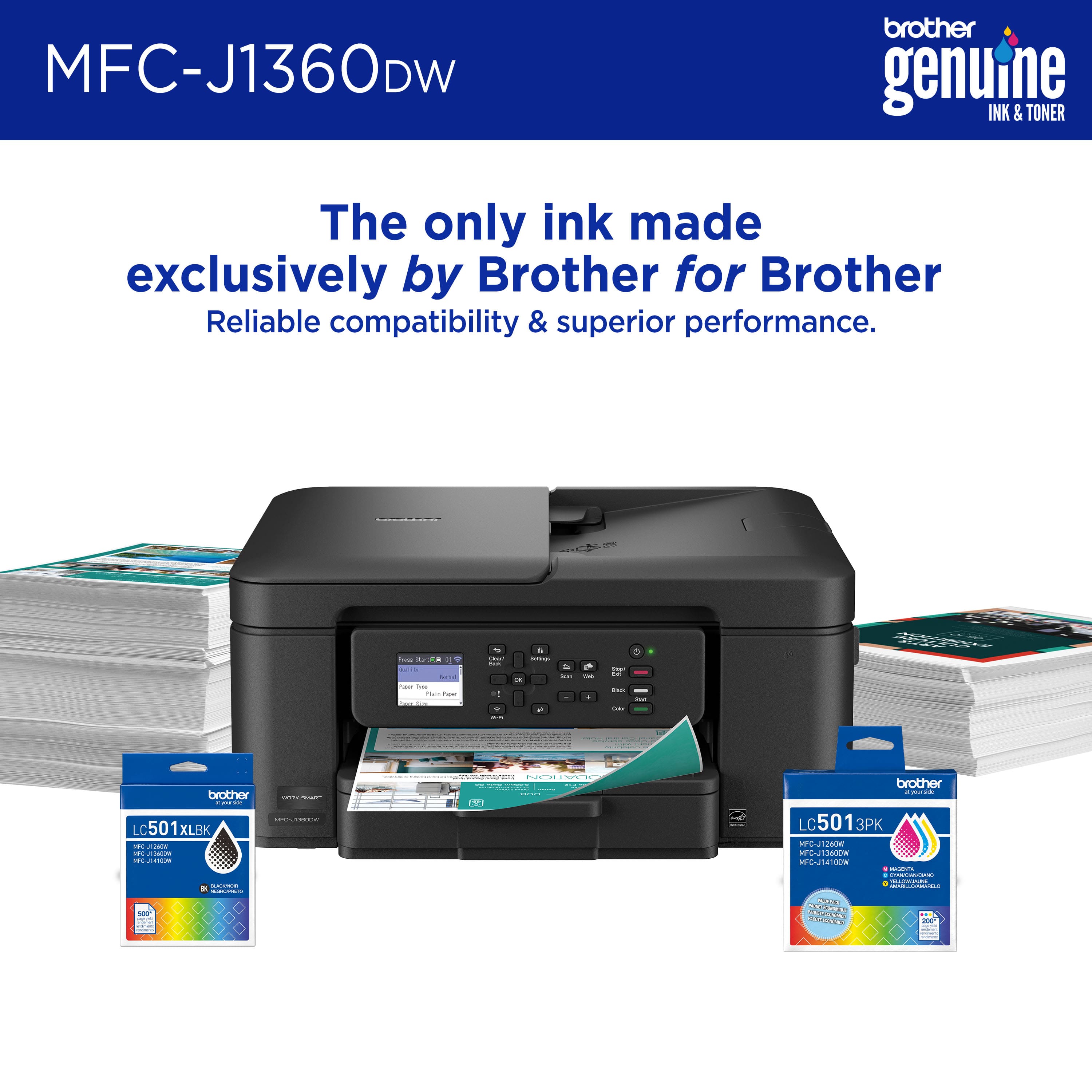
|Posted .This reviewer received promo considerations or sweepstakes entry for writing a review.I’ve been wanting to get a color printer that we could use to print out colored documents and flyers we needed for upcoming events. I’ve got a Brother Laser printer that works perfectly, so I decided to take a look at the Brother Inkjet printers. I found the Work Smart 1360 Wireless All-in-One Inkjet Printer, which checked all the boxes I had. Pros: - Easy Guided Setup. - Can print from any device. - Color Printing looks good. - Optional EZ Refresh Subscription Cons: - Inkjets run out of ink sooner than Laser printers. Setup: I like Brother printers because they’re simple and just work. The Work Smart 1360 Inkjet Printer was no different. After taking it out of the box and plugging it in, the LCD screen displayed the setup instructions. I was surprised at how compact the Work Smart printer was, at about 15.5in by 13.5in by 7in. I normally set everything up using my PC, but I wanted to try using my phone to setup this printer as I often have to print on the go or while out and it would be great to have this connected to my phone. The guided setup was easy to follow, though there are a lot of steps, including steps to check the printer ink heads and alignment. I appreciate these added checks to ensure everything works, as nothing sucks more than troubleshooting a nonfunctioning brand-new printer. I was able to finish all the setup in about 15 minutes, it wasn’t long or difficult. After setup, I was able to print without issues. Software & Connecting: I was pleasantly surprised by how easy setup, connecting, and printing from my phone was, as I’ve had plenty of issues when attempting to connect and print from my phone with other printers, though with Brother Printers I just don’t have the same issues. After the initial setup via my phone, I connected my PC to the printer without issues, I had to install the printer drivers via the Windows “Add Printer”, but after that I was able to print without issues. Brother provides the Brother iPrint&Scan software which allows you to print, scan, order additional suppliers, and monitor the printer all from within the app. iPrint&Scan is easy to use, displaying the selected printers current ink levels in the app so you know in advance when you need to order more ink or if there is a current issue. The additional services like Refresh EZ Print Subscription can help keep you supplied with ink. Printing: Color printing was the main reason I picked up the Work Smart 1360 printer, which it did a great job on. Both Color and Black & White printing came out looking good, even graphics looked pretty good for an at home printer. The images were not grainy or miscolored, what was on the screen came out accurately. Text was also very clear and not smeared. Two-sided printing worked great, as we often print out text on both sides this is a must have feature, plus for flyers it is very helpful to have color image on the front with additional text on the back. One of the better features of the Brother Printers is how easy it is to connect and print from any device, via the Brother Mobile Connect app. It’s a very simple but works every time you need to print from a phone or tablet. Scanning: Scanning was also just as easy with the Brother iPrint&Scan app. Simply open the app, click the scan button, configure your scan settings and go. I don’t use the scanner often, but when I do I prefer a simple interface like this that just works. Ink & Ink Subscription: The Work Smart printers use the LC501 or LC501XL cartridges, 4 of them: Black, Cyan, Magenta, and Yellow. This means, if you print with a specific color more often than the others, you will end up needing to buy specific colors more frequently, such as Black usually runs out first as it is used for most text sheets. Brother has an OPTIONAL and convenient printer ink and toner subscription called Refresh EZ Print Subscription, which uses special smart ink cartridges that notify Brother when you’re running low and automatically order you new cartridges before you’re out of ink. This can be very convenient for those users who don’t want to track and manage when and what to order for their printing needs, but this does require a Monthly Subscription which is based on how many pages you will print each month. There are benefits to the EZ Refresh Subscriptions as you pay a subscription rather than outright pay for the ink which can save you money in the long run depending on your uses. But the downside is you will need to know roughly how many pages per month you need to print and will need to maintain the subscription to make it worth it. For my inconsistent use, I’m not sure about the subscription service being beneficial but that would mainly depend on the cost of ink, which right now I found only a few suppliers for about $68 for a 2-pack of the black XL cartridges and $62 for a 3-pack of the colored XL cartridges, which is high compared to other brother printer cartridges probably due to this model being on a new cartridge system. My only concern with the printer has nothing to do with Brother, it’s that Inkjet printers ink tends to run out faster than Laser printer’s toner. This is just part of the trade off with colored printers, so I’m not going to knock down the printer for it, but I wanted to mention it as I’ve got both type of printers for this specific reason. I print all text or black and white printing on the Laser, and now can print color on the Inkjet! Conclusion: If you ask me what home Printer brand I recommend, I will instantly say Brother Printers. Hands down, Brother makes the best at home printers that just work. The Work Smart 1360 is a great wireless printer that fits everything you need out of a color all-in-one printer & scanner. I’ll be getting quite a lot of use out of this printer.
I would recommend this to a friendQuick Printer in a Compact Form
|Posted .This reviewer received promo considerations or sweepstakes entry for writing a review.The Brother Work Smart 1360 is an excellent choice for anyone at home, home office, or office. A quick and speedy machine to help you get the job done back by good build quality and brand you can trust for future support and service. The printer came in a smaller than expected package and took me less than 5 minutes to unbox, prep, add ink, paper, and connect to my wifi and phone. A software update took about another 5 minutes which took place a day after installation. The included ink was easy to install and I prefer having individual cartridges for Black Magenta, Cyan and Yellow. Replace what use/need and the ink last longer. I also had to prep the printer for calibration which took a minute or so. The printer has a small screen but its just enough to tell you everything you need in conjunction with your phone and the Brother app. The 1360 is an excellent sized printer to fit in any space and to be honest size does not matter here as it “almost” does everything I need. Most notably it prints extremely fast and warms up faster and quicker than any of my laser jets for print jobs with not a lot of images. The printer does duplex printing, scans and connects to your computer or mobile device with ease. I like how the app tells you how many estimated prints you have left (pictured), allows for easy supply reorders and helps keep your printer running. I have two complaints the feed scanner only scans one side of a paper at a time and the screen doesn’t truly have a home page and it’s always on a setting screen to change paper size, etc. I have a toddler and it’s just too easy for him to reach and change settings. Overall a strong printer for everyday needs or if you need the right sized printer for a small space with minimal compromises.
I would recommend this to a friendSimple Solid multifunction printer scanner copier.
|Posted .This reviewer received promo considerations or sweepstakes entry for writing a review.Simple straightforward multi function ink jet printer. Brother has been a solid manufacturer for a long time. I remember them creating typewriters. Setup was not horrible but it is a bit on there harder side. Meaning that even though they have an app and I downloaded from the Google Store I still had to enter in information at the printer's key pad to connect to WiFi and get certain data to register my printer to my account. All in all it took about 20 mins all together to set up. That also included heat alignment and ink installation. Ink installation is super simple. Door/compartment on the side opens and you slide each of the colors in place and you are all set. Printing from either phone or PC was super easy. Devices found it and I was all set. Remote printer was easy too. Just need to make sure you have the app and you have an account setup. Scanning was easy too. Setup to Google drive was easy too. Plus I already a brother account. Copy function was easy to use. Overall speed of print or copy was pretty quick. My kid had a school project to do several prints for photos and a report and it did well. I had some work material to take care of and it did well. Scanner feeder is great for multi page scans. Size, color, appearance is nice. Printer is compact and black is a clean look. Keypad operations is easy to use. All pros with my small cons of the following: setup needs more step by step printer keypad use and the printer screen is a bit small so it is little hard to see at least for me. Other than that, solid multi use printer is good for small office or home use.
I would recommend this to a friendGreat printer for the home or SO-HO
|Posted .This reviewer received promo considerations or sweepstakes entry for writing a review.Really good and simple to use printer. Came neatly packaged and they include all the ink colors to get you started (black, cyan, magenta and yellow), a power cable and little card telling you to use their phone app (I rater setup my printers using my PC, and that's what I did). The only CON I see is they do not include a printer USB cable in case you want to hook it up via USB, you have to get your own. Setting it up was easy and I had their Print&Scan windows app set to go. Inserting the ink cartridges was easy and run a test an alignment to make sure it was printing good. The printer has a large tray for paper. It has a scanner bed, however I love that it also has an auto feeder on top. You just put the pages/papers in there you want to scan or copy and it will just feed itself page by page, no more having to open the bed, put a paper, scan and repeat again, nice! I also love that it has a double sided printing feature and it does it automatically. I know paper is cheap nowadays, but sometimes you just want to save some trees or keep a document low on pages, so you can now just print both sides of each paper, loving it!! You get a trial of their Brother refresh service, where it will auto ship you ink when you need it, afterwards they have some tiers depending on the amount of pages you print. Print quality was good for an inkjet printer and it really prints fast as they advertise. If you want a cost saving and good printer for home or a small-home office, go for it, it wont disappoint you!
I would recommend this to a friendGreat All-in-One with exceptional print quality
|Posted .This reviewer received promo considerations or sweepstakes entry for writing a review.This Brother Work Smart MFC-J1360DW Color Ink Jet All-in-One Print - Copy - Scan device is an excellent choice for home, office, or dorm. This is also an Energy Star device. In the box you get the Brother all-in-one print, copy, scan ink jet device, power cord, and documents Setup has options. This printer will work with a smartphone, tablet, or computer. I tested it with all three, but chose to use it mostly with my smartphone and tablet. I downloaded the free Brother application using the QR code on the printer screen and on the paperwork with the printer. I followed all the steps and it was a short process and very easy to do. Features are abundant on this all-in-one device. For starters, it has a nice and bright screen on the control panel. The control panel is self explanatory, but this comes with a Reference Sheet in case you need it. There are also other language stickers to use on the control panel if needed as well. I thought that was an added benefit. I also like how the printer does automatic duplex printing, automatic duplex copying and scanning, and has an auto document feeder on it as well. One huge plus that this machine has verses a lot of others is that the paper tray holds legal size paper as well as other sizes. The tray converts to different sizes to adapt for the right size of paper. The scanner is both a flatbed scanner and an auto document feed, up to 20 pages. This is a really nice printer. You can, through the app, print, scan, and copy to other apps, and email, and various other sources. The ink cartridges are cyan, yellow, magenta, and black. They are so easy to install. You don’t have to do anything special to get to the ink cartridges. Just open the door on the right side of the device in the front, and there they are. They even have a subscription service so you don’t run out of ink. This printer is definitely a keeper. Print quality is fantastic. I printed on plain white paper and everything I printed turned out vibrant and clear. The colors popped and the black and whites were the right contrast. There were no odd lines or smears of ink anywhere.
I would recommend this to a friendThe BEST choice I've made this year!
||Posted .This reviewer received promo considerations or sweepstakes entry for writing a review.I bought this specifically to print out my complicated tax forms. It was a choice between buying a printer or getting my forms printed out elsewhere and this was highly raved for the price. And my goodness, this thing SAVED me. The BEST choice I've made this year! I had so many last minute changes to make and this printer handled it beautifully. The only mildly annoying thing is that it is meant to be connected to a PC, not so much a Mac computer. That's OK, I just sent everything to the Brother app on my phone. I was panicking because the black ink ran out really quickly, but in the end, a lot of the ink had gone to the ink reservoir that I could use, and I got about 90 pages of forms printed out, along with 40 extra pages of forms that I tossed away due to mistakes so VERY happy with that! The paper tray design was very smart and the whole thing is nice and compact, and looks sleek. No technical issues at, everything ran smoothly, setup was a bit long but smooth, you basically followed the instructions. Very happy. THANK YOU!
I would recommend this to a friendGreat General Purpose Printer
|Posted .This reviewer received promo considerations or sweepstakes entry for writing a review.I have to start this review by stating that I favor Brother printers above any other. I like the simplicity of setup, the no BS use and the fair pricing on ink. That said, this printer has done nothing to change my perception of Brother printers. I have been using a simple black and white printer from Brother for the last year but found myself in need of something that can do color on occasion, so I picked this one. This printer is perfect for those that need to do the occasional color print, but don't print too often. For starters, the build quality is right where you would expect it to be for a printer of this caliber. Its made of a lighter weight plastic, with semi questionable hinges like any other printer. Where it excels compared to its competitors is the control interface, it has tons of buttons that make it much easier to navigate its menus or get to what you need to without pressing the same button 300 times. Print quality is Ok with this printer. Its not a top of the line color printer and for the price you shouldn't expect that. Instead its a general purpose printer that does that very well. The color print quality is pretty good and the speed isn't bad. It does take a while to print a full color printer, but not noticeably different from other printers. The print quality is probably effected by the paper I was using so I'm not judging it on that. The scanner works pretty well, just as well if not a little better than my other printer, but perfect for what I'm doing. The ability to handle all of this from my phone is a major plus. The paper hopper could be a bit bigger, but holds about a 3rd of a reem of paper, so that should be enough for most. The biggest benefit of this printer is the app that comes with it. I want to preface with the fact that you don't have to use the app for this printer to work. You can do the setup and everything from the printer itself, up and running in 10 minutes at most if you want. The mobile app makes this faster though, and being able to do scans or prints from your phone is very helpful. I send more things to be printed from my phone than my PC, so this is a great benefit for me. Overall this is a great general purpose printer.
I would recommend this to a friendPretty solid little printer
|Posted .This reviewer received promo considerations or sweepstakes entry for writing a review.I've been using HP printers for the most part however I've been leaning more towards Brother printers to replace mine. While does have a similar ink subscription program like HP, it's nowhere near as annoying and certainly not required to use the printer. From the spec sheet, the printer does moderately fast printing at 16PPM/9PPM for black and color. Also has duplex printing which is a nice little bonus feature. Something like this would be more suited for a student or small home office. It's a fairly light duty printer that'll work for just about anyone provided their printing needs are on the low side. It's your typical all-in-one printer so you get the added feature of a scanner/fax/copier. paper tray is a bit on the small(er) side at 150 pages. Ink cartridges are reasonably priced. Full set of Brother ink will run you about $50 which is nice. If you opt for remanufactured or 3rd party cartridges then it'll be somewhat lower. Cloud printing is also available through the companion smart phone app. I don't normally use this feature a lot but, when I do, it's quite convenient when you need to print something in a hurry. Considering the price point of the printer and the cartridges, I'd say this is a nice printer to have at home. Whether you print a lot of stuff or a little, I think it's well suited for that and has enough features on it that you're not missing out on anything with more expensive printers.
I would recommend this to a friendA Real Gem of a Printer
||Posted .This reviewer received promo considerations or sweepstakes entry for writing a review.So far, so good. Great compact, quiet, fast little printer that does everything a home office needs. The set-up was easy and the machine is responsive. Auto-feed and duplex printing are welcomed additions making this printer a great buy for the price. Especially like the paper tray in the front of the machine rather than the rear and the ink cartridges seem to be more reasonably priced than others. I'm converted to Brother after being an HP user for years. I'll never go back to HP, this machine is far superior.
I would recommend this to a friendGreat for docs & forms
|Posted .This reviewer received promo considerations or sweepstakes entry for writing a review.In testing the Brother Work Smart inkjet printer, it wasn’t hard to push it to its limits. It’s great for printing text documents and forms on plain paper, but I really had to tinker with the scan settings to get a desirable result. I found that it came in really handy for work when I used the Duplex feature to print some catalog pages front and back. This printer lends well to text and line based work, and if that’s what you’re looking for in a printer, this is a good choice. Most business and academic work will use plain paper (20 lb). I wanted to use something thicker and discovered that cardstock (normally 65-110 lb) is not really an option because the recommended paper weight limits are as follows. Plain paper (17 - 32 lb). Inkjet paper (17 - 53 lb). Glossy paper (up to 58 lb). I ended up printing some documents on 20 lb plain paper with great results. For the pictures/art prints I used 36 lb brochure/inkjet paper and even 80 lb. text weight glossy paper, which I know is above the recommended limit for glossy paper but it’s actually pretty thin so it didn’t jam. The solid colors on both the plain paper and inkjet paper were a bit under saturated and came out with some banding which was more noticeable on the darker colors. I had great results printing line art, it was just the solid color pictures that showed banding. Glossy paper gave me mixed results: the dark solid areas were followed by a trail of ink, I guess since it uses so much ink and it basically sits on top of the gloss before it dries and some part of the mechanism dragged the ink. The lighter pictures turned out well though, so I will keep that in mind. I can’t really fault the printer for the quality on the glossy paper given that it’s outside of the recommended paper specs. Changing the Quality setting to Best (the default option is Normal) slightly improved the full color prints. I think there’s a certain aesthetic quality inherent to inkjet color that I’m not a fan of. I’d rather have a more vibrant print, but honestly no complaints on the text and line document printing. The original scan settings are over saturated and result in too much contrast. I was able to tinker with the settings in the Brother iPrint&Scan app to get a better result for photo scanning, but the app is limited and I will have to look for a different scanning app to get the user experience I want. Over all, this Brother Work Smart all-in-one printer has limits that I imagine most people wouldn’t surpass. I like printing and scanning more than just documents or receipts. It could very well serve as a reliable printer with its Duplex printing, good speed, and scanner/copier feature. But as an artist, I want a printer with more features and higher quality results.
I would recommend this to a friendBrand response from Brother
Posted .We would like to take this opportunity to thank you for your feedback. At Brother, customer satisfaction is something we take seriously. Your feedback is important to us and will be reviewed.
Thank you for being a Brother customer. Please know that we will be here, should you need to contact us in the future. Please contact us directly at:
https://www.brother-usa.com/support/MFCJ1360DW
Compact, easy to use All-in-One
||Posted .This reviewer received promo considerations or sweepstakes entry for writing a review.The Borther Work Smart 1360 is very easy to set up and use All-in-One wireless, Color, Inkjet printer that is very compact in size for a very low price. The app is useful, and the paper hopper is great for such a small device. Print quality is excellent, and ink replacement cost is more reasonable than for most competitive printers.
I would recommend this to a friendEasy to use
||Posted . Owned for 1 week when reviewed.This reviewer received promo considerations or sweepstakes entry for writing a review.Easy to use. Easy to fit on desks. Easy to connect and quality printing
I would recommend this to a friendGreat price for a small price.
||Posted . Owned for 3 weeks when reviewed.This reviewer received promo considerations or sweepstakes entry for writing a review.The Brother Printer has All the right features for a very affordable price. Print quality is excellent and relatively quiet operation. Setup is a little difficult in that the instructions are not real clear for some functions. Once you install the correct driver, the operation is very smooth. For the price this printer is hard to beat.
I would recommend this to a friend


















